Show a letter date as November 5, 2026

Make5 minutes
The problem
The date in your letter shows as 11/5/2026, not November 5, 2026.

Why it happens
Word often skips Excel's date format and reads the date underneath. So the letter can show a different style than your list.
Fix it
-
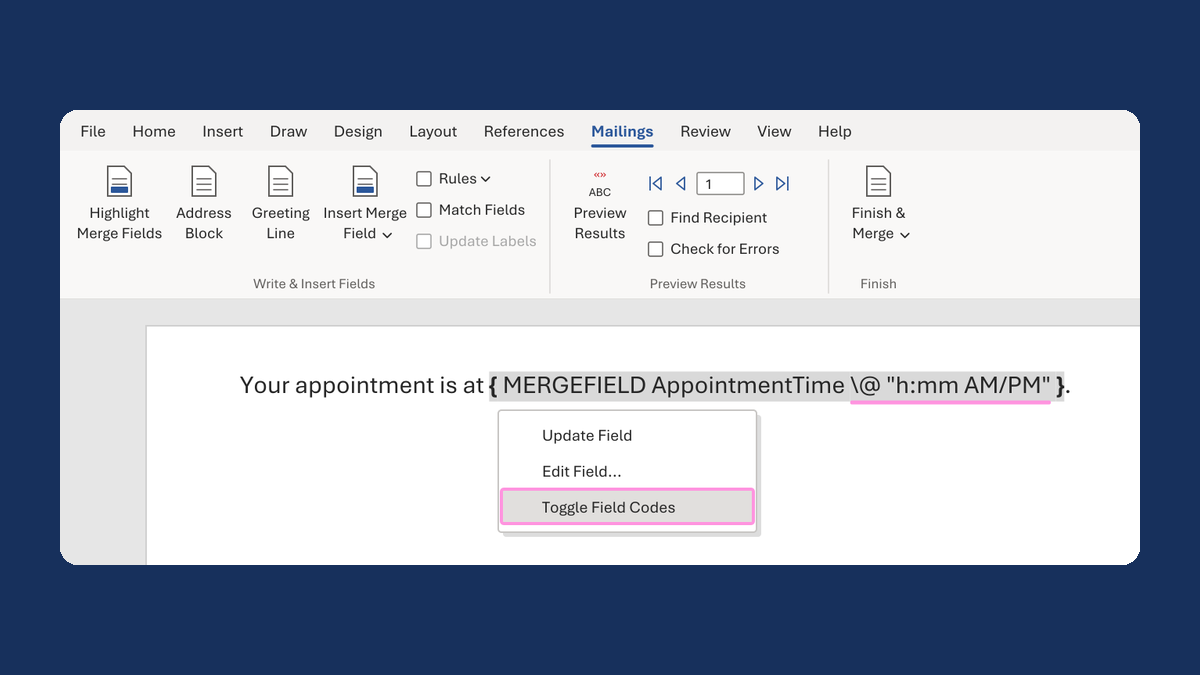
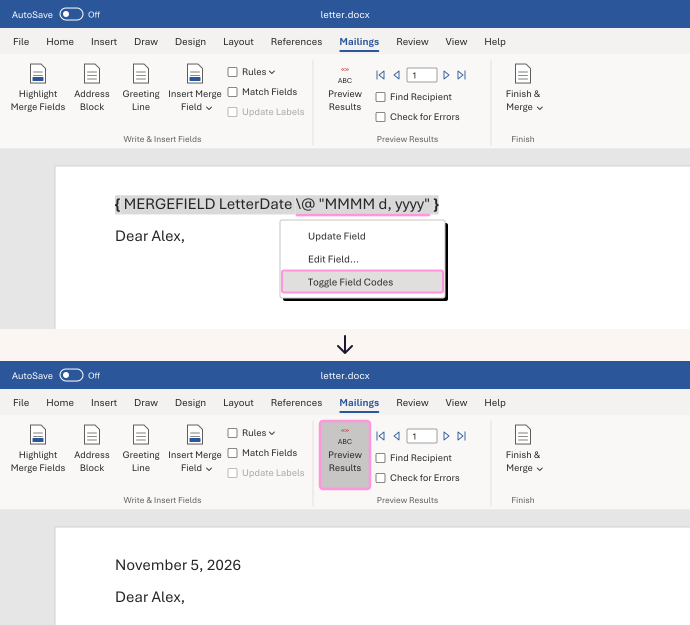
In your letter, right-click the date field and choose Toggle Field Codes. You'll see something like
{ MERGEFIELD LetterDate }, with your column's name. -
Click right after the column name. Type a space, then this:
\@ "MMMM d, yyyy"Keep the capital M's. A lowercase m means minutes.
-
Right-click the field and choose Update Field. If you still see the code, right-click it again and choose Toggle Field Codes.
-
Click Preview Results and check a few rows.
11/5/2026 now shows as November 5, 2026, and 2/29/2024 as February 29, 2024.
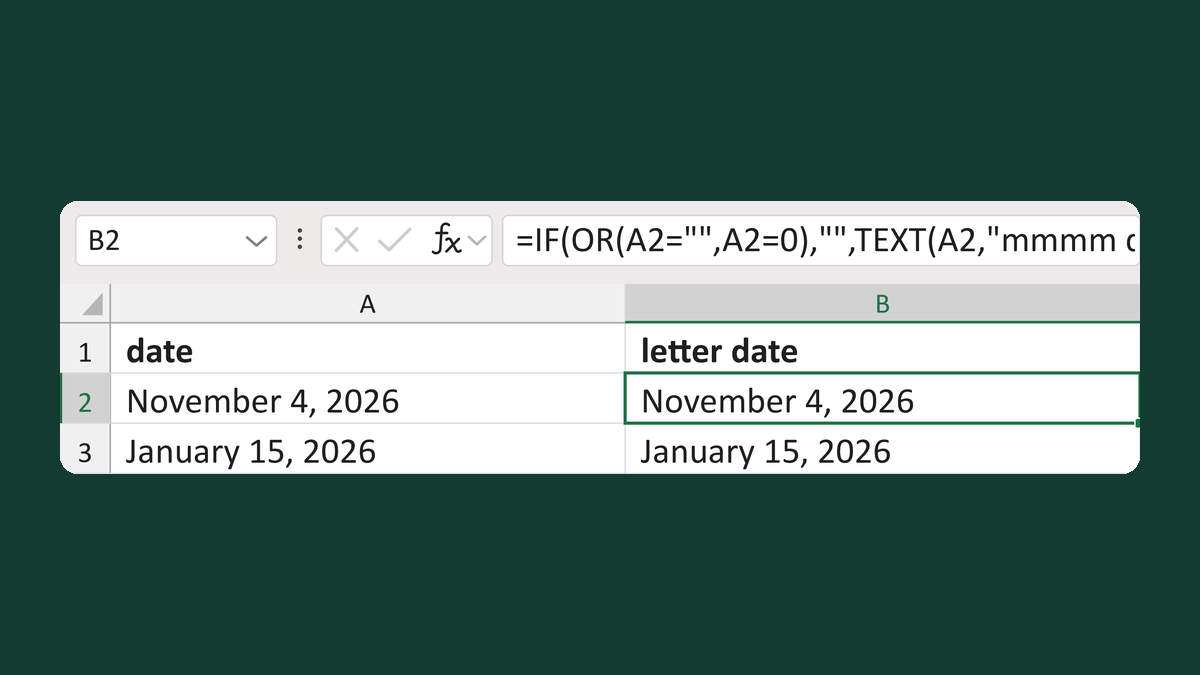
Write the date out in your list instead. Word prints text as it is. Try Write a full US-style date for a letter.
Watch for
This only restyles a real date. A plain number like 45000 stays a number, and 03/04 could mean March 4 or April 3. Fix those in your list first.
Tested in: Word for Windows and Mac
Microsoft's help: Format field results · Date, phone number and currency fields are merged incorrectly