Build a letter-reference code

Turn the prefix AB and the number 123 into the letter reference AB000123.
What you'll make
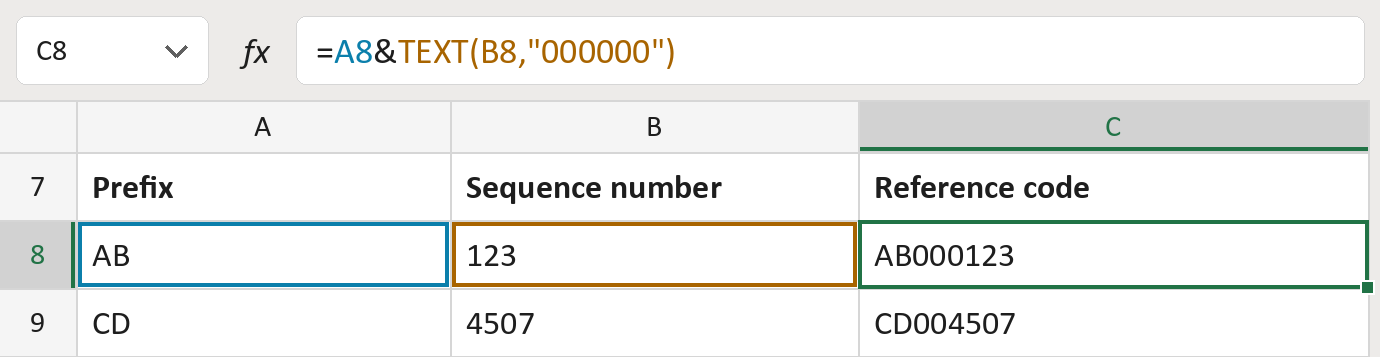
The formula

| Number | Part | What it does | Result so far |
|---|---|---|---|
| 1 | A8 | The two-letter prefix. | "AB" |
| 2 | TEXT(B8,"000000") | Adds the number with zeros in front, six digits. | "AB000123" |
Read it left to right. The & joins the two pieces. The result is text, so the zeros stay.
=A8&TEXT(B8,"000000")How to use it
Yellow bar at the top? Click Enable Editing.
- See it work. The Example tab shows 20 made-up examples with the formula already in.
- Use your own IDs. Paste prefixes and sequence numbers into the green columns of the Template tab. The codes fill in by themselves.
- Move them into your letter. Copy the results. Then use Paste Special and choose Values.
Before you send
This doesn't check that a code is new. Make sure each number is used only once in your scheme.
Microsoft's help: TEXT function
OTHER ROUTES YOU MIGHT LIKE
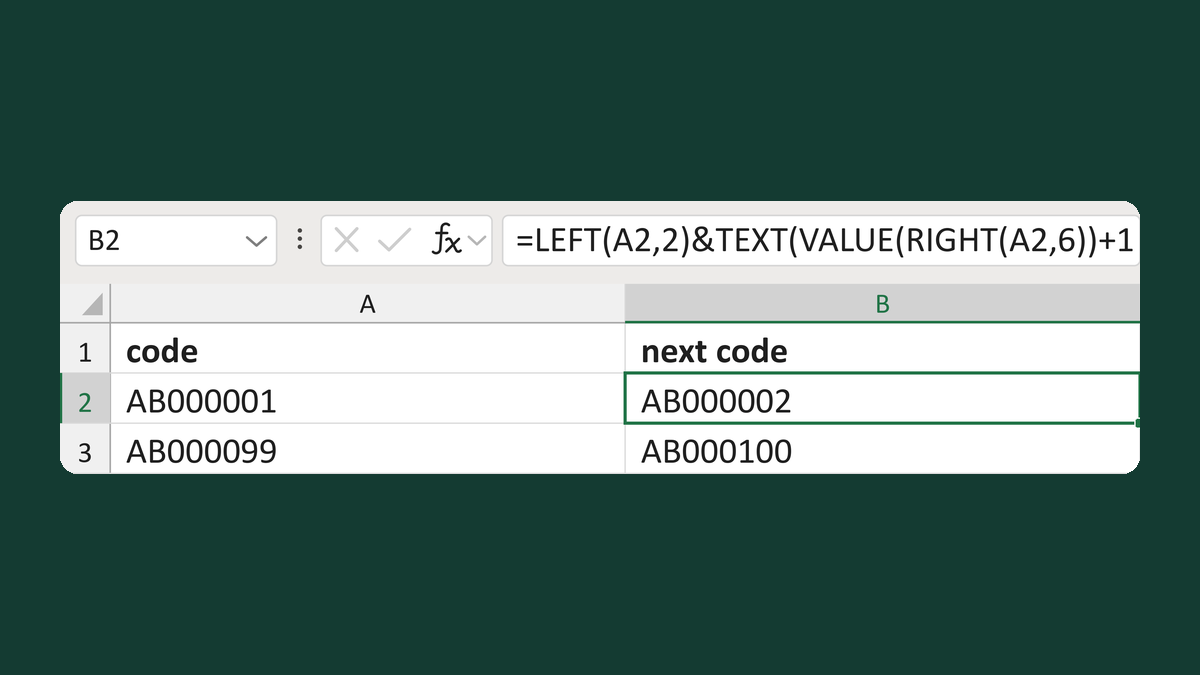
Increment an internal prefixed sequence
AB000001 → AB000002
Get the template →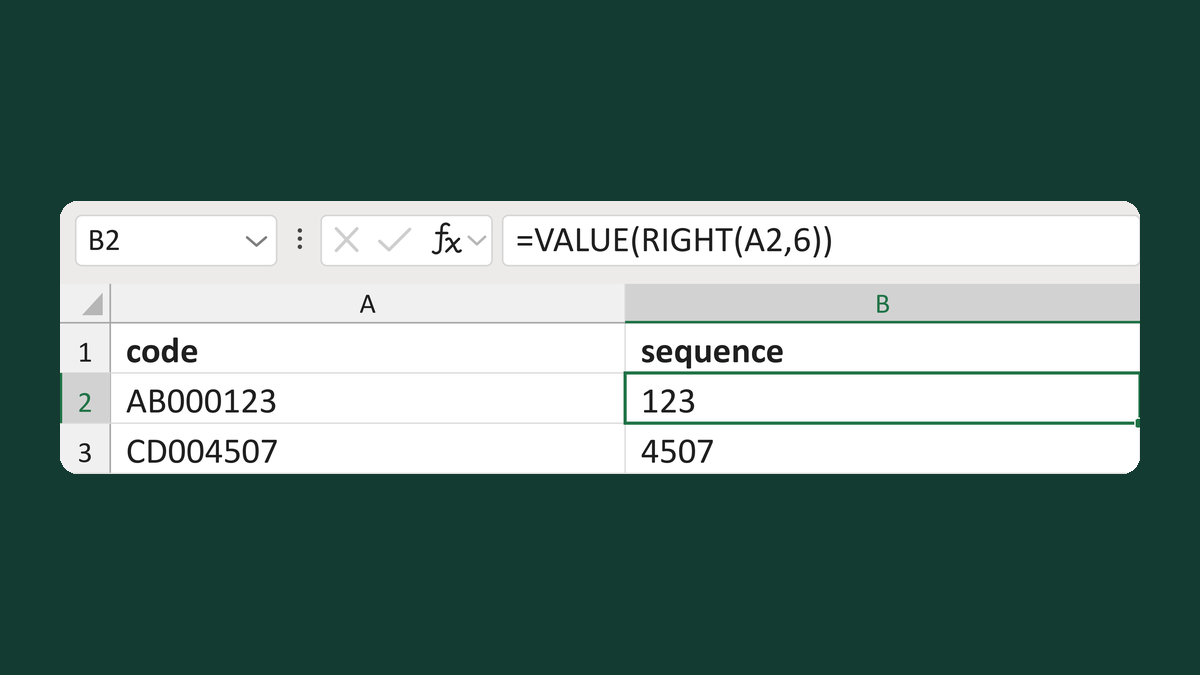
Read the numeric sequence from a code
AB000123 → 123
Get the template →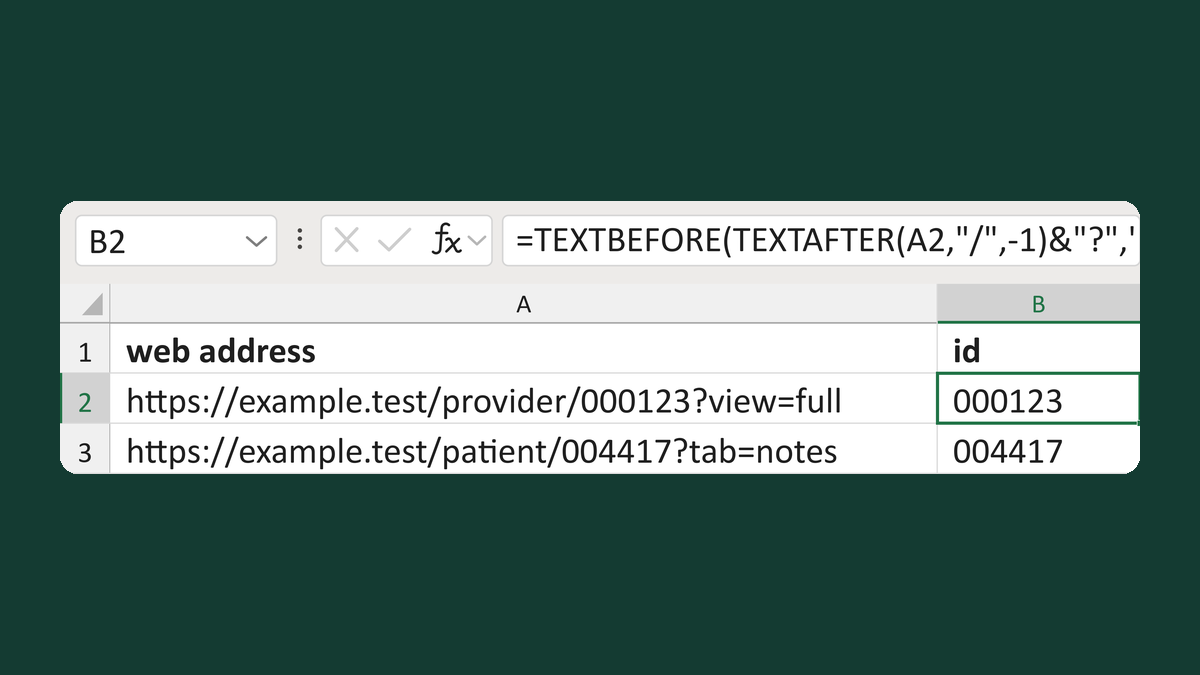
Read an ID at the end of a web address
https://example.test/provider/000123?view=full → 000123
Get the template →
Merge a few test letters before the whole mailing
Whole mailing → records 2 to 4 only
Take this route →