Calculate percentage change

Turn a change from 100 to 120 into 20%, and flag a start of 0.
What you'll make
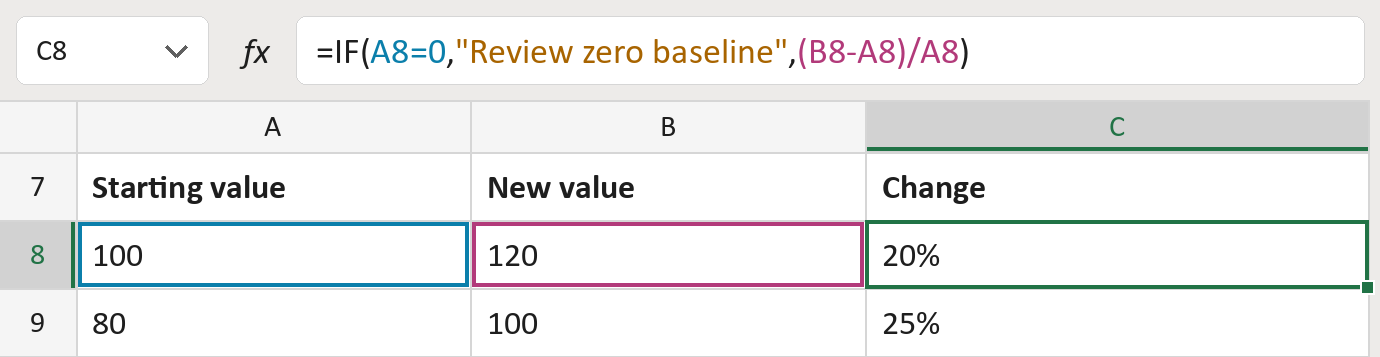
The formula

| Number | Part | What it does | Result so far |
|---|---|---|---|
| 1 | A8=0 | Checks if the starting value is 0. | No |
| 2 | "Review zero baseline" | What the cell says when it is 0. | Not used for row 8 |
| 3 | (B8-A8)/A8 | Divides the change by the starting value. | 0.2, shown as 20% |
| 4 | IF( … ) | Uses part 2 for a 0 start, otherwise part 3. | 20% |
A start of 0 has no percent change, so the row asks for a look. A fall shows as minus, like -20%.
=IF(A8=0,"Review zero baseline",(B8-A8)/A8)How to use it
Yellow bar at the top? Click Enable Editing.
- See it work. The Example tab shows 20 made-up examples with the formula already in.
- Use your own numbers. Paste starting values into column A and new values into column B of the Template tab. The changes fill in by themselves.
- Move them into your letter. Copy the results. Then use Paste Special and choose Values.
Before you send
Compare like with like, such as two monthly totals. Growth can pass 100%, so 20 to 50 gives 150%.
Microsoft's help: IF function
OTHER ROUTES YOU MIGHT LIKE
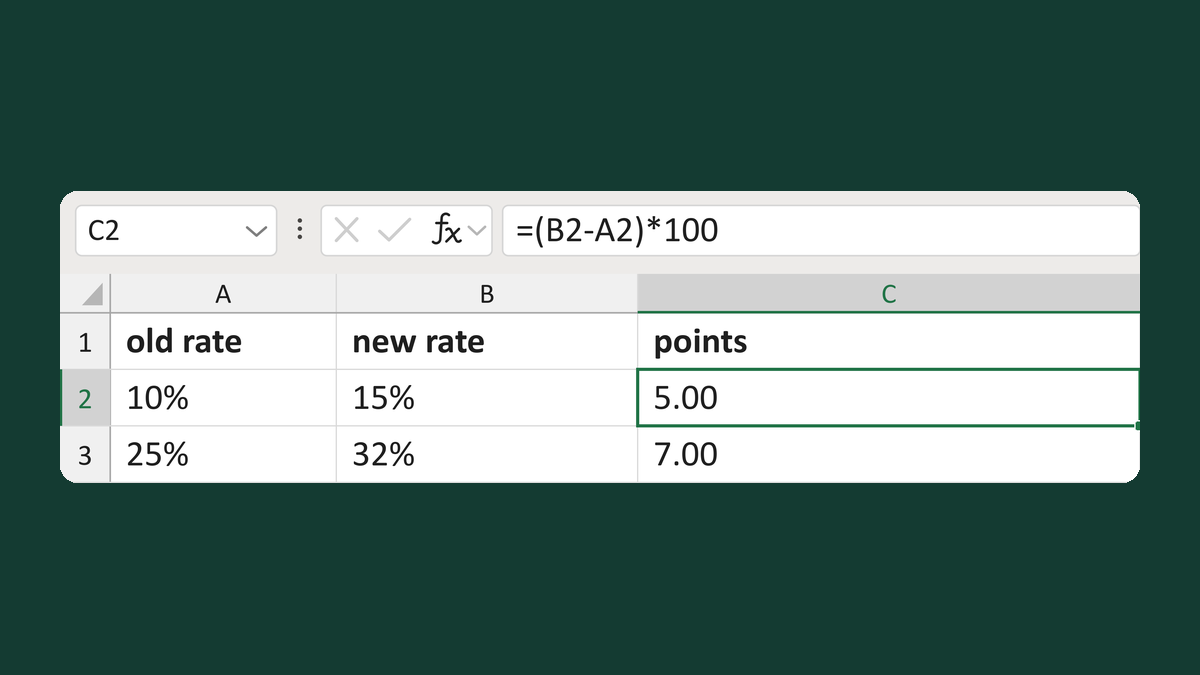
Calculate a percentage-point difference
10% to 15% → 5.00 percentage points
Get the template →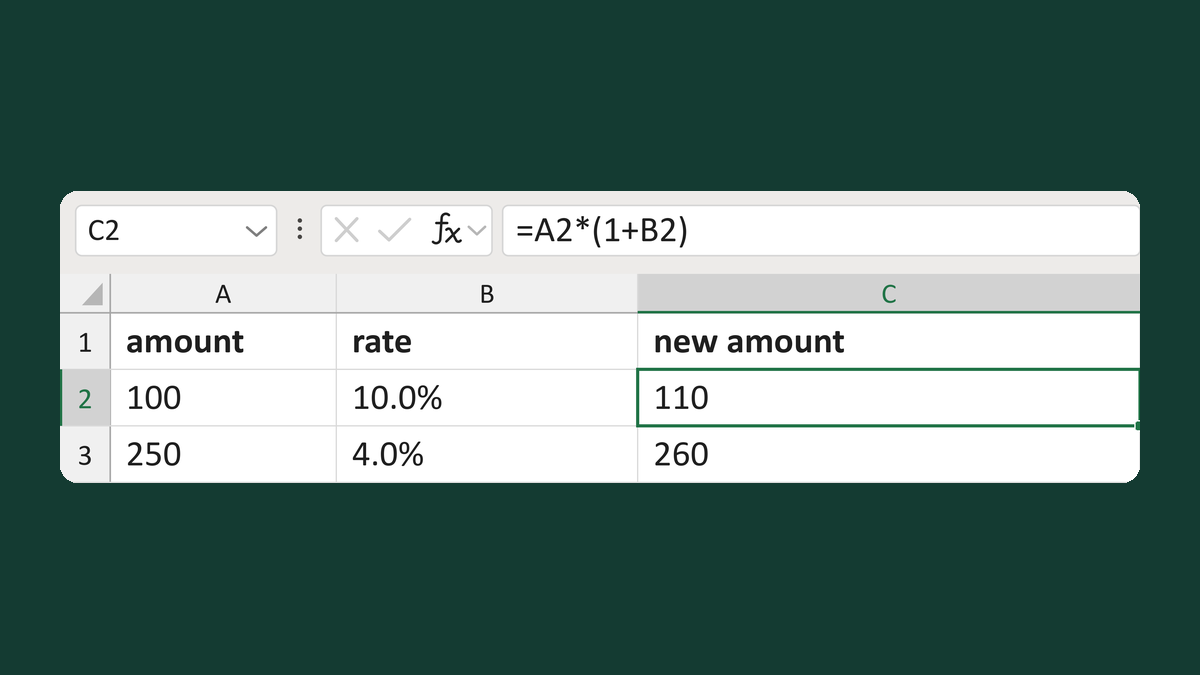
Add a percent increase to a number
100 with a 10.0% increase → 110
Get the template →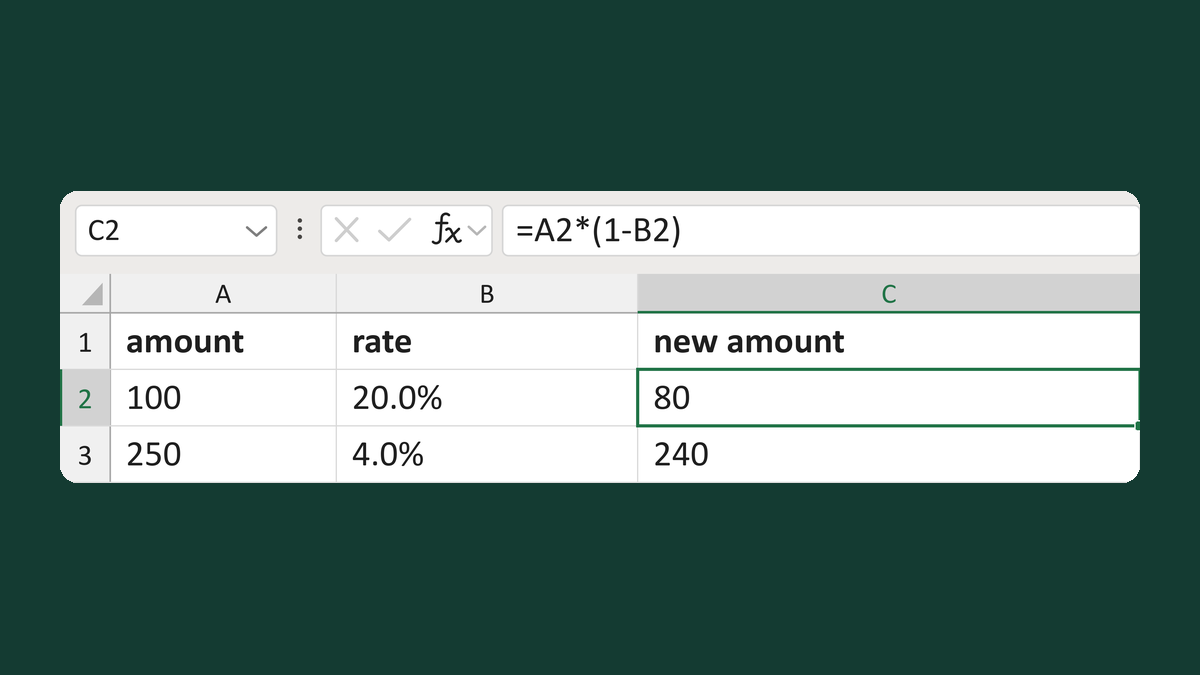
Take a percent decrease off a number
100 with a 20.0% decrease → 80
Get the template →
Merge a few test letters before the whole mailing
Whole mailing → records 2 to 4 only
Take this route →