Cap a progress rate at 100%

Turn 45 done of a 40 goal into 100%, not 113%, and 18 of 24 into 75%.
What you'll make
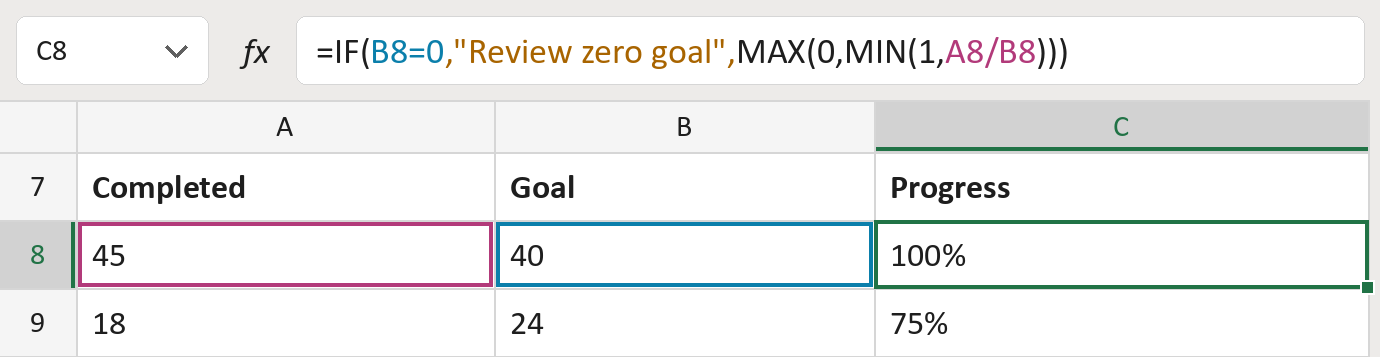
The formula
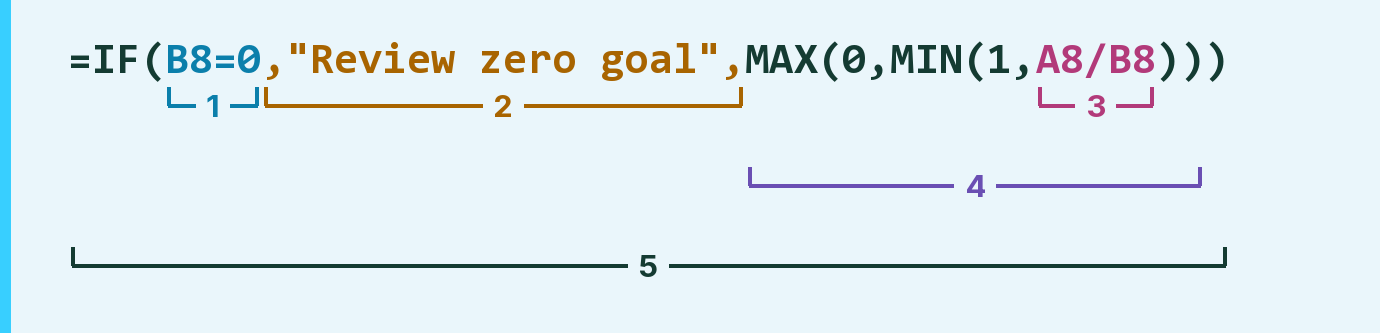
| Number | Part | What it does | Result so far |
|---|---|---|---|
| 1 | B8=0 | Checks whether the goal is 0. | FALSE |
| 2 | ,"Review zero goal", | The message for a 0 goal. | Not used for row 8 |
| 3 | A8/B8 | Divides the completed count by the goal. | 1.125 (113%) |
| 4 | MAX(0,MIN(1, … )) | Keeps the rate between 0% and 100%. | 1 (100%) |
| 5 | IF( … ) | Picks part 2 for a 0 goal, otherwise part 4. | 100% |
A 0 goal is never divided, so it can't cause an error. The counts are made-up.
=IF(B8=0,"Review zero goal",MAX(0,MIN(1,A8/B8)))How to use it
Yellow bar at the top? Click Enable Editing.
- See it work. The Example tab shows 20 made-up examples with the formula already in.
- Use your own counts. Paste completed counts into column A and goal counts into column B of the Template tab.
- Move them into your letter. Copy the results. Then use Paste Special and choose Values.
Before you send
Capped progress hides any extra work, so keep the real counts next to it.
Microsoft's help: MIN function
OTHER ROUTES YOU MIGHT LIKE
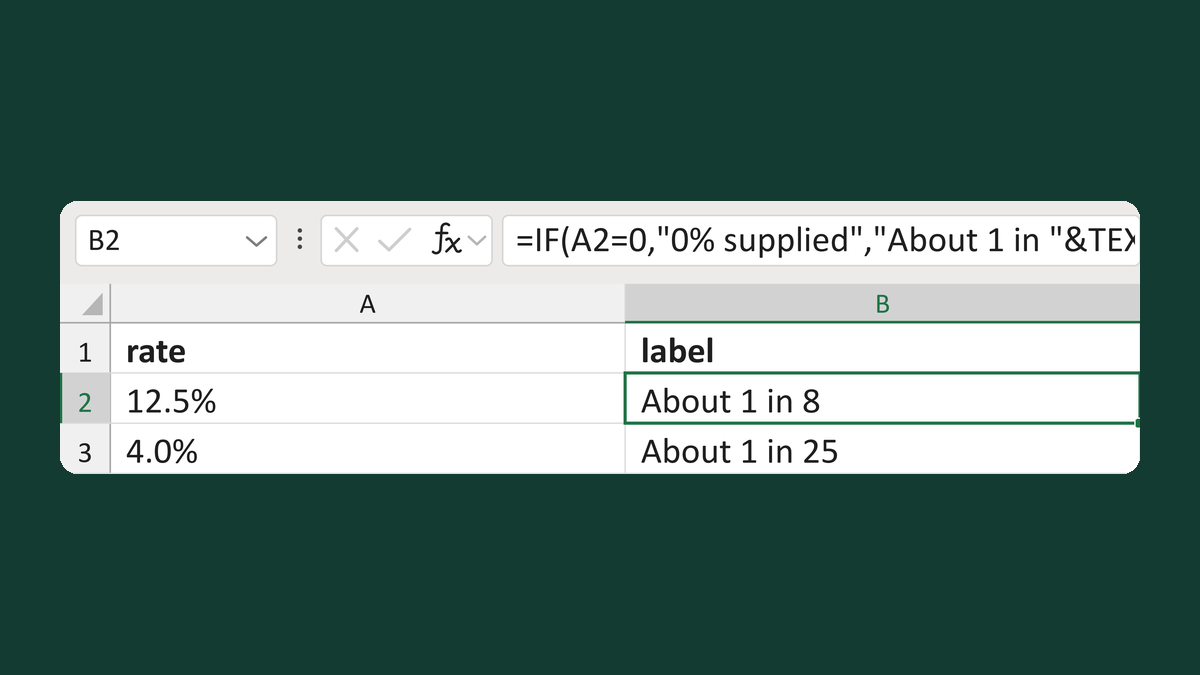
Write a rate as about 1 in N
12.5% → About 1 in 8
Get the template →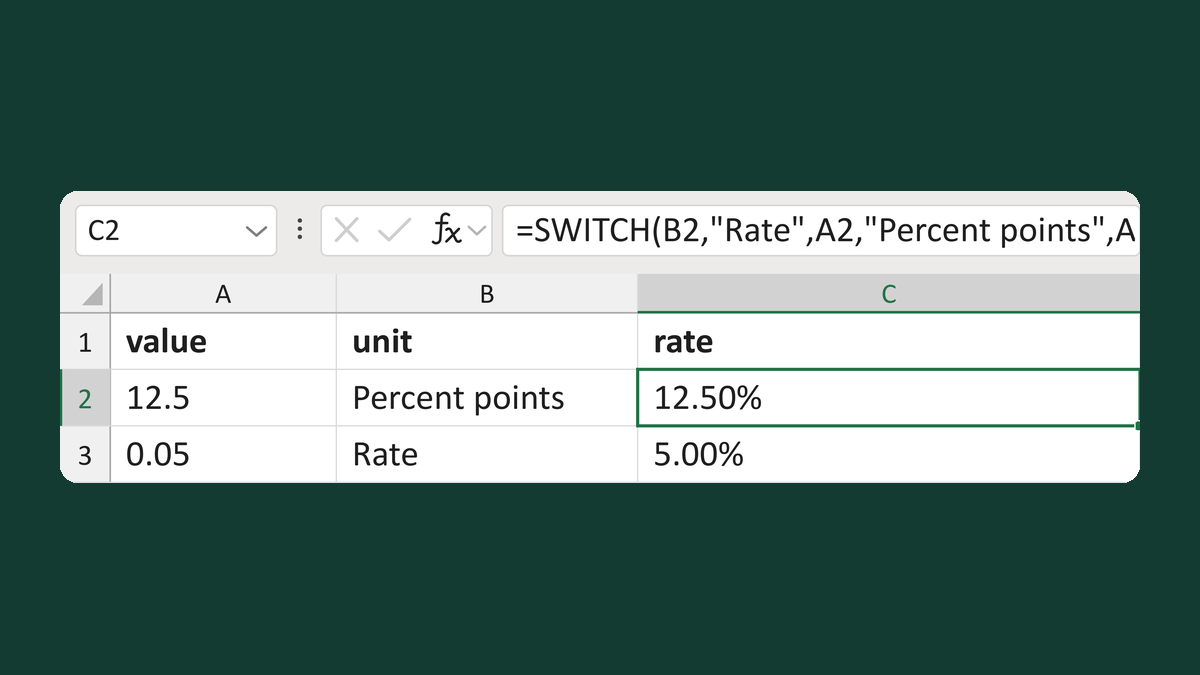
Turn mixed percent units into rates
12.5 Percent points → 12.50% as a rate
Get the template →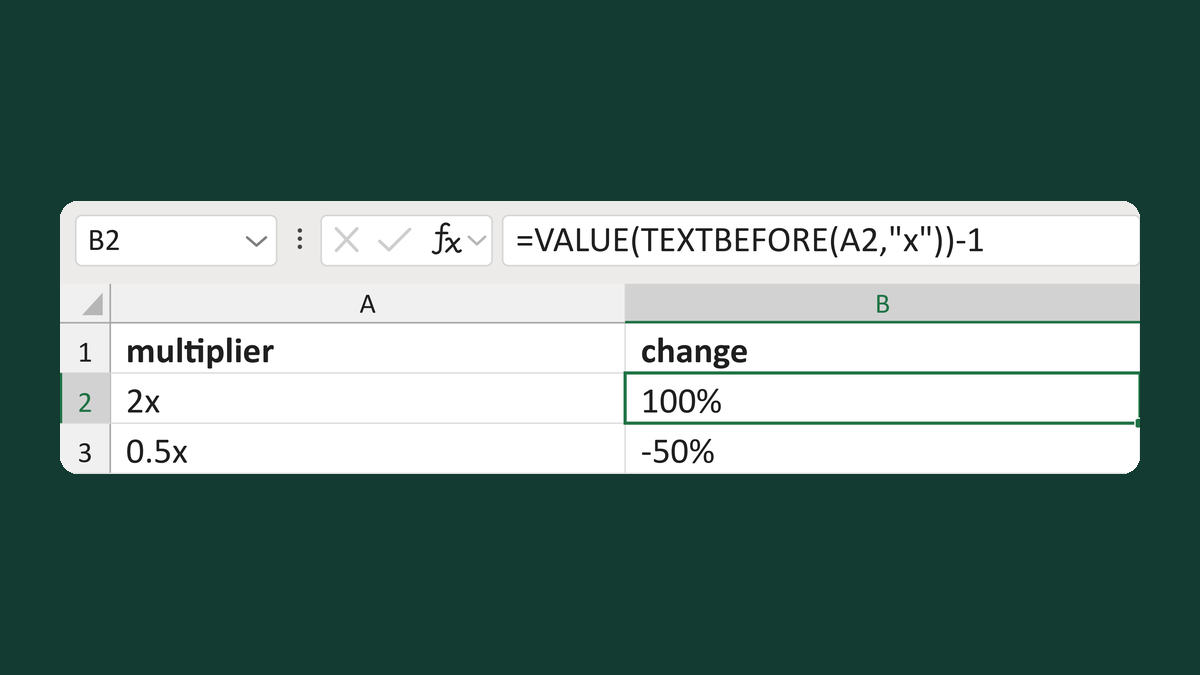
Turn a 2x multiplier into percent change
2x multiplier → 100% change
Get the template →
Merge a few test letters before the whole mailing
Whole mailing → records 2 to 4 only
Take this route →