Combine names as Last, First

One sortable name column, last name first, for directories and rosters.
What you'll make
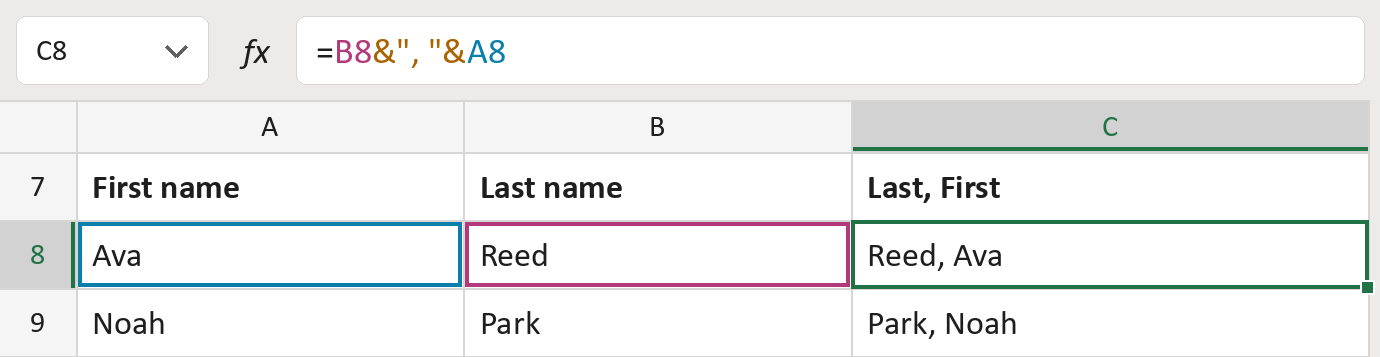
The formula

| Number | Part | What it does | Result so far |
|---|---|---|---|
| 1 | B8 | The last name comes first. | "Reed" |
| 2 | &", "& | Adds a comma and a space. | "Reed, " |
| 3 | A8 | Adds the first name. | "Reed, Ava" |
Read it left to right. Each & joins the next piece on.
=B8&", "&A8How to use it
Yellow bar at the top? Click Enable Editing.
- See it work. The Example tab shows 20 made-up names with the formula already in.
- Use your own names. Paste first and last names into the green columns of the Template tab. Last, First fills in by itself.
- Move them into your letter. Copy the results. Then use Paste Special and choose Values.
Before you send
Names are joined exactly as typed. Check spelling, and sort the list after you paste the values.
Route: Get names ready for the letter
Microsoft's help: Combine text from two or more cells