Get the email part before the at sign

Turn Ava.Reed+team@example.org into Ava.Reed+team, exactly as typed.
Download Excel templateMicrosoft 365
What you'll make
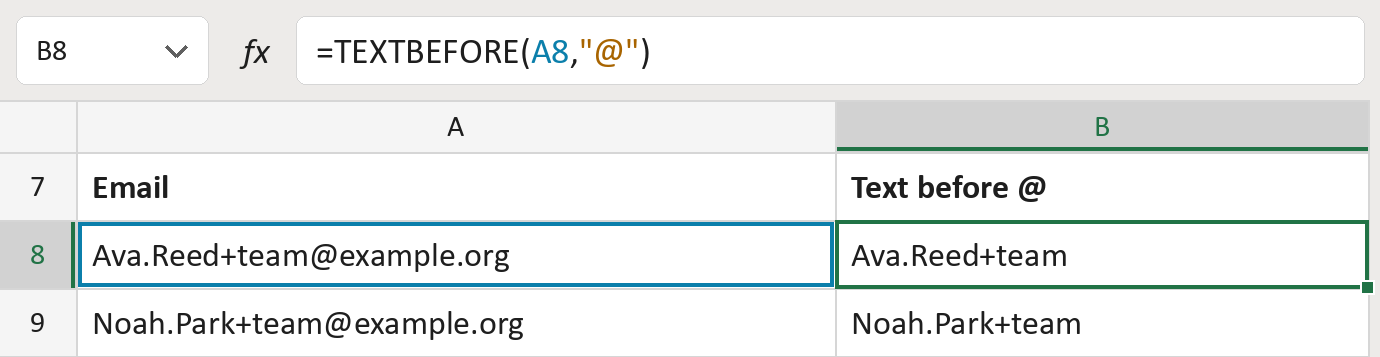
The formula

| Number | Part | What it does | Result so far |
|---|---|---|---|
| 1 | A8 | The email address. | "Ava.Reed+team@example.org" |
| 2 | "@" | Where to stop: the @ sign. | "@" |
| 3 | TEXTBEFORE( … ) | Keeps the text before the @, exactly as typed. | "Ava.Reed+team" |
Plus signs, dots and capitals stay. The addresses here are made-up.
=TEXTBEFORE(A8,"@")How to use it
Yellow bar at the top? Click Enable Editing.
- See it work. The Example tab shows 20 made-up examples with the formula already in.
- Use your own list. Paste emails into the green column of the Template tab. The text before the @ fills in by itself.
- Move them into your letter. Copy the results. Then use Paste Special and choose Values.
Before you send
This isn't a person's name. Don't use it in a greeting, and it doesn't check the address works.
Microsoft's help: TEXTBEFORE function
OTHER ROUTES YOU MIGHT LIKE
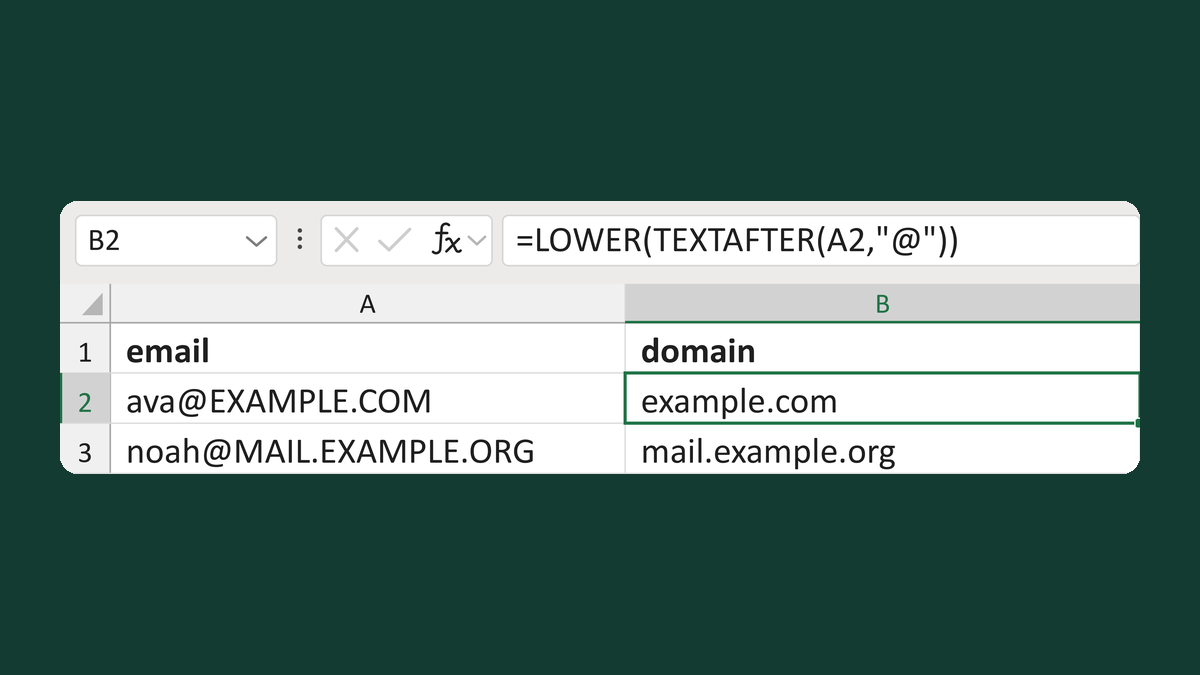
Read a lowercase email domain
[email protected] → example.com
Get the template →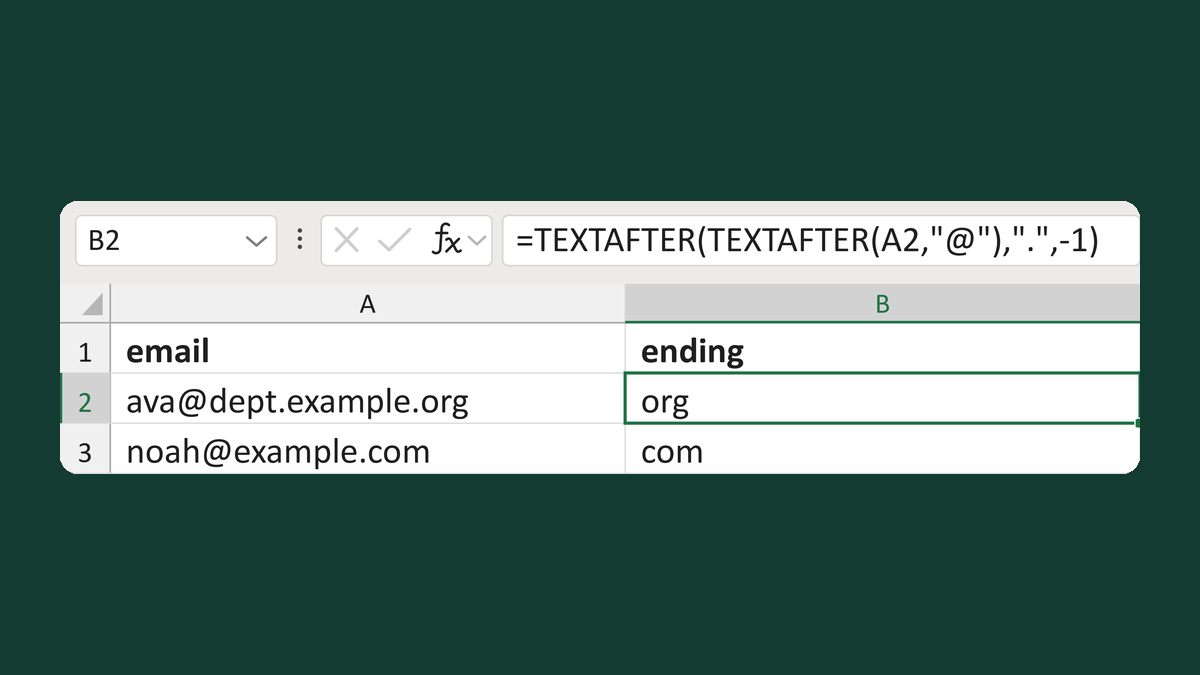
Read the last part of an email domain
[email protected] → org
Get the template →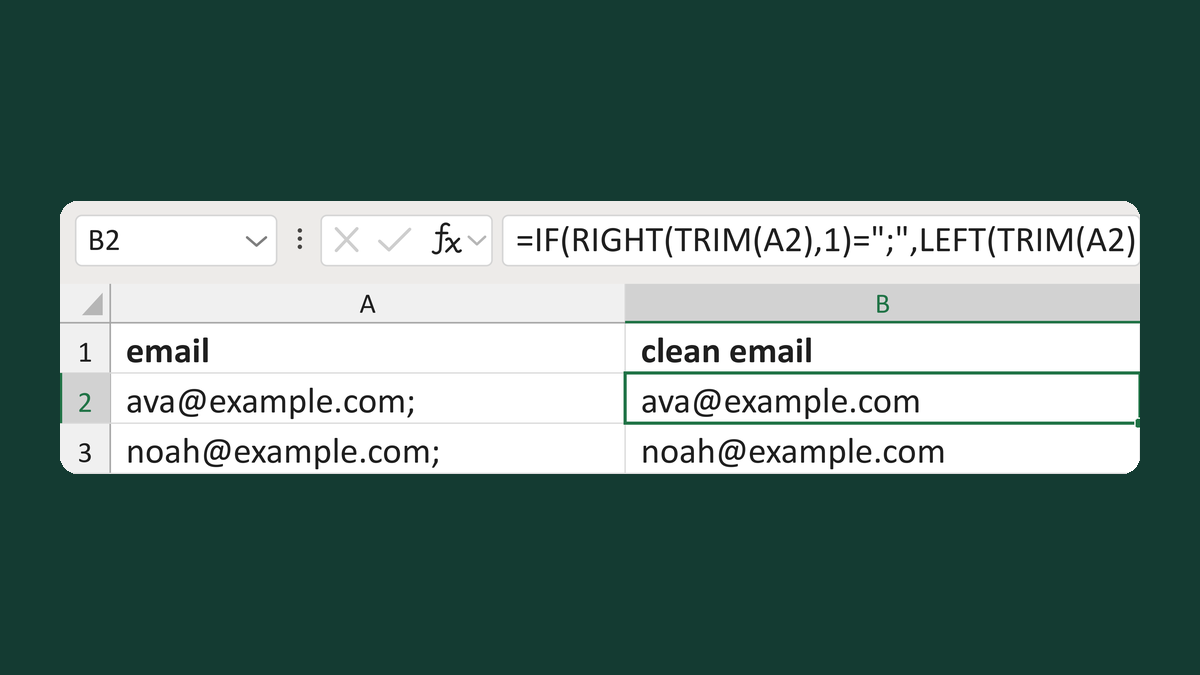
Remove an end semicolon from an email
[email protected]; → [email protected]
Get the template →
Check each email went to the right address, once
Your list of 2 → 2 sent copies, each to the right address
Take this route →