Check each email went to the right address, once

Send10 minutes
The problem
You can't tell from your list who actually got the email, or whether anyone got it twice.
Why it helps
Your list says who should get the email. Sent Items shows where each copy really went. Comparing the two shows who has a sent copy, and any address or copy that's extra.
Do it
-
In Outlook on the web, open Sent Items for the mailbox that sent the email.
-
Search for the subject, or a word only this mailing uses. Keep the search in Sent Items.
-
Open each result and read the To line. If some addresses are hidden, expand it to see them all.
-
Mark each person on your list: sent once, not found or sent twice. Note any address that isn't on your list.
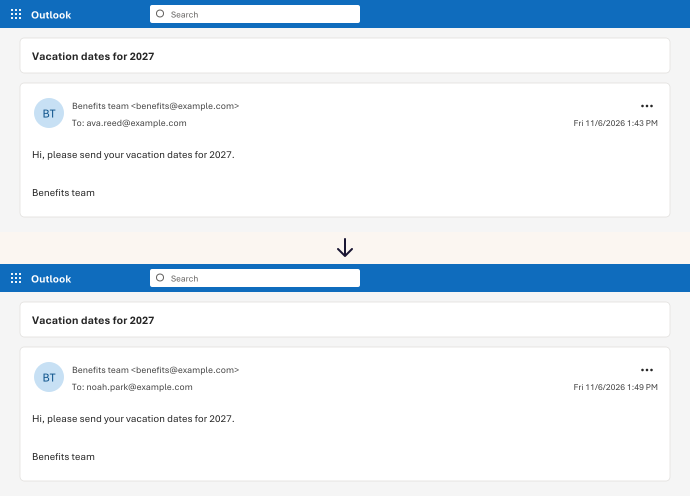
In our test, the search found exactly 2 sent copies, one for each planned address. It found no repeats.
Watch for
A sent copy shows that Outlook sent it. It doesn't show the email arrived or was read.