Check that a reply includes what you asked for

Send5 minutes
The problem
Someone replied, but the reply doesn't have what you asked for.

Why it happens
A reply isn't the same as an answer. "Got it" tells you the person saw your email. It doesn't give you their dates or their form.
Do it
-
Before replies come in, write down what a complete answer needs. For example, a first day, a last day and a signed form.
-
In your tracker, make two columns: Replied and Complete.
-
Open each reply and read the whole message. Mark Replied as soon as a person writes back.
-
Mark Complete only when everything on your list is there. Open the form too, and check that it's filled in.
-
If someone sends the rest later, keep both emails and update Complete then.
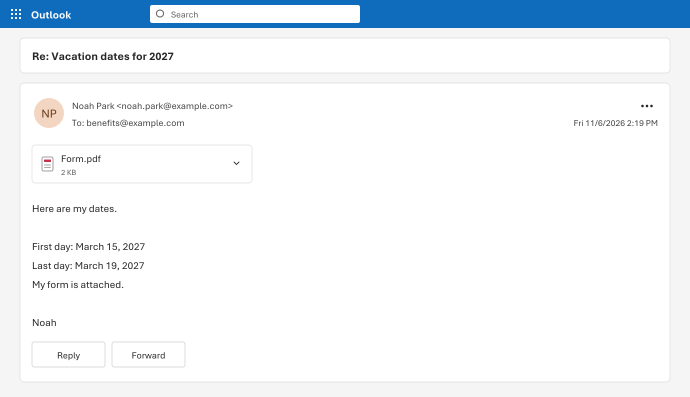
Noah's "Got it." counts as Replied, not Complete. His later email with dates and a form makes him Complete.
Watch for
A file called Form.pdf doesn't prove the form is filled in. Open it before you mark Complete.