Save returned forms without losing whose is whose

Send5 minutes
The problem
Everyone sends back a file with the same name, so one can replace another.
Why it happens
Everyone sends back a file with the same name, like Form.pdf. When you save the second one, OneDrive asks if it should replace the first. And the name doesn't say whose form it is.
Do it
-
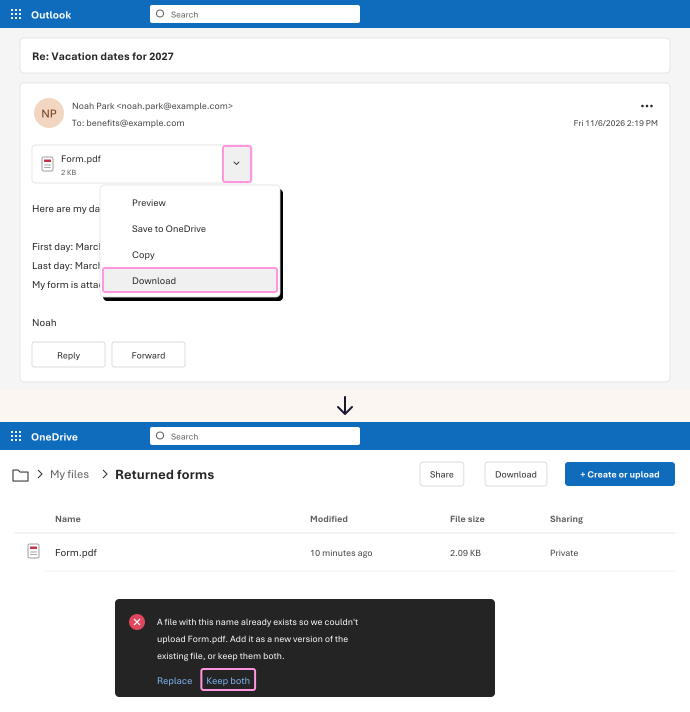
Open the reply. Click the arrow next to the attachment, then Download.
-
In OneDrive, open the folder for this mailing. Click Create or upload, then Files upload, and choose the form.
-
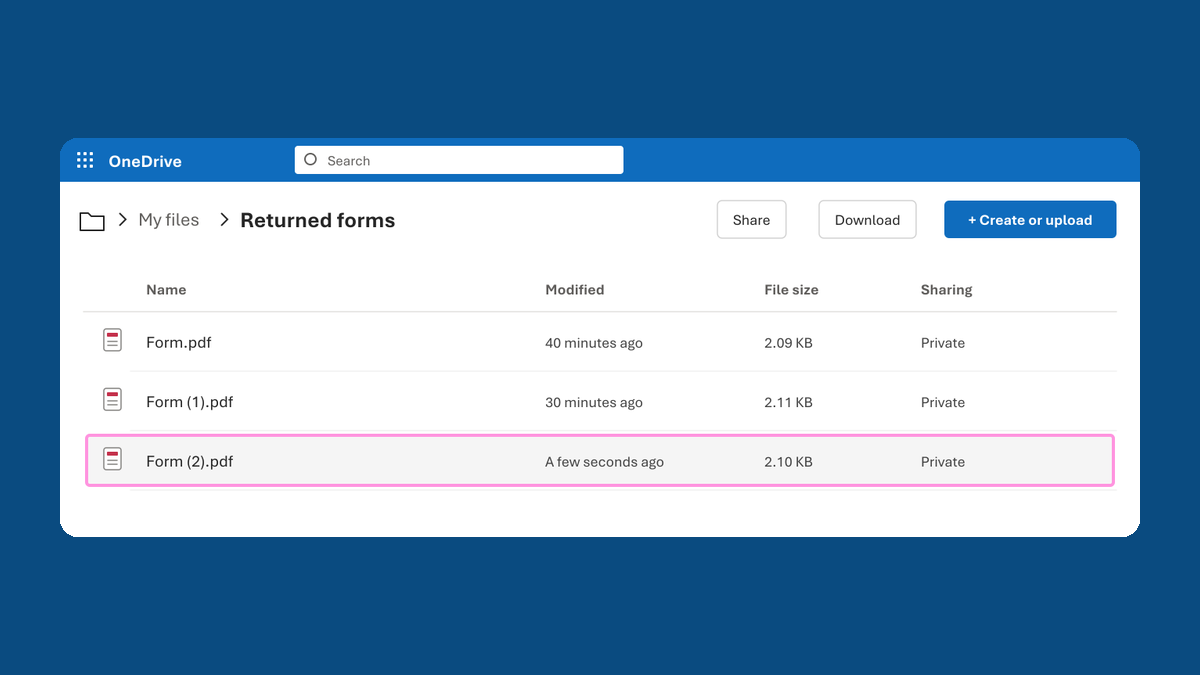
If OneDrive says a file with this name already exists, click Keep both. It saves the new one as Form (1).pdf.
-
Open the saved file and check whose form it is. Right away, write the file name next to that person in your tracker, with the date their email came in.
Form.pdf, Form (1).pdf and Form (2).pdf all stay, and each one is matched to whoever sent it.
Watch for
Replace adds the new form on top of the one that's already there. Then one file stands for two people. Choose Keep both every time.