Insert ZIP+4 grouping into nine-digit text

Turn checked nine-digit text like 021081234 into the ZIP+4 02108-1234.
What you'll make
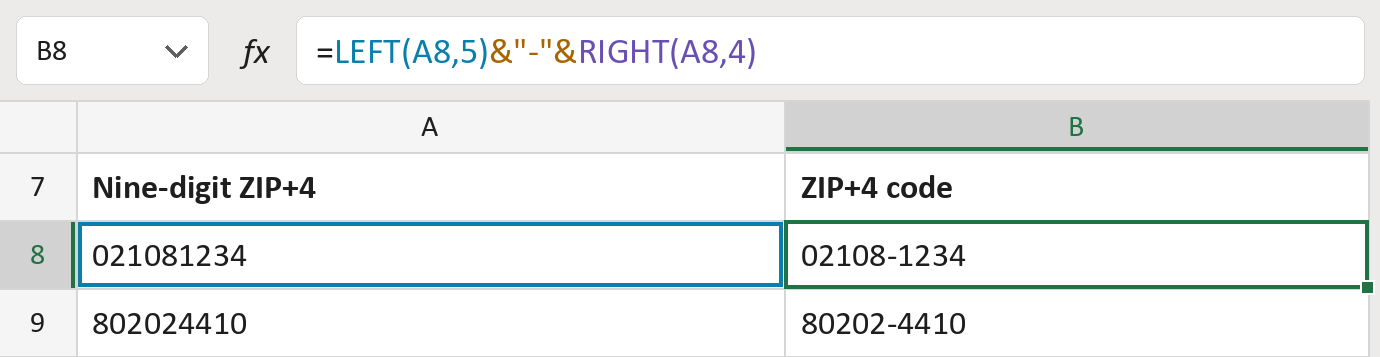
The formula

| Number | Part | What it does | Result so far |
|---|---|---|---|
| 1 | LEFT(A8,5) | Takes the first five digits, the ZIP. | "02108" |
| 2 | &"-"& | Adds a hyphen after them. | "02108-" |
| 3 | RIGHT(A8,4) | Adds the last four digits, the +4. | "02108-1234" |
Read it left to right. The digits stay text, so leading zeros like the 0 in 02108 stay.
=LEFT(A8,5)&"-"&RIGHT(A8,4)How to use it
Yellow bar at the top? Click Enable Editing.
- See it work. The Example tab shows 20 made-up examples with the formula already in.
- Use your own addresses. Paste nine-digit ZIPs, stored as text, into the green column of the Template tab. The ZIP+4 codes fill in by themselves.
- Move them into your letter. Copy the results. Then use Paste Special and choose Values.
Before you send
Use this only on cells you know hold all nine digits. A five-digit ZIP comes out wrong.
Microsoft's help: LEFT function
OTHER ROUTES YOU MIGHT LIKE
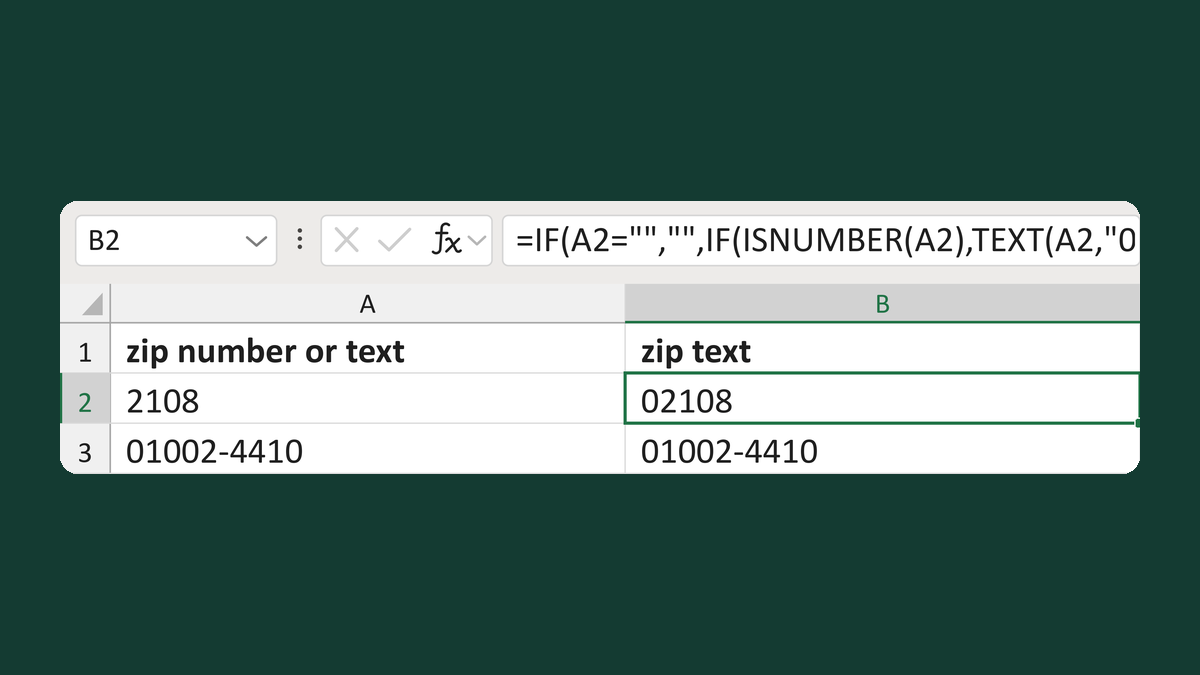
Keep number and text ZIPs as text
2108 → 02108; 01002-4410 stays as it is
Get the template →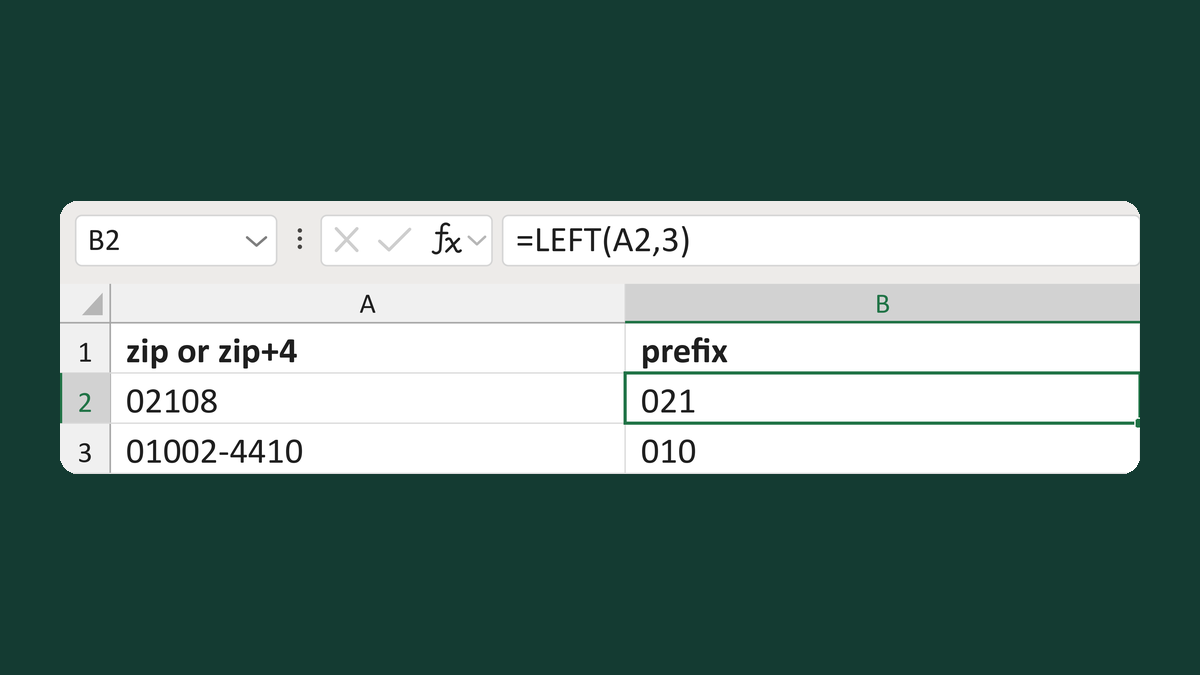
Read a three-character ZIP prefix
02108 → text 021
Get the template →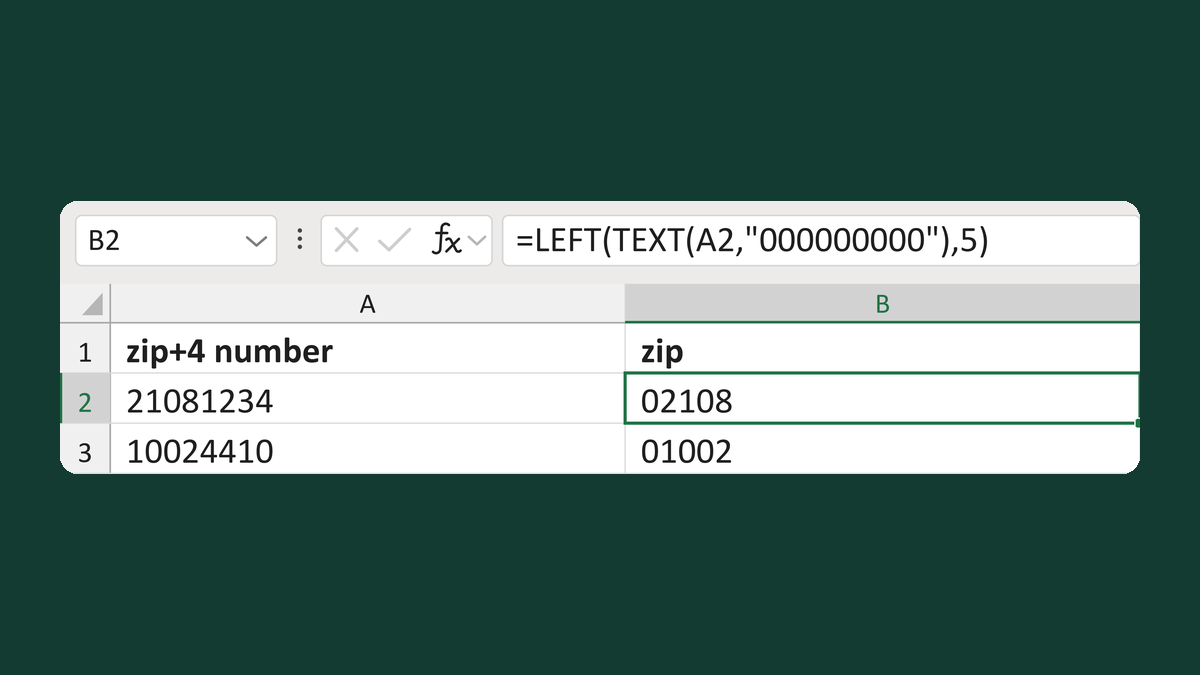
Read the ZIP from a nine-digit number
21081234 → text 02108
Get the template →
Keep the zero in a ZIP Code like 02108
2108 → 02108
Take this route →