Keep payment type and outcome apart

A fully processed response can still pay only part. Show both words.
What you'll make
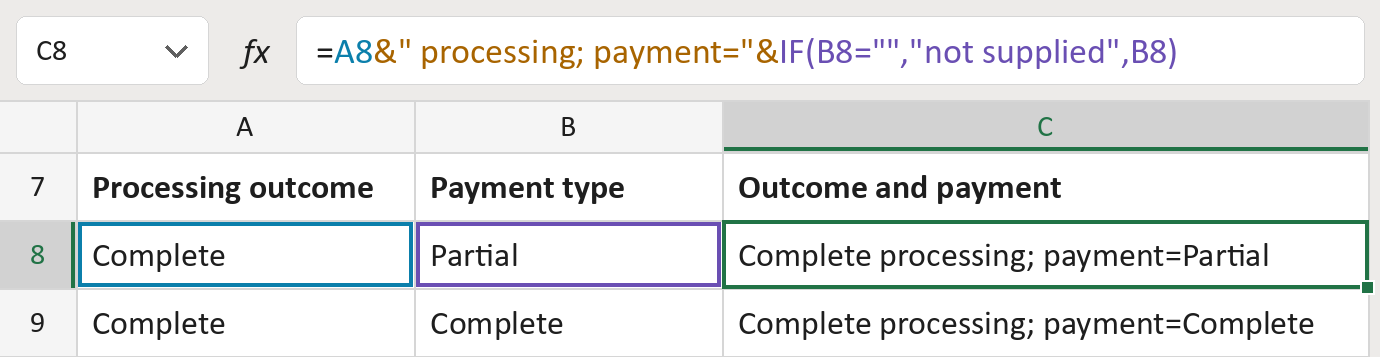
The formula

| Number | Part | What it does | Result so far |
|---|---|---|---|
| 1 | A8 | Takes the processing outcome. | "Complete" |
| 2 | &" processing; payment="& | Adds the words processing and payment. | "Complete … payment=" |
| 3 | IF(B8="","not supplied",B8) | Adds the payment type, or not supplied. | "… =Partial" |
Read it left to right. Each & joins the next piece on. The outcome never stands in for the payment type.
=A8&" processing; payment="&IF(B8="","not supplied",B8)How to use it
Yellow bar at the top? Click Enable Editing.
- See it work. The Example tab shows 20 made-up examples with the formula already in.
- Use your own list. Paste each processing outcome and its payment type into the green columns of the Template tab.
- Move them into your letter. Copy the results. Then use Paste Special and choose Values.
Before you send
Complete processing doesn't mean the bill is paid. Check the patient's balance on its own.
Microsoft's help: IF function
OTHER ROUTES YOU MIGHT LIKE
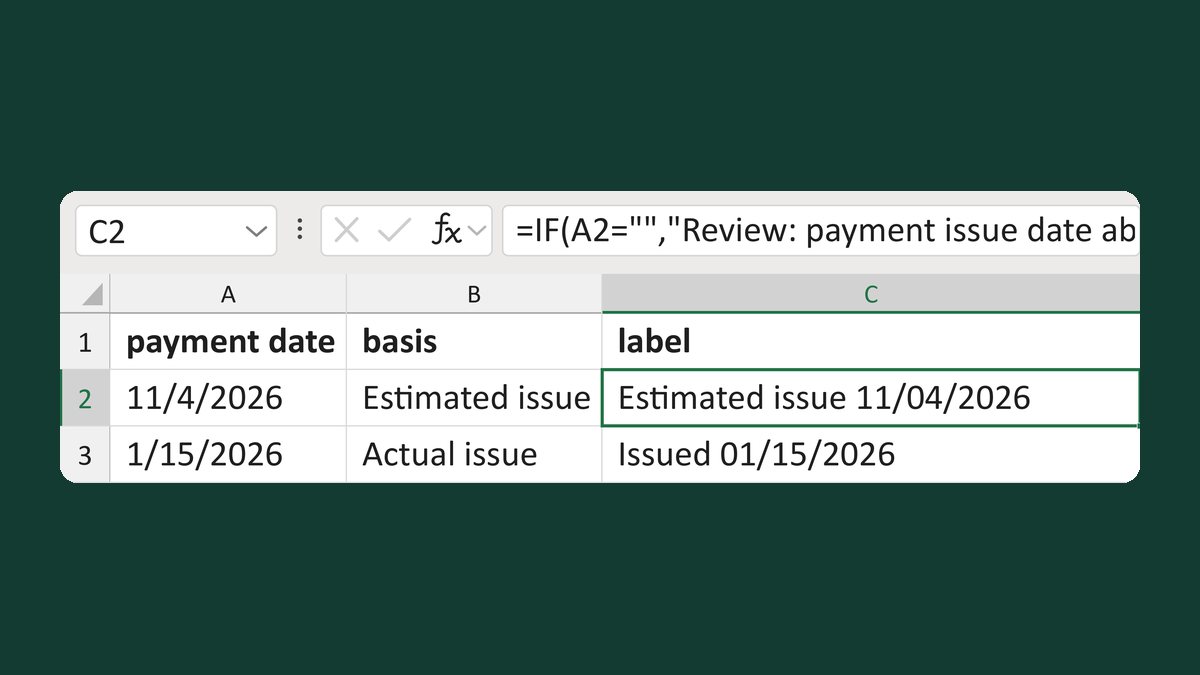
Label estimated or actual issue dates
11/4/2026, Estimated issue → Estimated issue 11/04/2026
Get the template →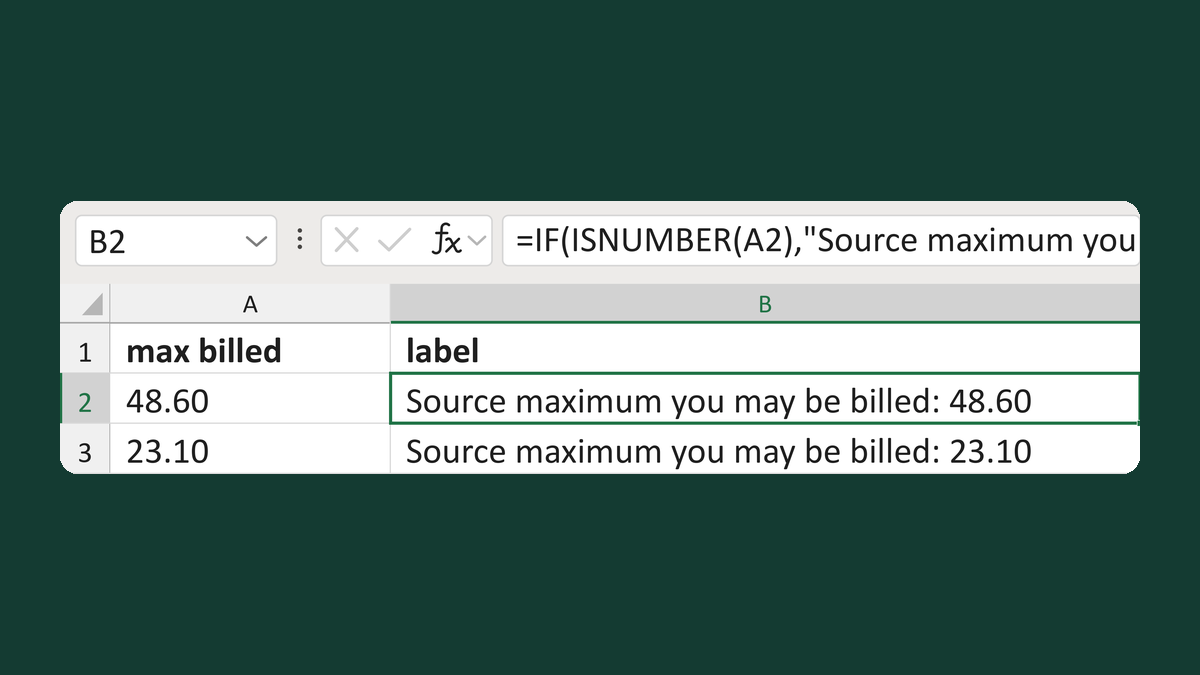
Label the maximum you may be billed
48.60 → Source maximum you may be billed: 48.60
Get the template →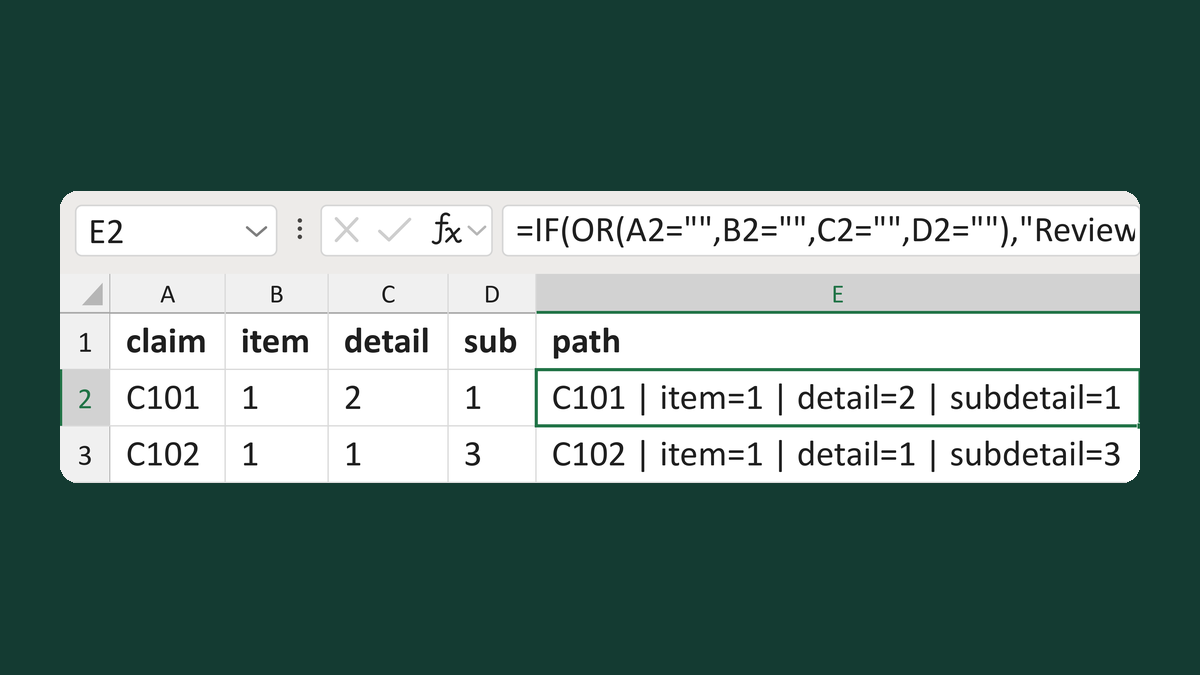
Write a claim item-detail-subdetail path
C101 + 1 + 2 + 1 → C101 | item=1 | detail=2 | subdetail=1
Get the template →
Merge a few test letters before the whole mailing
Whole mailing → records 2 to 4 only
Take this route →