Keep the clock portion of a timestamp

Turn November 4, 2026 2:30:15 PM into the time alone: 2:30:15 PM.
What you'll make
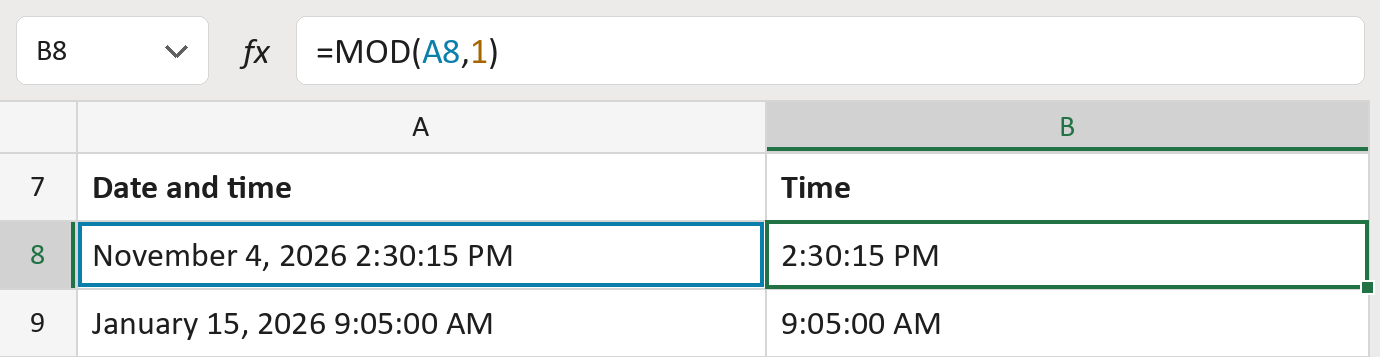
The formula

| Number | Part | What it does | For row 8 |
|---|---|---|---|
| 1 | A8 | The real date and time. | Nov 4, 2026 2:30:15… |
| 2 | 1 | One whole day. | 1 |
| 3 | MOD( … ) | Drops the whole days and keeps the time left over. | 2:30:15 PM |
Excel stores a day as 1, so what's left after whole days is the time.
=MOD(A8,1)How to use it
Yellow bar at the top? Click Enable Editing.
- See it work. The Example tab shows 20 made-up examples with the formula already in.
- Use your own dates and times. Paste real dates with times into the green column of the Template tab. The times fill in by themselves.
- Move them into your letter. Copy the results. Then use Paste Special and choose Values.
Before you send
The date is dropped on purpose. Midnight shows as 12:00:00 AM; it's a real time, not a missing one.
Microsoft's help: MOD function