Move a timestamp by minutes

Turn 12/31/2026 11:30:00 PM plus 90 minutes into 1/1/2027 1:00:00 AM. The date moves too.
What you'll make
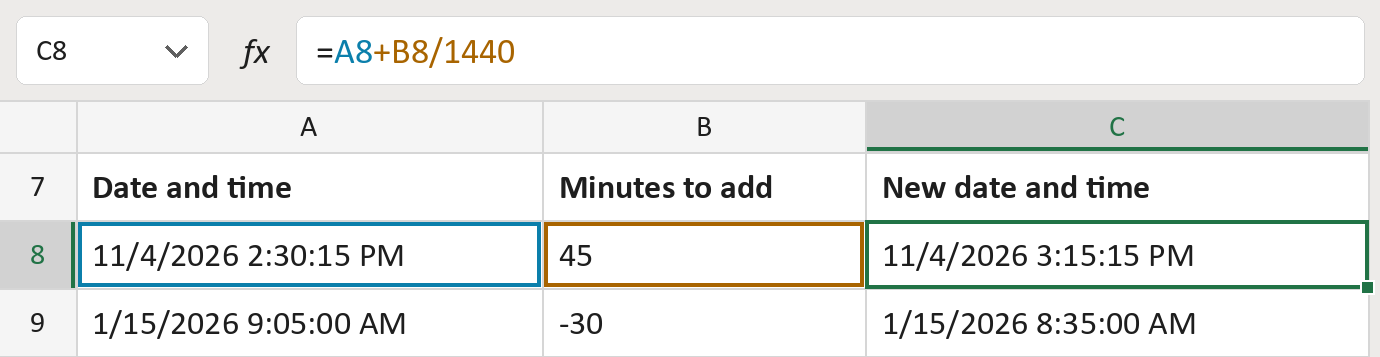
The formula

| Number | Part | What it does | Result so far |
|---|---|---|---|
| 1 | A8 | The date and time. | 11/4/2026 2:30:15 PM |
| 2 | +B8/1440 | Adds the minutes. A day has 1,440 minutes. | 11/4/2026 3:15:15 PM |
Excel stores a day as 1. A minus sign before the minutes goes back in time, sometimes to the day before.
=A8+B8/1440How to use it
Yellow bar at the top? Click Enable Editing.
- See it work. The Example tab shows 20 made-up examples with the formula already in.
- Use your own dates and times. Paste dates with times and minutes into the green columns of the Template tab. The new dates and times fill in by themselves.
- Move them into your letter. Copy the results. Then use Paste Special and choose Values.
Before you send
This formula doesn't know about time zones or daylight saving time. Adjust for those yourself.
Microsoft's help: TIME function
OTHER ROUTES YOU MIGHT LIKE
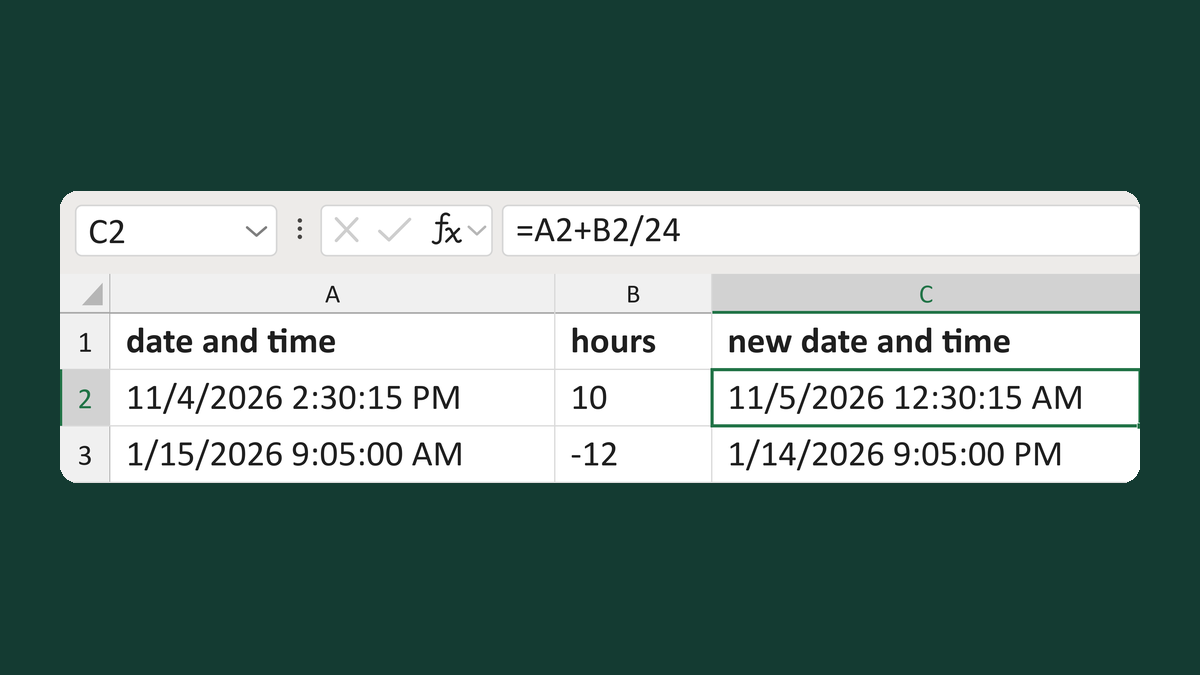
Add or subtract hours from a timestamp
11/4/2026 2:30:15 PM + 10 hours → 11/5/2026 12:30:15 AM
Get the template →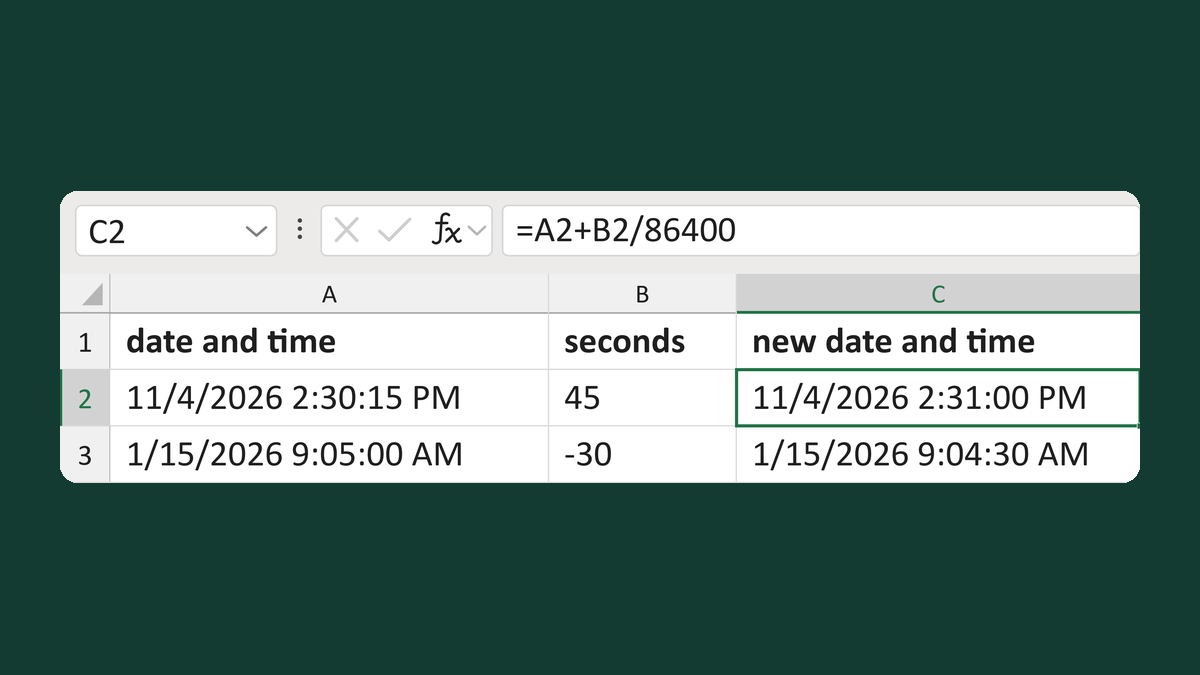
Move a timestamp by seconds
12/31/2026 11:30:00 PM + 1800 seconds → 1/1/2027 12:00:00 AM
Get the template →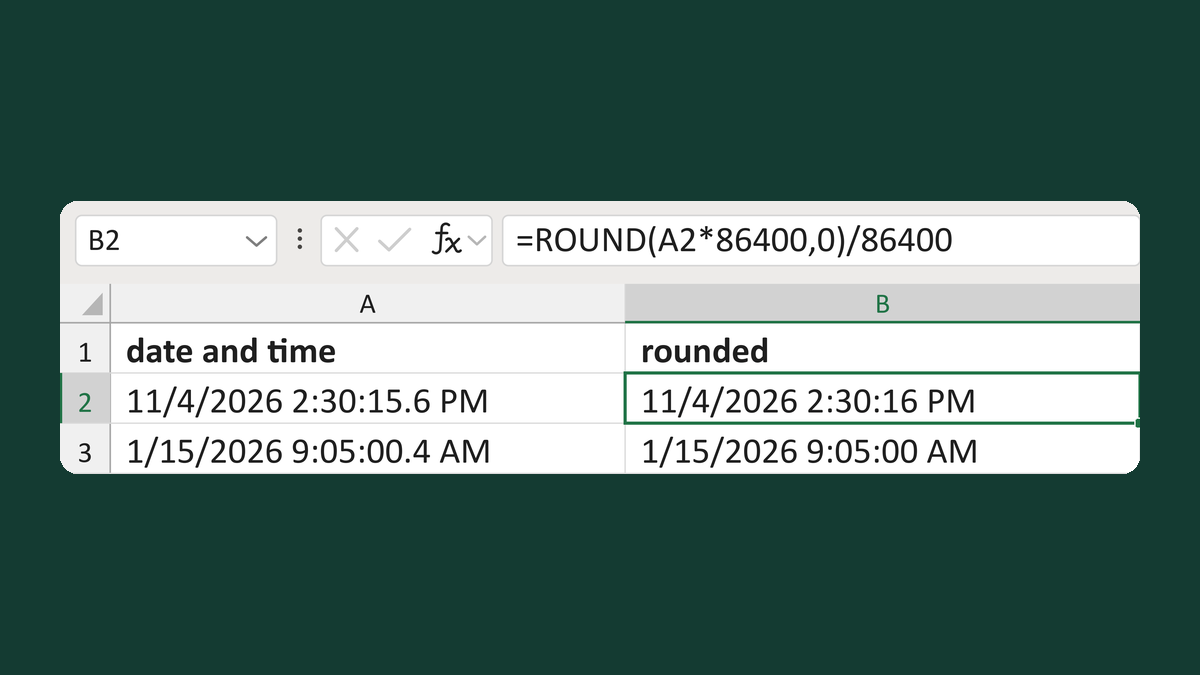
Round timestamps to the nearest second
7/4/2026 11:59:59.6 PM → 7/5/2026 12:00:00 AM
Get the template →
Show an appointment time as 1:05 PM
13:05:00 → 1:05 PM
Take this route →