Put one space around a hash unit marker

Turn 12 Oak St #5 into 12 Oak St # 5. The unit stays as typed.
Download Excel templateMicrosoft 365
What you'll make
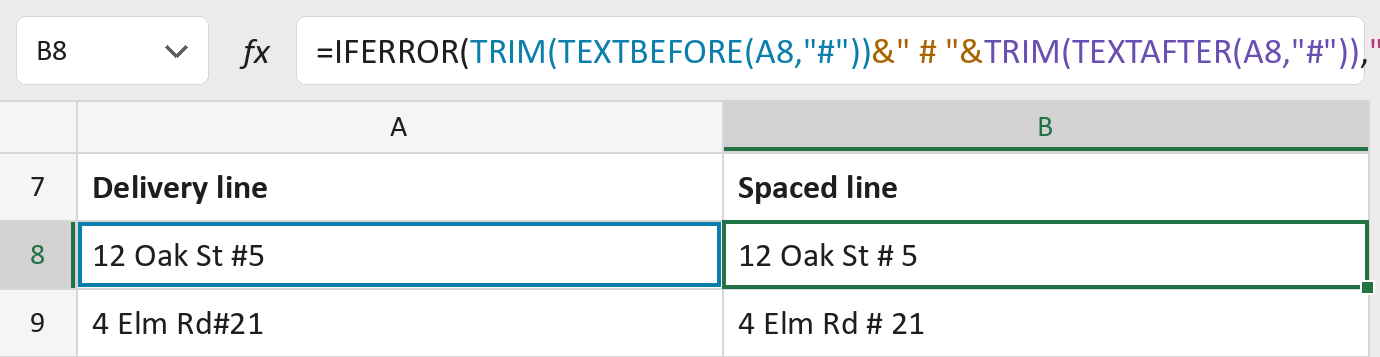
The formula

| Number | Part | What it does | Result so far |
|---|---|---|---|
| 1 | TRIM(TEXTBEFORE(A8,"#")) | Keeps the street before the #, without extra spaces. | "12 Oak St" |
| 2 | &" # "& | Adds the # with one space on each side. | "12 Oak St # " |
| 3 | TRIM(TEXTAFTER(A8,"#")) | Adds the unit after the #, without extra spaces. | "12 Oak St # 5" |
| 4 | "Review # unit marker" | What the cell says when the line has no #. | Not used for row 8 |
| 5 | IFERROR( … ) | Uses part 4 when there is no #. | "12 Oak St # 5" |
Only the first # counts. The unit itself is kept as typed.
=IFERROR(TRIM(TEXTBEFORE(A8,"#"))&" # "&TRIM(TEXTAFTER(A8,"#")),"Review # unit marker")How to use it
Yellow bar at the top? Click Enable Editing.
- See it work. The Example tab shows 20 made-up examples with the formula already in.
- Use your own addresses. Paste delivery lines into the green column of the Template tab. The spaced lines fill in by themselves.
- Move them into your letter. Copy the results. Then use Paste Special and choose Values.
Before you send
Use this only on lines where # marks the unit. A # inside a firm name would be spaced too.
Microsoft's help: TEXTBEFORE function
OTHER ROUTES YOU MIGHT LIKE
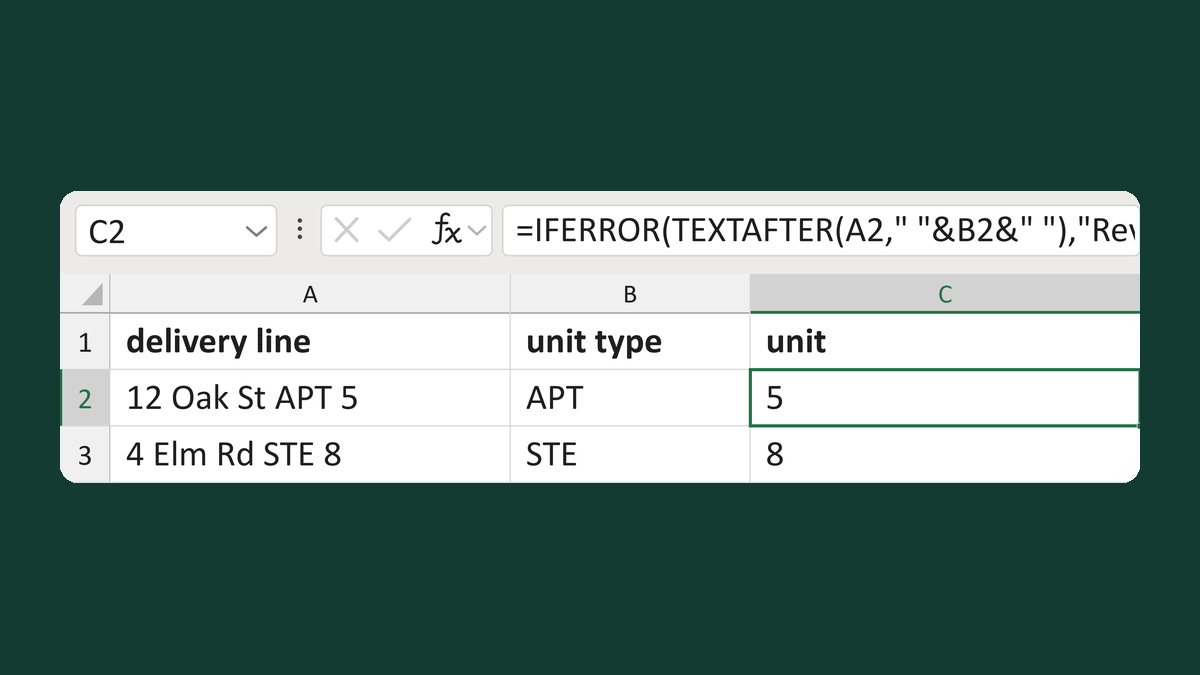
Read a unit value after its unit type
12 Oak St APT 5 + APT → 5
Get the template →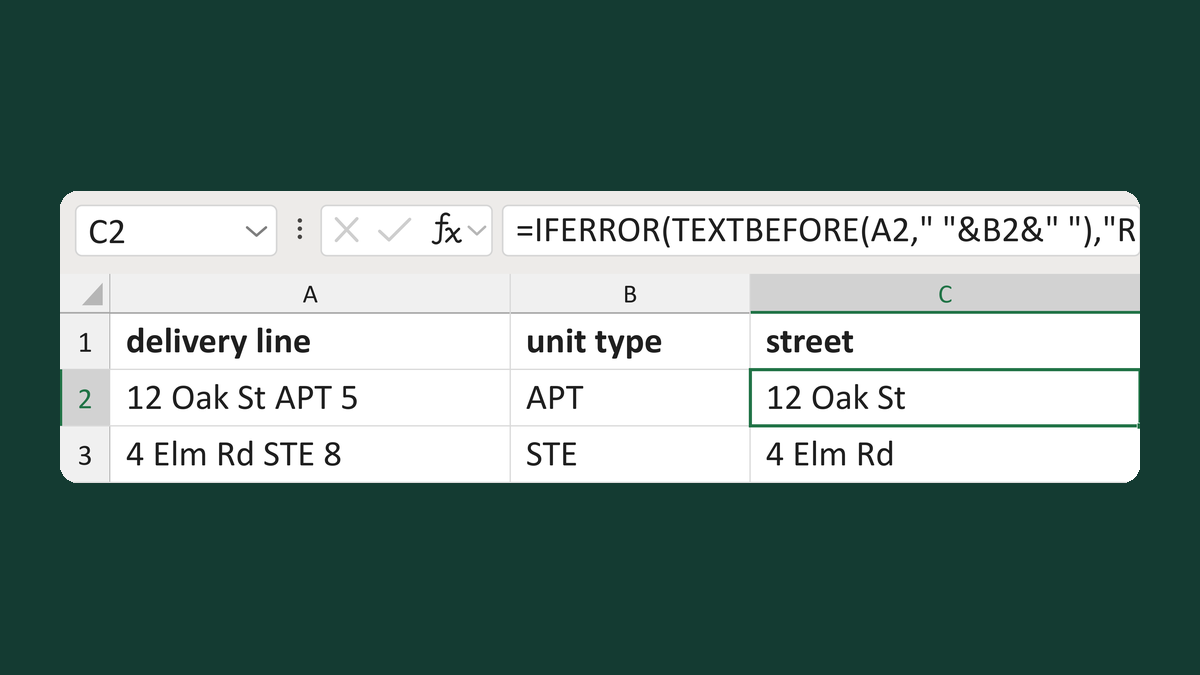
Read the street before its unit type
12 Oak St APT 5 + APT → 12 Oak St
Get the template →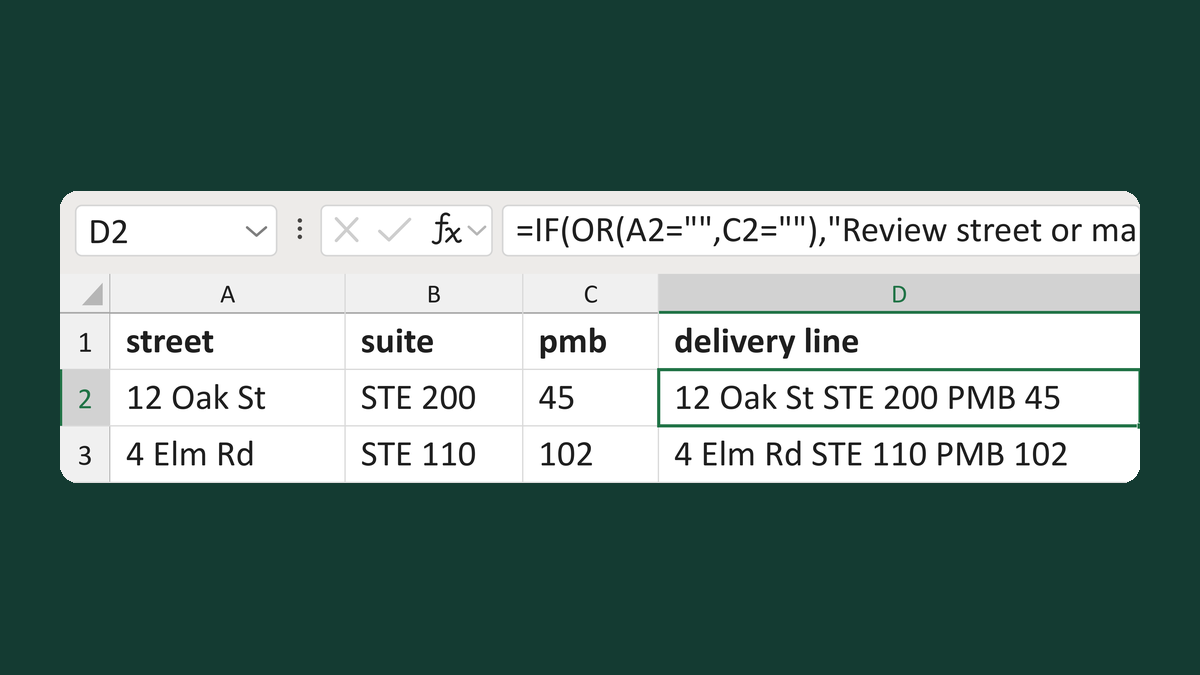
Build a delivery line with a suite and PMB
STE 200 + 45 → 12 Oak St STE 200 PMB 45
Get the template →
Remove the empty line when there's no apartment
No apartment → no empty address line
Take this route →