Read a long tick number kept as text

Turn .NET date and time ticks, kept as text, into the date and time they stand for.
What you'll make
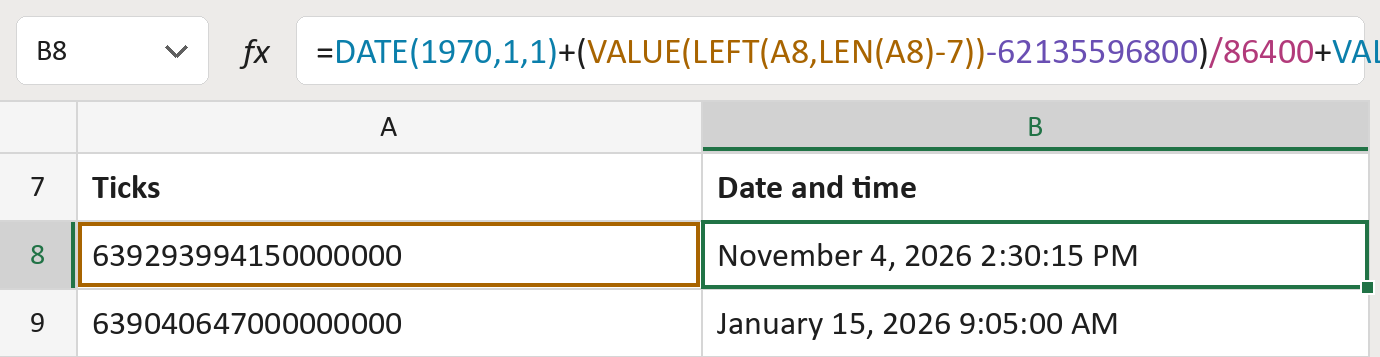
The formula

| Number | Part | What it does | Result so far |
|---|---|---|---|
| 1 | DATE(1970,1,1) | The start date the days are added to. | January 1, 1970 |
| 2 | VALUE(LEFT(A8,LEN(A8)-7)) | All but the last 7 digits: whole seconds since year 1. | 63929399415 |
| 3 | -62135596800 | Takes off the seconds from year 1 to 1970. | 1793802615 |
| 4 | /86400 | Turns seconds into days: 86,400 in a day. | November 4, 2026 2:30:15 PM |
| 5 | VALUE(RIGHT(A8,7))/864000000000 | Adds the last 7 digits, the bits of a second. | November 4, 2026 2:30:15 PM |
Read it left to right. Excel splits the number in two, so no digits are lost on the way.
=DATE(1970,1,1)+(VALUE(LEFT(A8,LEN(A8)-7))-62135596800)/86400+VALUE(RIGHT(A8,7))/864000000000How to use it
Yellow bar at the top? Click Enable Editing.
- See it work. The Example tab shows 20 made-up examples with the formula already in.
- Use your own numbers. Paste tick numbers like 639293994150000000 into the green column of the Template tab. The dates and times fill in by themselves.
- Move them into your letter. Copy the results. Then use Paste Special and choose Values.
Before you send
Paste the ticks as text. Typed as a number, Excel turns the last digits into zeros.
Microsoft's help: VALUE function
OTHER ROUTES YOU MIGHT LIKE
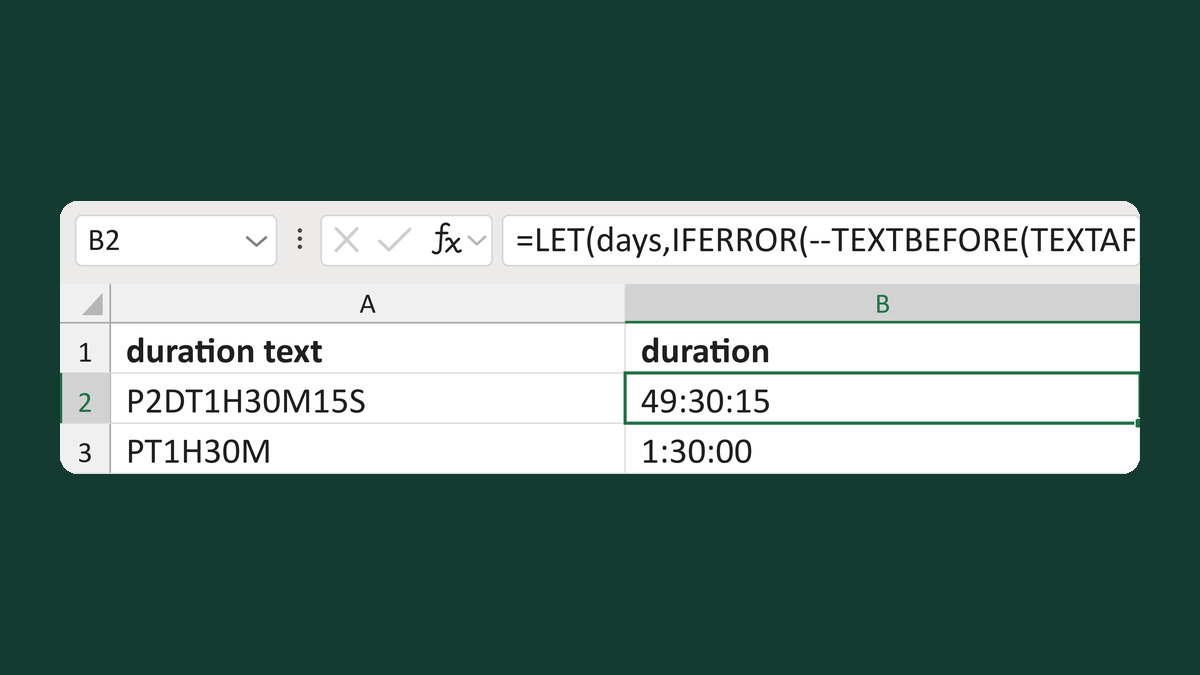
Read duration text like P2DT1H30M15S
P2DT1H30M15S → 49:30:15
Get the template →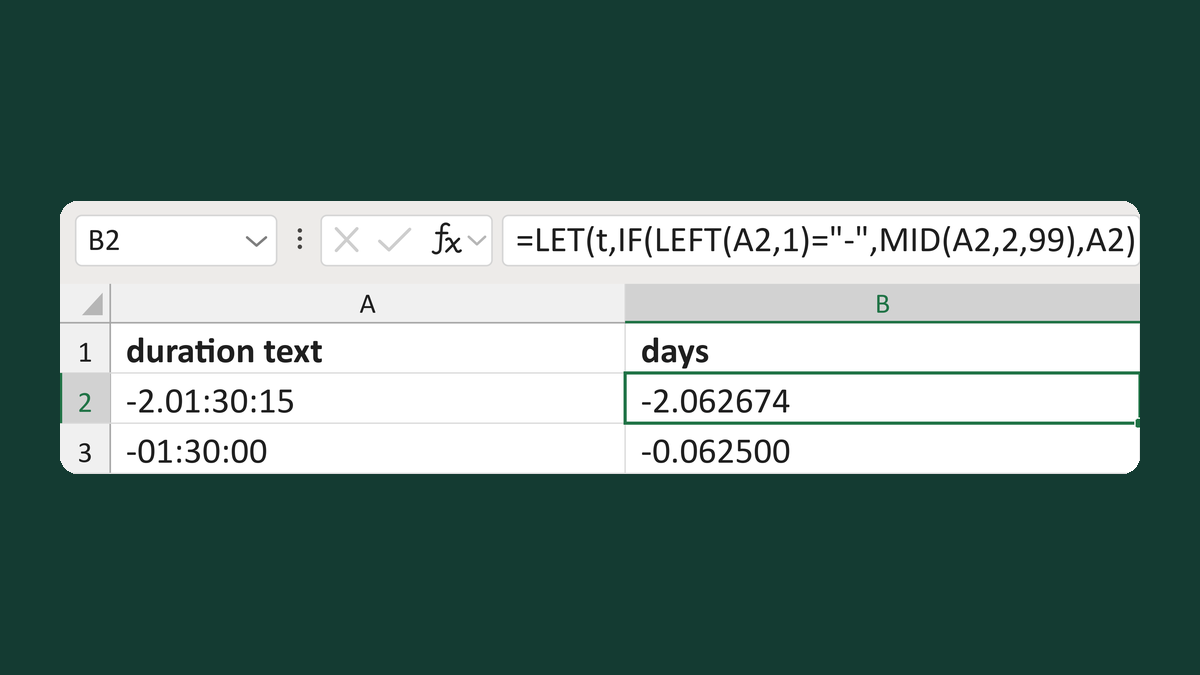
Read duration text like -2.01:30:15
-2.01:30:15 → -2.062674 days
Get the template →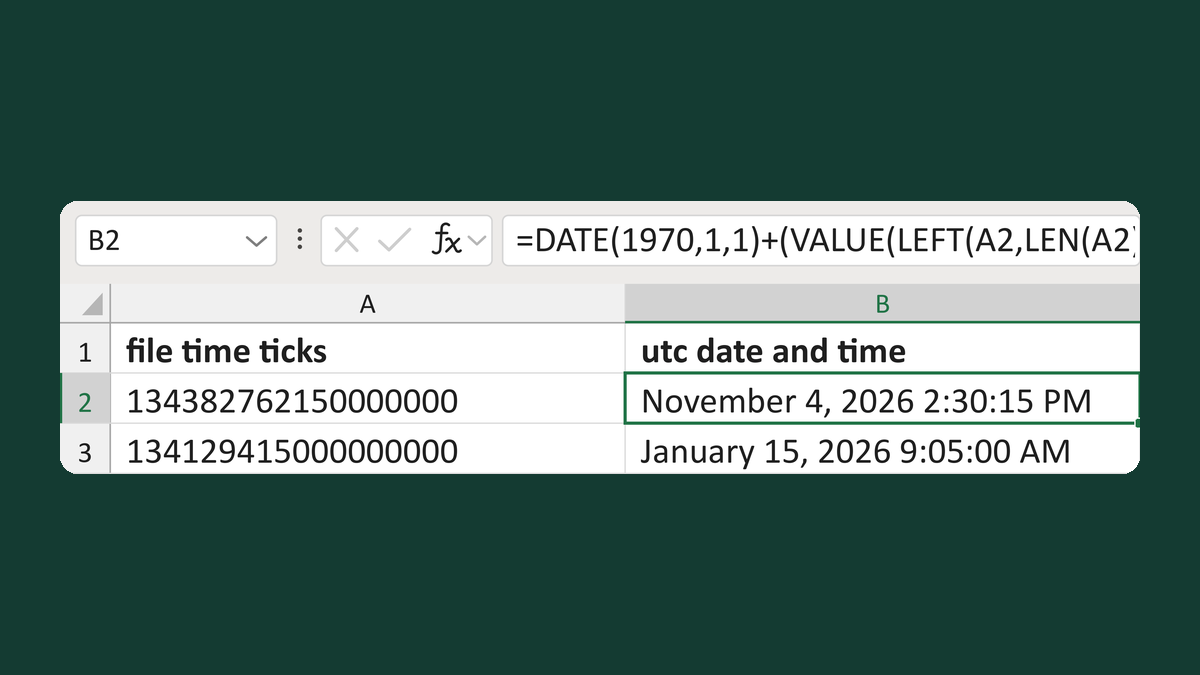
Read a long file time number kept as text
134382762150000000 → November 4, 2026 2:30:15 PM
Get the template →
Show an appointment time as 1:05 PM
13:05:00 → 1:05 PM
Take this route →