Read a timestamp only if it ends in GMT

Turn Wed, 04-Nov-2026 14:30:15 GMT into a real date and time, only if it ends in GMT.
What you'll make
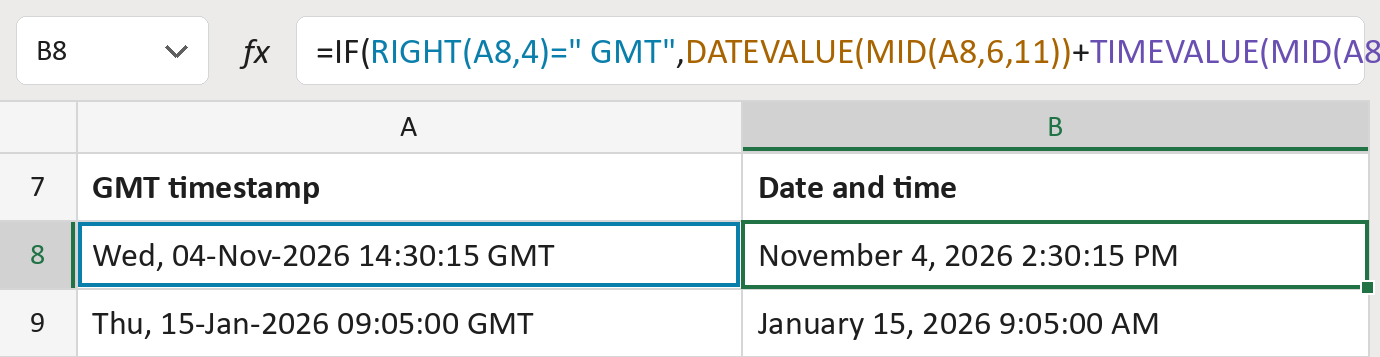
The formula

| Number | Part | What it does | Result so far |
|---|---|---|---|
| 1 | RIGHT(A8,4)=" GMT" | Checks the text ends in a space and GMT. | TRUE |
| 2 | DATEVALUE(MID( … )) | Reads 11 characters from the 6th as a date. | November 4, 2026 |
| 3 | TIMEVALUE(MID( … )) | Adds the clock time from the 18th character. | November 4, 2026 2:30:15 PM |
| 4 | "Review zone" | The message when the text doesn't end in GMT. | Not used for row 8 |
| 5 | IF( … ) | Shows the date and time, or else the message. | November 4, 2026 2:30:15 PM |
Excel also reads the date with spaces, like 04 Nov 2026. The time stays in GMT, which is UTC.
=IF(RIGHT(A8,4)=" GMT",DATEVALUE(MID(A8,6,11))+TIMEVALUE(MID(A8,18,8)),"Review zone")How to use it
Yellow bar at the top? Click Enable Editing.
- See it work. The Example tab shows 20 made-up examples with the formula already in.
- Use your own timestamps. Paste timestamps like Wed, 04-Nov-2026 14:30:15 GMT into the green column of the Template tab. The dates and times fill in by themselves.
- Move them into your letter. Copy the results. Then use Paste Special and choose Values.
Before you send
Check every Review row by hand. Other zones like EST are never guessed or converted.
Microsoft's help: DATEVALUE function
OTHER ROUTES YOU MIGHT LIKE
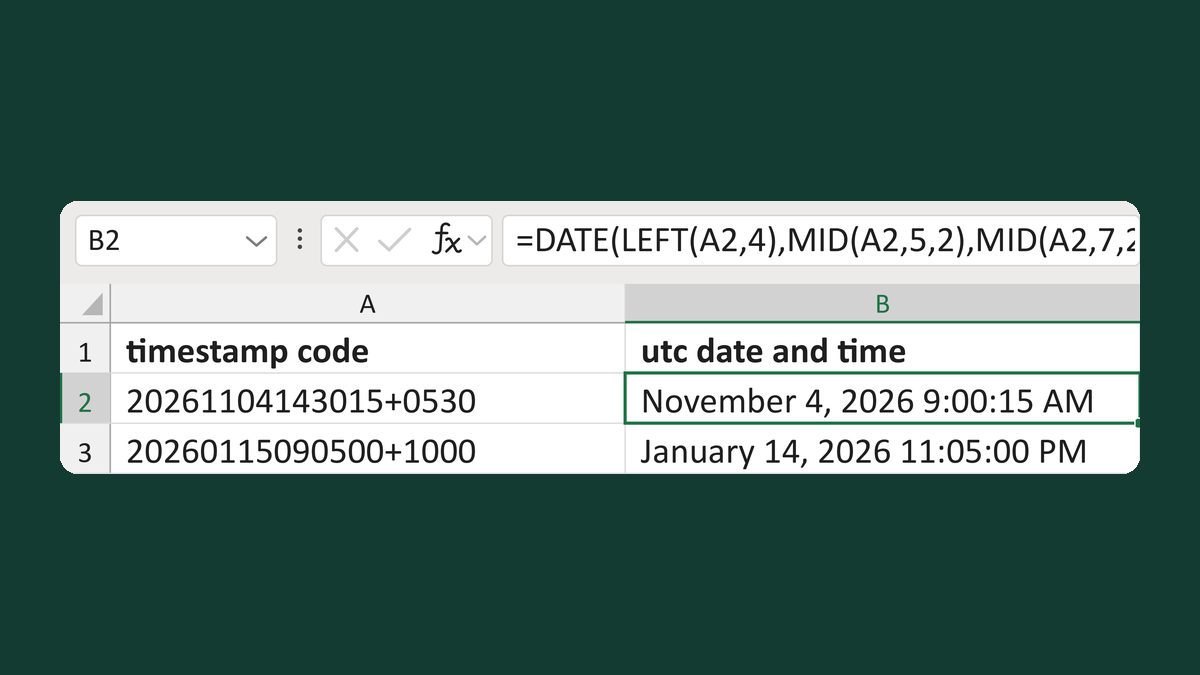
Convert 20261104143015+0530 to UTC
20261104143015+0530 → November 4, 2026 9:00:15 AM
Get the template →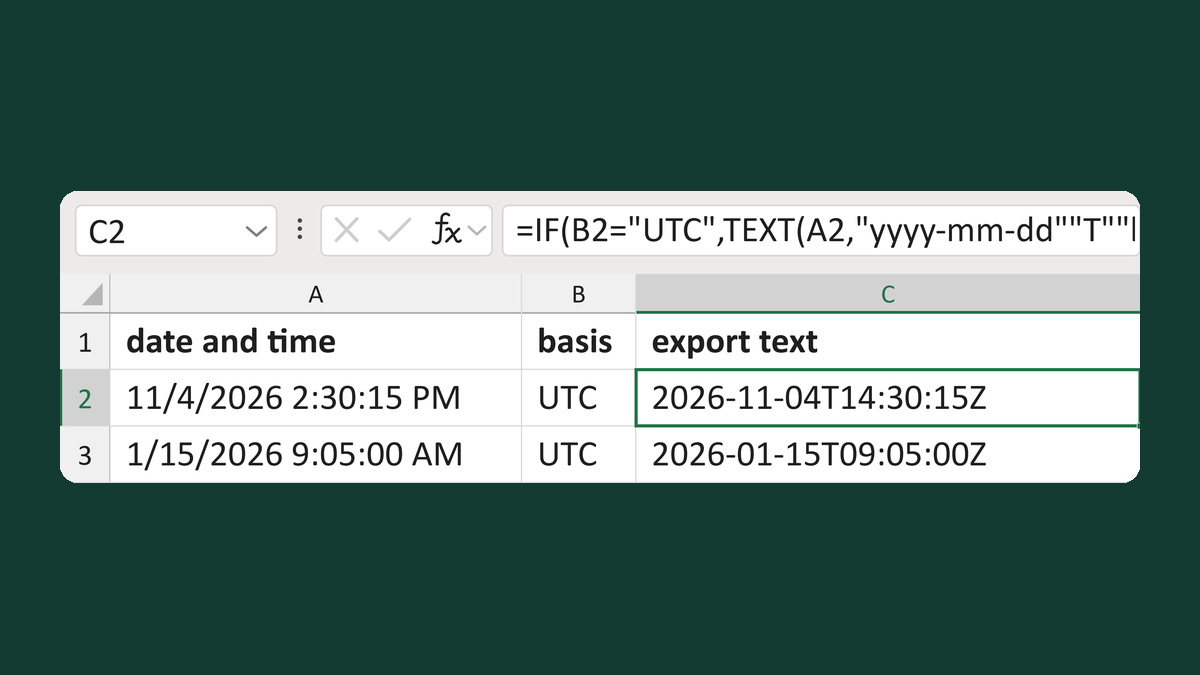
Add a Z suffix only to UTC timestamps
11/4/2026 2:30:15 PM, UTC → 2026-11-04T14:30:15Z
Get the template →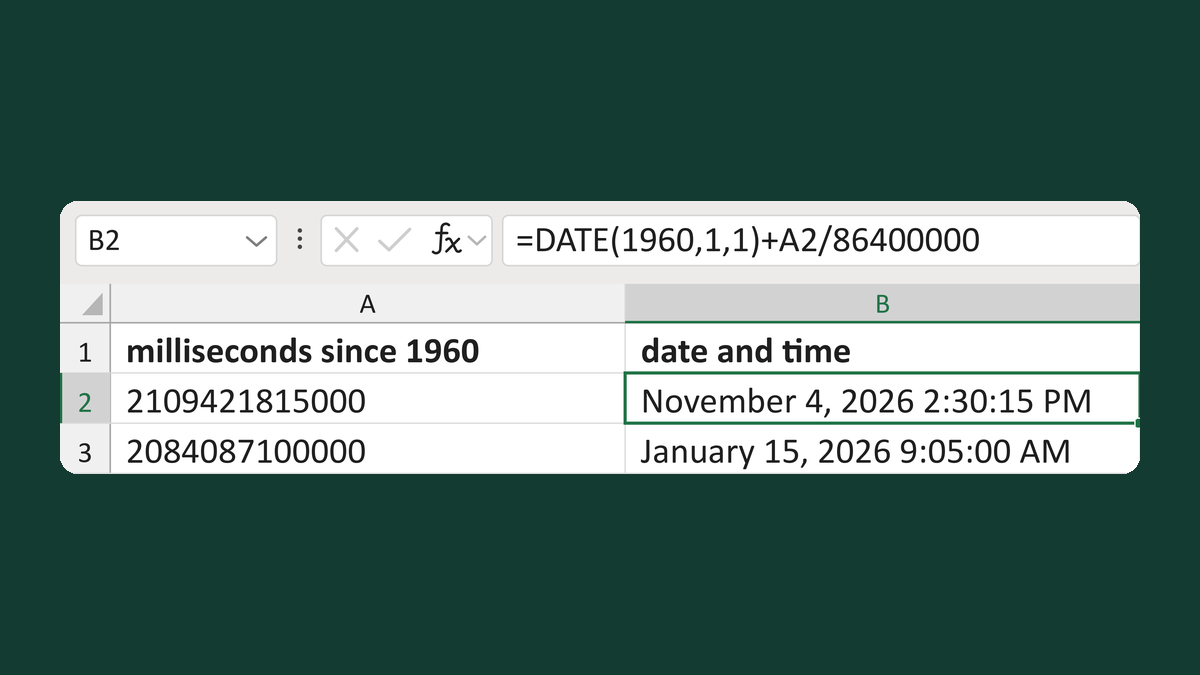
Read milliseconds since 1960
Milliseconds since 1960 2109421815000 → November 4, 2026 2:30:15 PM
Get the template →
Show an appointment time as 1:05 PM
13:05:00 → 1:05 PM
Take this route →