Read percent text like 12.5% as numbers

Turn the text 12.5% into a real number, ready for sums and charts.
What you'll make
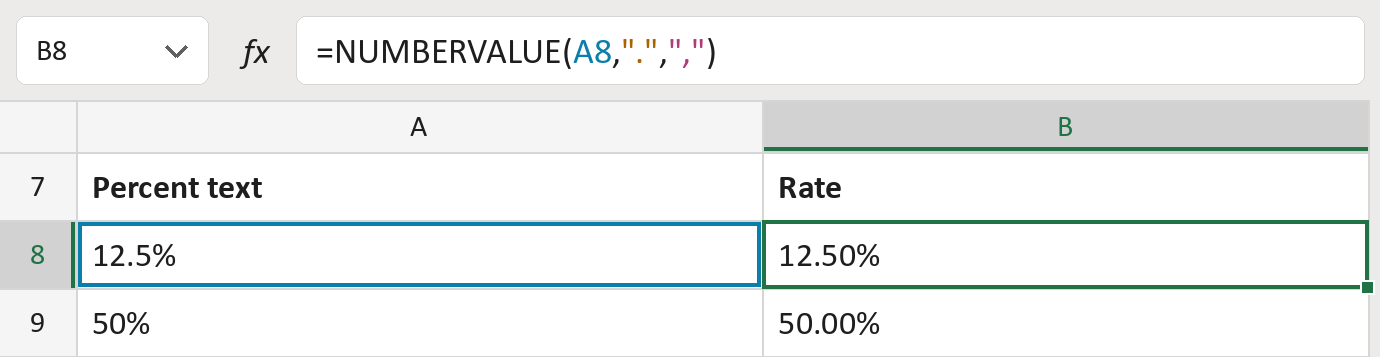
The formula

| Number | Part | What it does | Result so far |
|---|---|---|---|
| 1 | A8 | The percent text, like 12.5%. | "12.5%" |
| 2 | "." | A period marks the decimals. | "12.5%" |
| 3 | "," | A comma groups thousands, like 1,250%. | "12.5%" |
| 4 | NUMBERVALUE( … ) | Reads the text as a number. The % divides by 100. | 12.50% |
The result is a real number, 0.125, shown with Percentage format as 12.50%.
=NUMBERVALUE(A8,".",",")How to use it
Yellow bar at the top? Click Enable Editing.
- See it work. The Example tab shows 20 made-up examples with the formula already in.
- Use your own percentages. Paste percent text into the green column of the Template tab. The numbers fill in by themselves.
- Move them into your letter. Copy the results. Then use Paste Special and choose Values.
Before you send
Use a period for decimals, like 12.5%. A comma is read as a thousands mark, not a decimal point.
Microsoft's help: NUMBERVALUE function
OTHER ROUTES YOU MIGHT LIKE
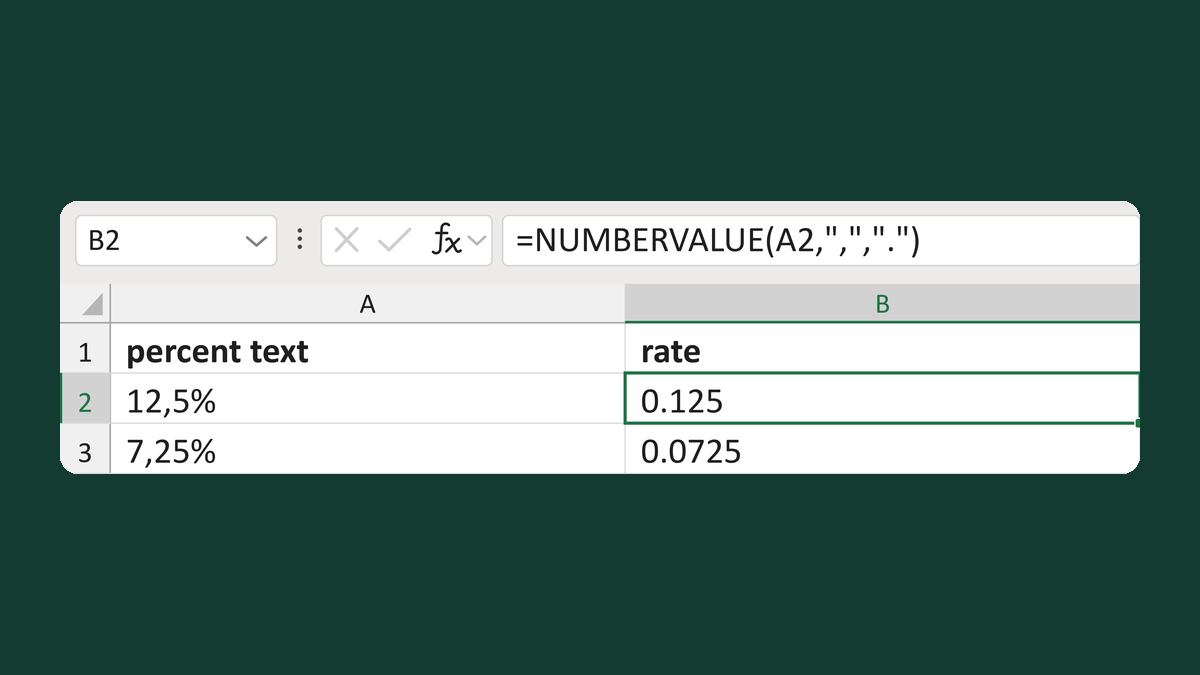
Read percent text like 12,5% as rates
12,5% as text → 0.125
Get the template →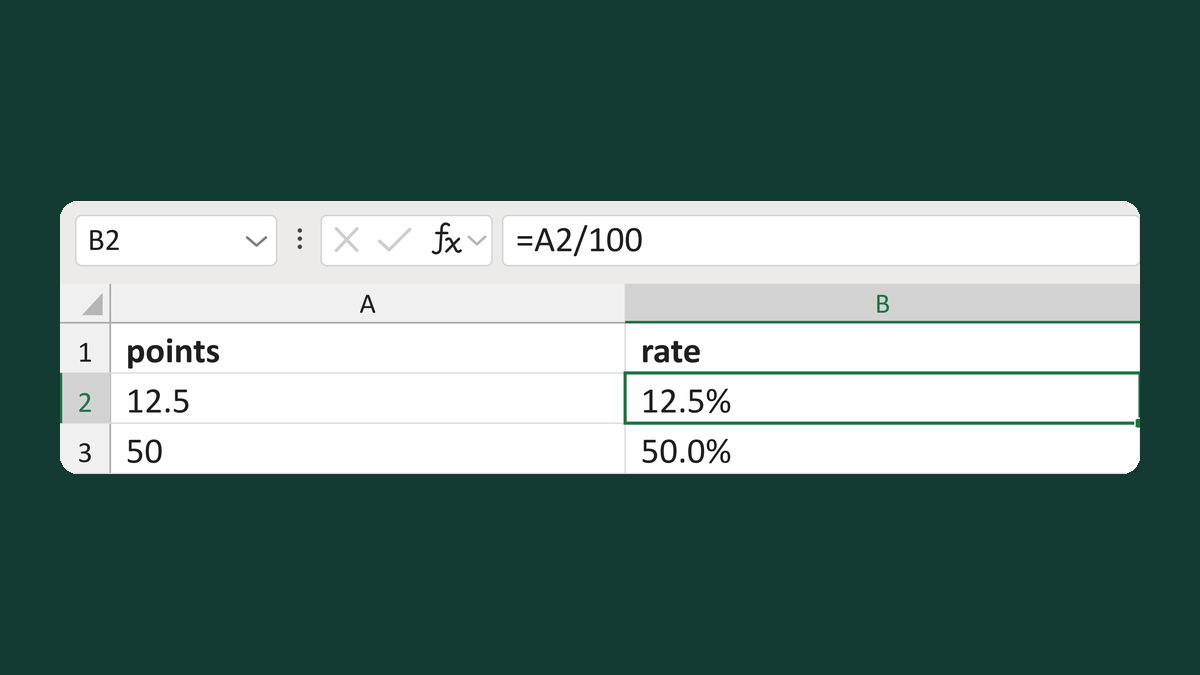
Turn percentage points into a rate
12.5 as points → 12.5% as a rate
Get the template →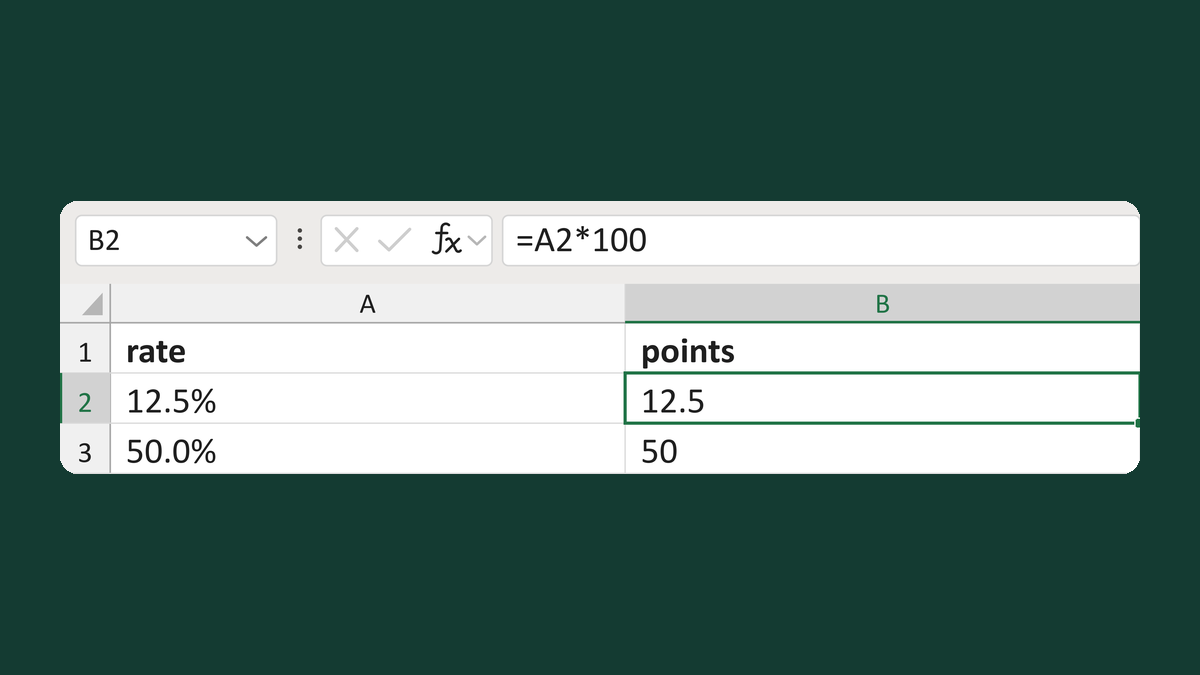
Turn a rate into percentage points
12.5% as a rate → 12.5 as points
Get the template →
Merge a few test letters before the whole mailing
Whole mailing → records 2 to 4 only
Take this route →