Recover the firm from a mailstop field

Turn Acme Co. | MAILSTOP: 4B-210 into Acme Co.
Download Excel templateMicrosoft 365
What you'll make
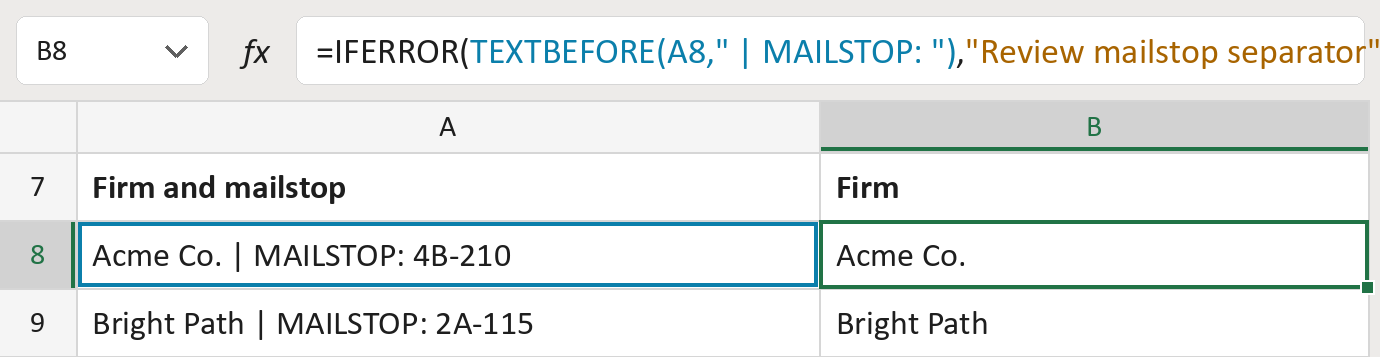
The formula

| Number | Part | What it does | Result so far |
|---|---|---|---|
| 1 | TEXTBEFORE(A8," | MAILSTOP: ") | Keeps the text before | MAILSTOP: and its spaces. | "Acme Co." |
| 2 | "Review mailstop separator" | What the cell says without that separator. | Not used for row 8 |
| 3 | IFERROR( … ) | Uses part 2 when part 1 finds no separator. | "Acme Co." |
Only | MAILSTOP: in capitals, with its spaces, counts. The word Mailstop inside a firm name stays.
=IFERROR(TEXTBEFORE(A8," | MAILSTOP: "),"Review mailstop separator")How to use it
Yellow bar at the top? Click Enable Editing.
- See it work. The Example tab shows 20 made-up examples with the formula already in.
- Use your own firms. Paste each firm and mailstop field into the green column of the Template tab. The firms fill in by themselves.
- Move them into your letter. Copy the results. Then use Paste Special and choose Values.
Before you send
This keeps only the firm. Keep your original column, since it still holds the mailstop.
Microsoft's help: TEXTBEFORE function
OTHER ROUTES YOU MIGHT LIKE
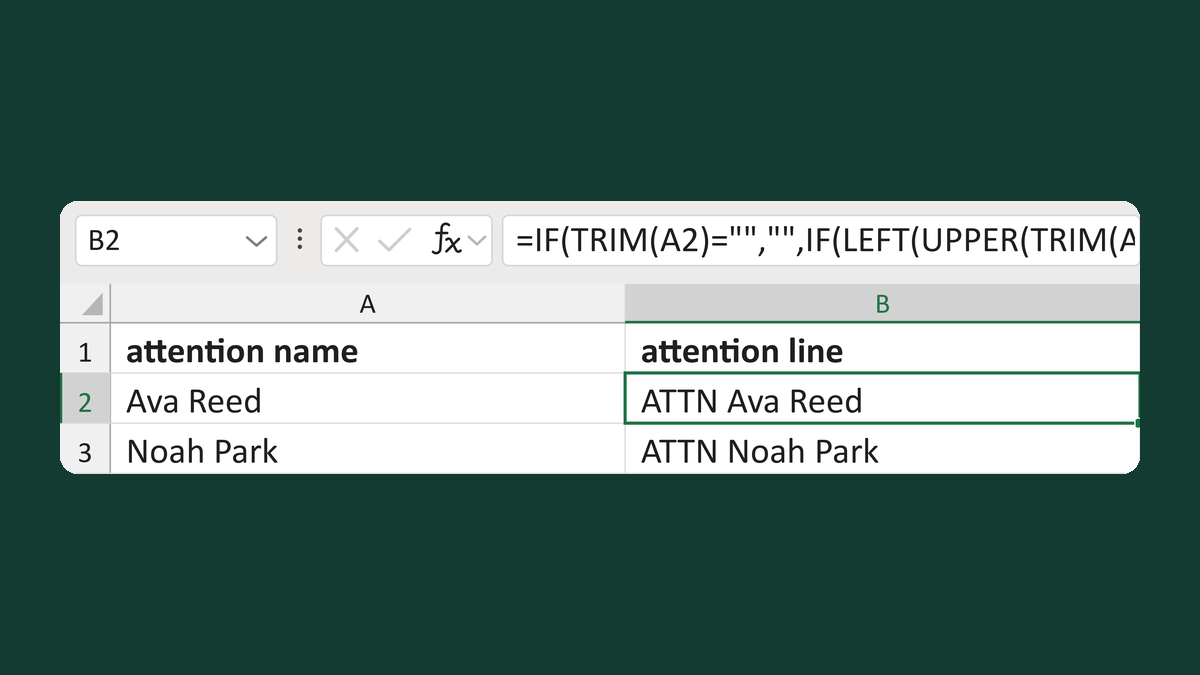
Add one ATTN prefix without doubling it
Ava Reed or ATTN Ava Reed → ATTN Ava Reed
Get the template →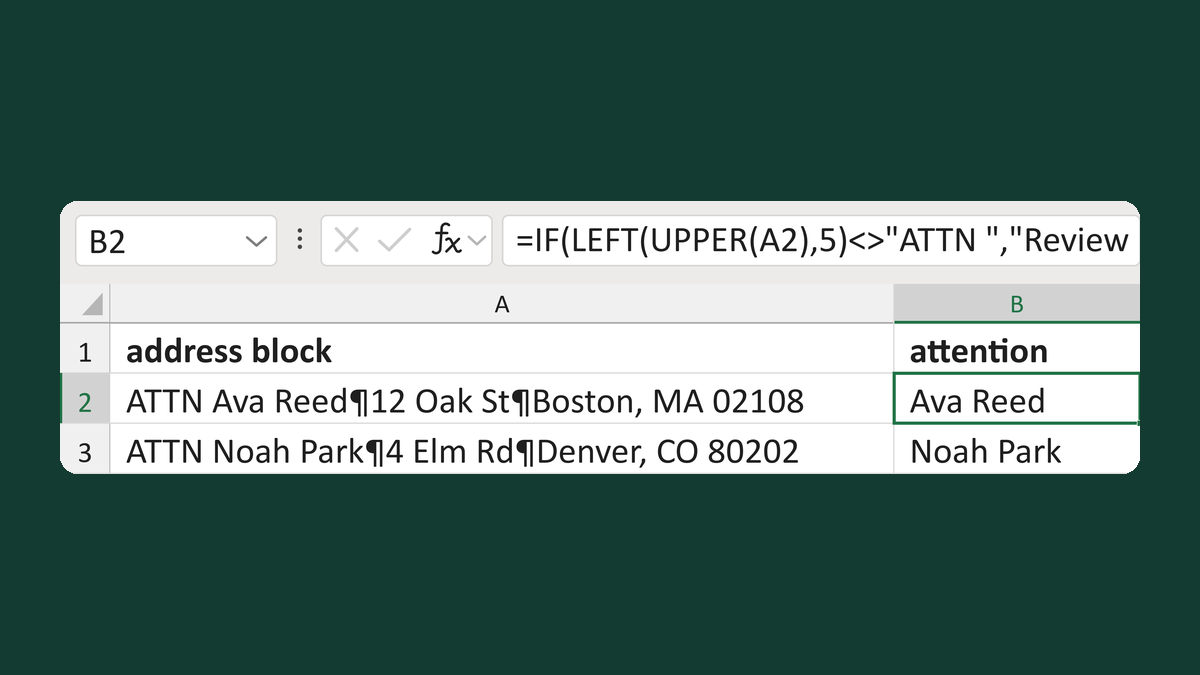
Extract attention text from an ATTN line
ATTN Ava Reed ¶ 12 Oak St → Ava Reed
Get the template →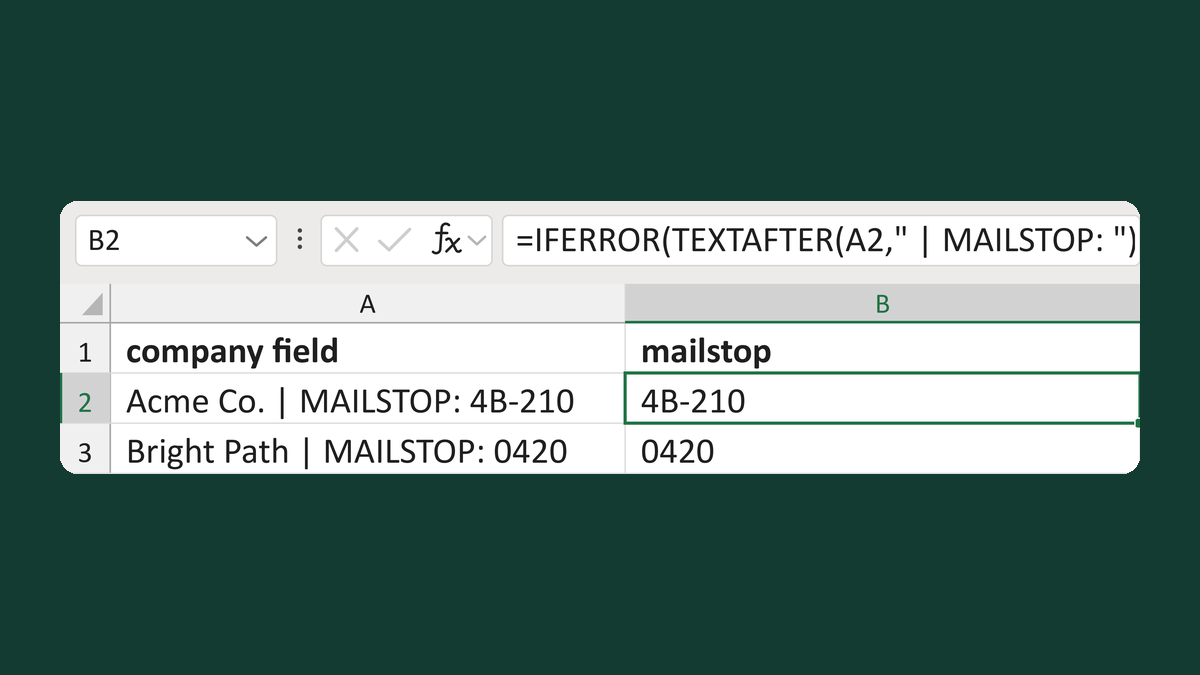
Read a mailstop from a company field
Acme Co. | MAILSTOP: 4B-210 → 4B-210
Get the template →
Put the street back in an Address Block
Ava Reed, Boston → Ava Reed, 12 Main St, Boston
Take this route →