Remove a trailing .0 from an ID

Turn 012345678.0 back into 012345678. Leading zeros stay.
What you'll make
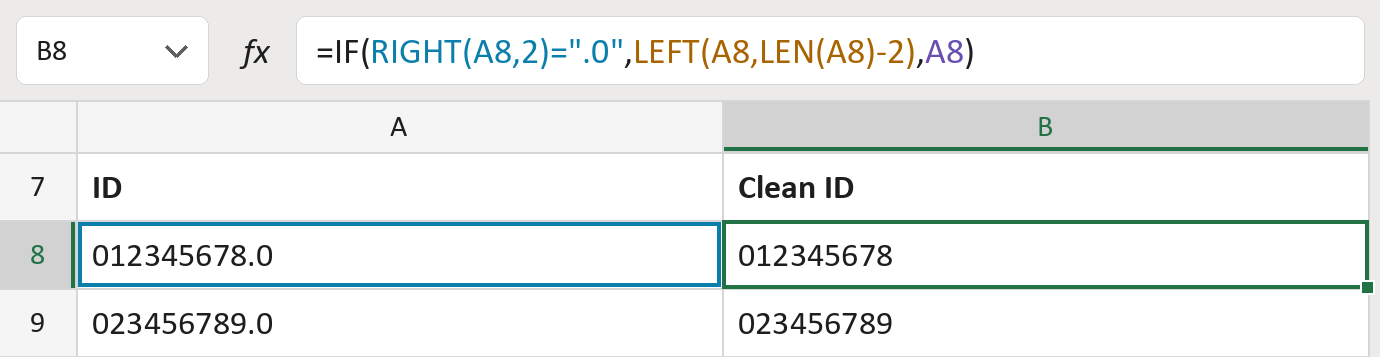
The formula

| Number | Part | What it does | Result so far |
|---|---|---|---|
| 1 | RIGHT(A8,2)=".0" | Checks whether the ID ends in .0. | TRUE |
| 2 | LEFT(A8,LEN(A8)-2) | Keeps all but the last two characters. | "012345678" |
| 3 | A8 | Otherwise keeps the ID as it is. | Not used for row 8 |
| 4 | IF( … ) | Takes off .0 only when it is at the very end. | "012345678" |
Only one final .0 comes off. An ID ending in .00 stays as it is. The IDs here are made-up.
=IF(RIGHT(A8,2)=".0",LEFT(A8,LEN(A8)-2),A8)How to use it
Yellow bar at the top? Click Enable Editing.
- See it work. The Example tab shows 20 made-up examples with the formula already in.
- Use your own IDs. Paste IDs into the green column of the Template tab. Clean IDs fill in by themselves.
- Move them into your letter. Copy the results. Then use Paste Special and choose Values.
Before you send
Use this only where you know the .0 was added by mistake, not where it belongs to the ID.
Microsoft's help: RIGHT function
OTHER ROUTES YOU MIGHT LIKE
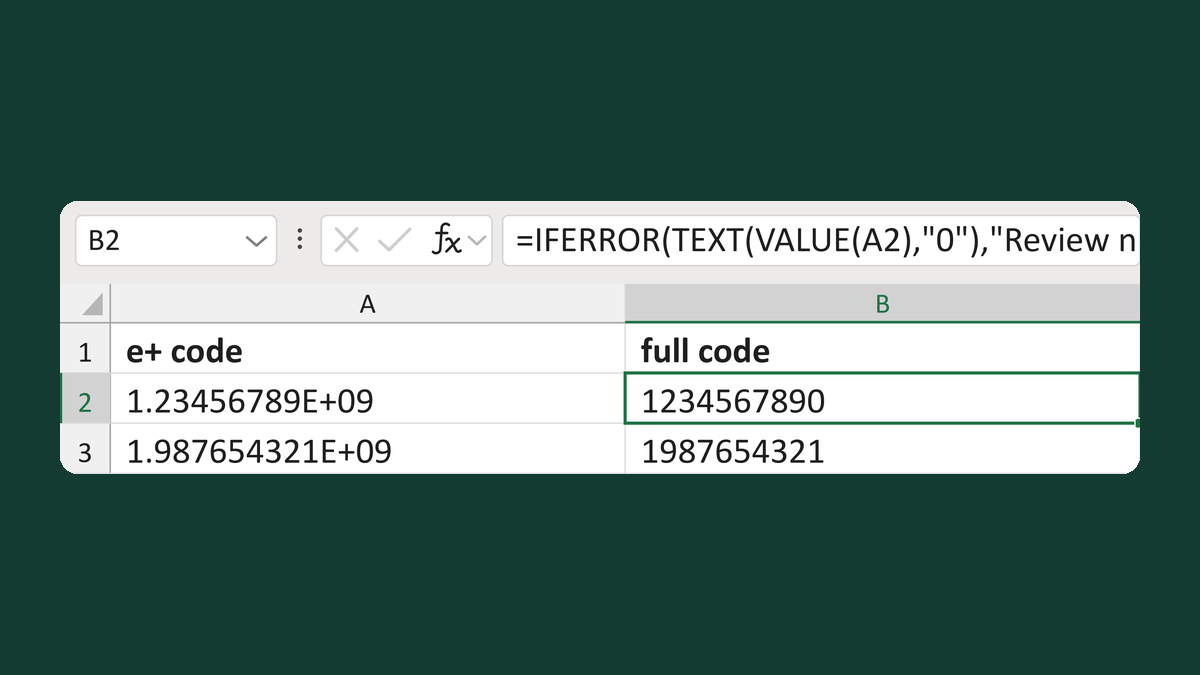
Expand an E+ code back into digits
1.23456789E+09 → 1234567890
Get the template →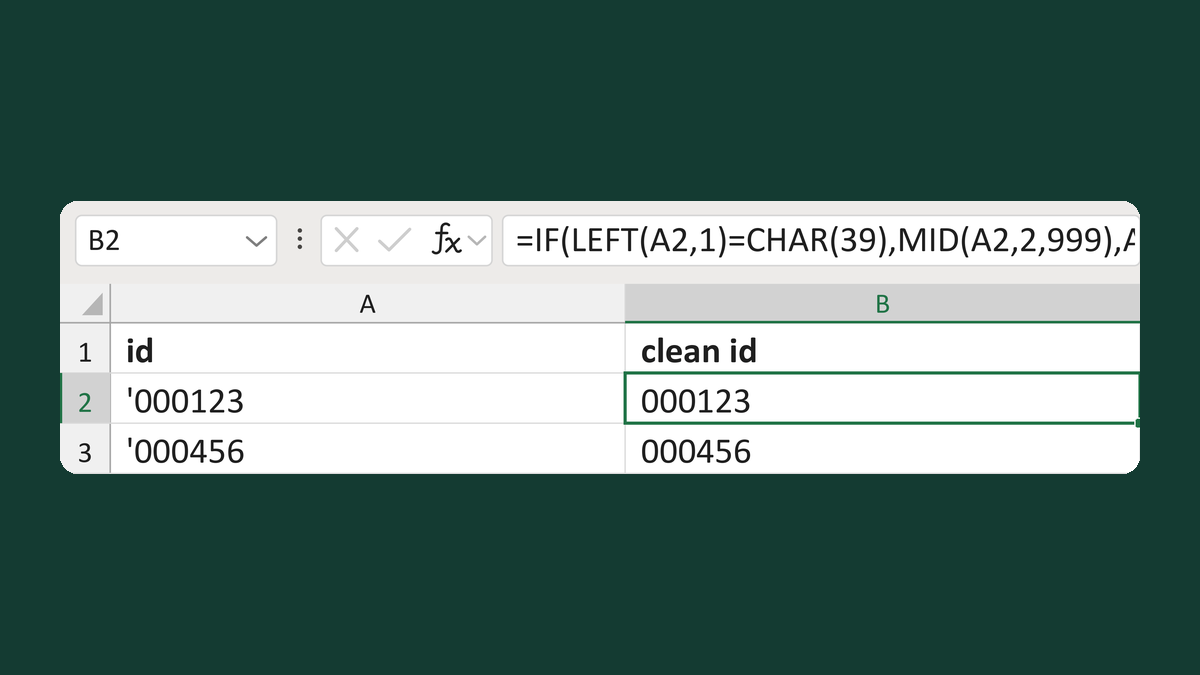
Remove a leading apostrophe from an ID
'000123 → 000123
Get the template →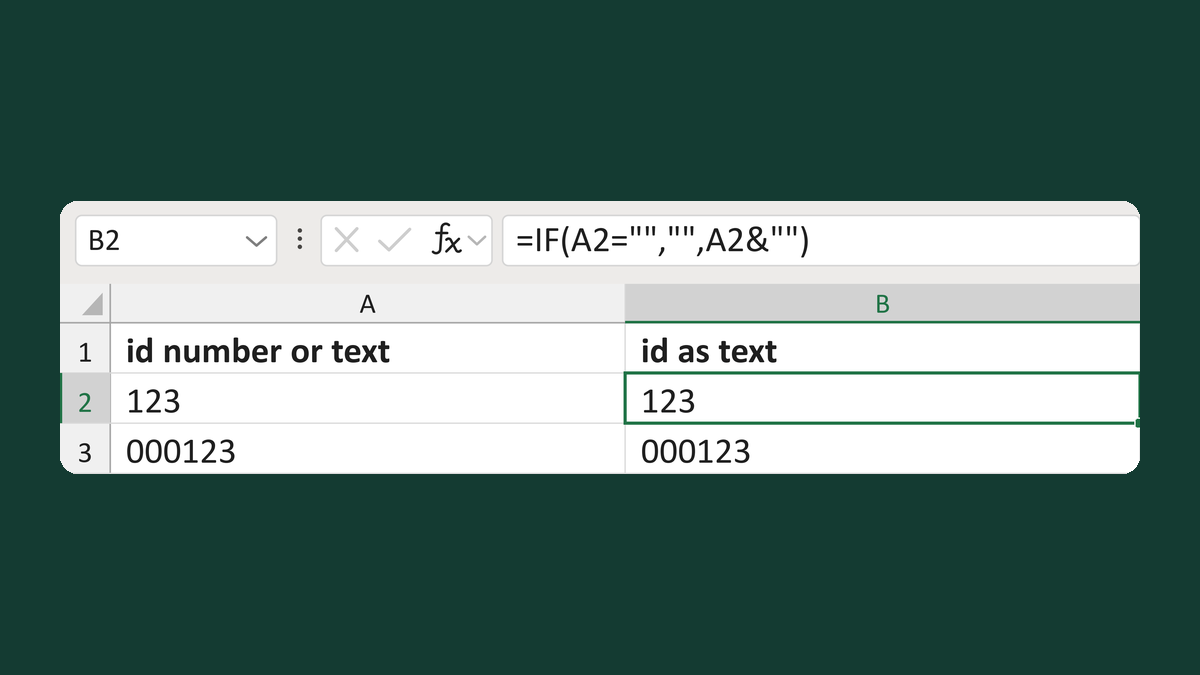
Return a short stored ID as text
123 as a number → 123 as text
Get the template →
Merge a few test letters before the whole mailing
Whole mailing → records 2 to 4 only
Take this route →