Replace HTML space labels in names

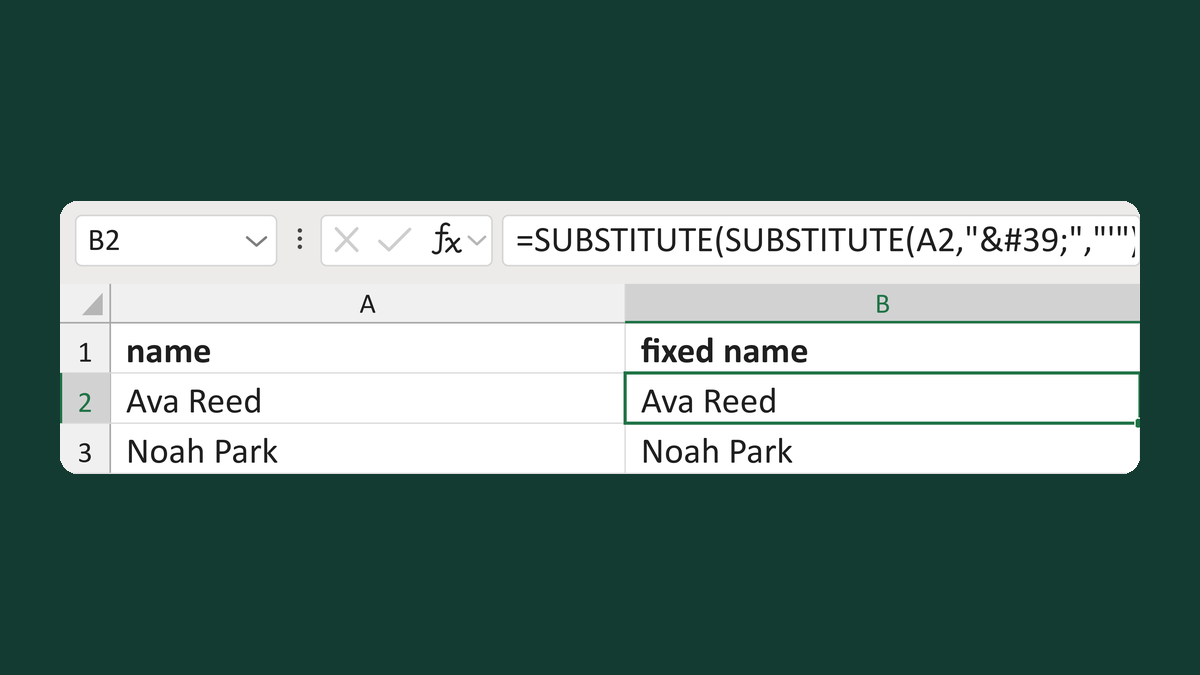
Turn Ava Reed, copied from a web page, into Ava Reed.
What you'll make
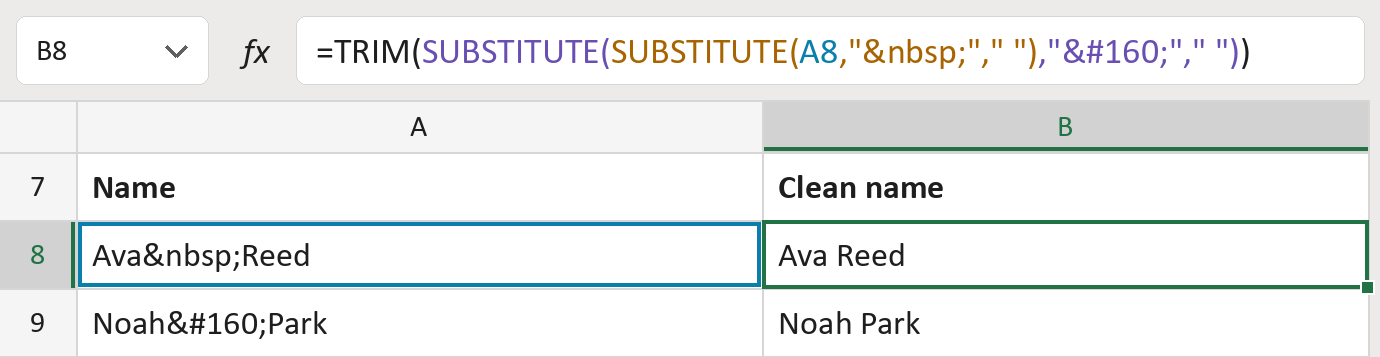
The formula
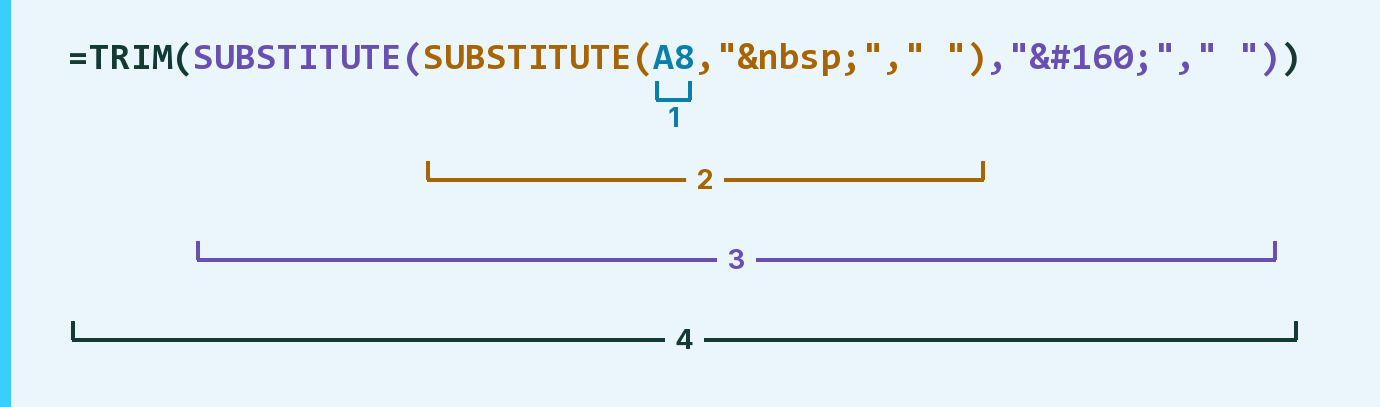
| Number | Part | What it does | Result so far |
|---|---|---|---|
| 1 | A8 | The name, with web code where the space should be. | "Ava Reed" |
| 2 | SUBSTITUTE( … " " … ) | Swaps each for a space. | "Ava Reed" |
| 3 | SUBSTITUTE( … " " … ) | Swaps each   for a space. | "Ava Reed" |
| 4 | TRIM( … ) | Removes extra spaces, so only one is left. | "Ava Reed" |
Each bracket wraps the one above it, so Excel works from the inside out.
=TRIM(SUBSTITUTE(SUBSTITUTE(A8," "," ")," "," "))How to use it
Yellow bar at the top? Click Enable Editing.
- See it work. The Example tab shows 20 made-up names with the formula already in.
- Use your own names. Paste names into the green column of the Template tab. Clean names fill in by themselves.
- Move them into your letter. Copy the results. Then use Paste Special and choose Values.
Before you send
Only lowercase and   are fixed. Other web codes, like &, stay as they are. Check those rows by hand.
Route: Get names ready for the letter
Microsoft's help: SUBSTITUTE function