Replace underscores in names

Turn Ava_Marie_Reed into Ava Marie Reed when underscores stand for spaces.
What you'll make
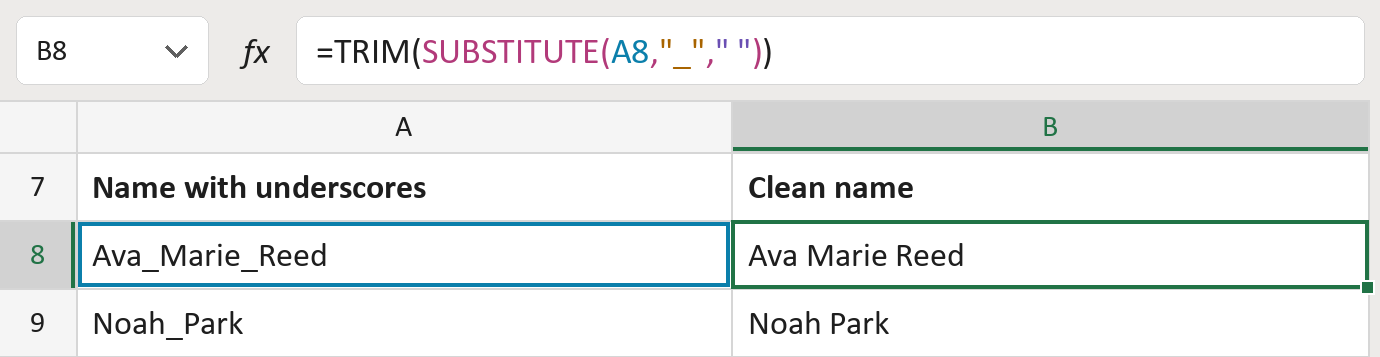
The formula
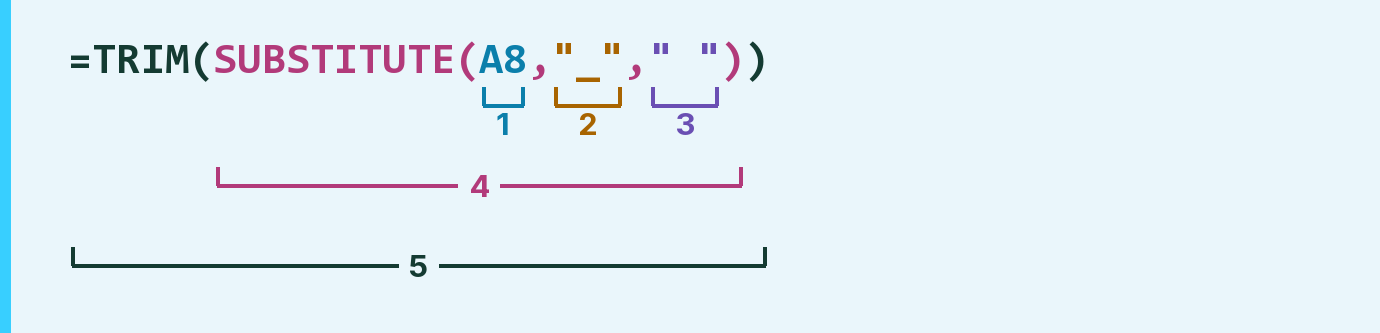
| Number | Part | What it does | Result so far |
|---|---|---|---|
| 1 | A8 | The name with underscores between its parts. | "Ava_Marie_Reed" |
| 2 | "_" | The underscore to replace. | "_" |
| 3 | " " | An ordinary space. | " " |
| 4 | SUBSTITUTE( … ) | Swaps every underscore for a space. | "Ava Marie Reed" |
| 5 | TRIM( … ) | Removes extra spaces at the ends and between. | "Ava Marie Reed" |
SUBSTITUTE works first, then TRIM tidies up any extra spaces.
=TRIM(SUBSTITUTE(A8,"_"," "))How to use it
Yellow bar at the top? Click Enable Editing.
- See it work. The Example tab shows 20 made-up names with the formula already in.
- Use your own names. Paste names into the green column of the Template tab. Clean names fill in by themselves.
- Move them into your letter. Copy the results. Then use Paste Special and choose Values.
Before you send
This turns every underscore into a space. Use it only when you know the underscores stand for spaces, not for usernames.
Route: Get names ready for the letter
Microsoft's help: SUBSTITUTE function
OTHER ROUTES YOU MIGHT LIKE
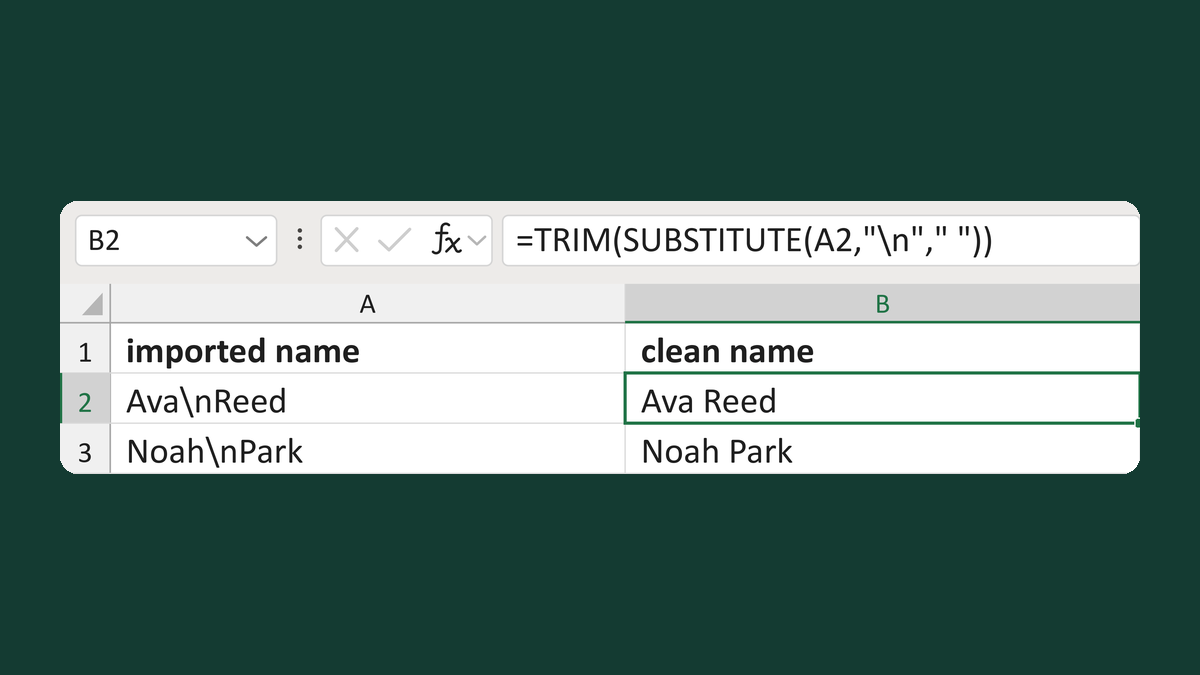
Replace typed backslash-n in names
Ava\nReed → Ava Reed
Get the template →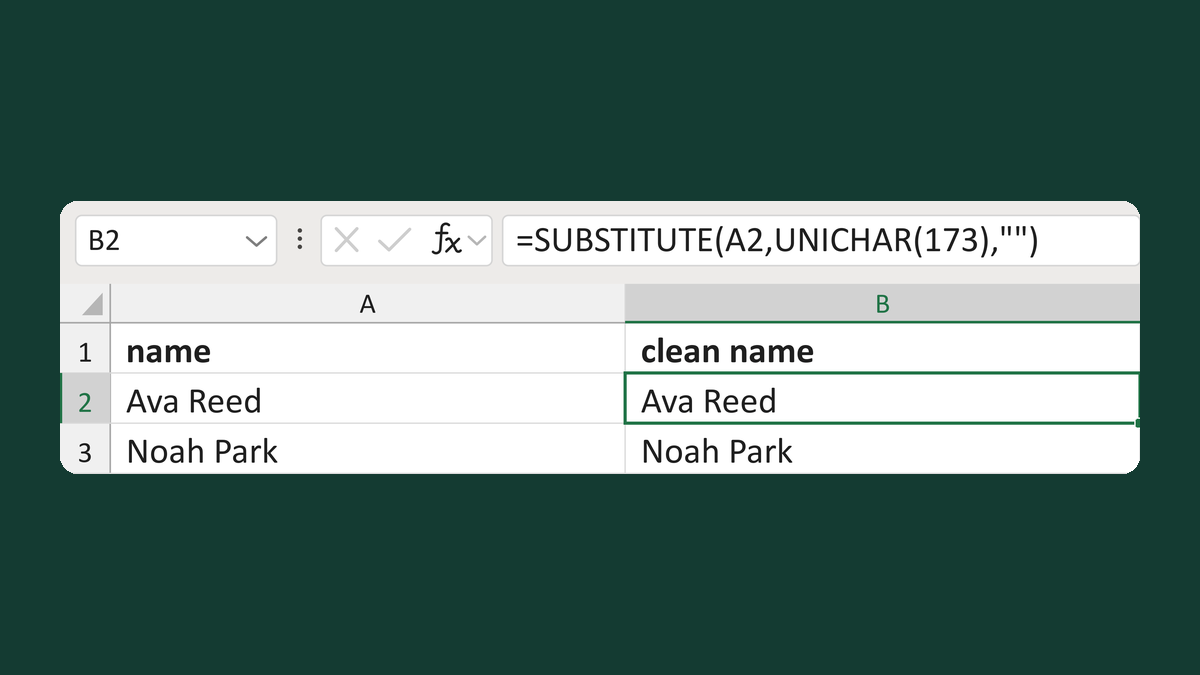
Remove soft hyphens from names
Re[soft hyphen]ed → Reed
Get the template →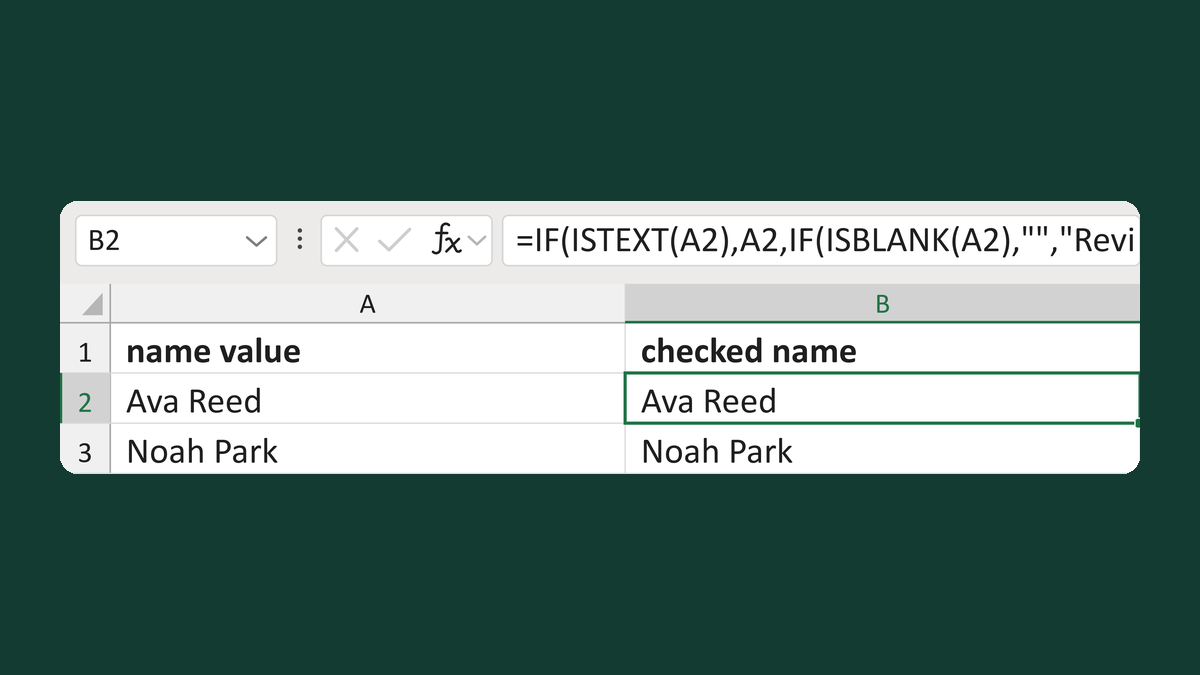
Keep text names and flag other values
Numeric cell 123 → Review value type
Get the template →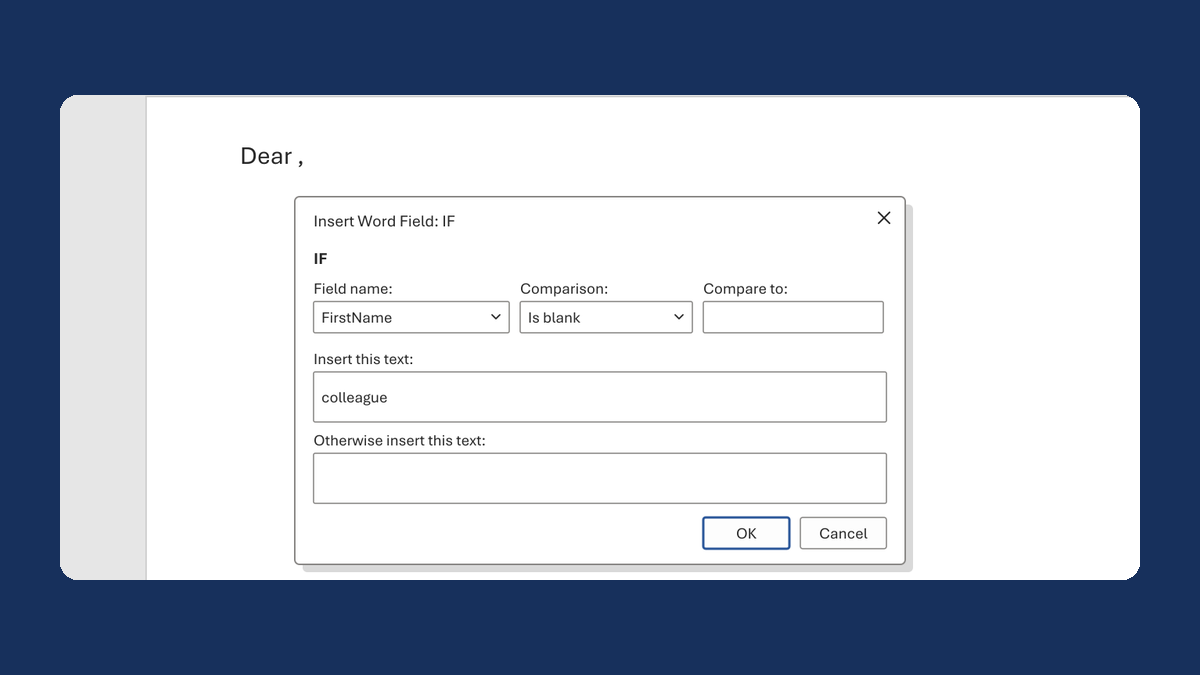
Fix "Dear ," when a first name is blank
(blank) → Dear colleague,
Take this route →