Round amounts away from zero to cents

Turn 1.001 into 1.01 and -1.001 into -1.01 when a system asks for it.
What you'll make
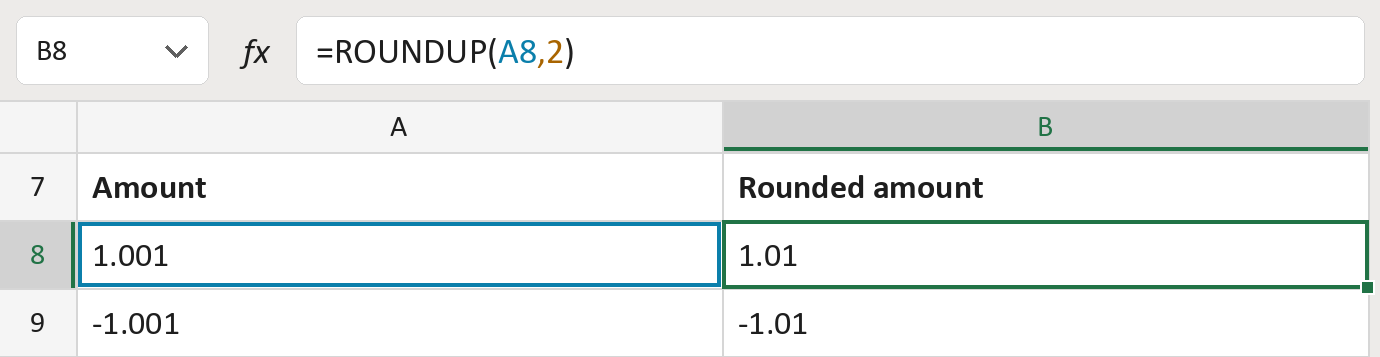
The formula

| Number | Part | What it does | Result so far |
|---|---|---|---|
| 1 | A8 | The amount, like 1.001. | 1.001 |
| 2 | ,2 | Keeps two decimals, the cents. | 2 |
| 3 | ROUNDUP( … ) | Rounds away from zero to the next cent. | 1.01 |
Any extra decimal moves the amount away from zero: -1.001 becomes -1.01. The amounts are made-up.
=ROUNDUP(A8,2)How to use it
Yellow bar at the top? Click Enable Editing.
- See it work. The Example tab shows 20 made-up examples with the formula already in.
- Use your own amounts. Paste amounts, as numbers, into the green column of the Template tab. The results fill in by themselves.
- Move them into your letter. Copy the results. Then use Paste Special and choose Values.
Before you send
Use this only when the system you send to asks for it. It can raise a charge.
Microsoft's help: ROUNDUP function