Turn a ten-digit NPI number into text

Keep all ten digits of 1234567890 as text, so it never shows as 1.23E+09.
What you'll make
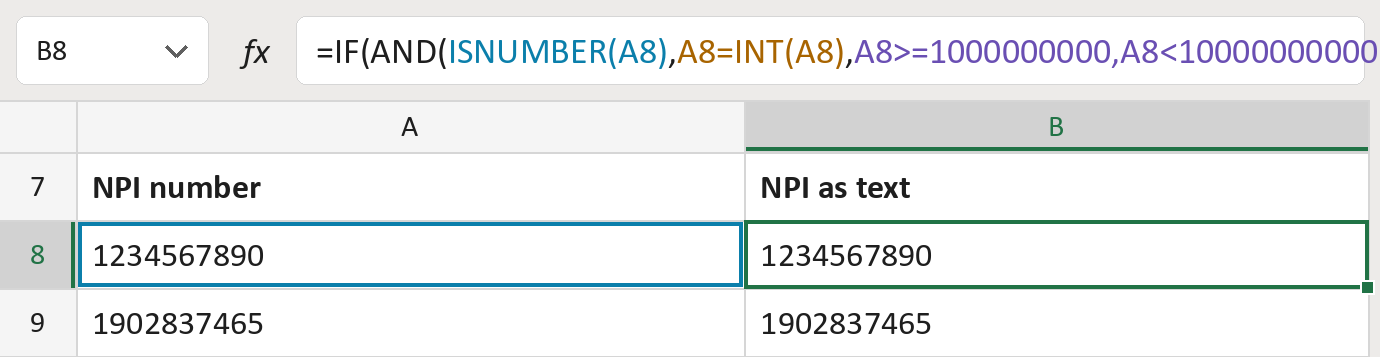
The formula

| Number | Part | What it does | Result so far |
|---|---|---|---|
| 1 | ISNUMBER(A8) | Checks the cell holds a real number. | Yes, a number |
| 2 | A8=INT(A8) | Checks the number has no decimals. | Yes, a whole number |
| 3 | A8>=1000000000, … | Checks the number has exactly ten digits. | Yes, ten digits |
| 4 | TEXT(A8,"0") | Writes all ten digits as text. | "1234567890" |
| 5 | IF(AND( … )) | Gives the text when every check passes, or flags it. | "1234567890" |
It checks the shape only, not whether the NPI is real. The NPIs in this file are made-up.
=IF(AND(ISNUMBER(A8),A8=INT(A8),A8>=1000000000,A8<10000000000),TEXT(A8,"0"),"Review NPI")How to use it
Yellow bar at the top? Click Enable Editing.
- See it work. The Example tab shows 20 made-up examples with the formula already in.
- Use your own NPIs. Paste NPI numbers into the green column of the Template tab. The text versions fill in by themselves.
- Move them into your letter. Copy the results. Then use Paste Special and choose Values.
Before you send
Check every Review NPI row against the original. A missing first digit is not added back.
Microsoft's help: TEXT function
OTHER ROUTES YOU MIGHT LIKE
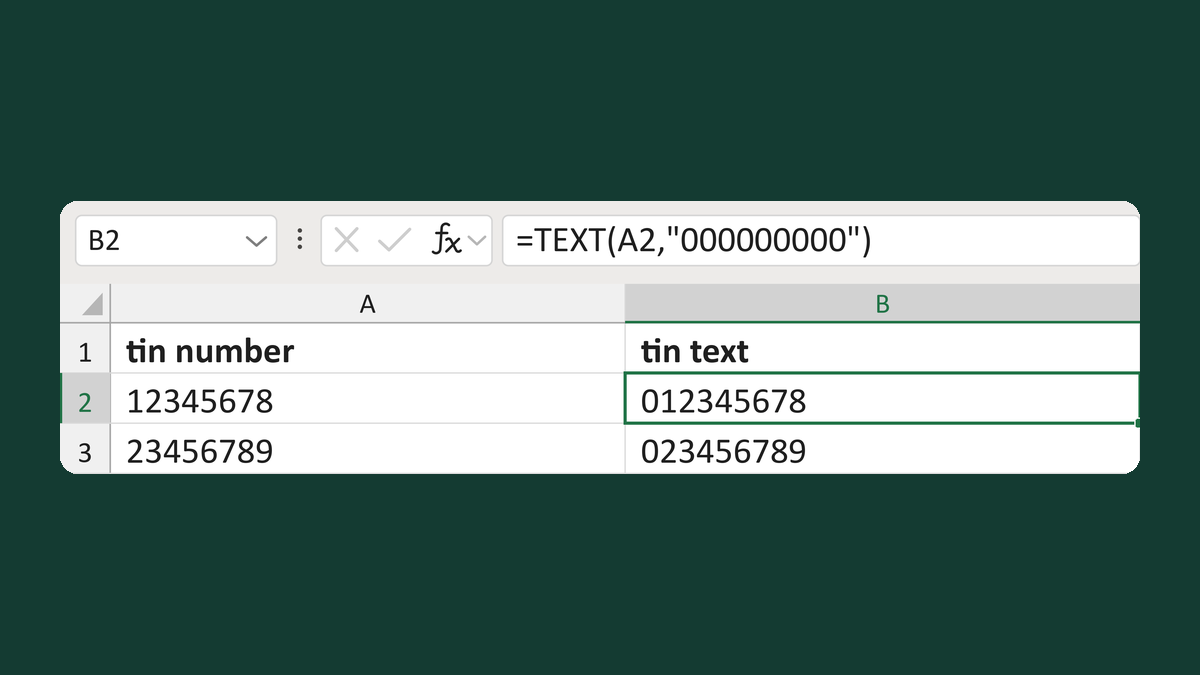
Restore a nine-digit TIN from a number
12345678 → 012345678
Get the template →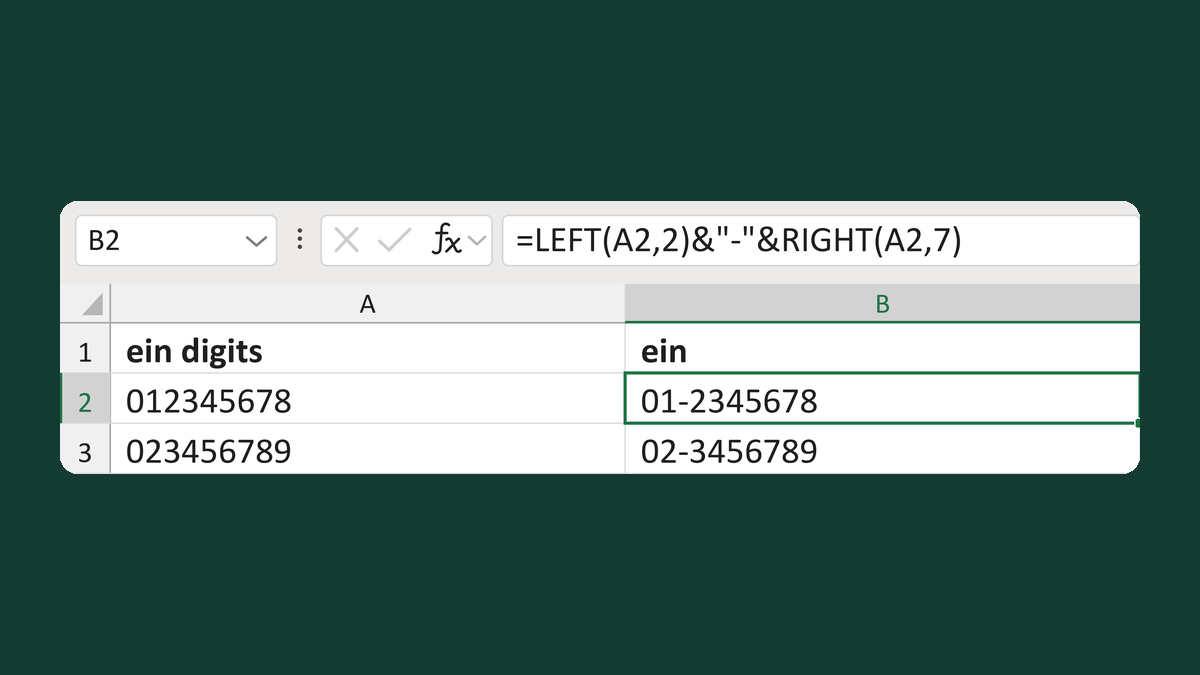
Insert the EIN hyphen preserving zeroes
012345678 → 01-2345678
Get the template →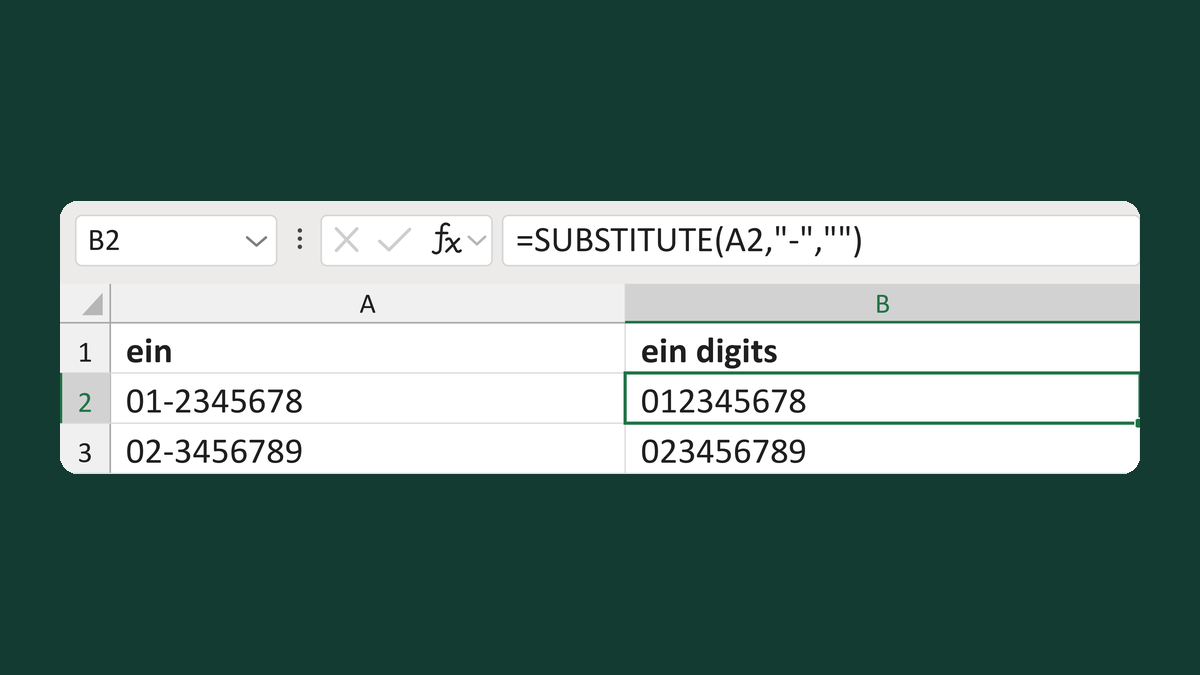
Remove the display hyphen from an EIN
01-2345678 → 012345678
Get the template →
Merge a few test letters before the whole mailing
Whole mailing → records 2 to 4 only
Take this route →