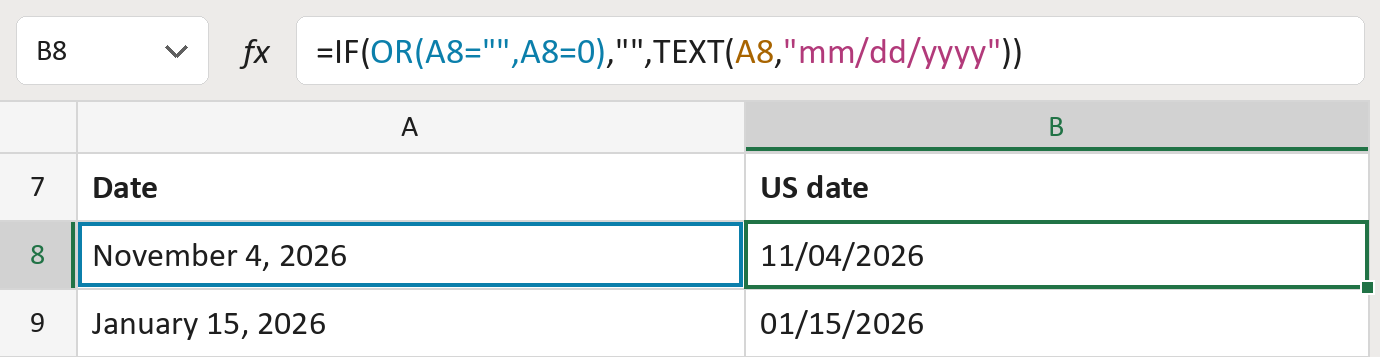
Write a US date like 11/04/2026

Turn the date November 4, 2026 into the text 11/04/2026. Missing dates stay blank.
What you'll make
The formula
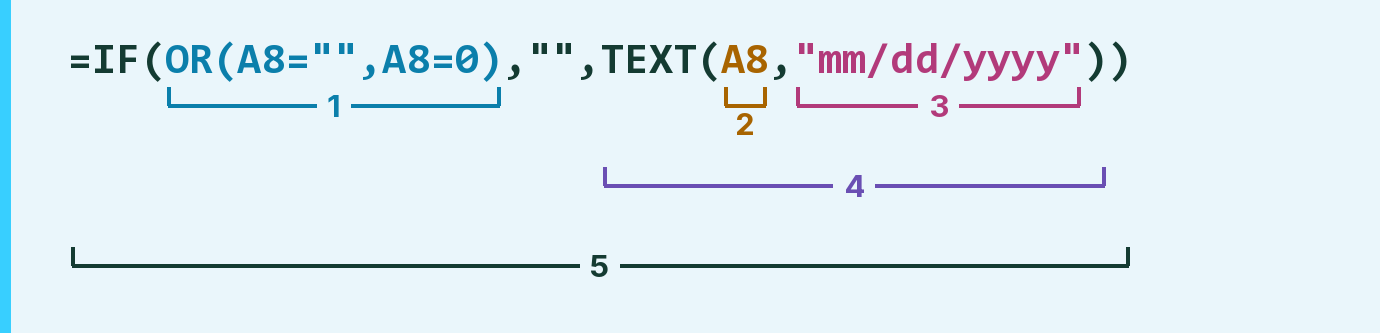
| Number | Part | What it does | Result so far |
|---|---|---|---|
| 1 | OR(A8="",A8=0) | Checks for an empty cell or a 0 placeholder. | No |
| 2 | A8 | The real date. | November 4, 2026 |
| 3 | "mm/dd/yyyy" | The pattern: two-digit month and day, four-digit year. | "mm/dd/yyyy" |
| 4 | TEXT( … ) | Writes the date in that pattern as text. | "11/04/2026" |
| 5 | IF( … ) | Leaves the cell blank if part 1 says yes. | "11/04/2026" |
Read it left to right. Without part 1, a 0 would show as a date in 1900.
=IF(OR(A8="",A8=0),"",TEXT(A8,"mm/dd/yyyy"))How to use it
Yellow bar at the top? Click Enable Editing.
- See it work. The Example tab shows 20 made-up examples with the formula already in.
- Use your own dates. Paste real dates into the green column of the Template tab. The US dates fill in by themselves.
- Move them into your letter. Copy the results. Then use Paste Special and choose Values.
Before you send
Month names follow your Excel language. Check them if your Excel isn't in English.
Microsoft's help: TEXT function
OTHER ROUTES YOU MIGHT LIKE
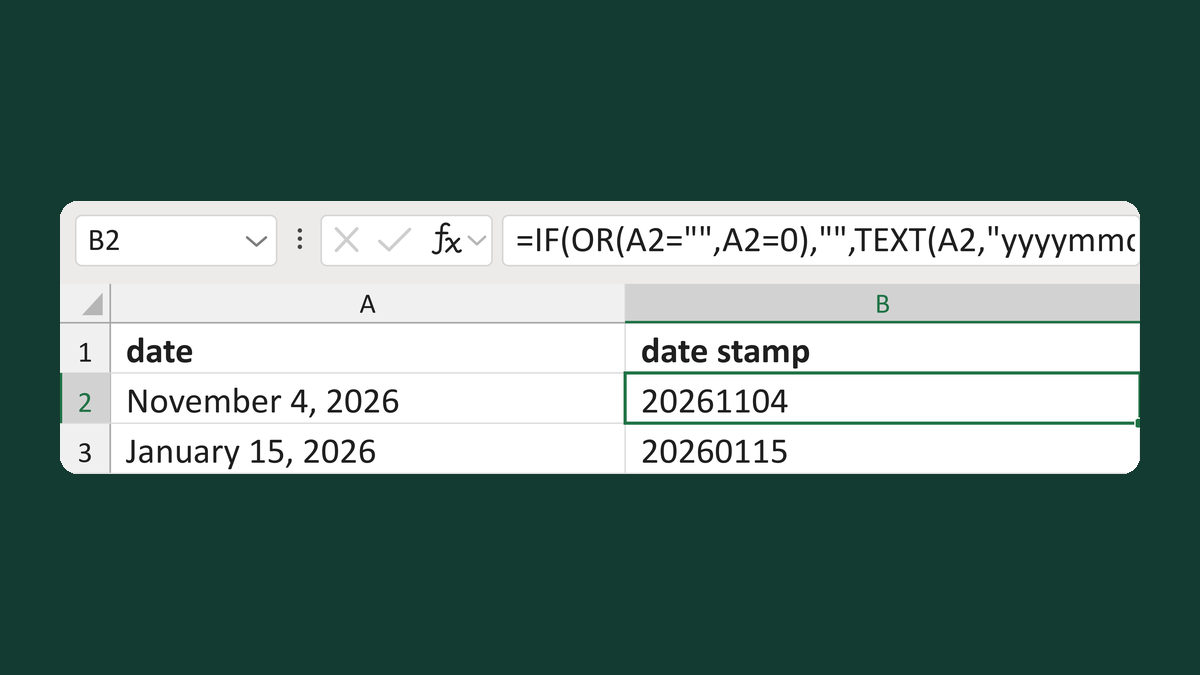
Make a date stamp for a filename
November 4, 2026 → 20261104
Get the template →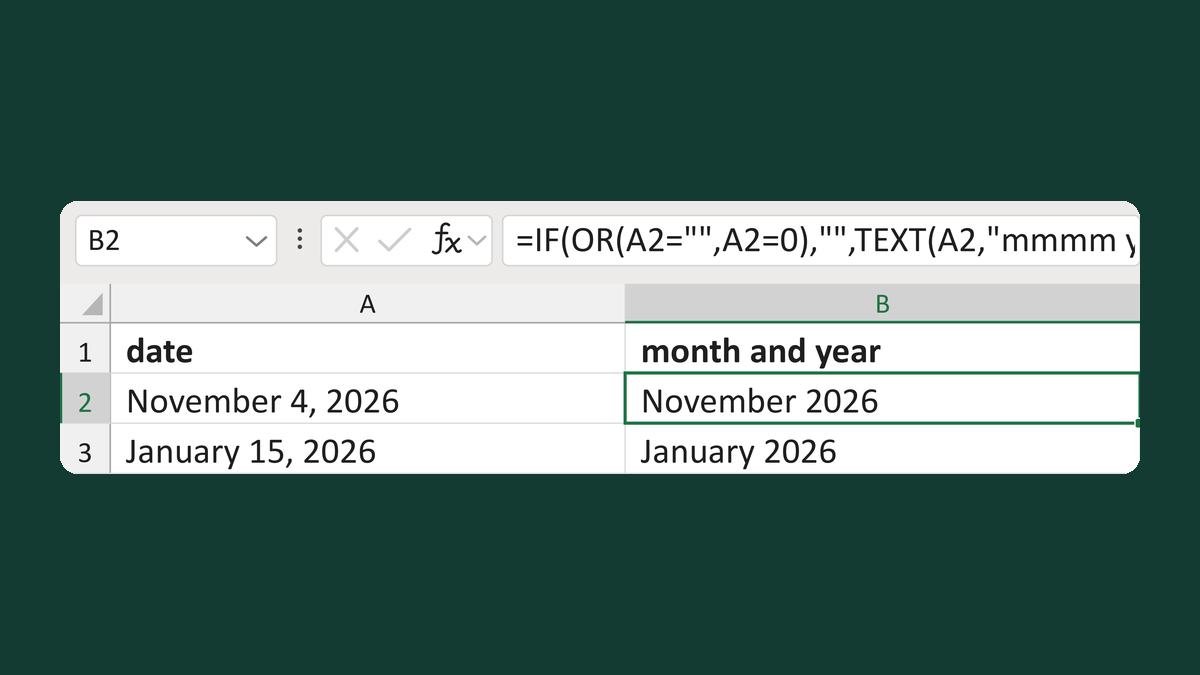
Write a readable month and year
November 4, 2026 → November 2026
Get the template →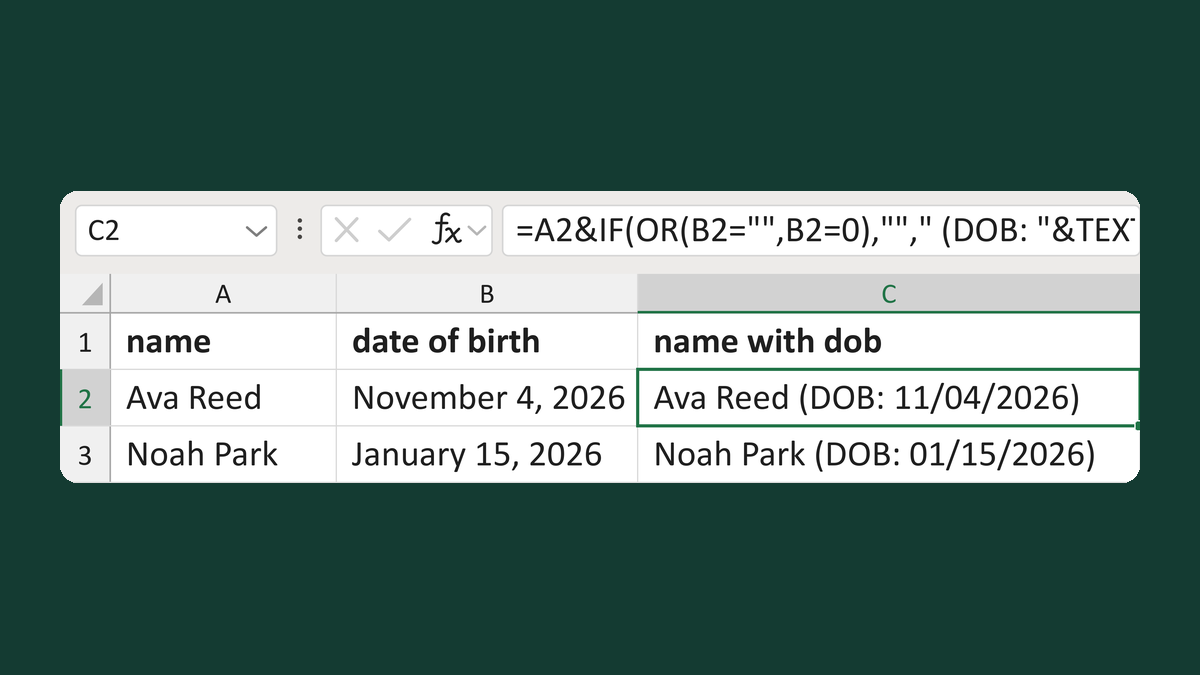
Combine a name and date of birth
Ava Reed + November 4, 2026 → Ava Reed (DOB: 11/04/2026)
Get the template →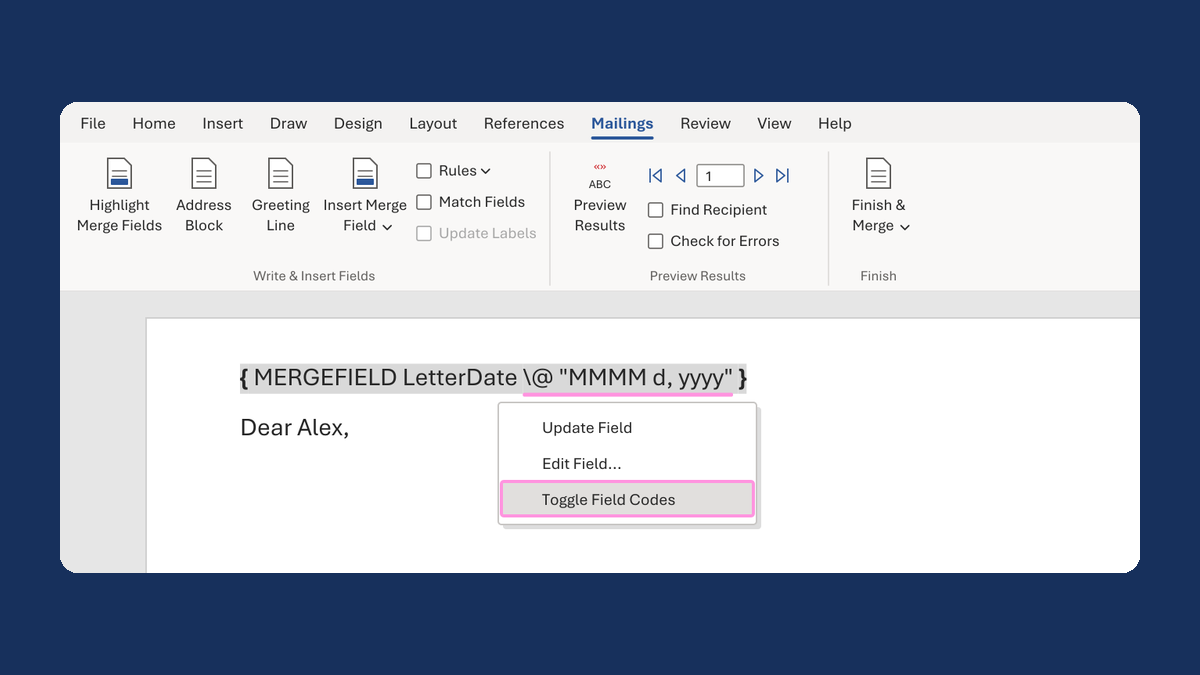
Show a letter date as November 5, 2026
11/5/2026 → November 5, 2026
Take this route →