Write an NPI-ending caption

Turn the NPI 1234567890 into NPI ending 7890 for a letter or notice.
What you'll make
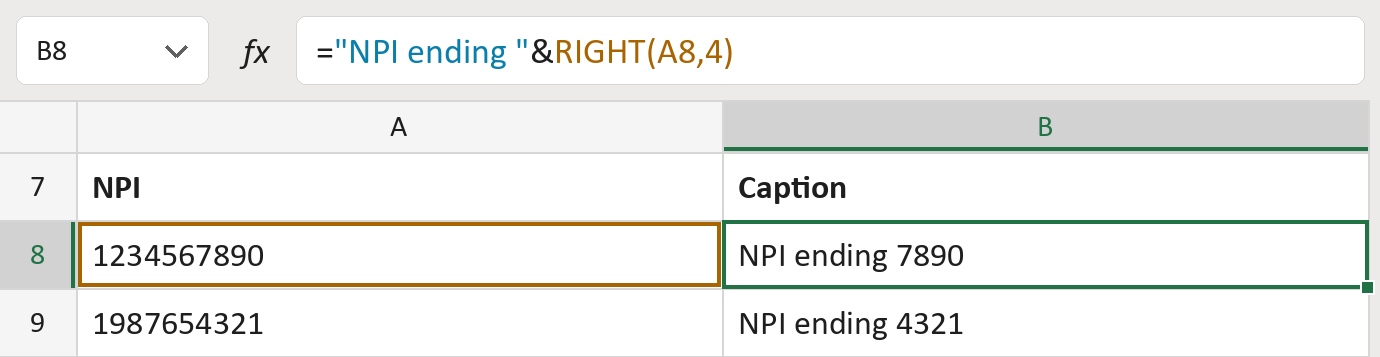
The formula

| Number | Part | What it does | Result so far |
|---|---|---|---|
| 1 | "NPI ending " | The words in front, with a space. | "NPI ending " |
| 2 | RIGHT(A8,4) | Adds the last four digits of the NPI. | "NPI ending 7890" |
Read it left to right. The & joins the two pieces. The NPIs here are made-up.
="NPI ending "&RIGHT(A8,4)How to use it
Yellow bar at the top? Click Enable Editing.
- See it work. The Example tab shows 20 made-up examples with the formula already in.
- Use your own IDs. Paste ten-digit NPIs into the green column of the Template tab. The captions fill in by themselves.
- Move them into your letter. Copy the results. Then use Paste Special and choose Values.
Before you send
Four digits can't identify a provider on their own. Follow your letter's rules for what else to show.
Microsoft's help: RIGHT function
OTHER ROUTES YOU MIGHT LIKE
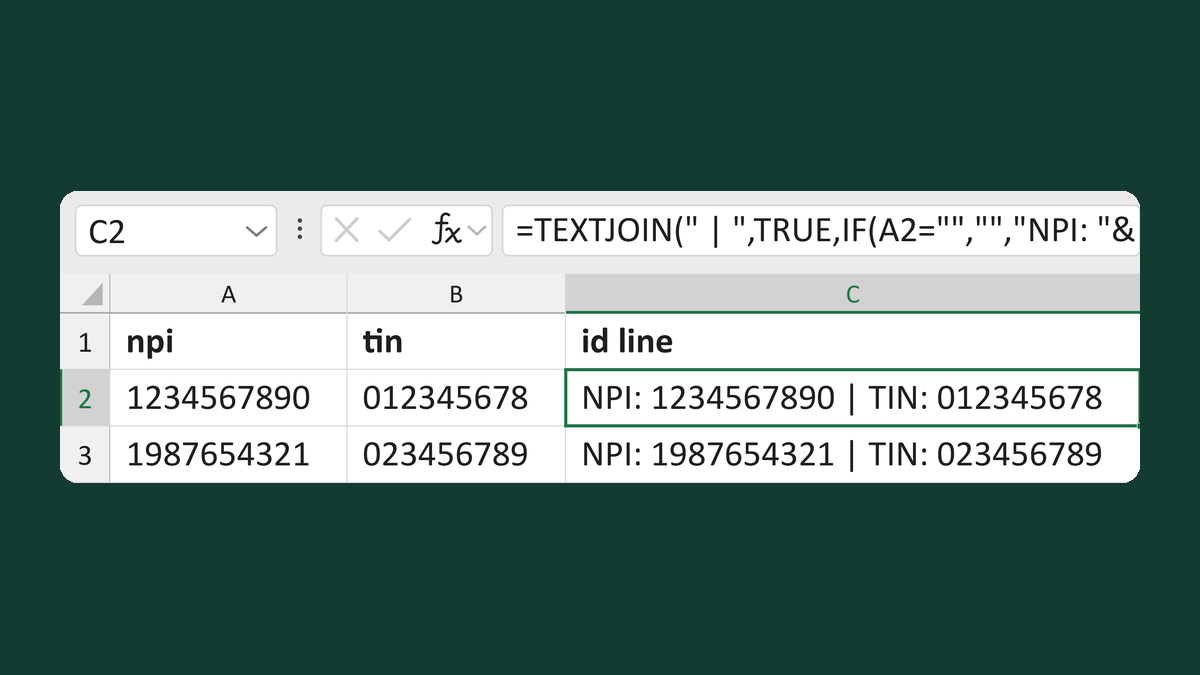
Build a labeled NPI and TIN line
1234567890 + 012345678 → NPI: 1234567890 | TIN: 012345678
Get the template →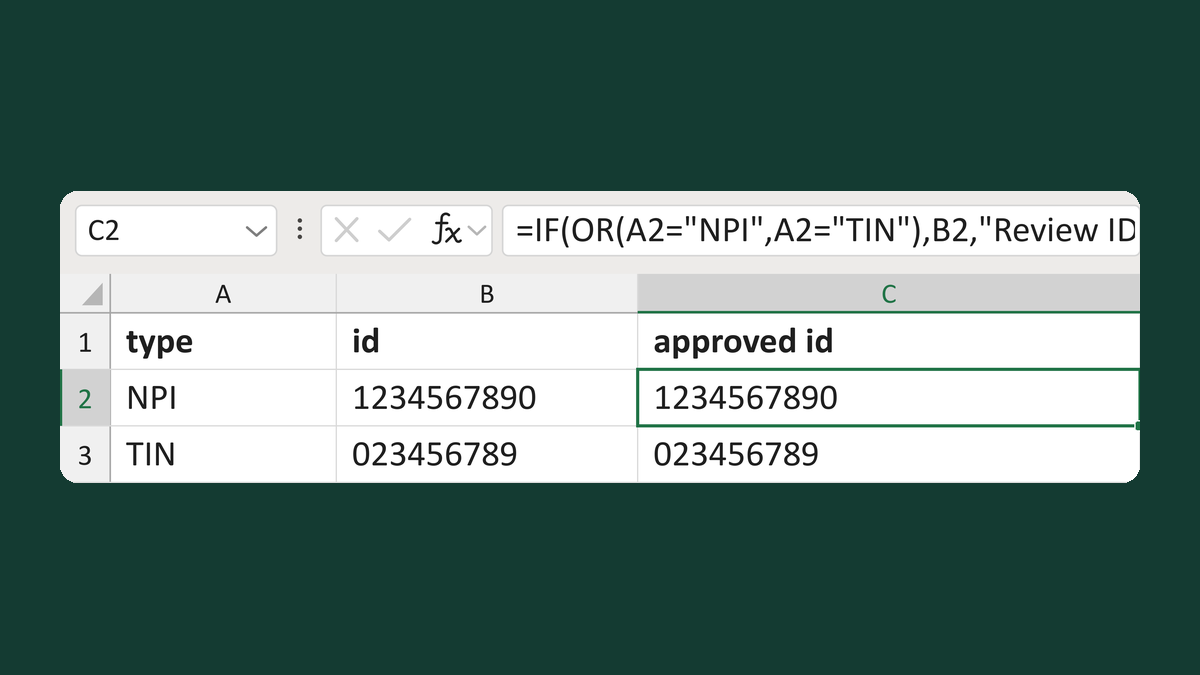
Keep only IDs of an approved type
NPI + 1234567890 → 1234567890 (approved type)
Get the template →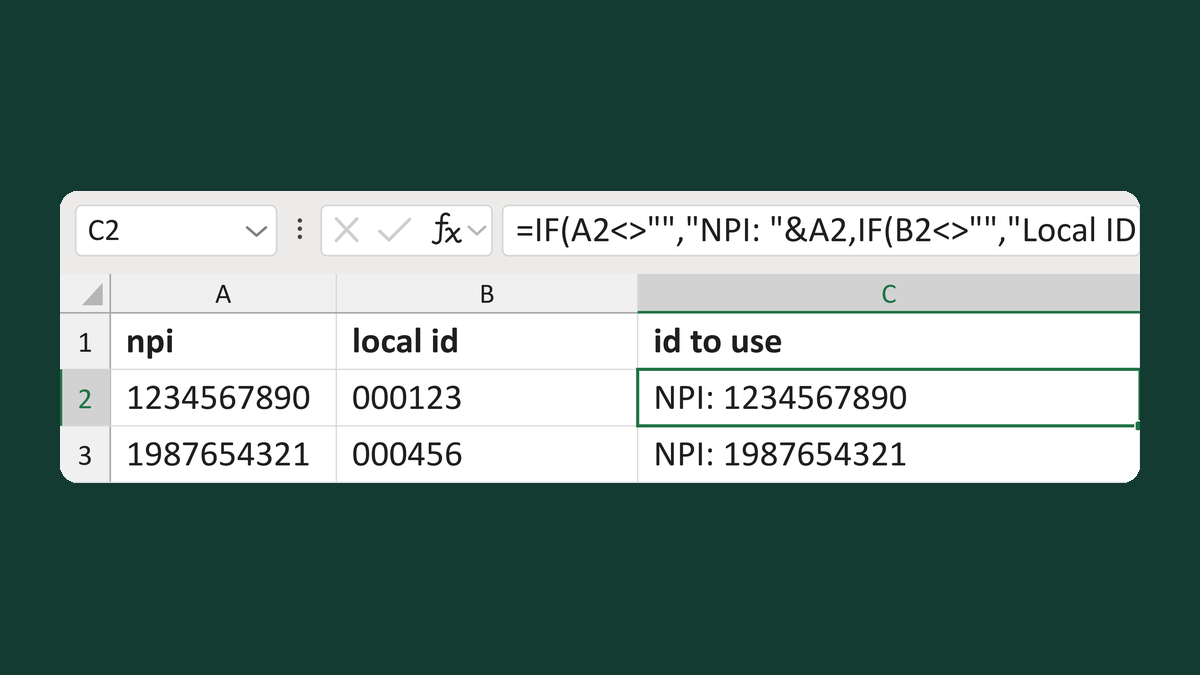
Choose an NPI or a local fallback
1234567890 + 000123 → NPI: 1234567890
Get the template →
Merge a few test letters before the whole mailing
Whole mailing → records 2 to 4 only
Take this route →