Build an email address from its two parts

Turn ava and example.com into ava@example.com from approved parts.
What you'll make
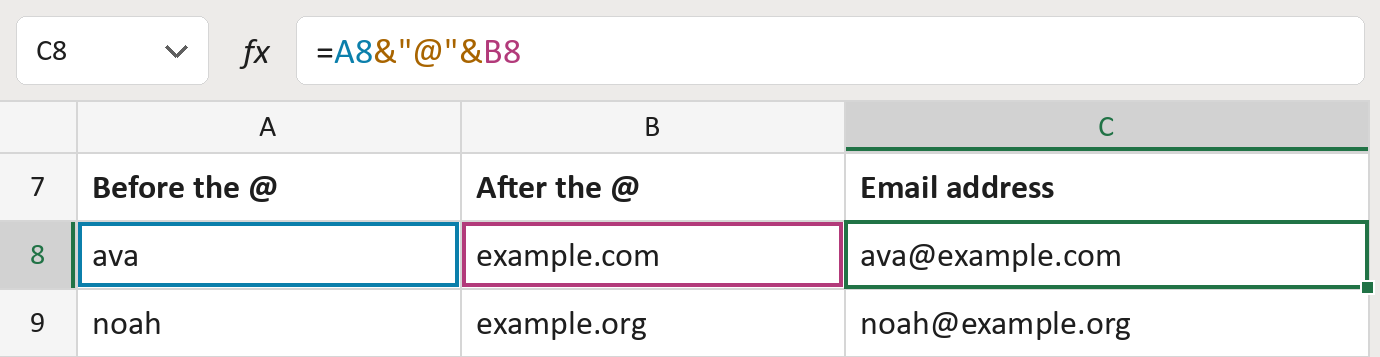
The formula

| Number | Part | What it does | Result so far |
|---|---|---|---|
| 1 | A8 | The part that goes before the @. | "ava" |
| 2 | &"@"& | Adds the @ sign. | "ava@" |
| 3 | B8 | Adds the part that goes after the @. | "ava@example.com" |
Read it left to right. The addresses here are made-up.
=A8&"@"&B8How to use it
Yellow bar at the top? Click Enable Editing.
- See it work. The Example tab shows 20 made-up examples with the formula already in.
- Use your own list. On the Template tab, paste the part before the @ into column A. Put the part after it into column B.
- Move them into your letter. Copy the results. Then use Paste Special and choose Values.
Before you send
Use only parts you know are right. This joins them but can't tell if the address works.
Microsoft's help: Combine text from two or more cells
OTHER ROUTES YOU MIGHT LIKE
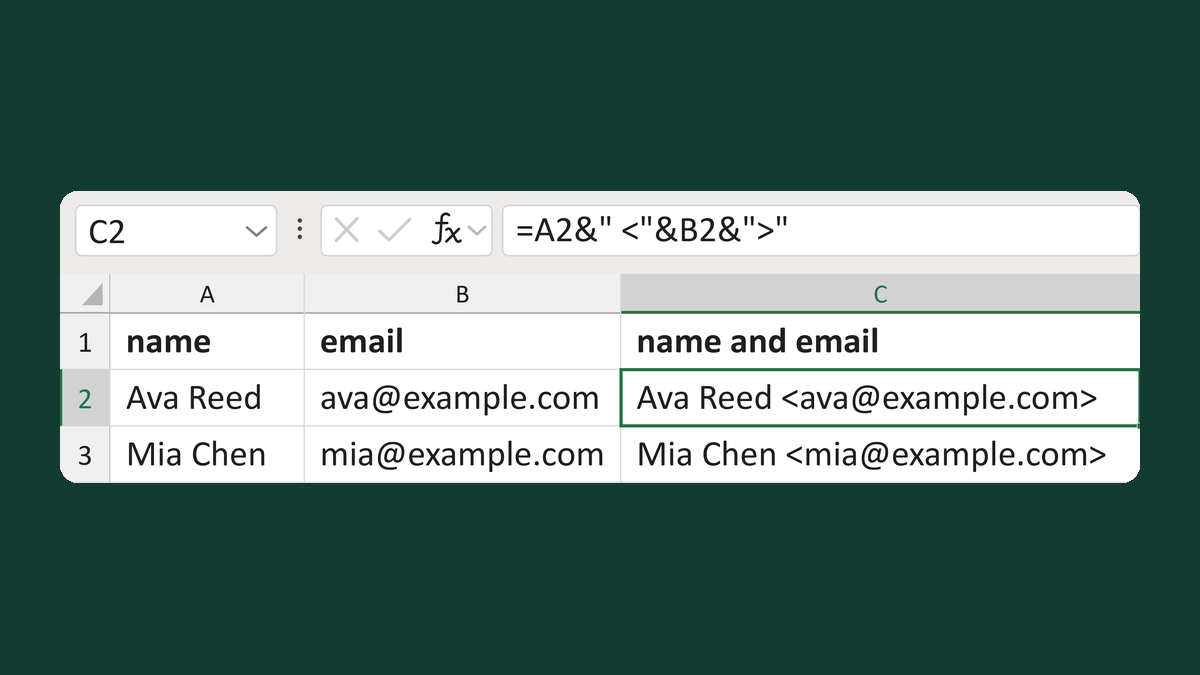
Format a display name and email pair
Ava Reed + [email protected] → Ava Reed <[email protected]>
Get the template →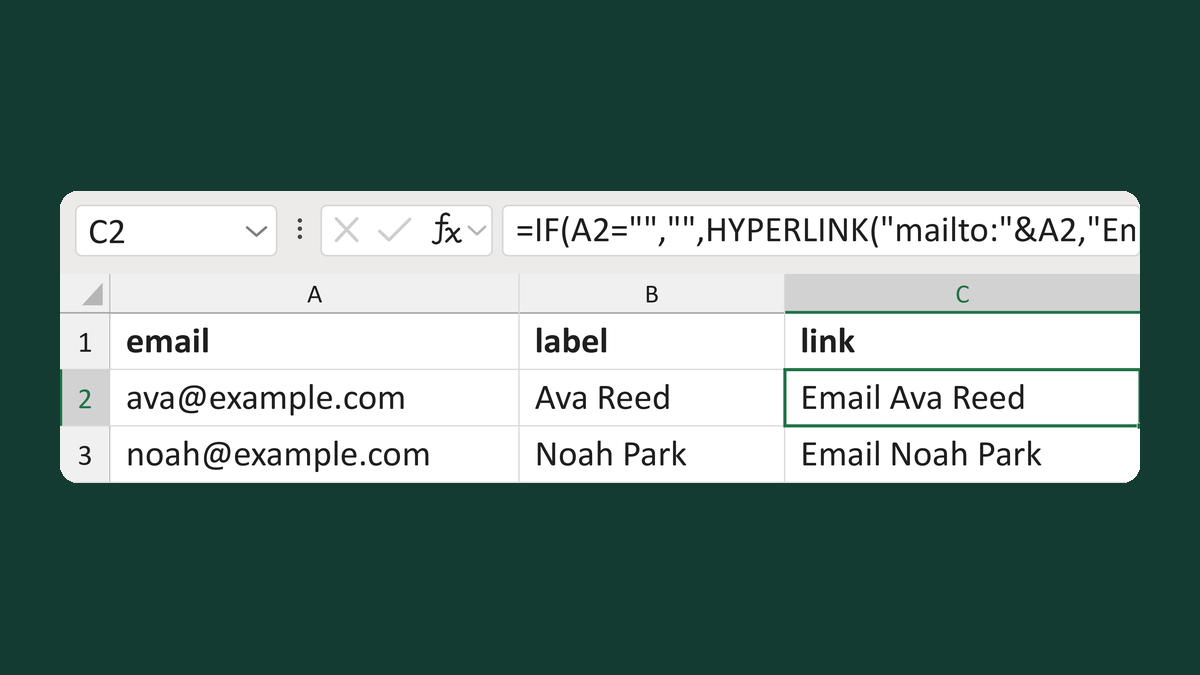
Make a clickable email link
[email protected] + Ava Reed → Email Ava Reed (a link)
Get the template →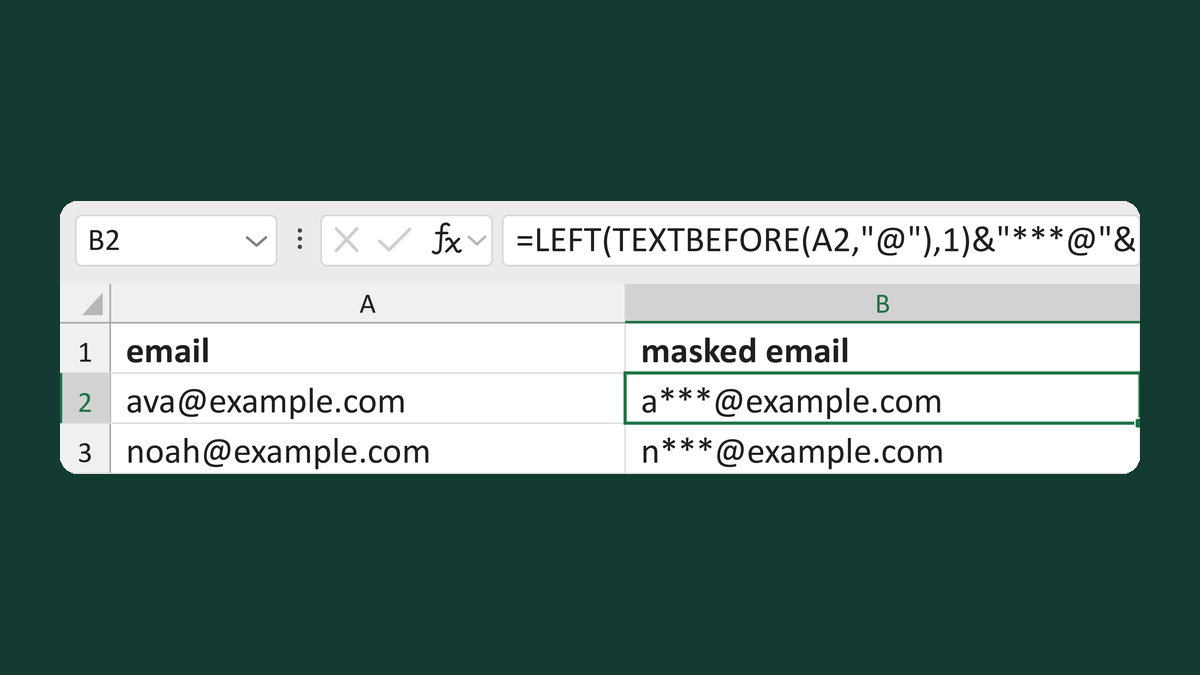
Mask an email but keep the domain
[email protected] → a***@example.com
Get the template →
Check each email went to the right address, once
Your list of 2 → 2 sent copies, each to the right address
Take this route →