Calculate hours from checked punches

Turn an IN at 2:30:15 PM and an OUT at 10:45:15 PM into 8.25 hours.
What you'll make
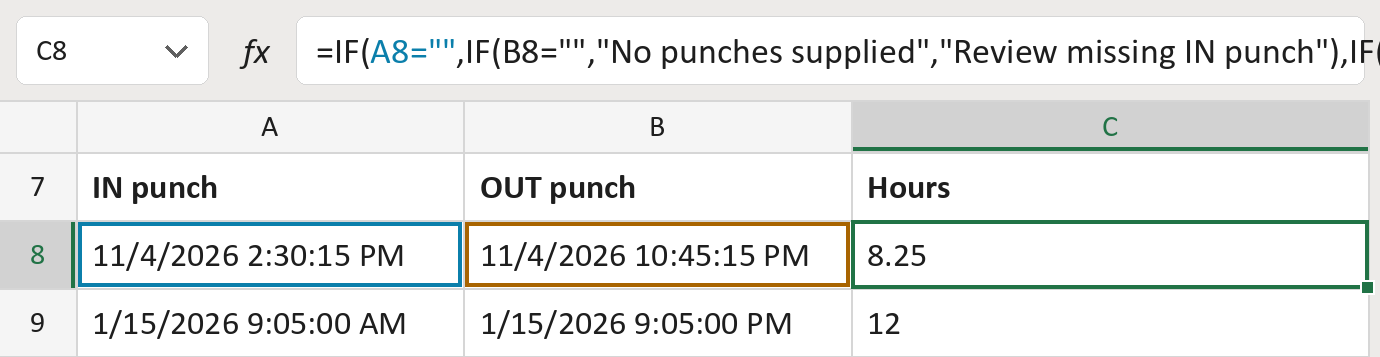
The formula
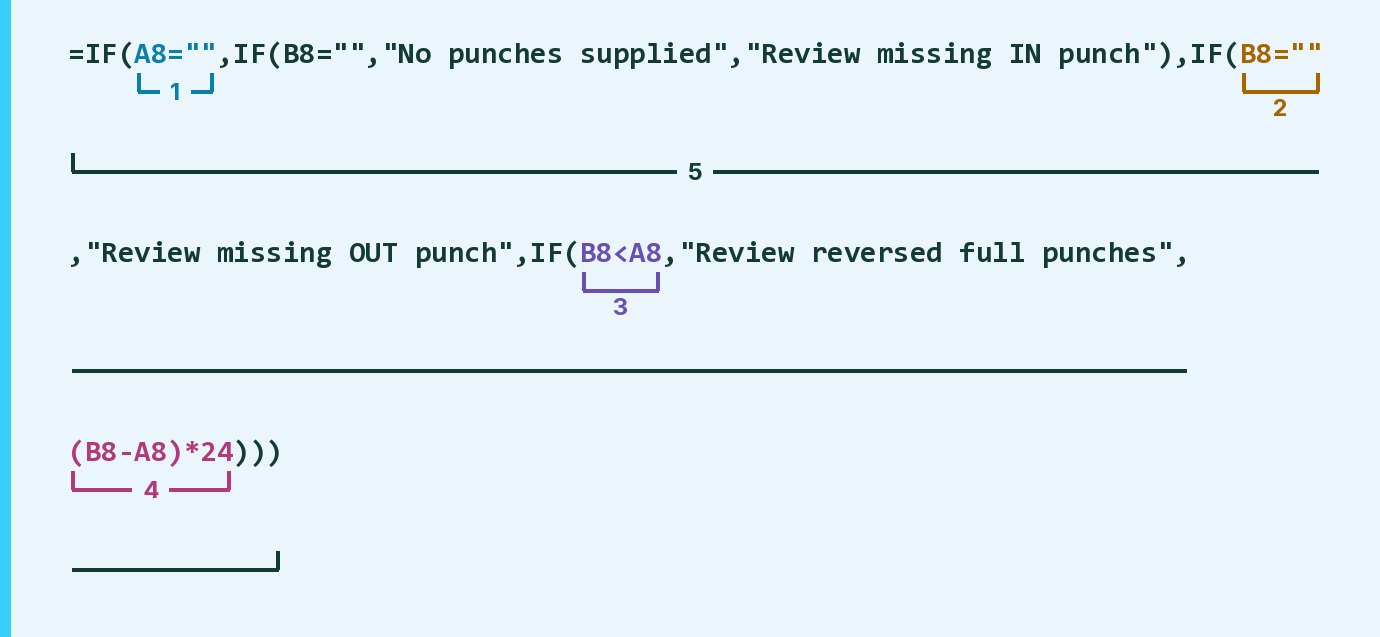
| Number | Part | What it does | Result so far |
|---|---|---|---|
| 1 | A8="" | Checks if the IN punch is empty. | No |
| 2 | B8="" | Checks if the OUT punch is empty. | No |
| 3 | B8<A8 | Checks if OUT is earlier than IN. | No |
| 4 | (B8-A8)*24 | Time between punches, times 24 for hours. | 8.25 |
| 5 | IF( … ) | Flags part 1, 2 or 3, else shows part 4. | 8.25 |
A Review message shows when part 1, 2 or 3 says yes. With both punches empty, it says No punches supplied.
=IF(A8="",IF(B8="","No punches supplied","Review missing IN punch"),IF(B8="","Review missing OUT punch",IF(B8<A8,"Review reversed full punches",(B8-A8)*24)))How to use it
Yellow bar at the top? Click Enable Editing.
- See it work. The Example tab shows 20 made-up examples with the formula already in.
- Use your own punches. Paste each IN and OUT punch, with its date and time, into the green columns of the Template tab. The hours fill in by themselves.
- Move them into your letter. Copy the results. Then use Paste Special and choose Values.
Before you send
Use full dates with times in one time zone. These are hours between punches, which may differ from paid hours.
Microsoft's help: IF function
OTHER ROUTES YOU MIGHT LIKE
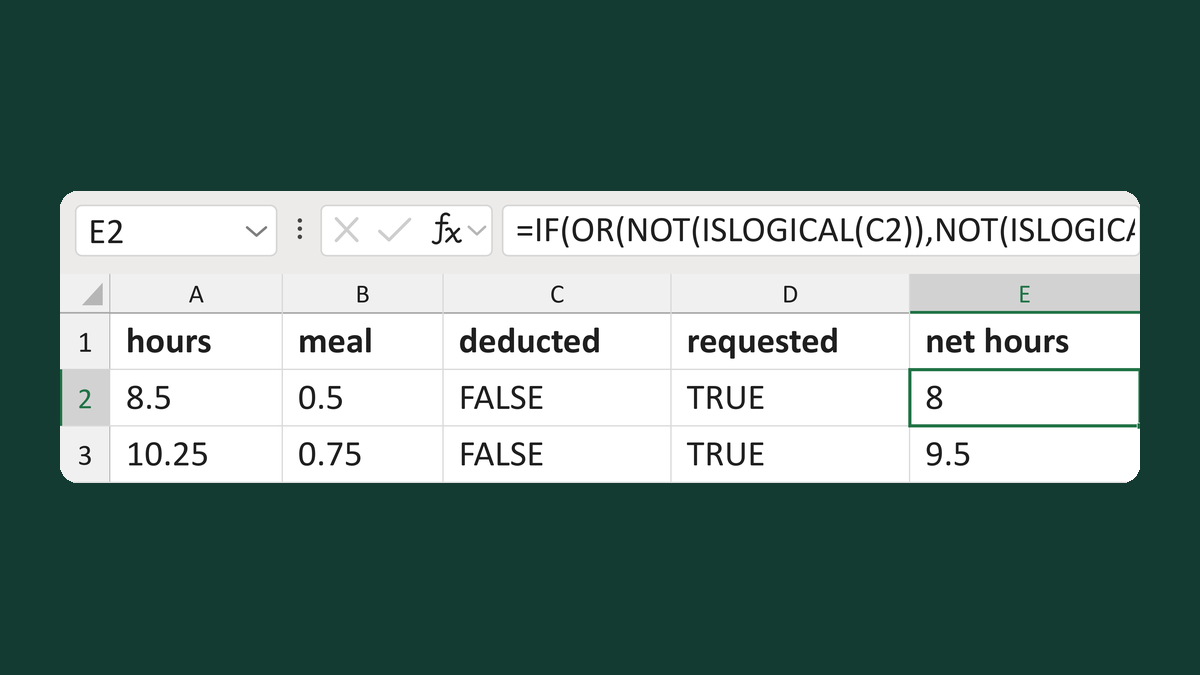
Prevent a repeated meal deduction
8.5 hours, 0.5 meal, deduction requested → 8 hours
Get the template →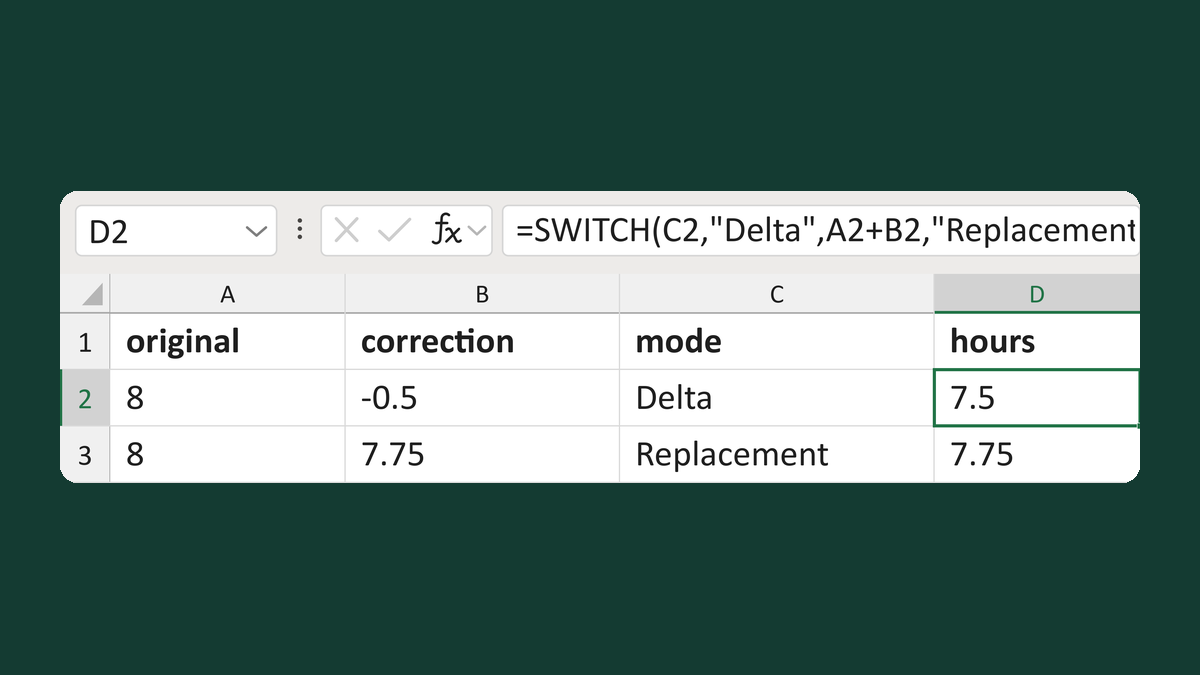
Add or replace hours by correction mode
8 hours, Delta -0.5 → 7.5 hours
Get the template →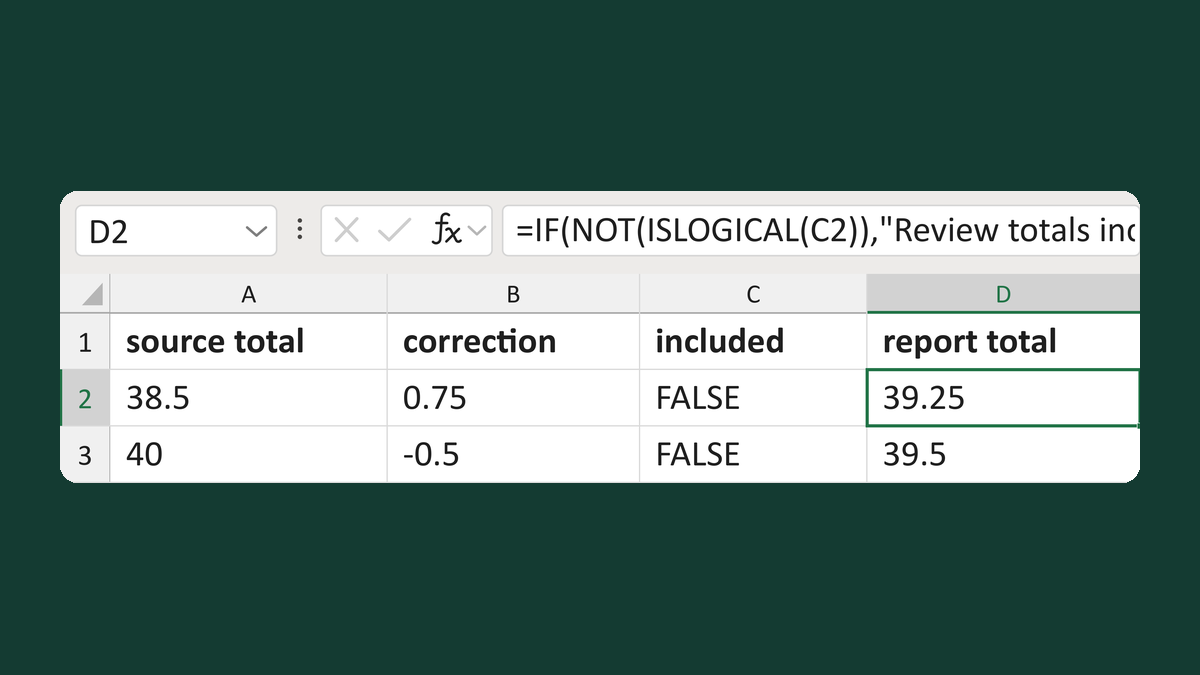
Add a correction unless the total has it
38.5 + 0.75, not yet included → 39.25 hours
Get the template →
Merge a few test letters before the whole mailing
Whole mailing → records 2 to 4 only
Take this route →