Prevent a repeated meal deduction

Take a manual meal off reported hours only if it isn't already taken off.
What you'll make
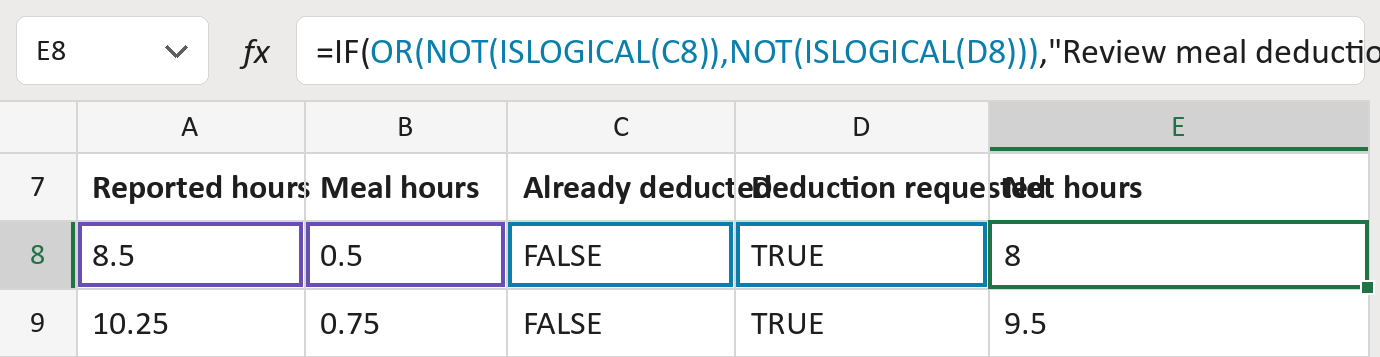
The formula
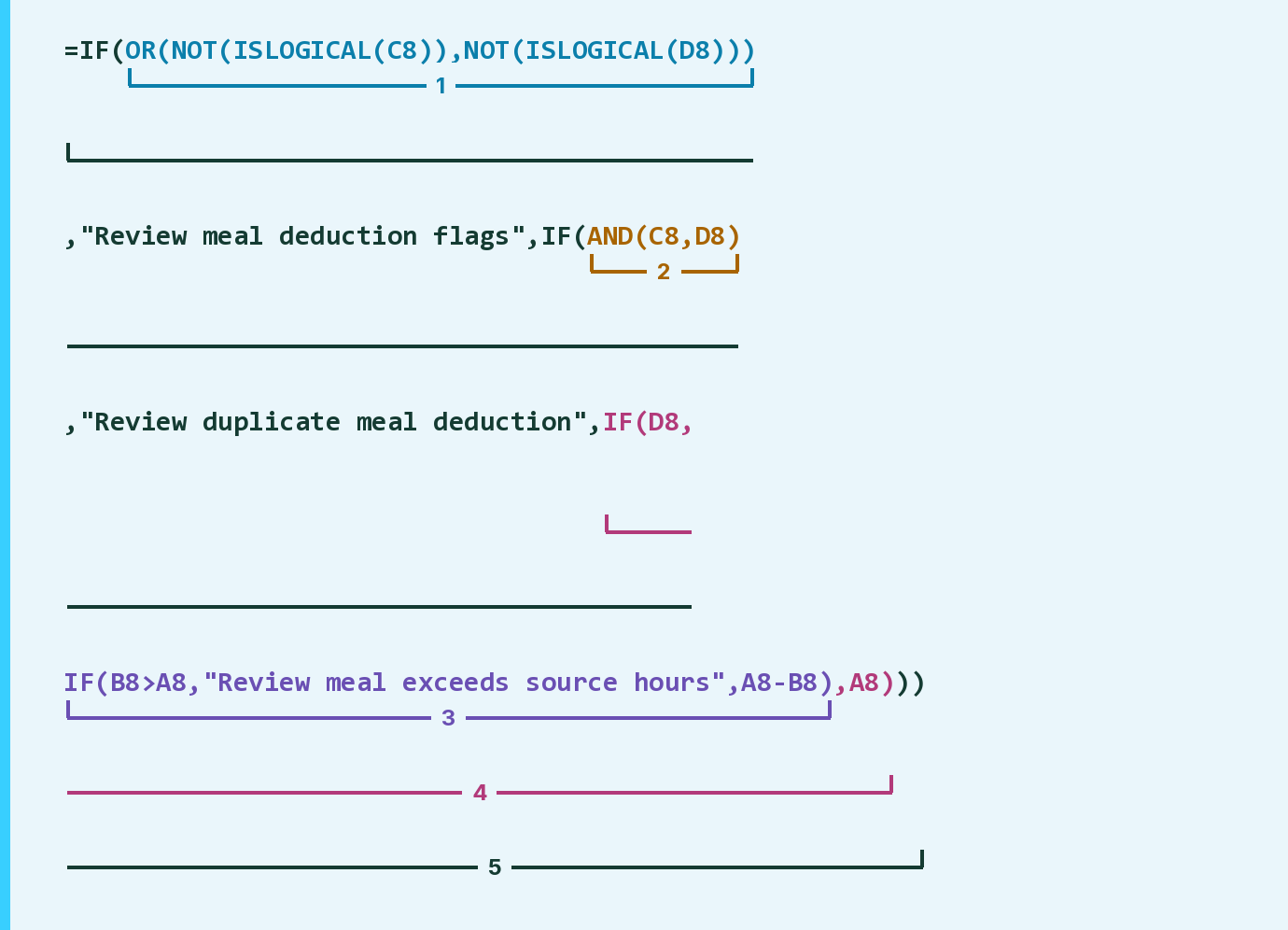
| Number | Part | What it does | Result so far |
|---|---|---|---|
| 1 | OR(NOT(ISLOGICAL(C8)), … ) | Checks that C and D both hold TRUE or FALSE. | FALSE |
| 2 | AND(C8,D8) | Checks if the meal is already off and asked for again. | FALSE |
| 3 | IF(B8>A8, … ,A8-B8) | Takes the meal off, or flags a meal too long. | 8 |
| 4 | IF(D8, … ,A8) | Uses part 3 when asked for, else keeps the hours. | 8 |
| 5 | IF( … ) | Flags part 1 or 2, else shows part 4. | 8 |
Works from the inside out. Columns C and D must hold TRUE or FALSE, not yes or no.
=IF(OR(NOT(ISLOGICAL(C8)),NOT(ISLOGICAL(D8))),"Review meal deduction flags",IF(AND(C8,D8),"Review duplicate meal deduction",IF(D8,IF(B8>A8,"Review meal exceeds source hours",A8-B8),A8)))How to use it
Yellow bar at the top? Click Enable Editing.
- See it work. The Example tab shows 20 made-up examples with the formula already in.
- Use your own hours. Paste the reported hours, meal hours, and TRUE or FALSE for each flag into the Template tab's green columns. The net hours fill in by themselves.
- Move them into your letter. Copy the results. Then use Paste Special and choose Values.
Before you send
Mark TRUE in Already deducted when the hours already have the meal taken off. The formula doesn't decide whether a meal applies.
Microsoft's help: IS functions
OTHER ROUTES YOU MIGHT LIKE
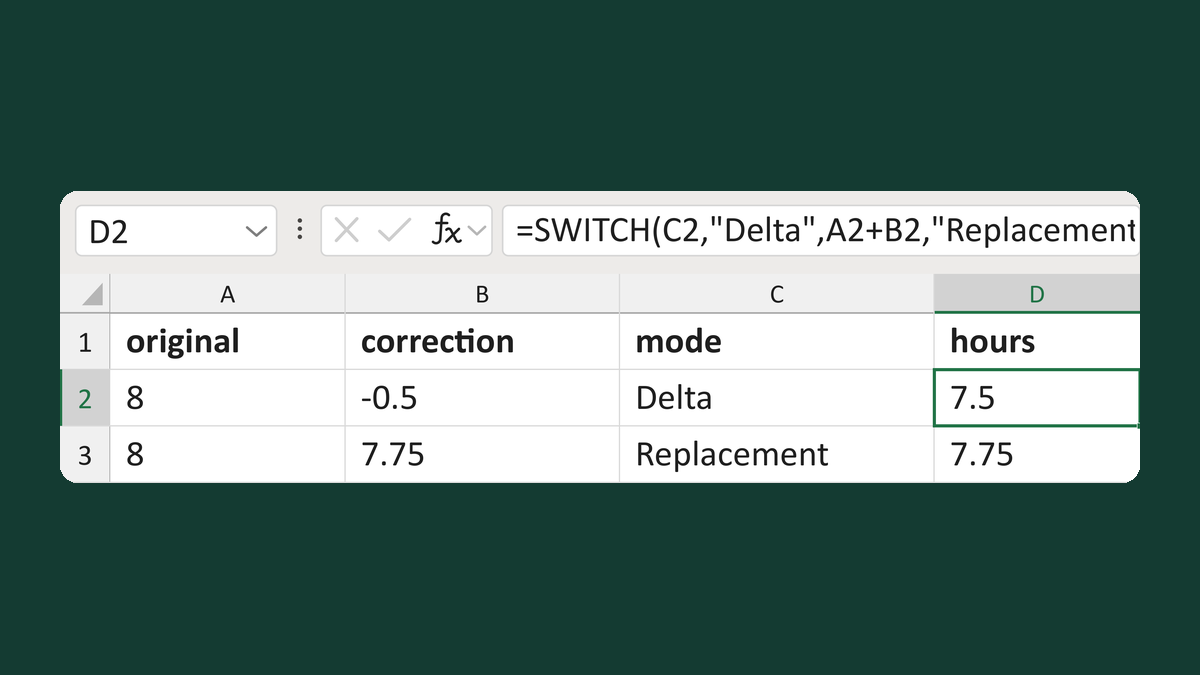
Add or replace hours by correction mode
8 hours, Delta -0.5 → 7.5 hours
Get the template →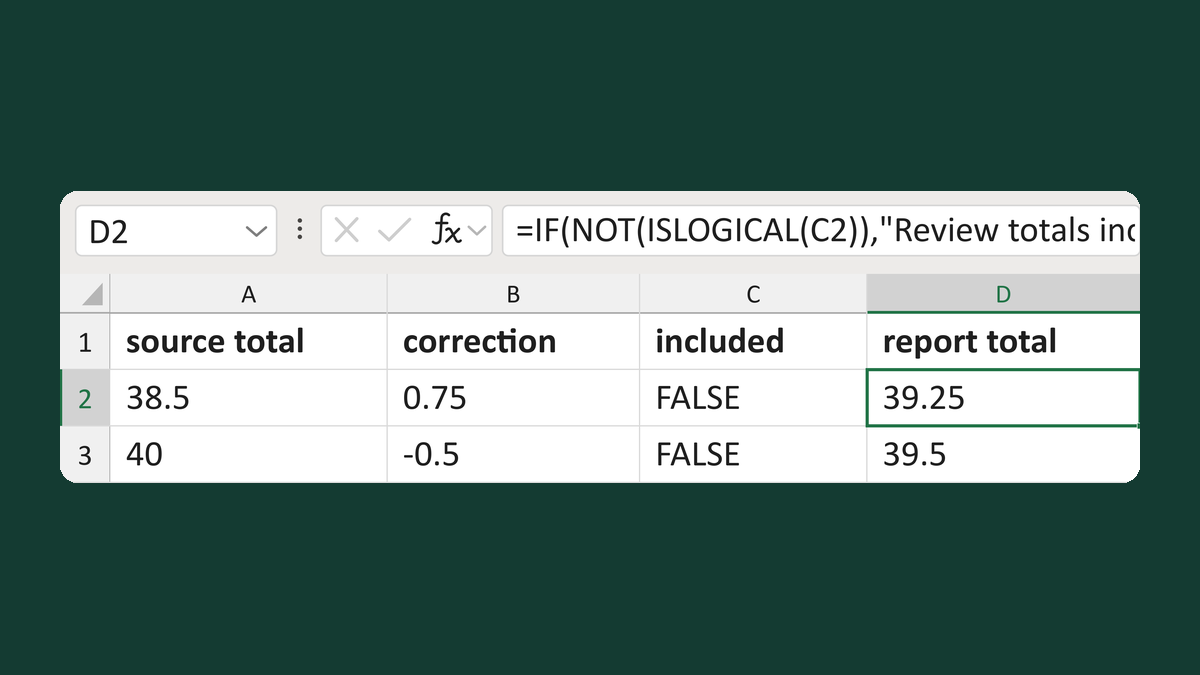
Add a correction unless the total has it
38.5 + 0.75, not yet included → 39.25 hours
Get the template →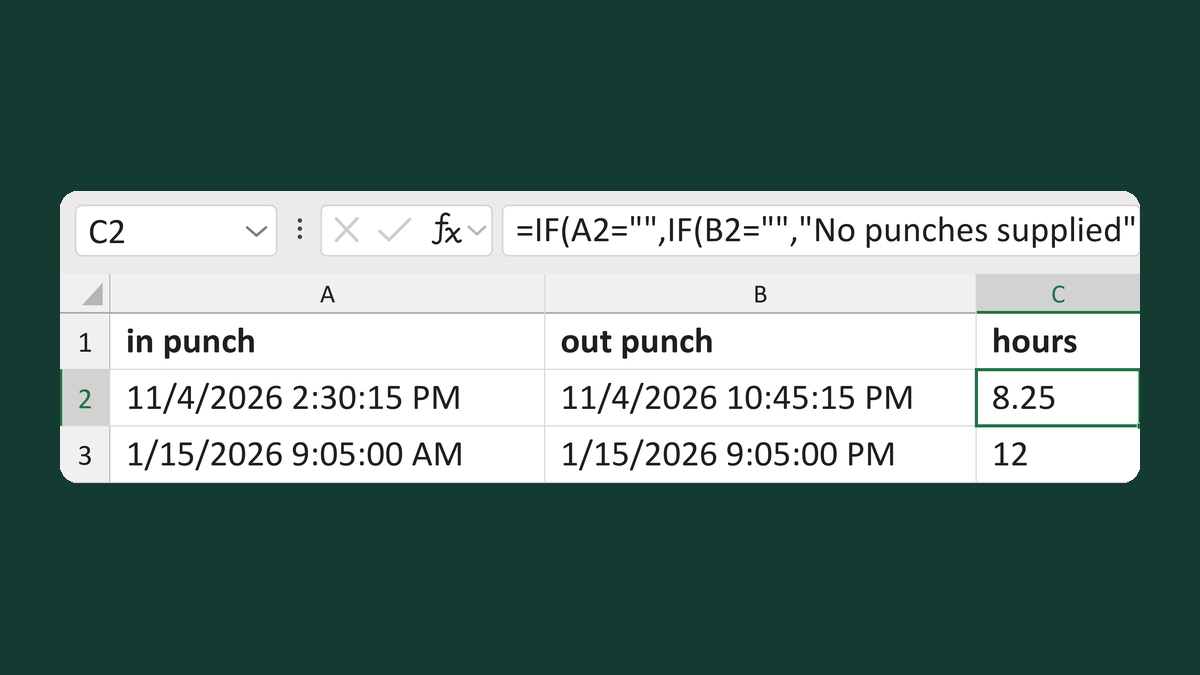
Calculate hours from checked punches
IN 11/4/2026 2:30:15 PM, OUT 10:45:15 PM → 8.25 hours
Get the template →
Merge a few test letters before the whole mailing
Whole mailing → records 2 to 4 only
Take this route →