Calculate time remaining to a deadline

See how much time is left before each deadline. A passed deadline shows 0:00:00.
What you'll make
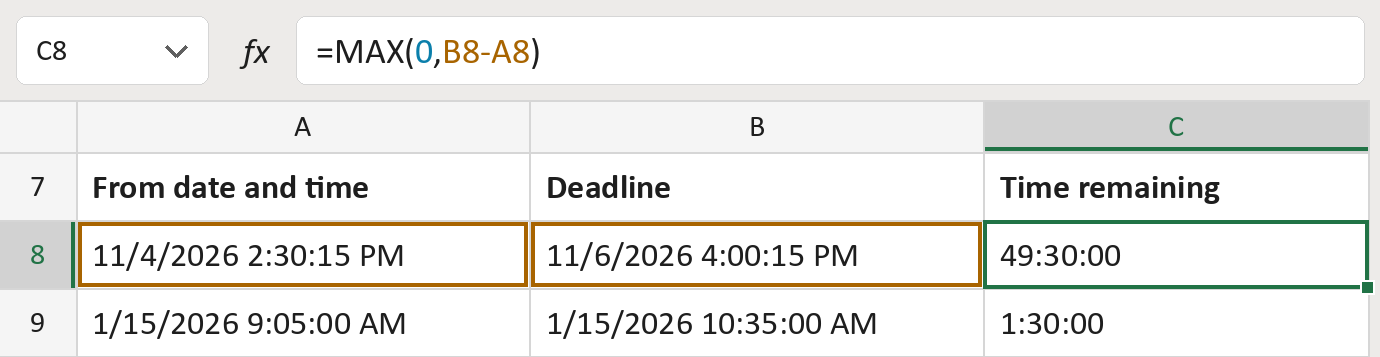
The formula

| Number | Part | What it does | For row 8 |
|---|---|---|---|
| 1 | 0 | The lowest result allowed: zero. | 0 |
| 2 | B8-A8 | Takes the from time away from the deadline. | 49:30:00 |
| 3 | MAX( … ) | Shows the bigger one, so it never goes below zero. | 49:30:00 |
Excel counts time in days. The result shows whole days as hours, like 49:30:00.
=MAX(0,B8-A8)How to use it
Yellow bar at the top? Click Enable Editing.
- See it work. The Example tab shows 20 made-up examples with the formula already in.
- Use your own times. Paste from dates with times, then deadlines, into the green columns of the Template tab. The time remaining fills in by itself.
- Move them into your letter. Copy the results. Then use Paste Special and choose Values.
Before you send
Type both times in the same time zone. The formula doesn't convert zones.
Microsoft's help: MAX function
OTHER ROUTES YOU MIGHT LIKE
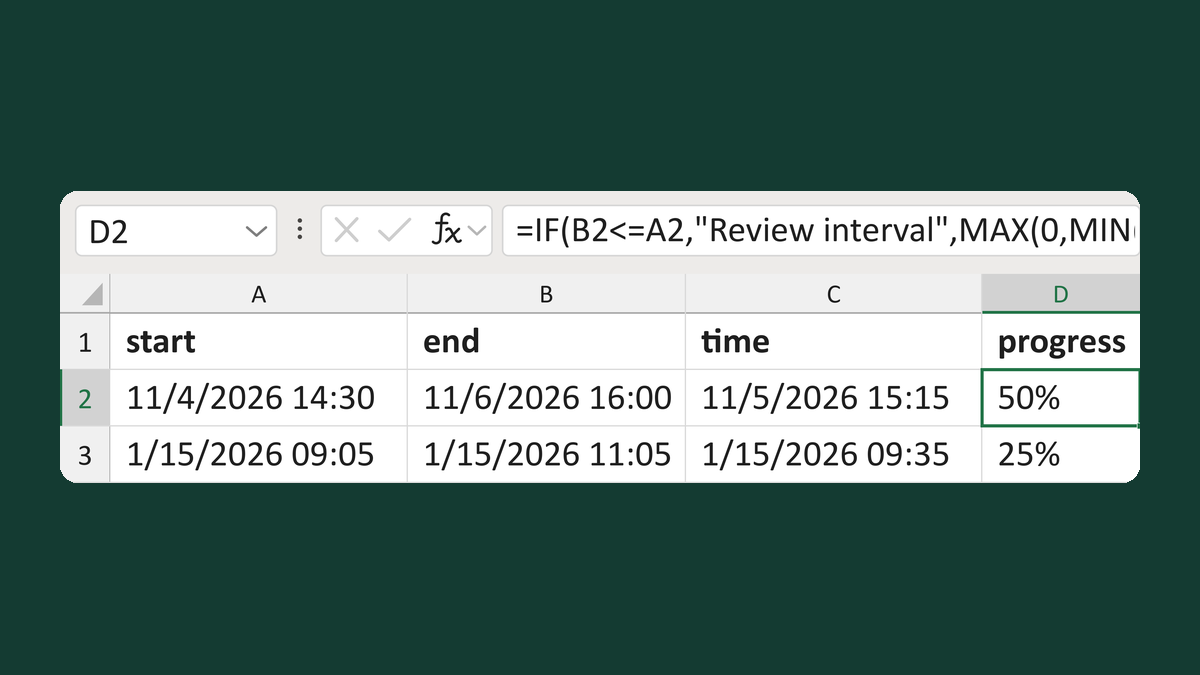
Calculate progress through an interval
11/4/2026 14:30 to 11/6/2026 16:00, at 11/5/2026 15:15 → 50%
Get the template →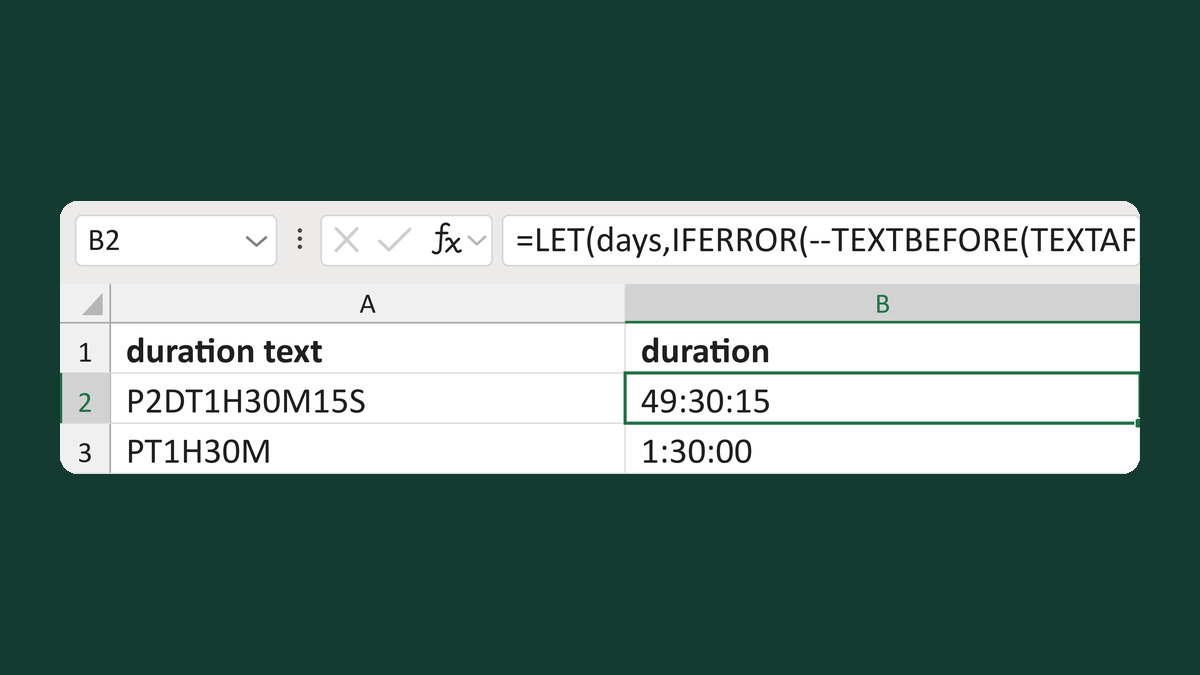
Read duration text like P2DT1H30M15S
P2DT1H30M15S → 49:30:15
Get the template →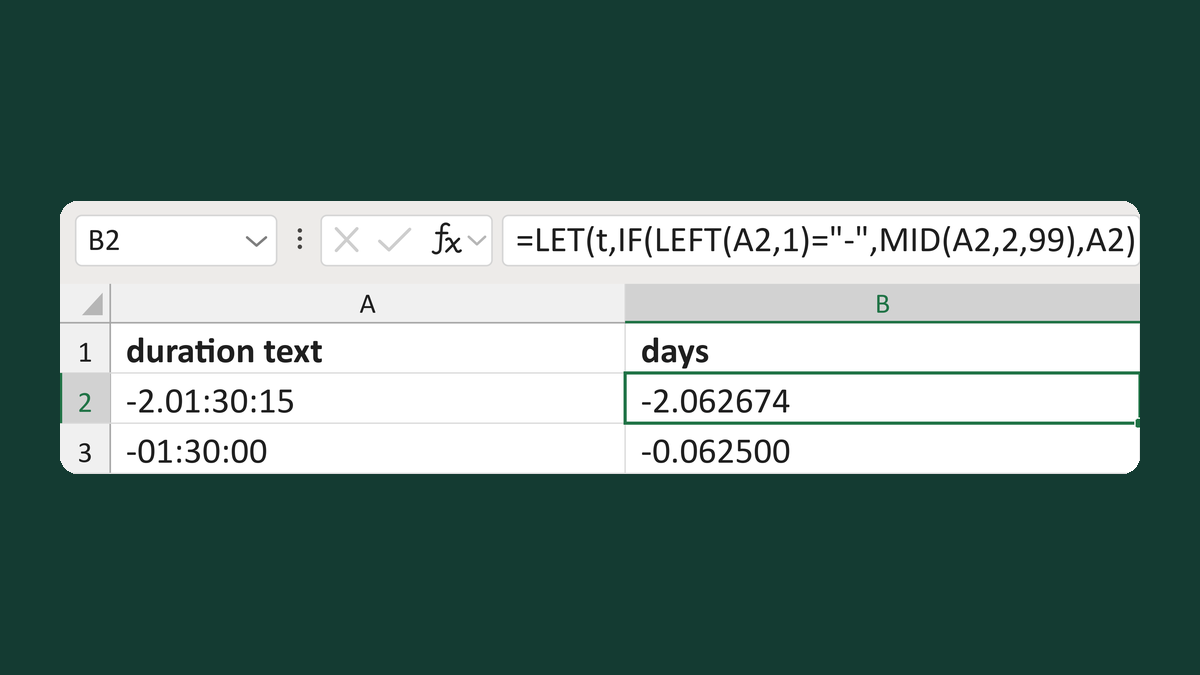
Read duration text like -2.01:30:15
-2.01:30:15 → -2.062674 days
Get the template →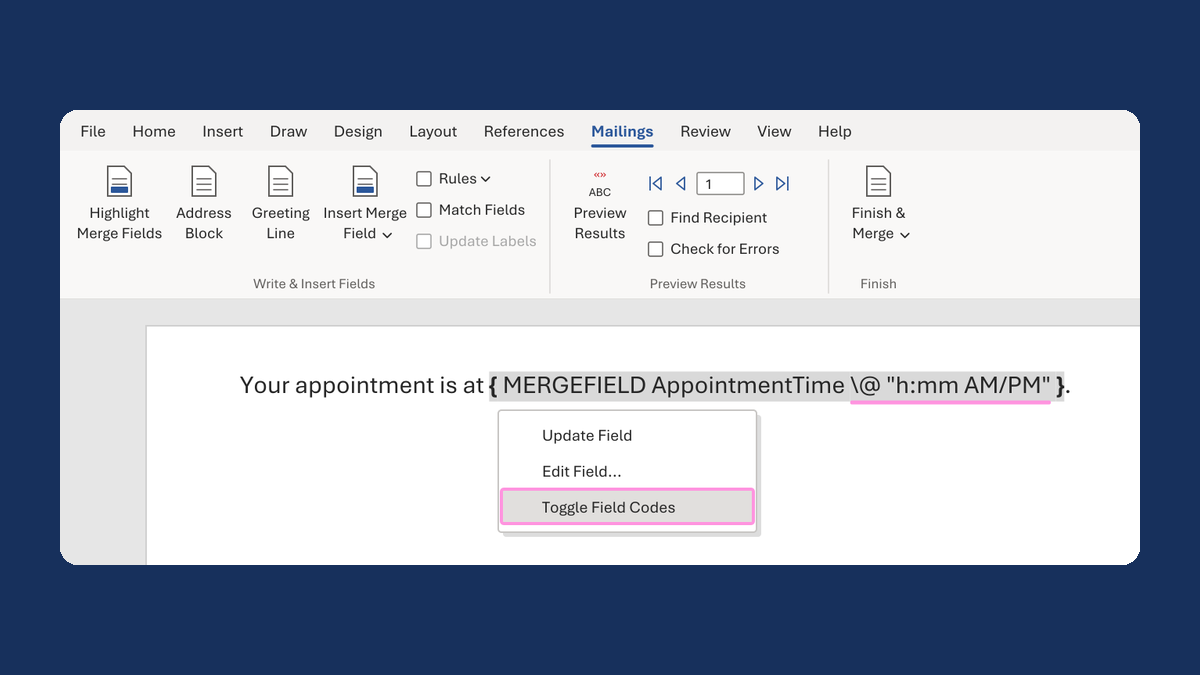
Show an appointment time as 1:05 PM
13:05:00 → 1:05 PM
Take this route →