Flag reversed start and end times

Turn 2:30:15 PM to 4:00:15 PM into 1:30:00. An end before the start says Review order.
What you'll make
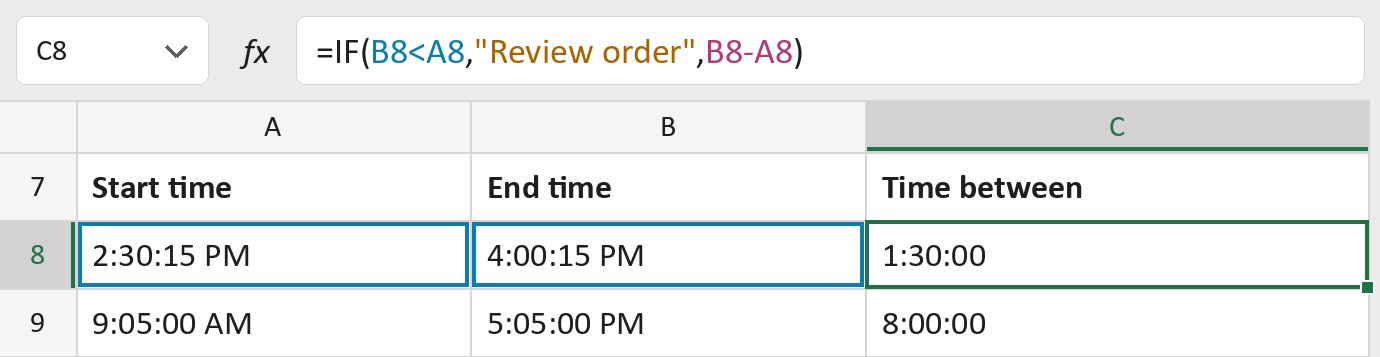
The formula

| Number | Part | What it does | For row 8 |
|---|---|---|---|
| 1 | B8<A8 | Checks if the end is before the start. | FALSE |
| 2 | "Review order" | The message when the end comes first. | Not used for row 8 |
| 3 | B8-A8 | Takes the start away from the end. | 1:30:00 |
| 4 | IF( … ) | Shows the message, or else the time between. | 1:30:00 |
Both times must be on the same day. An end before the start is not taken as the next day.
=IF(B8<A8,"Review order",B8-A8)How to use it
Yellow bar at the top? Click Enable Editing.
- See it work. The Example tab shows 20 made-up examples with the formula already in.
- Use your own times. Paste start times and end times into the green columns of the Template tab. The time between fills in by itself.
- Move them into your letter. Copy the results. Then use Paste Special and choose Values.
Before you send
Check every Review order row. Swap the times if they were typed the wrong way round.
Microsoft's help: IF function
OTHER ROUTES YOU MIGHT LIKE
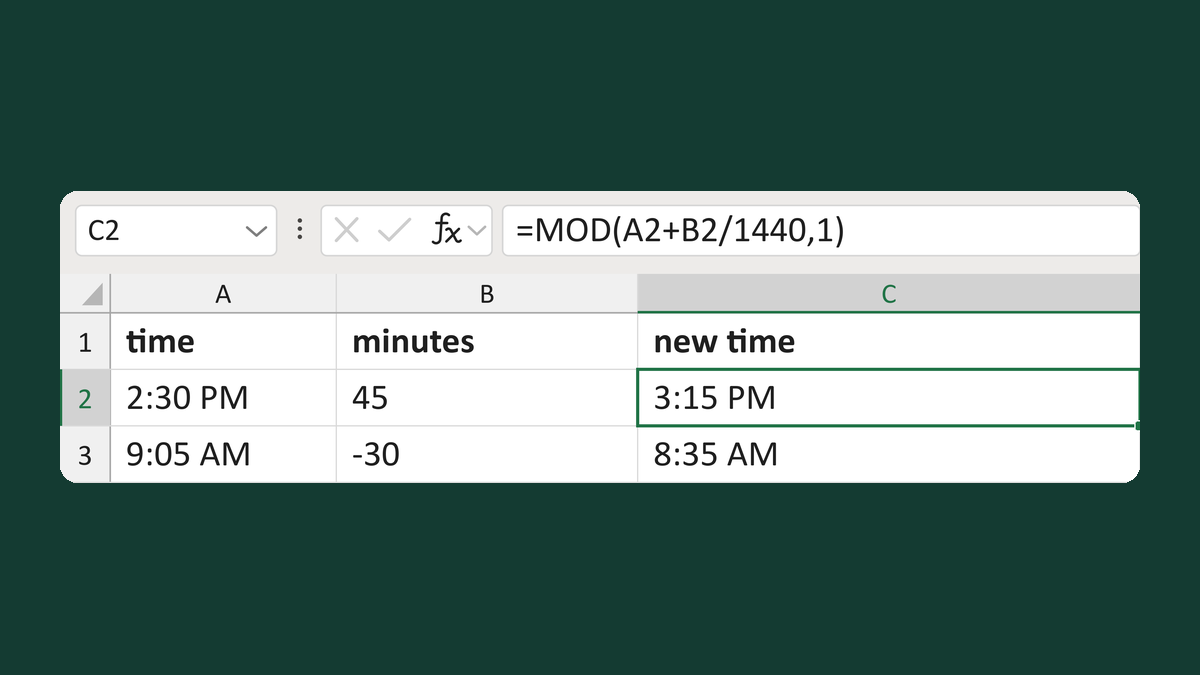
Add or subtract minutes from clock time
11:30 PM plus 90 minutes → 1:00 AM
Get the template →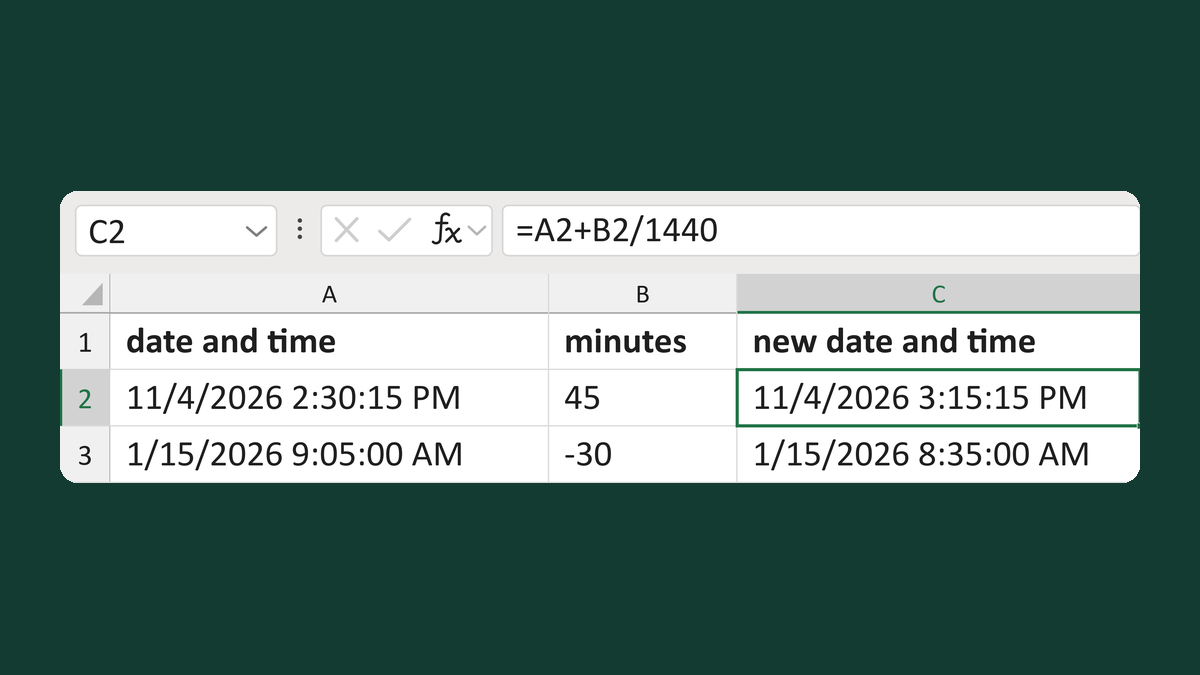
Move a timestamp by minutes
12/31/2026 11:30:00 PM + 90 minutes → 1/1/2027 1:00:00 AM
Get the template →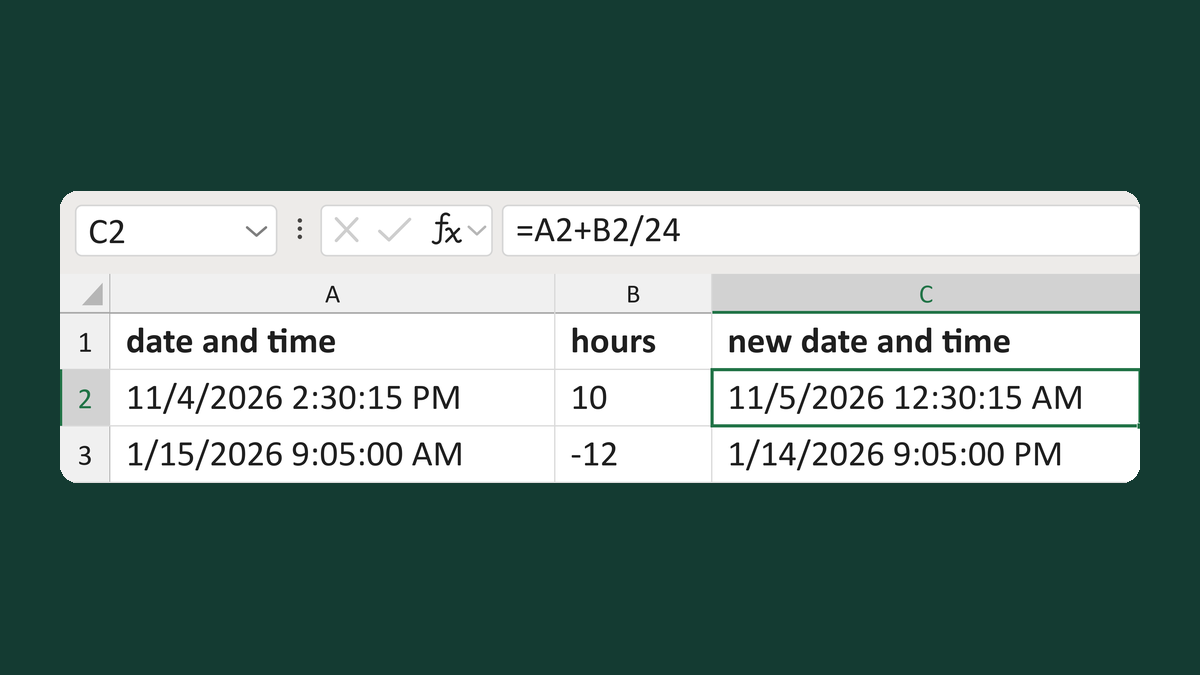
Add or subtract hours from a timestamp
11/4/2026 2:30:15 PM + 10 hours → 11/5/2026 12:30:15 AM
Get the template →
Show an appointment time as 1:05 PM
13:05:00 → 1:05 PM
Take this route →