Get a date’s day-of-year number

Turn November 4, 2026 into 308, its day number in the year.
What you'll make
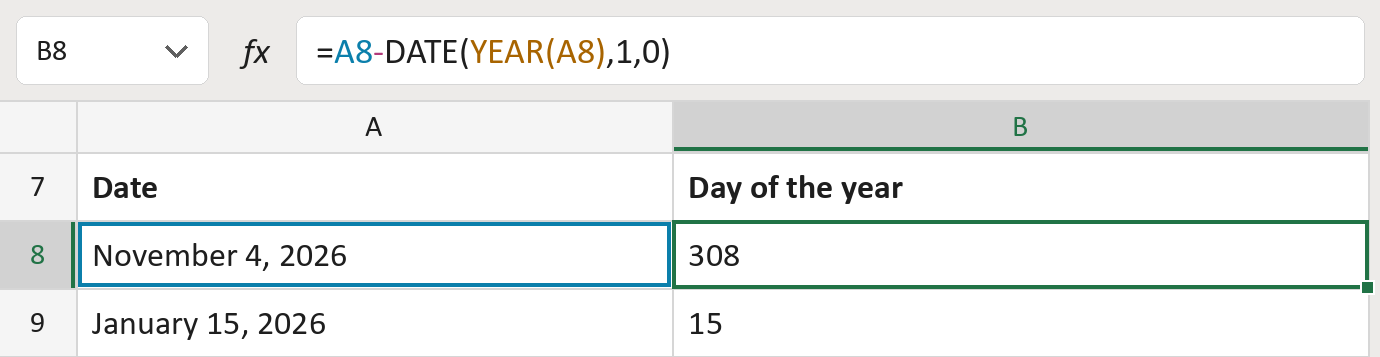
The formula

| Number | Part | What it does | Result so far |
|---|---|---|---|
| 1 | A8 | The real date. | November 4, 2026 |
| 2 | YEAR(A8) | Takes only the year from the date. | 2026 |
| 3 | DATE( … ,1,0) | Builds the day before January 1 of that year. | December 31, 2025 |
| 4 | - | Takes that day away, leaving the day number. | 308 |
Read it from the inside out: YEAR works first, then DATE, then the minus.
=A8-DATE(YEAR(A8),1,0)How to use it
Yellow bar at the top? Click Enable Editing.
- See it work. The Example tab shows 20 made-up examples with the formula already in.
- Use your own dates. Paste real dates into the green column of the Template tab. The day numbers fill in by themselves.
- Move them into your letter. Copy the results. Then use Paste Special and choose Values.
Before you send
In leap years, every date after February 28 is one higher. December 31 is then 366.
Microsoft's help: DATE function
OTHER ROUTES YOU MIGHT LIKE
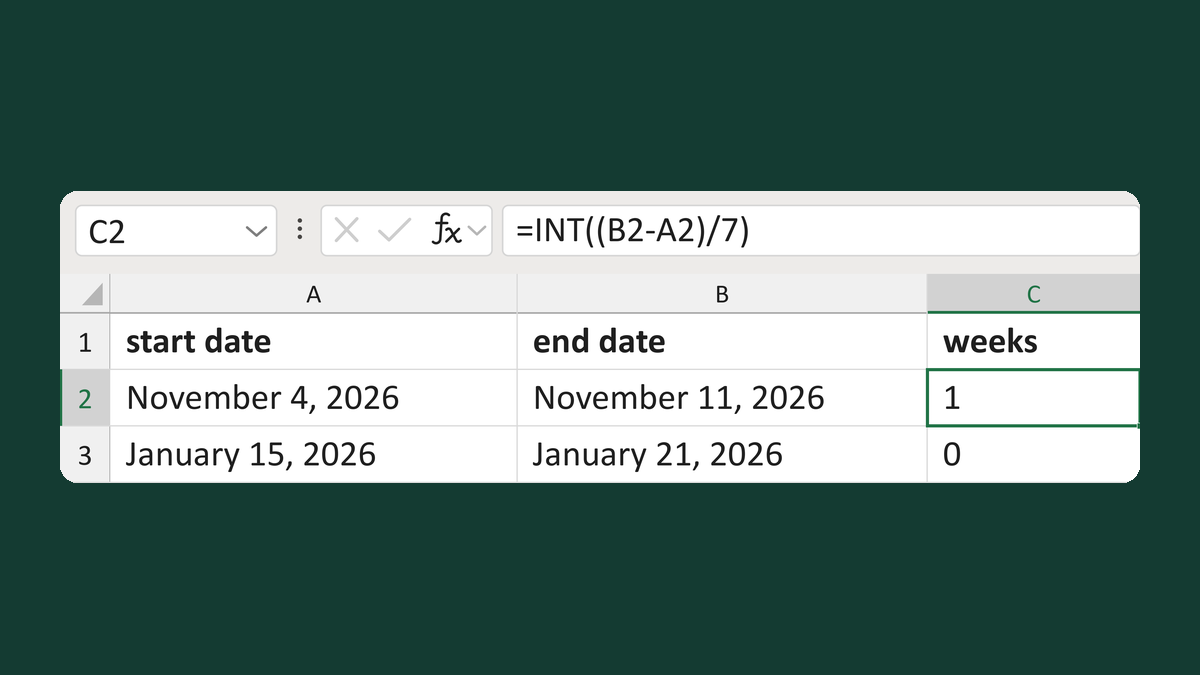
Count completed weeks between dates
November 4, 2026 to November 11, 2026 → 1 week
Get the template →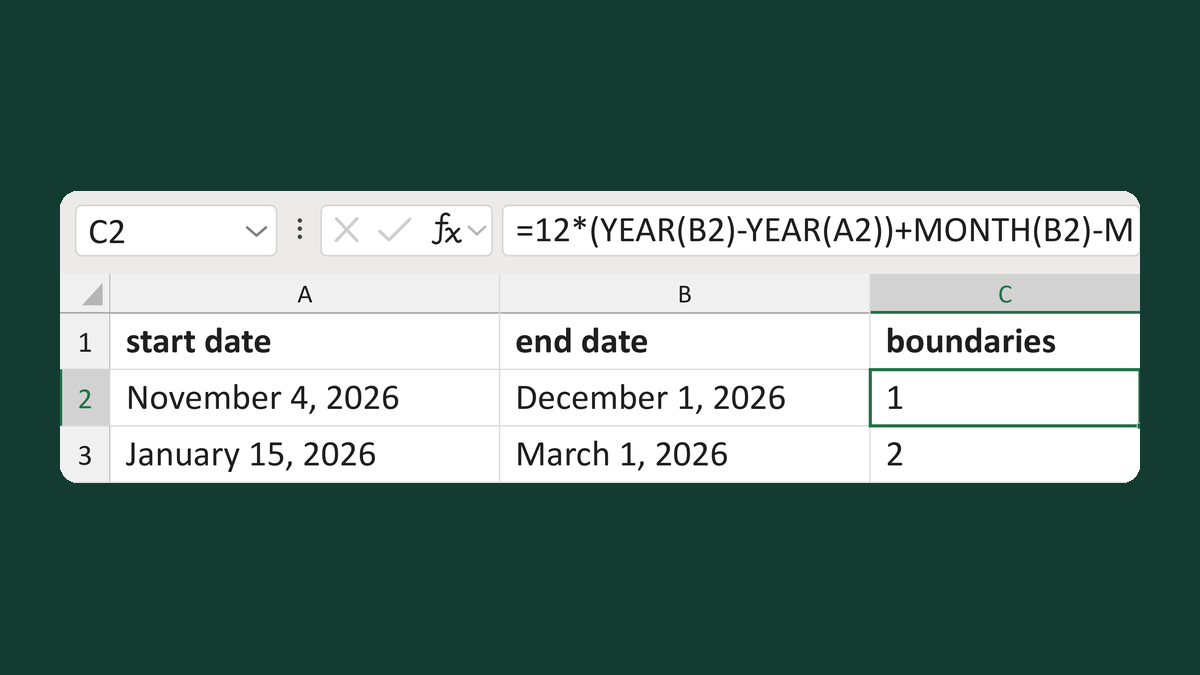
Count month boundaries between dates
November 4, 2026 to December 1, 2026 → 1 month boundary
Get the template →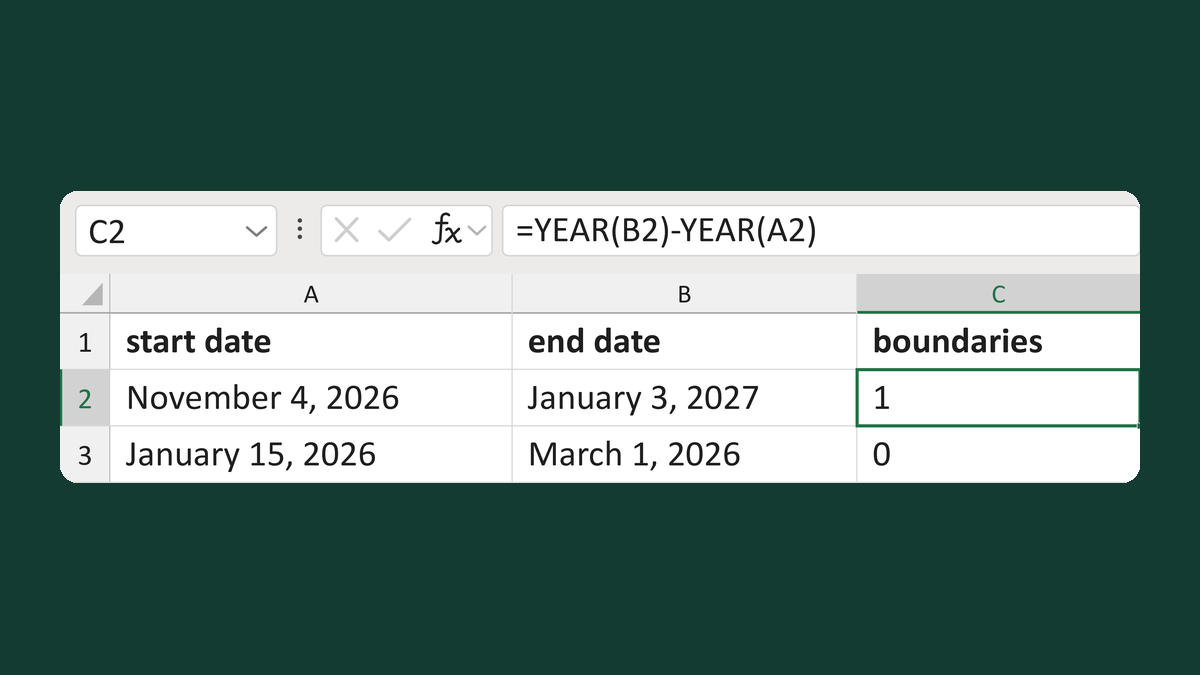
Count year boundaries between dates
December 31, 2026 to January 1, 2027 → 1 year boundary
Get the template →
Show a letter date as November 5, 2026
11/5/2026 → November 5, 2026
Take this route →