Join a ZIP and an optional +4 extension

Turn 02108 and 1234 into 02108-1234. No extension, no hyphen.
What you'll make
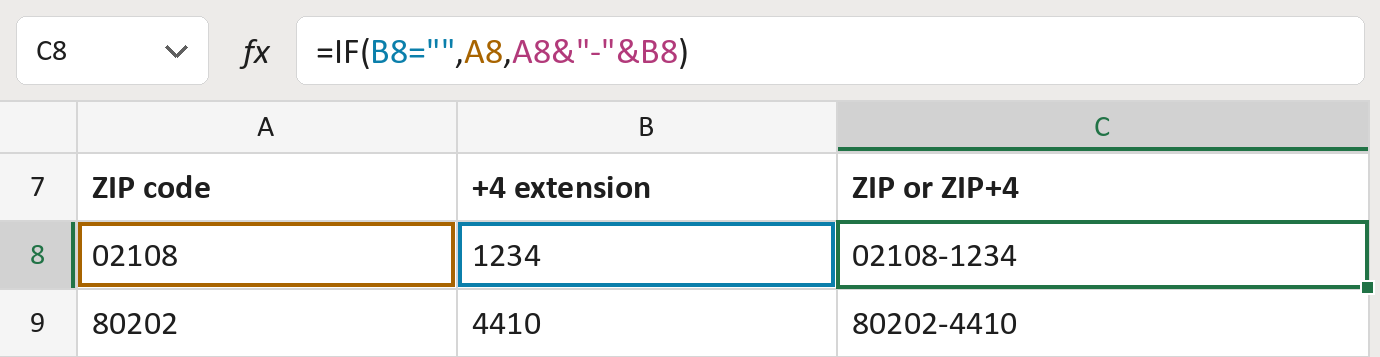
The formula

| Number | Part | What it does | Result so far |
|---|---|---|---|
| 1 | B8="" | Checks whether the extension is empty. | Not empty |
| 2 | A8 | The ZIP alone, when there's no extension. | Not used for row 8 |
| 3 | A8&"-"&B8 | The ZIP, a hyphen, then the extension. | "02108-1234" |
| 4 | IF( … ) | Uses part 2 or part 3. | "02108-1234" |
The hyphen only appears when there is an extension. Both cells stay text, so zeros stay.
=IF(B8="",A8,A8&"-"&B8)How to use it
Yellow bar at the top? Click Enable Editing.
- See it work. The Example tab shows 20 made-up examples with the formula already in.
- Use your own addresses. Paste ZIP codes and +4 extensions into the green columns of the Template tab. Leave the extension empty when there isn't one.
- Move them into your letter. Copy the results. Then use Paste Special and choose Values.
Before you send
Paste ZIPs and extensions as text so zeros like 02108 and 0021 stay. The formula doesn't add missing zeros.
Microsoft's help: IF function
OTHER ROUTES YOU MIGHT LIKE
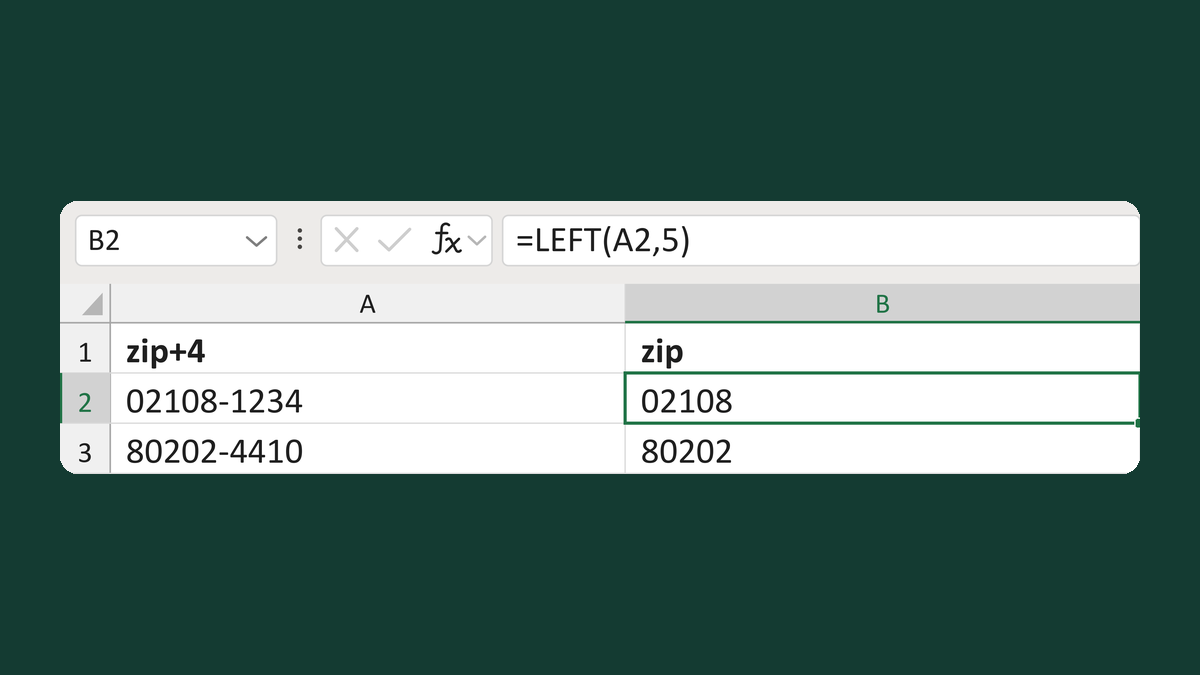
Read the five-digit ZIP from a ZIP+4
02108-1234 → text 02108
Get the template →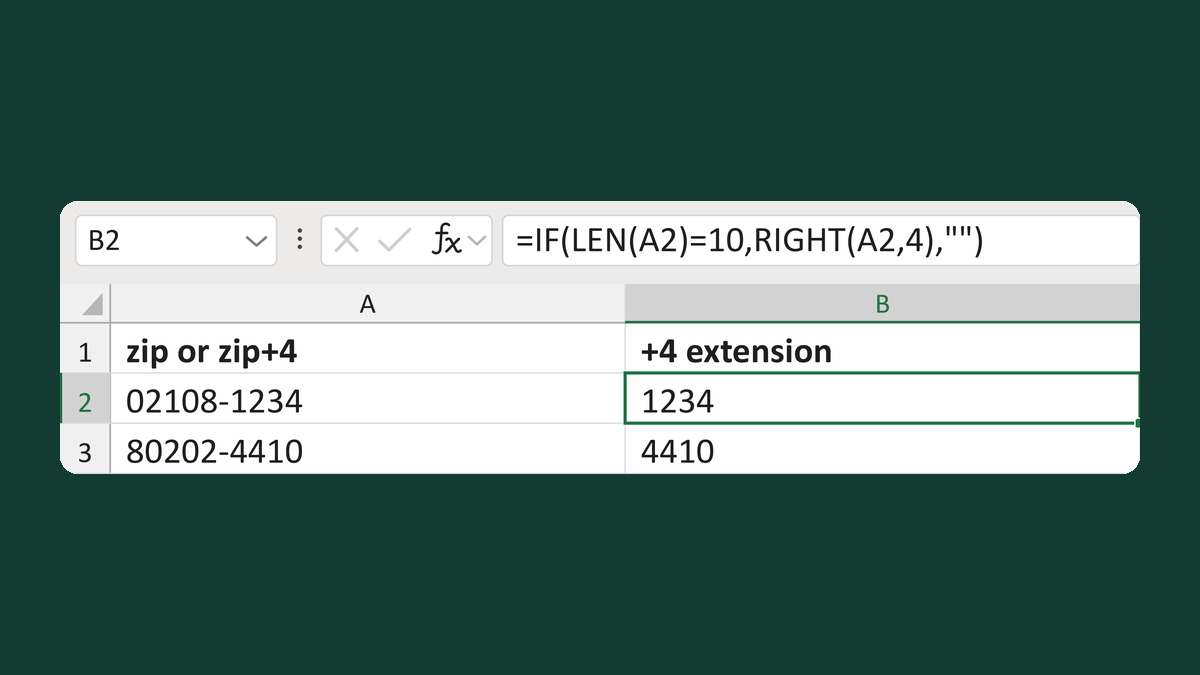
Read the extension from a ZIP+4
02108-1234 → 1234; ZIP alone → blank
Get the template →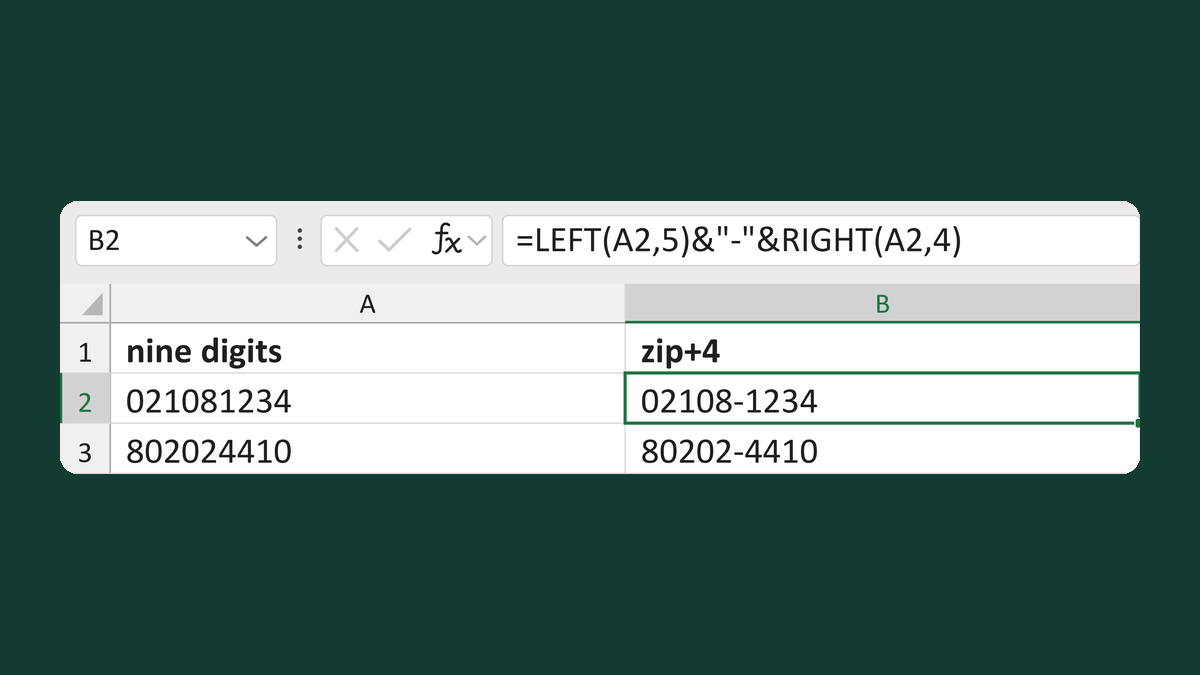
Insert ZIP+4 grouping into nine-digit text
021081234 → 02108-1234
Get the template →
Keep the zero in a ZIP Code like 02108
2108 → 02108
Take this route →