Label pre-admission and encounter IDs

A pre-registration number isn't a visit ID. Label each one so they stay apart.
What you'll make
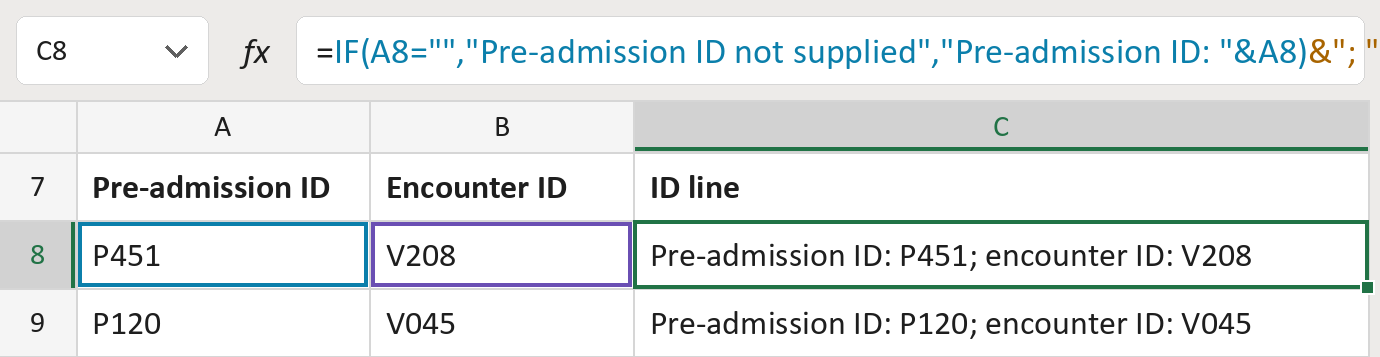
The formula
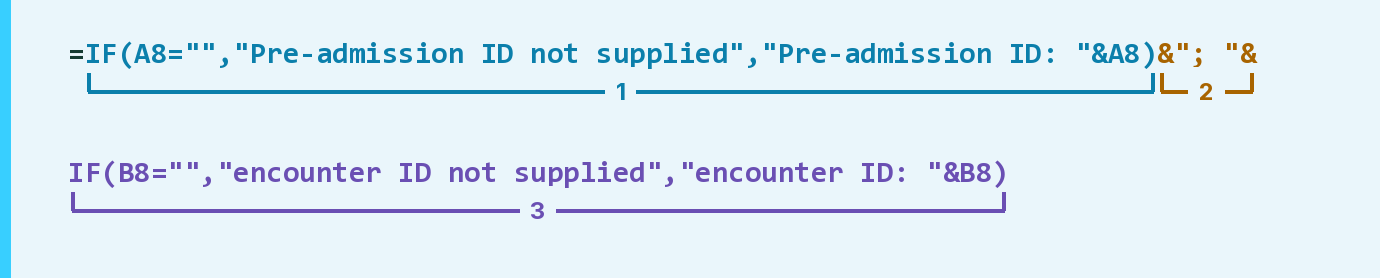
| Number | Part | What it does | Result so far |
|---|---|---|---|
| 1 | IF(A8="", … ,"Pre-admission ID: "&A8) | Labels the pre-admission ID, or says not supplied. | "… ID: P451" |
| 2 | &"; "& | Adds a semicolon and a space. | "… P451; " |
| 3 | IF(B8="", … ,"encounter ID: "&B8) | Labels the encounter ID, or says not supplied. | "… ID: V208" |
Read it left to right. Each ID is kept exactly as typed, leading zeros included. The IDs here are made-up.
=IF(A8="","Pre-admission ID not supplied","Pre-admission ID: "&A8)&"; "&IF(B8="","encounter ID not supplied","encounter ID: "&B8)How to use it
Yellow bar at the top? Click Enable Editing.
- See it work. The Example tab shows 20 made-up examples with the formula already in.
- Use your own list. Paste each pre-admission ID and encounter ID into the green columns of the Template tab.
- Move them into your letter. Copy the results. Then use Paste Special and choose Values.
Before you send
Matching numbers don't prove two IDs are the same. Check the source system before merging them.
Microsoft's help: IF function
OTHER ROUTES YOU MIGHT LIKE
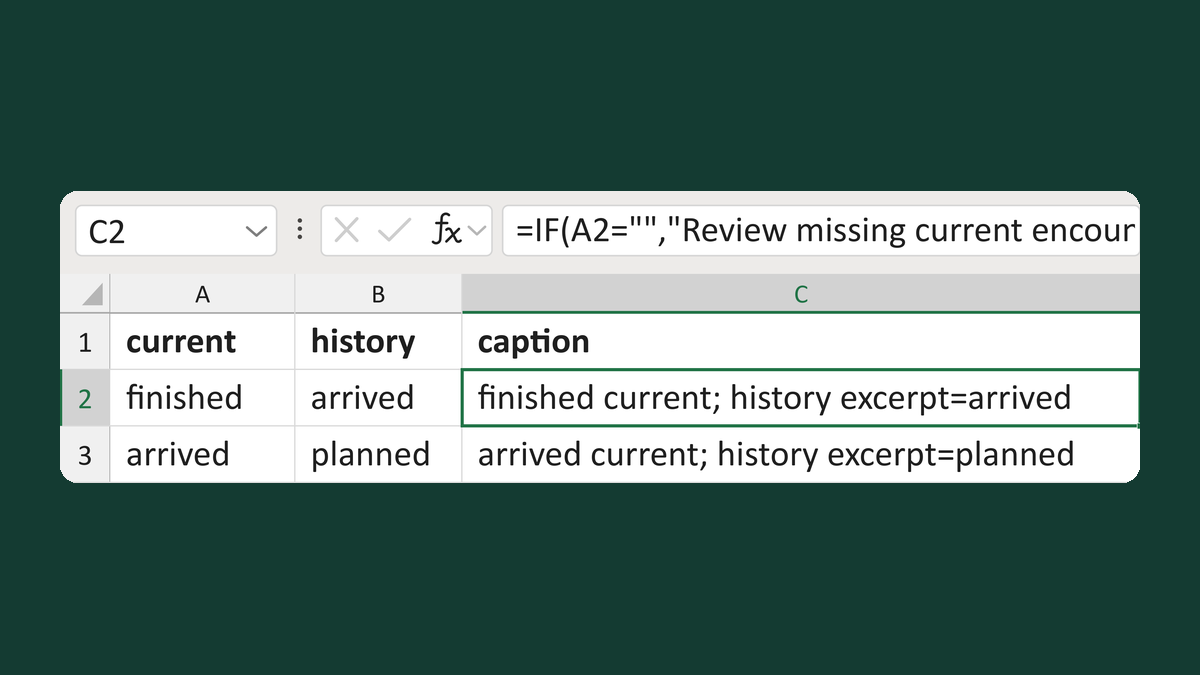
Put current encounter status first
finished + arrived → finished current; history excerpt=arrived
Get the template →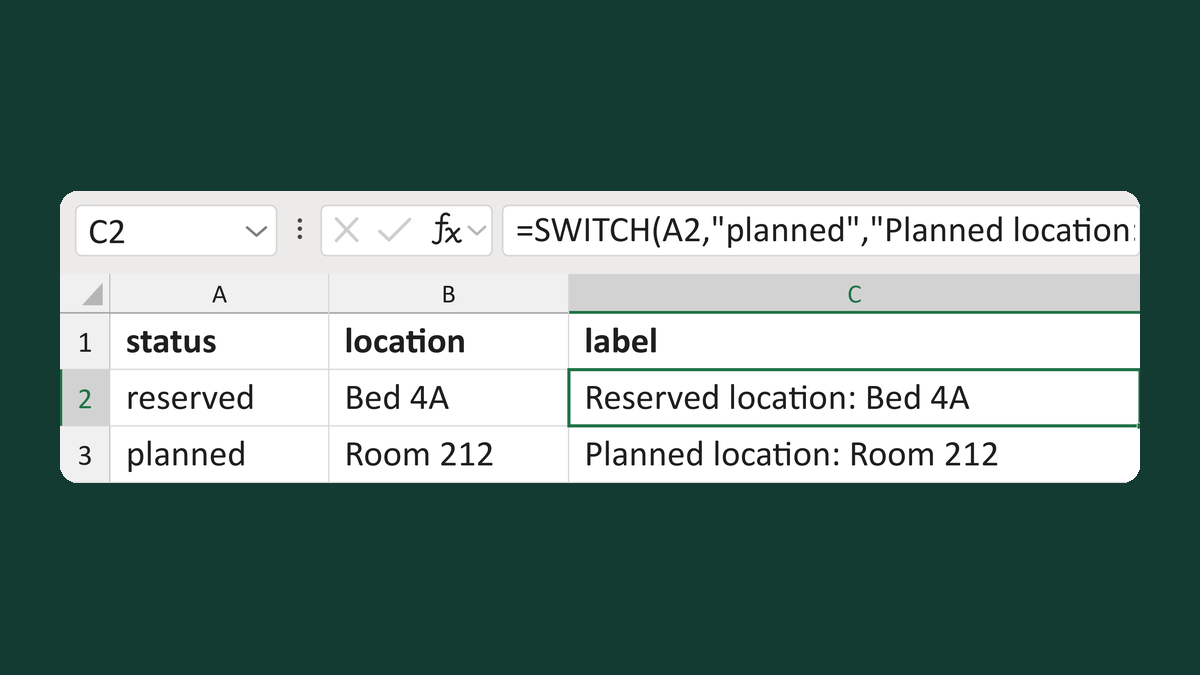
Label locations by encounter status
reserved, Bed 4A → Reserved location: Bed 4A
Get the template →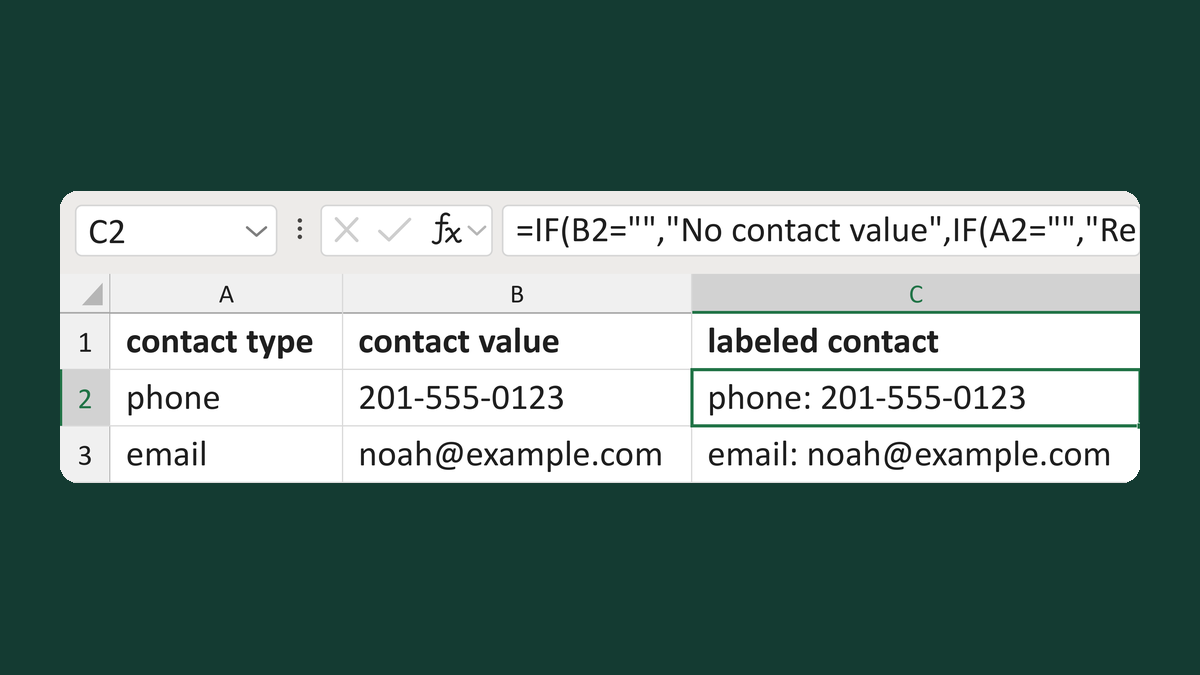
Label a contact value with its type
phone + 201-555-0123 → phone: 201-555-0123
Get the template →
Merge a few test letters before the whole mailing
Whole mailing → records 2 to 4 only
Take this route →