Read an ID by name from a web address

Turn a link with ?providerId=000123&view=full into 000123, zeros kept.
Download Excel templateMicrosoft 365
What you'll make
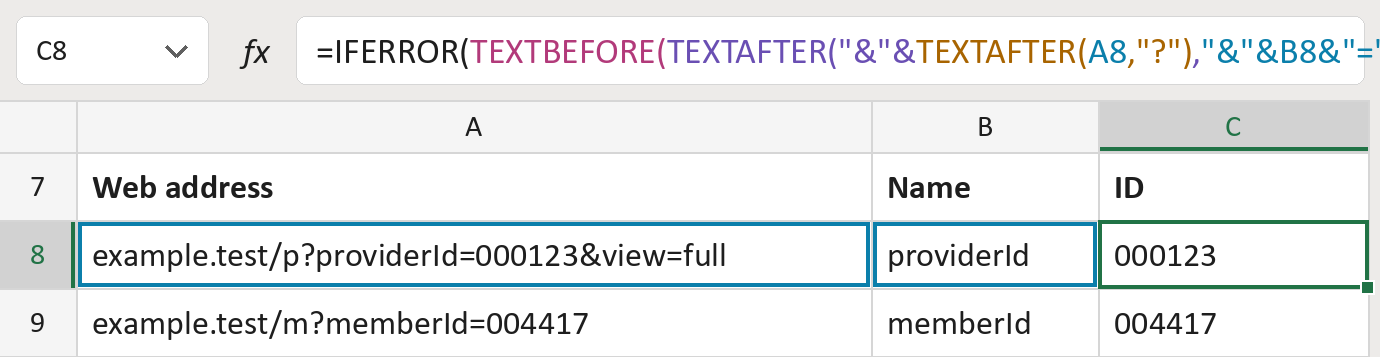
The formula
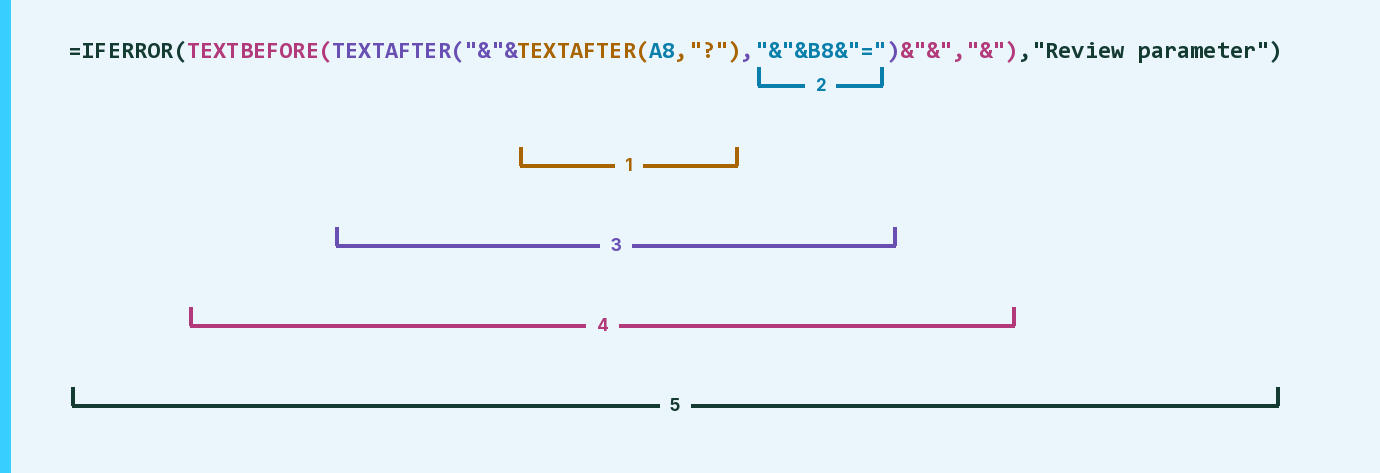
| Number | Part | What it does | Result so far |
|---|---|---|---|
| 1 | TEXTAFTER(A8,"?") | Keeps the link's text after the ?. | "providerId=000123…" |
| 2 | "&"&B8&"=" | The name to find, with & before and = after. | "&providerId=" |
| 3 | TEXTAFTER( … ) | Keeps the text after that name. | "000123&view=full" |
| 4 | TEXTBEFORE( … ,"&") | Keeps the text up to the next &. | "000123" |
| 5 | IFERROR( … ) | Shows Review parameter when the name isn't there. | "000123" |
Each bracket wraps the one before it, so Excel works from the inside out. The & pieces make the first and last values work too.
=IFERROR(TEXTBEFORE(TEXTAFTER("&"&TEXTAFTER(A8,"?"),"&"&B8&"=")&"&","&"),"Review parameter")How to use it
Yellow bar at the top? Click Enable Editing.
- See it work. The Example tab shows 20 made-up examples with the formula already in.
- Use your own links. Paste each web address and the name to read into the green columns of the Template tab. The IDs fill in by themselves.
- Move them into your letter. Copy the results. Then use Paste Special and choose Values.
Before you send
Type the name exactly, capitals included. Links with %20 codes or a # part may need a look.
Microsoft's help: TEXTAFTER function
OTHER ROUTES YOU MIGHT LIKE
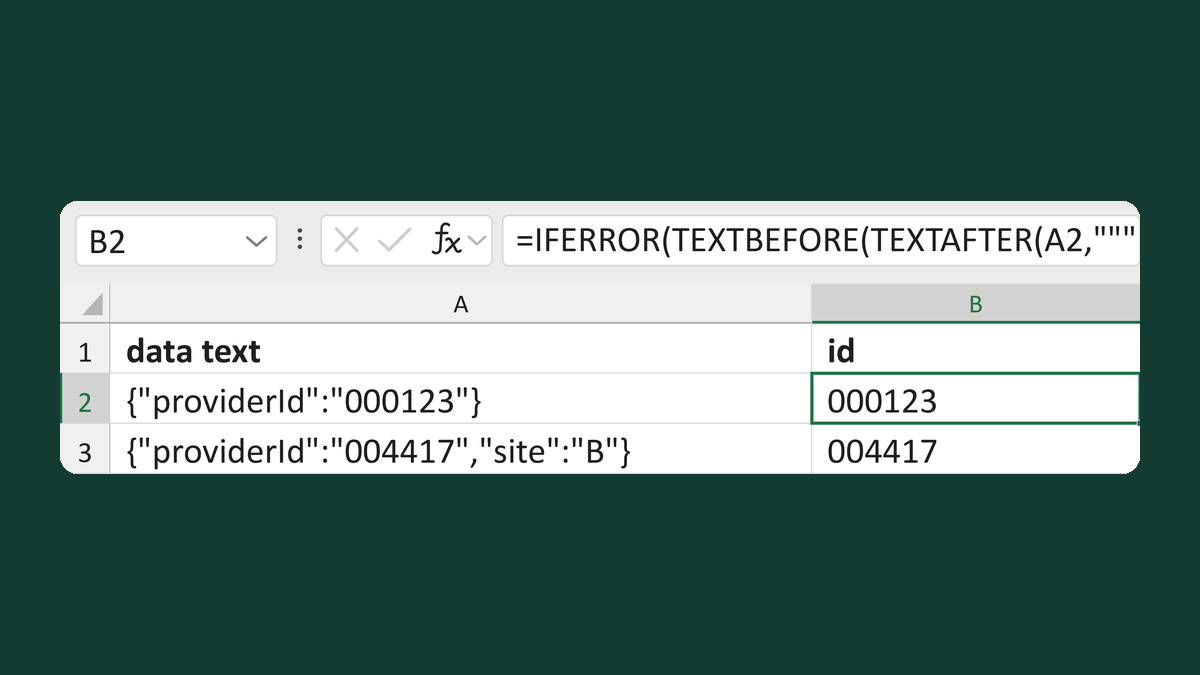
Read a provider ID from a data snippet
{"providerId":"000123"} → 000123
Get the template →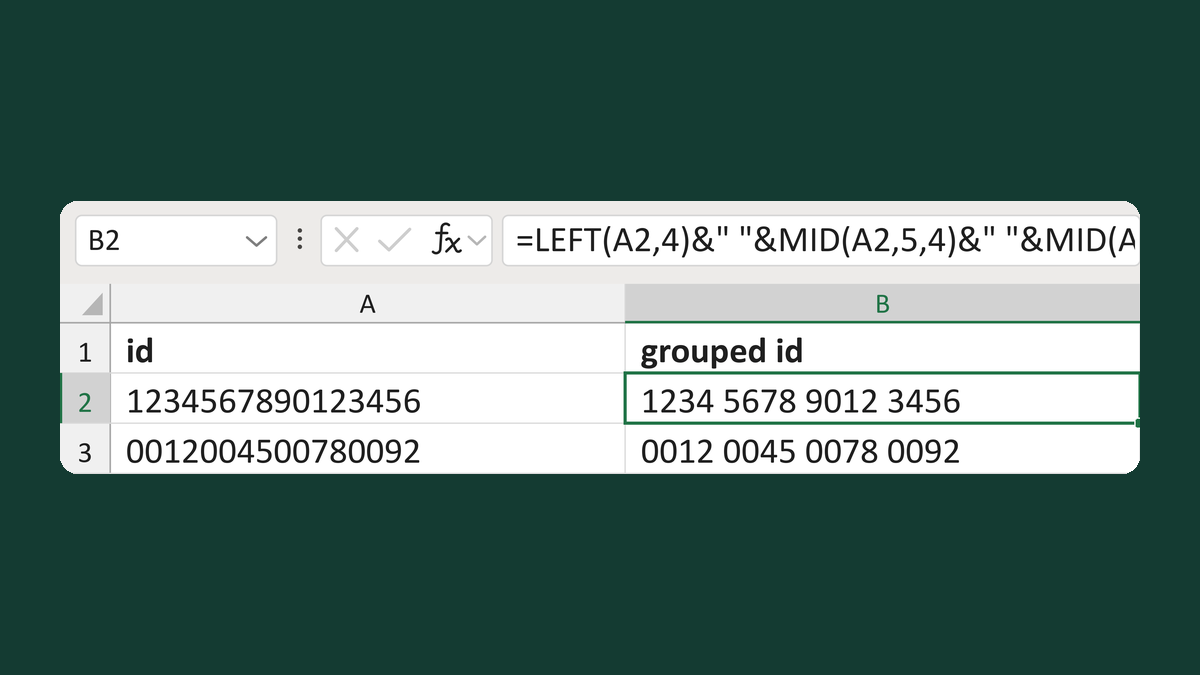
Group a 16-character ID in blocks of four
1234567890123456 → 1234 5678 9012 3456
Get the template →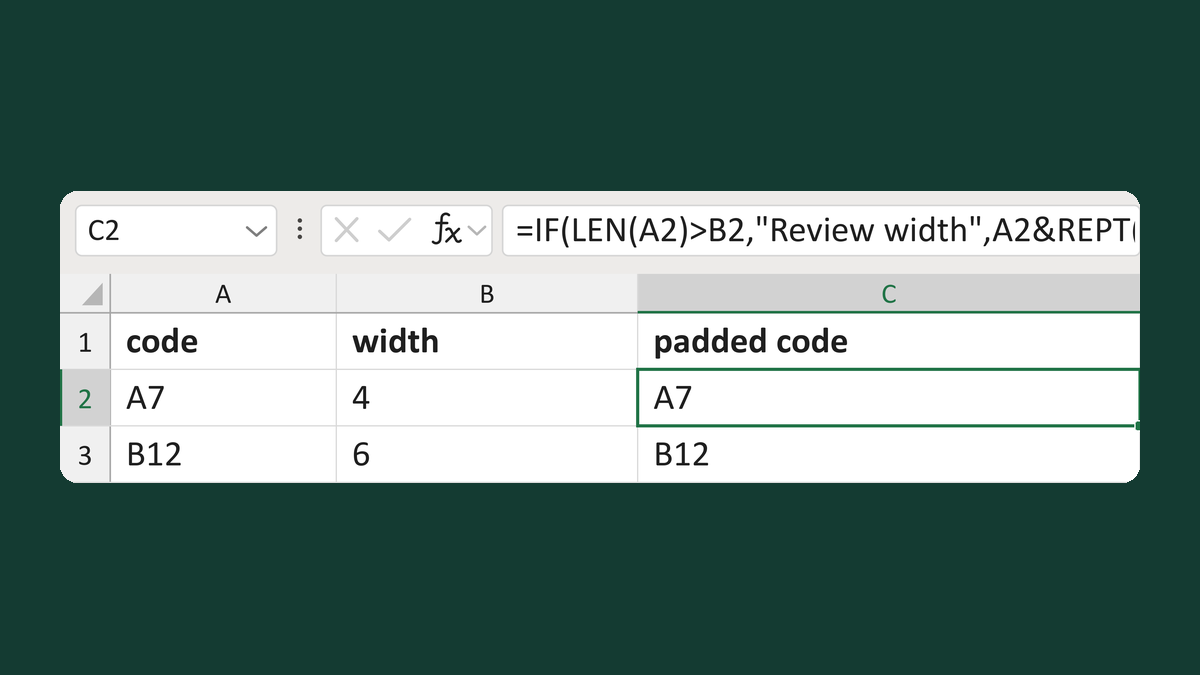
Right-pad an ID for a fixed-width export
A7 with width 4 → [A7 ] (4 characters)
Get the template →
Merge a few test letters before the whole mailing
Whole mailing → records 2 to 4 only
Take this route →