Right-pad an ID for a fixed-width export

Add spaces after A7 to fill a width of 4, for fixed-width text exports.
What you'll make
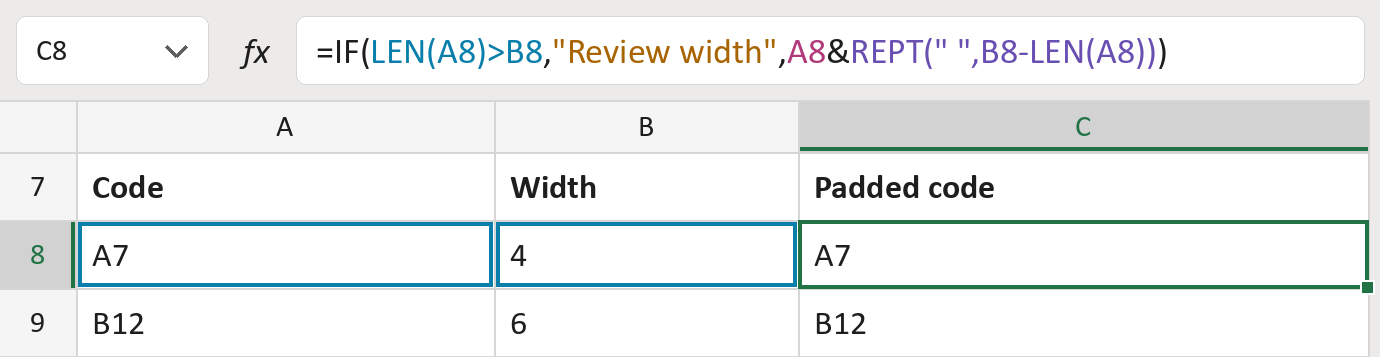
The formula

| Number | Part | What it does | Result so far |
|---|---|---|---|
| 1 | LEN(A8)>B8 | Checks if the code is longer than the width. | FALSE |
| 2 | "Review width" | Shown when the code is too long. | Not used for row 8 |
| 3 | A8 | The code itself. | "A7" (2 characters) |
| 4 | REPT(" ",B8-LEN(A8)) | Adds spaces until the width is filled. | "A7 " (4 characters) |
| 5 | IF( … ) | Picks the message or the padded code. | "A7 " (4 characters) |
Read it left to right. The spaces are real but can't be seen in the cell. =LEN(C8) shows 4, the full width. The codes here are made-up.
=IF(LEN(A8)>B8,"Review width",A8&REPT(" ",B8-LEN(A8)))How to use it
Yellow bar at the top? Click Enable Editing.
- See it work. The Example tab shows 20 made-up examples with the formula already in.
- Use your own codes. Paste codes, stored as text, and the width each needs into the green columns of the Template tab. The padded codes fill in by themselves.
- Move them into your letter. Copy the results. Then use Paste Special and choose Values.
Before you send
Use this only when the receiving system asks for trailing spaces. Saving as CSV or trimming can remove them.
Microsoft's help: REPT function
OTHER ROUTES YOU MIGHT LIKE
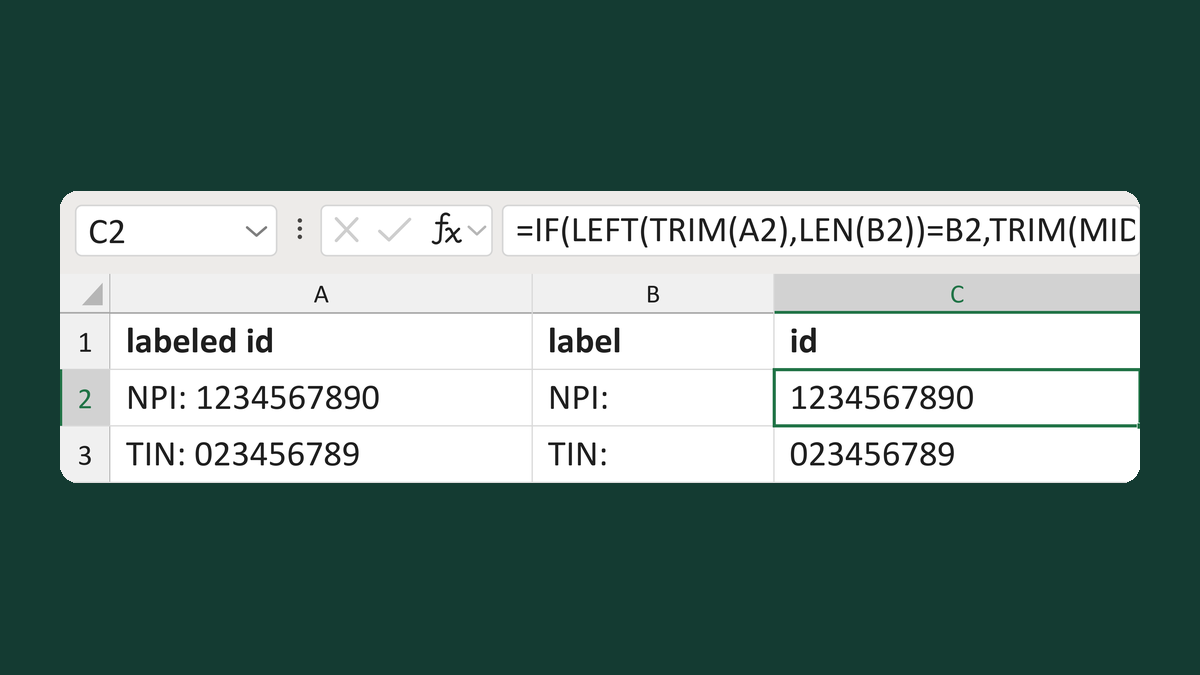
Remove one identifier label at the start
NPI: 1234567890 → 1234567890
Get the template →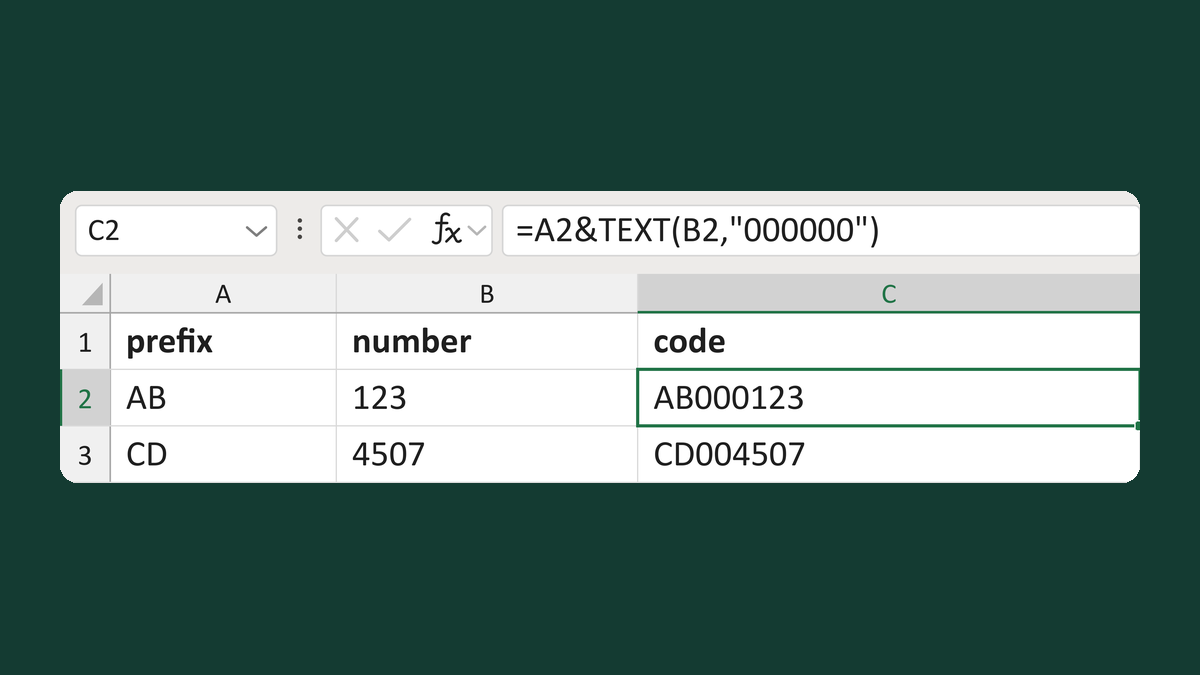
Build a letter-reference code
AB + 123 → AB000123
Get the template →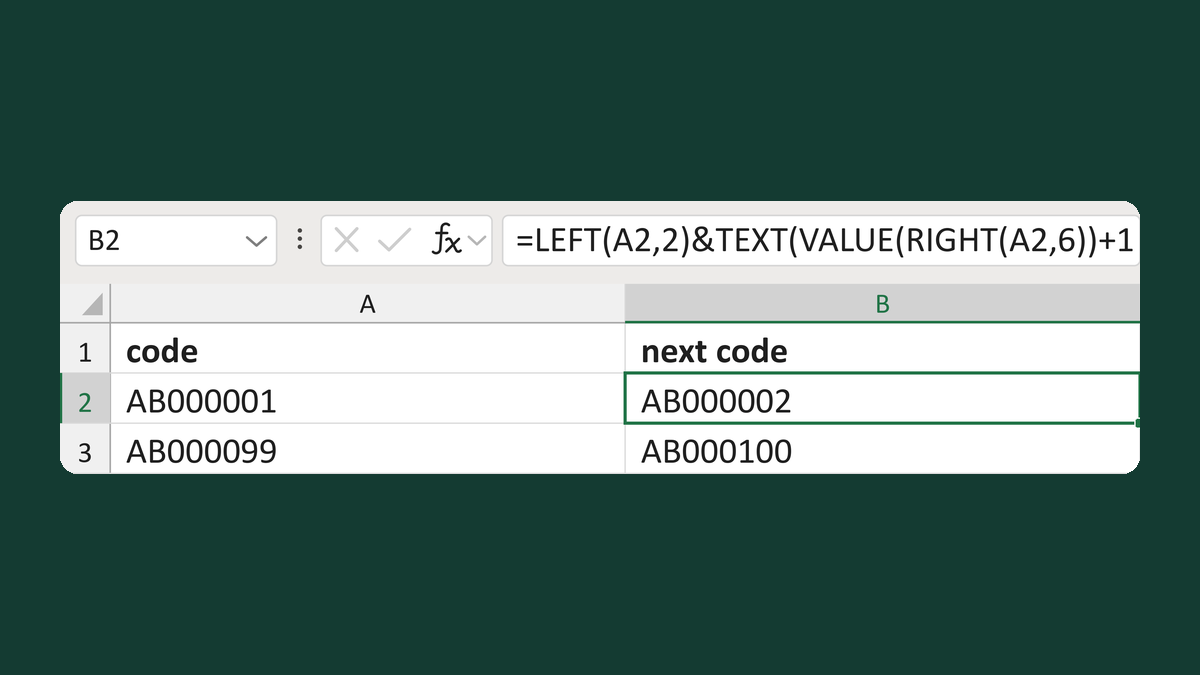
Increment an internal prefixed sequence
AB000001 → AB000002
Get the template →
Merge a few test letters before the whole mailing
Whole mailing → records 2 to 4 only
Take this route →