Round rates up to percent decimals

Turn 12.3456% into 12.35% so a rate is never understated. Negatives move toward zero.
What you'll make
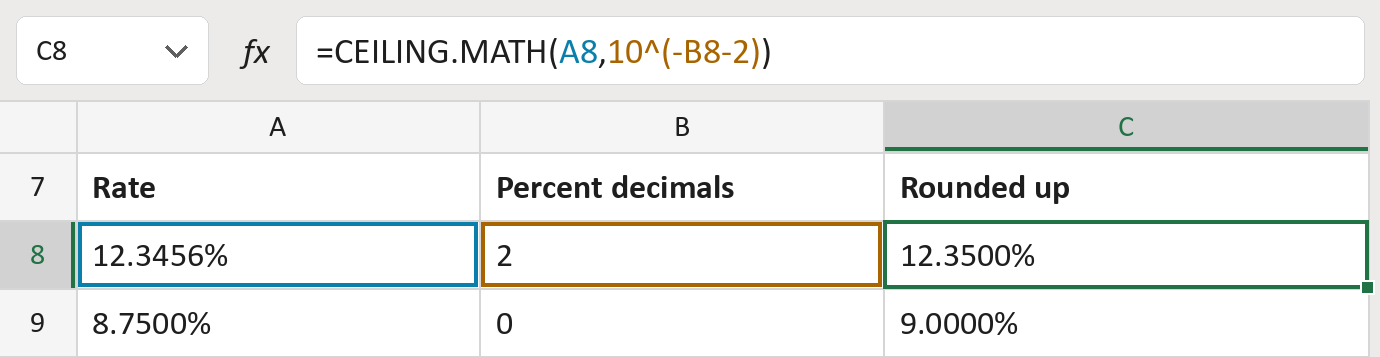
The formula

| Number | Part | What it does | Result so far |
|---|---|---|---|
| 1 | A8 | The rate, such as 12.3456%. | 12.3456% |
| 2 | 10^(-B8-2) | The step size: 0.01% for 2 percent decimals. | 0.01% |
| 3 | CEILING.MATH( … ) | Rounds up to that step, so negatives move toward zero. | 12.3500% |
The -2 is there because a rate of 1 is 100%. This changes the stored rate, not only how it looks. The rates are made-up.
=CEILING.MATH(A8,10^(-B8-2))How to use it
Yellow bar at the top? Click Enable Editing.
- See it work. The Example tab shows 20 made-up examples with the formula already in.
- Use your own rates. On the Template tab, paste rates into column A. Put how many percent decimals to keep, 0 to 4, into column B.
- Move them into your letter. Copy the results. Then use Paste Special and choose Values.
Before you send
Use this only when your rule says to round rates up. Keep the original rates too.
Microsoft's help: CEILING.MATH function
OTHER ROUTES YOU MIGHT LIKE
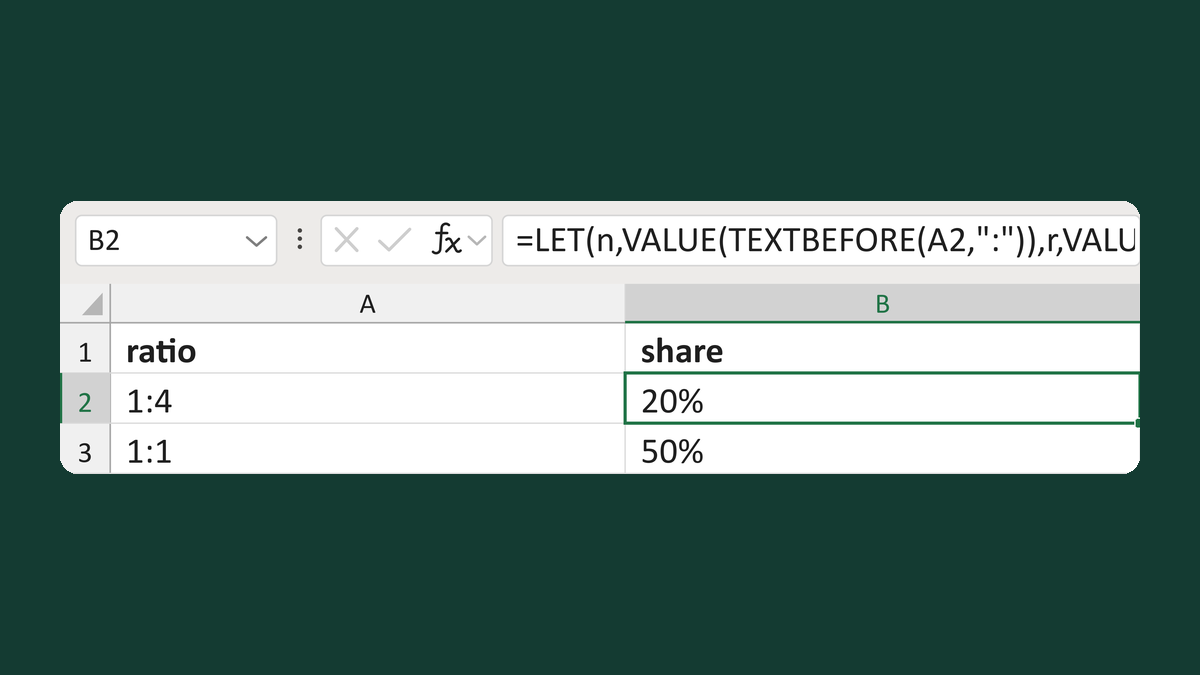
Turn a ratio like 1:4 into a 20% share
1:4 ratio → 20% share, not 25%
Get the template →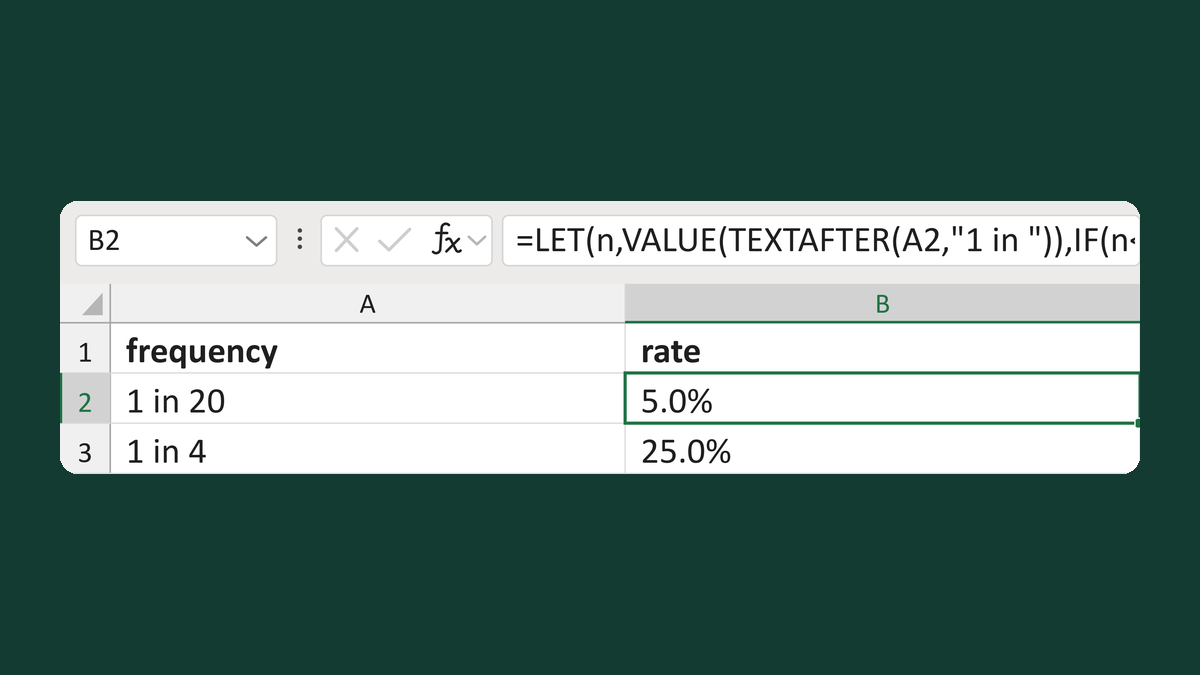
Turn 1 in 20 into a 5% rate
1 in 20 → 5.0%
Get the template →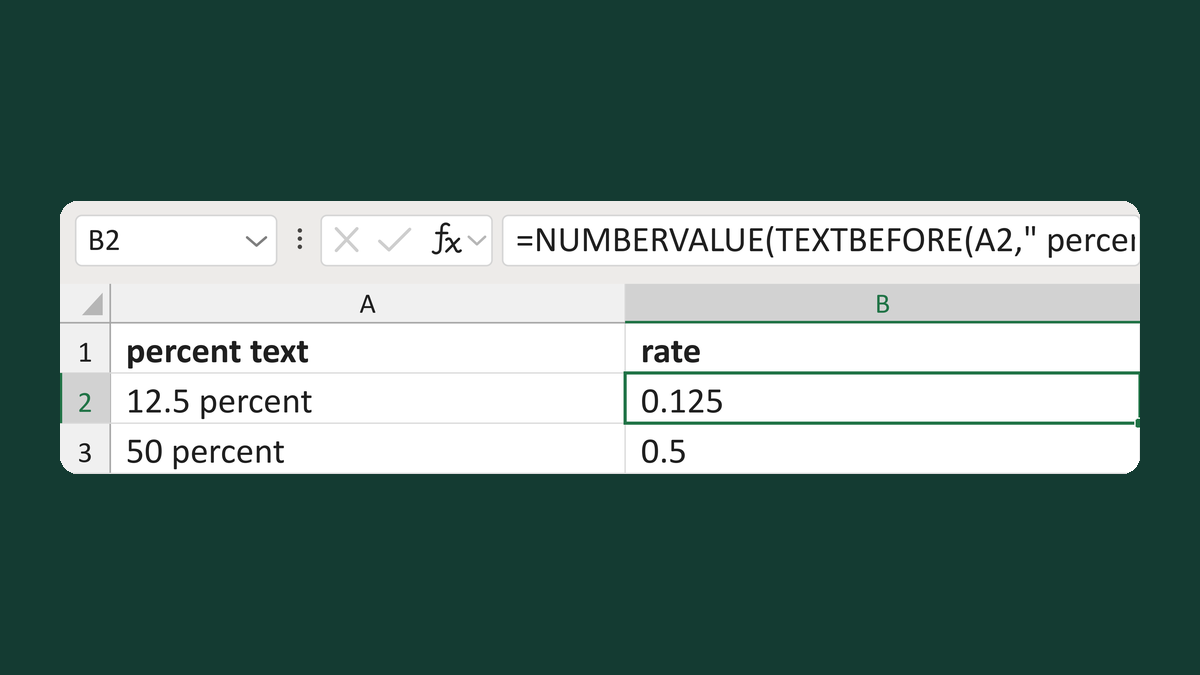
Read text like 12.5 percent as a rate
12.5 percent → 0.125
Get the template →
Merge a few test letters before the whole mailing
Whole mailing → records 2 to 4 only
Take this route →