Show a credential only when verified

Pass RN through only when its status says Verified, for reviewed letters.
What you'll make
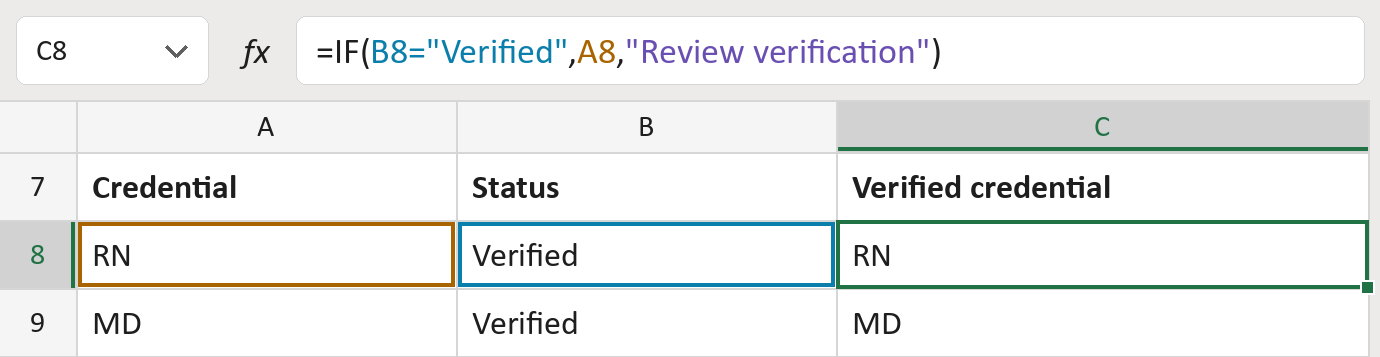
The formula

| Number | Part | What it does | Result so far |
|---|---|---|---|
| 1 | B8="Verified" | Checks if the status says Verified. | Yes |
| 2 | A8 | The credential, unchanged. | "RN" |
| 3 | "Review verification" | Shown for any other status. | Not used for row 8 |
| 4 | IF( … ) | Uses part 2 if part 1 says yes, else part 3. | "RN" |
Read it left to right. Capitals don't matter: verified counts too. The rows here are made-up.
=IF(B8="Verified",A8,"Review verification")How to use it
Yellow bar at the top? Click Enable Editing.
- See it work. The Example tab shows 20 made-up examples with the formula already in.
- Use your own credentials. Paste each credential and its verification status into the green columns of the Template tab. The verified credentials fill in by themselves.
- Move them into your letter. Copy the results. Then use Paste Special and choose Values.
Before you send
This only reads the status column. Make sure someone really checked each credential first.
Microsoft's help: IF function
OTHER ROUTES YOU MIGHT LIKE
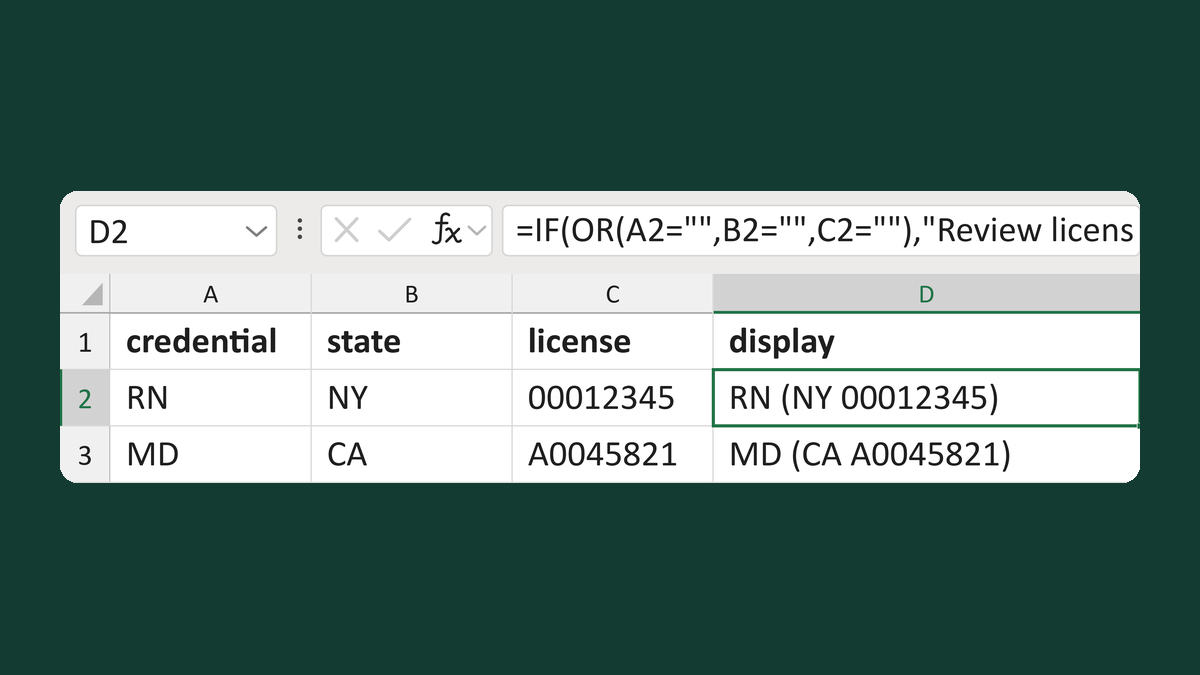
Build a credential and license display
RN + NY + 00012345 → RN (NY 00012345)
Get the template →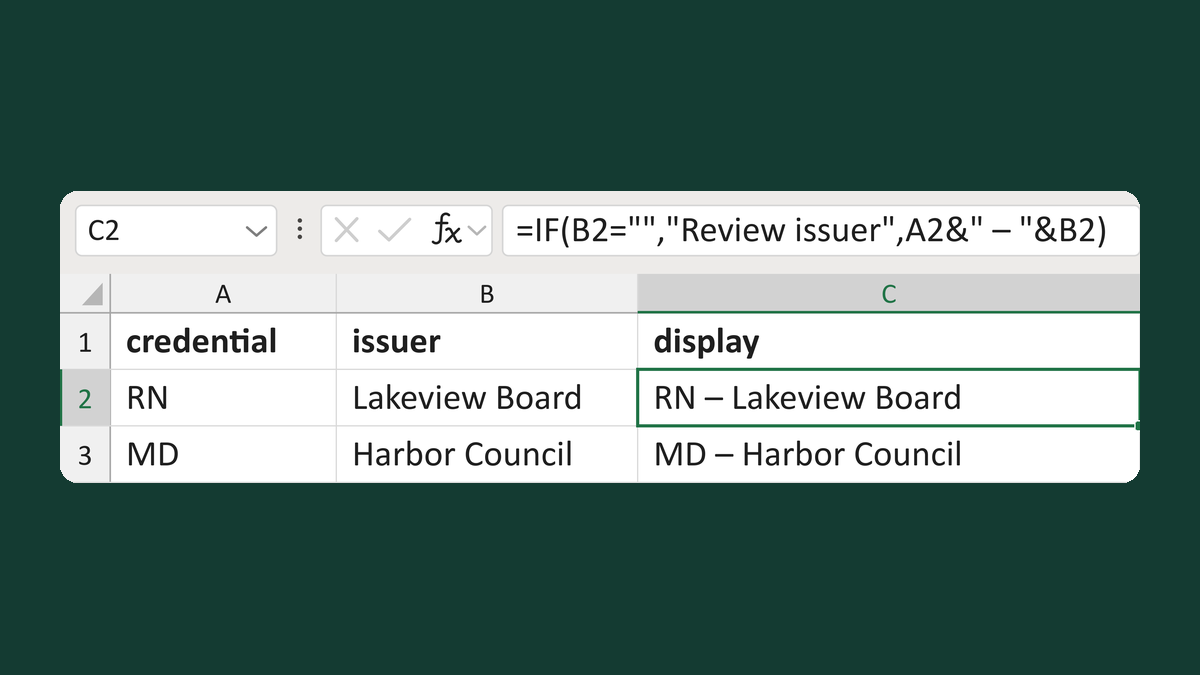
Show a credential with its issuer
RN + Lakeview Board → RN – Lakeview Board
Get the template →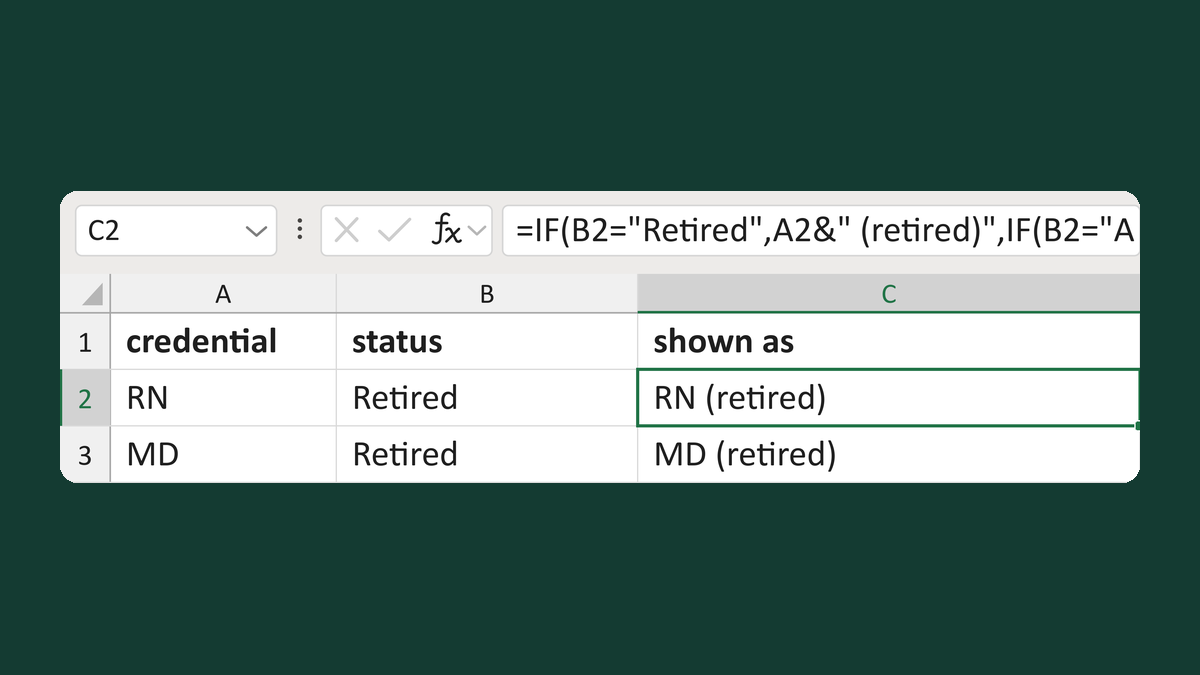
Add a retired label to a credential
RN + Retired → RN (retired)
Get the template →
Merge a few test letters before the whole mailing
Whole mailing → records 2 to 4 only
Take this route →