Write a zero-balance label

Turn a balance that rounds to 0.00 into Zero balance. Others show as $1,234.50.
What you'll make
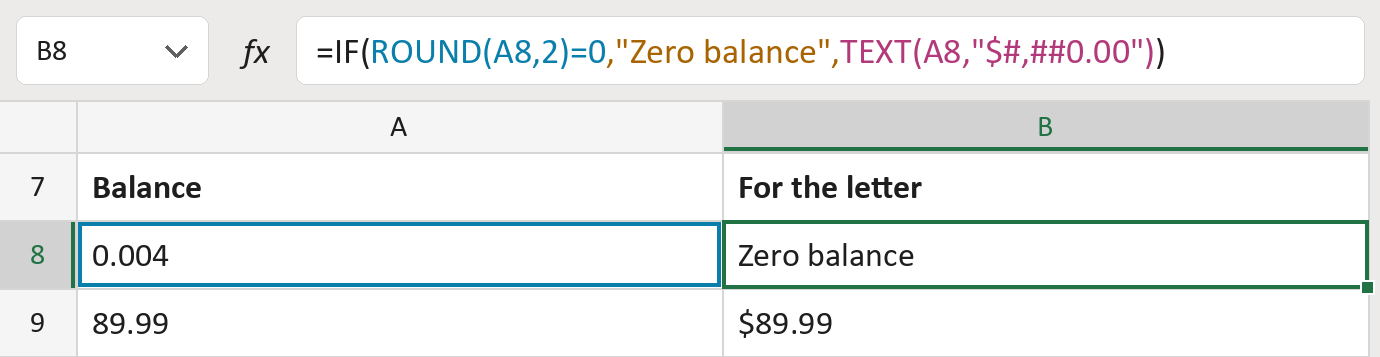
The formula

| Number | Part | What it does | Result so far |
|---|---|---|---|
| 1 | ROUND(A8,2)=0 | Checks whether the balance rounds to zero cents. | Yes |
| 2 | "Zero balance" | The words to show for a zero balance. | "Zero balance" |
| 3 | TEXT(A8,"$#,##0.00") | Writes other balances with $, commas and cents. | Not used for row 8 |
| 4 | IF( … ) | Picks Zero balance or the written amount. | "Zero balance" |
A balance under half a cent, like 0.004, counts as zero. Negative balances keep their minus sign. The amounts are made-up.
=IF(ROUND(A8,2)=0,"Zero balance",TEXT(A8,"$#,##0.00"))How to use it
Yellow bar at the top? Click Enable Editing.
- See it work. The Example tab shows 20 made-up examples with the formula already in.
- Use your own balances. Paste balances, as numbers, into the green column of the Template tab. The results fill in by themselves.
- Move them into your letter. Copy the results. Then use Paste Special and choose Values.
Before you send
Zero balance only describes this one cell. Check for other charges before telling someone they owe nothing.
Microsoft's help: IF function
OTHER ROUTES YOU MIGHT LIKE
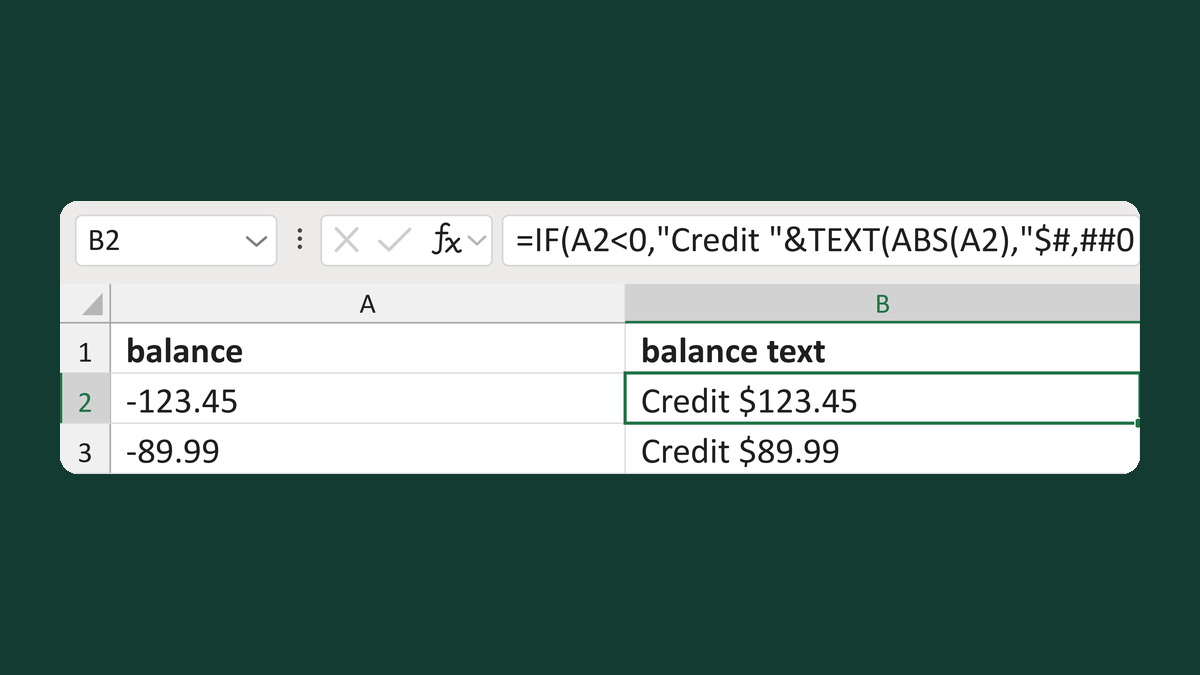
Write a negative balance as credit
-123.45 → Credit $123.45
Get the template →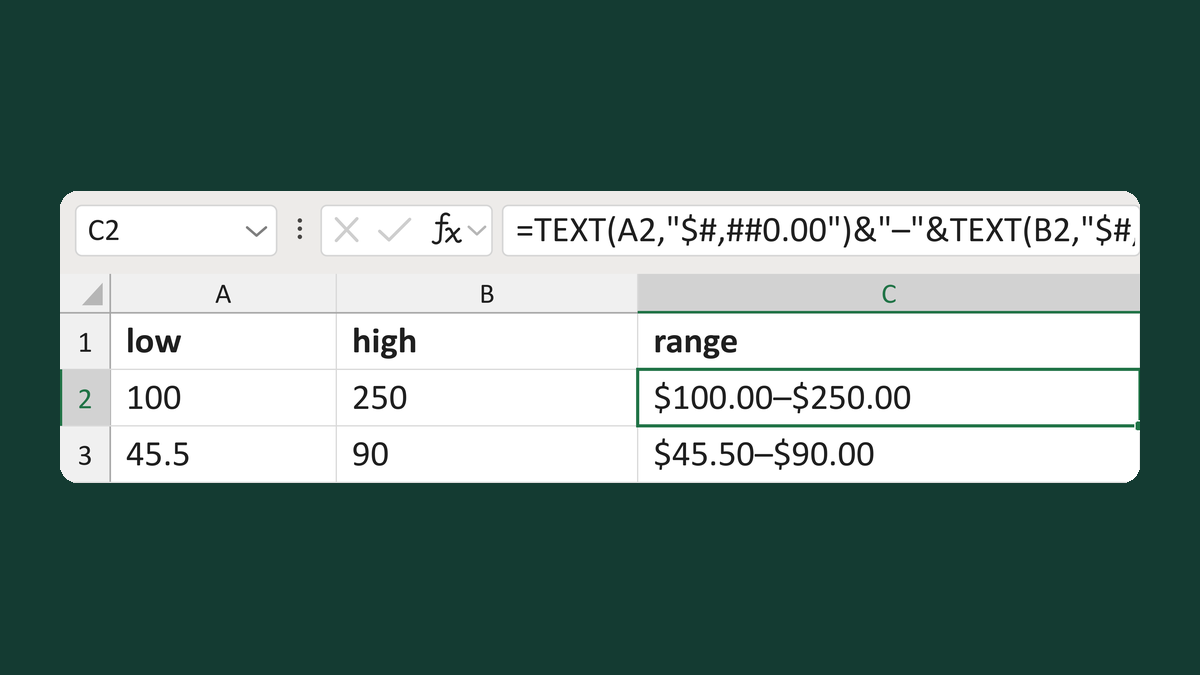
Write a dollar range with both endpoints
100 and 250 → $100.00–$250.00
Get the template →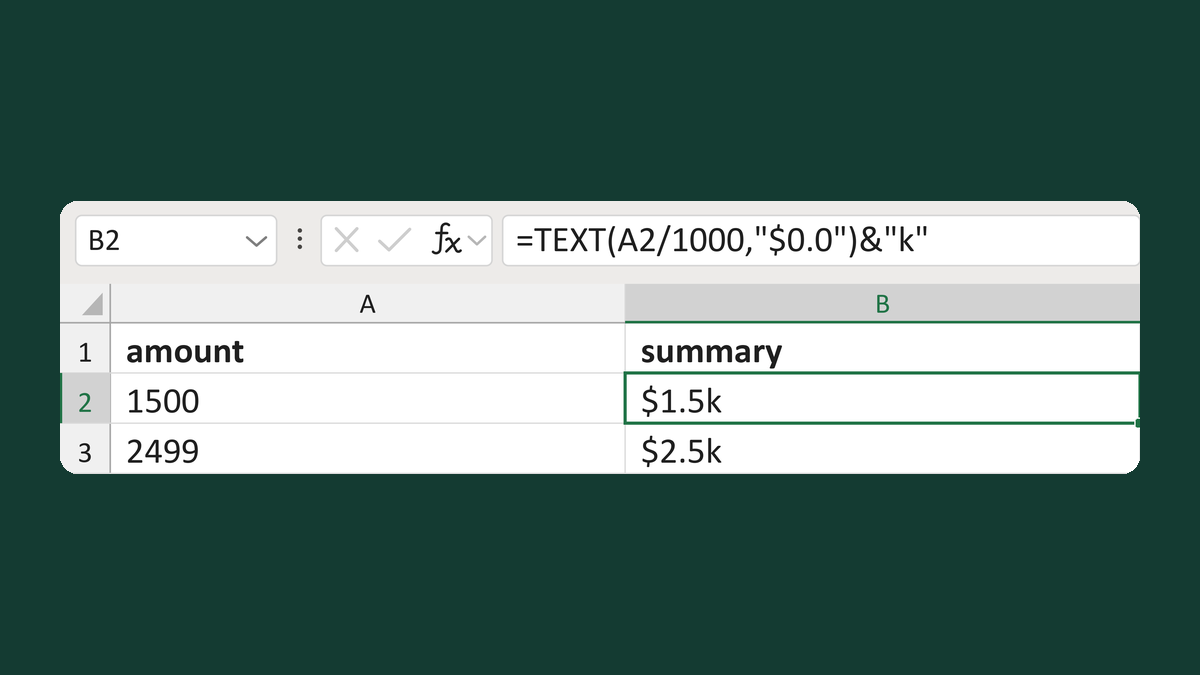
Write dollar thousands like $1.5k
1500 → $1.5k
Get the template →
Show $1,234.50 instead of 1234.5 in a mail merge
1234.5 → $1,234.50
Take this route →