Write negative mixed numbers like -1 3/4

Turn -7 over 4 into -1 3/4, with one minus sign in front.
Download Excel templateMicrosoft 365
What you'll make
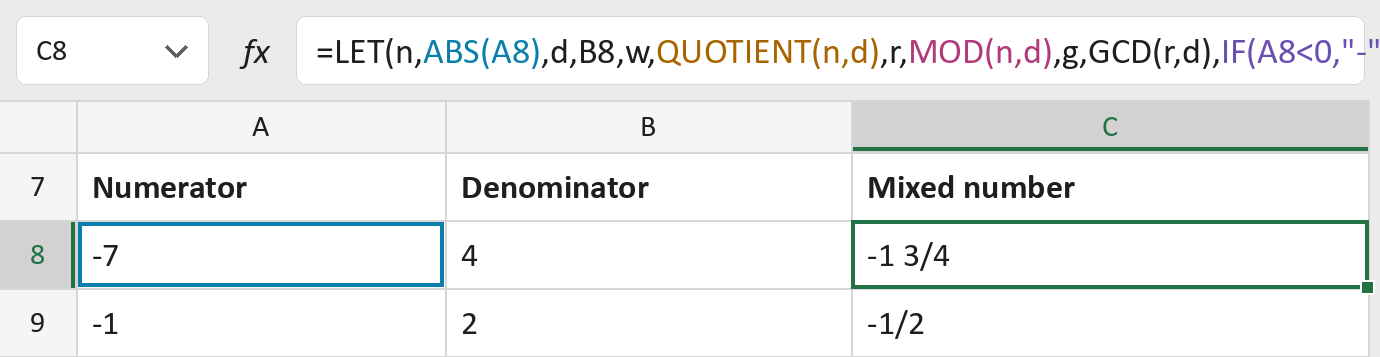
The formula
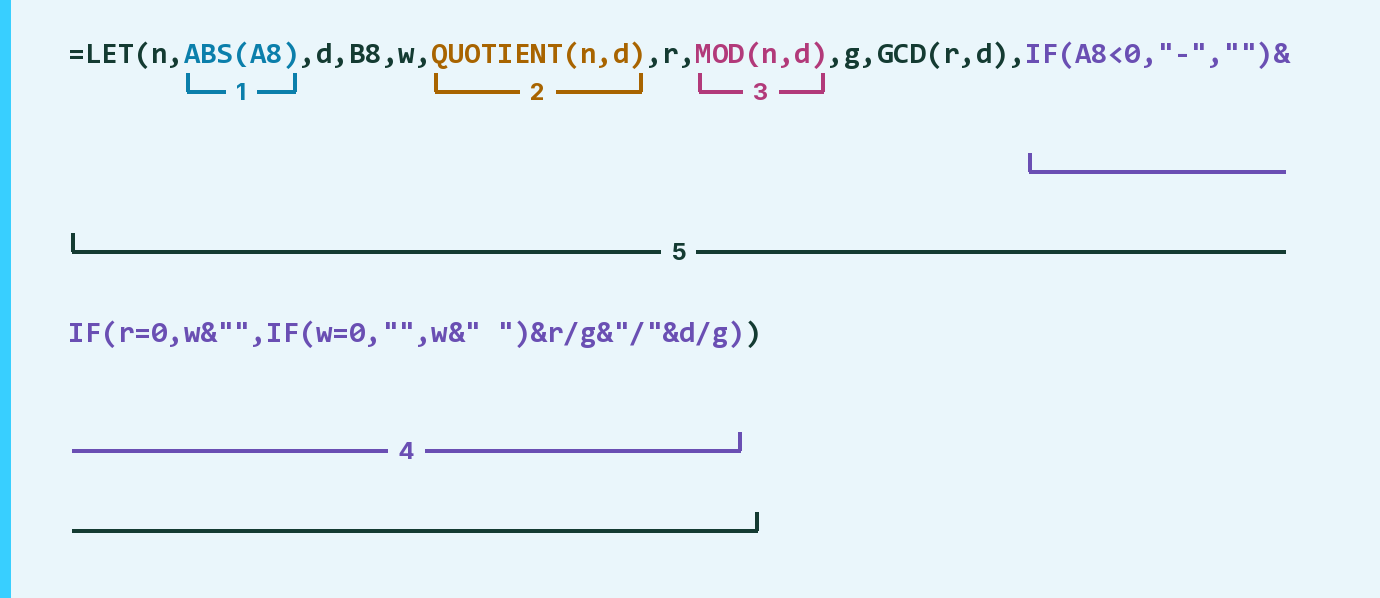
| Number | Part | What it does | Result so far |
|---|---|---|---|
| 1 | ABS(A8) | Drops the minus sign for now. LET calls it n. | 7 |
| 2 | QUOTIENT(n,d) | How many whole times 4 fits in 7. LET calls it w. | 1 |
| 3 | MOD(n,d) | What is left over. LET calls it r. | 3 |
| 4 | IF(A8<0,"-","")&IF( … ) | Puts back the minus sign, then writes the mixed number. | "-1 3/4" |
| 5 | LET( … ) | Names each step so the formula reads in order. | "-1 3/4" |
d is the bottom number. GCD(r,d), called g, reduces the leftover, so 2/4 shows as 1/2.
=LET(n,ABS(A8),d,B8,w,QUOTIENT(n,d),r,MOD(n,d),g,GCD(r,d),IF(A8<0,"-","")&IF(r=0,w&"",IF(w=0,"",w&" ")&r/g&"/"&d/g))How to use it
Yellow bar at the top? Click Enable Editing.
- See it work. The Example tab shows 20 made-up examples with the formula already in.
- Use your own numbers. Paste the top numbers into column A and the bottom numbers into column B of the Template tab. The mixed numbers fill in by themselves.
- Move them into your letter. Copy the results. Then use Paste Special and choose Values.
Before you send
Put any minus sign on the top number, and keep the bottom number above zero. Use whole numbers only.
Microsoft's help: GCD function
OTHER ROUTES YOU MIGHT LIKE
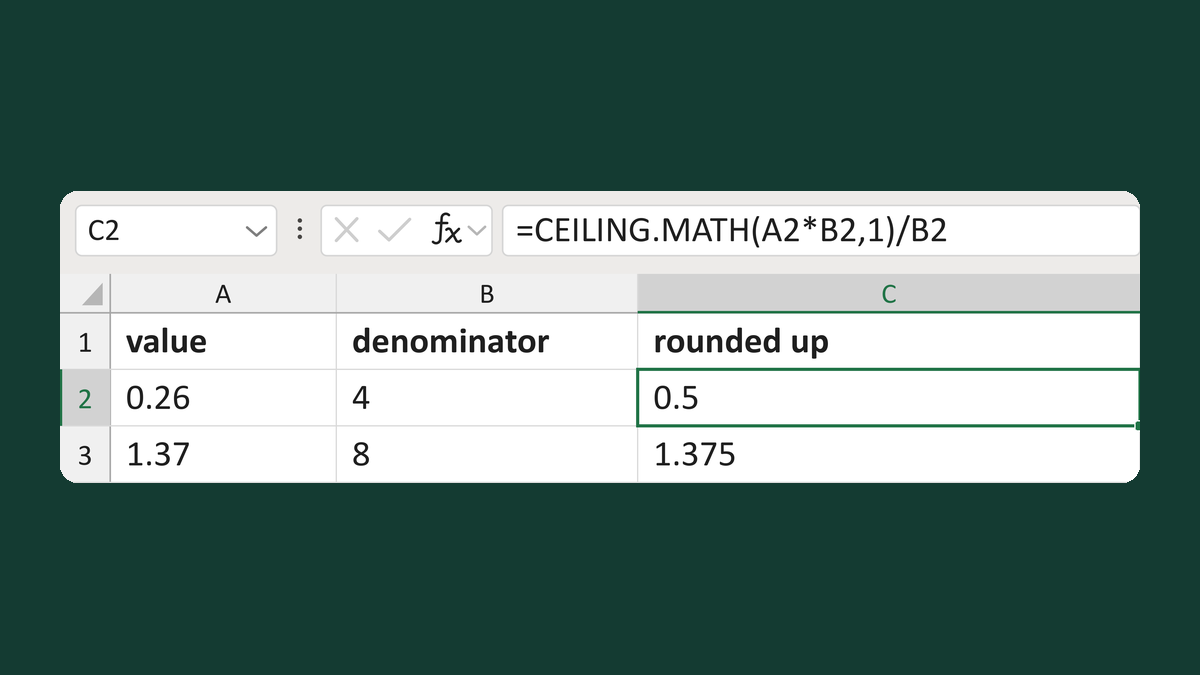
Round values up to the next fraction
0.26 up to the next 1/4 → 0.5
Get the template →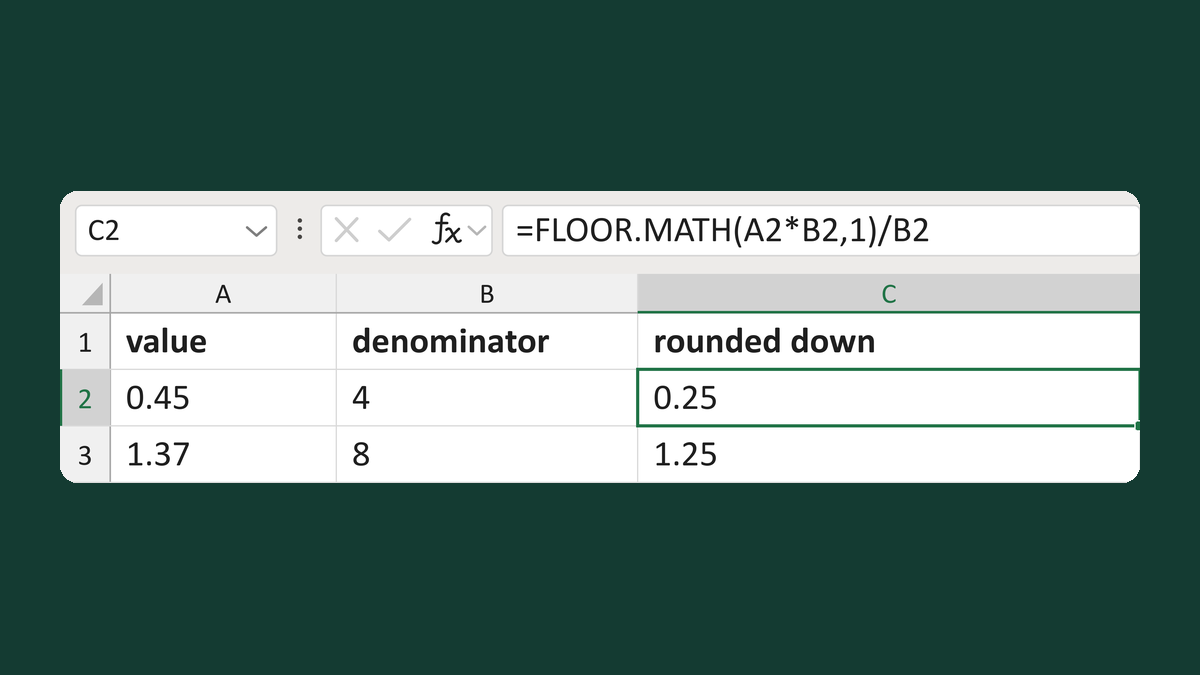
Round down to the previous fraction
0.45 down to the previous 1/4 → 0.25
Get the template →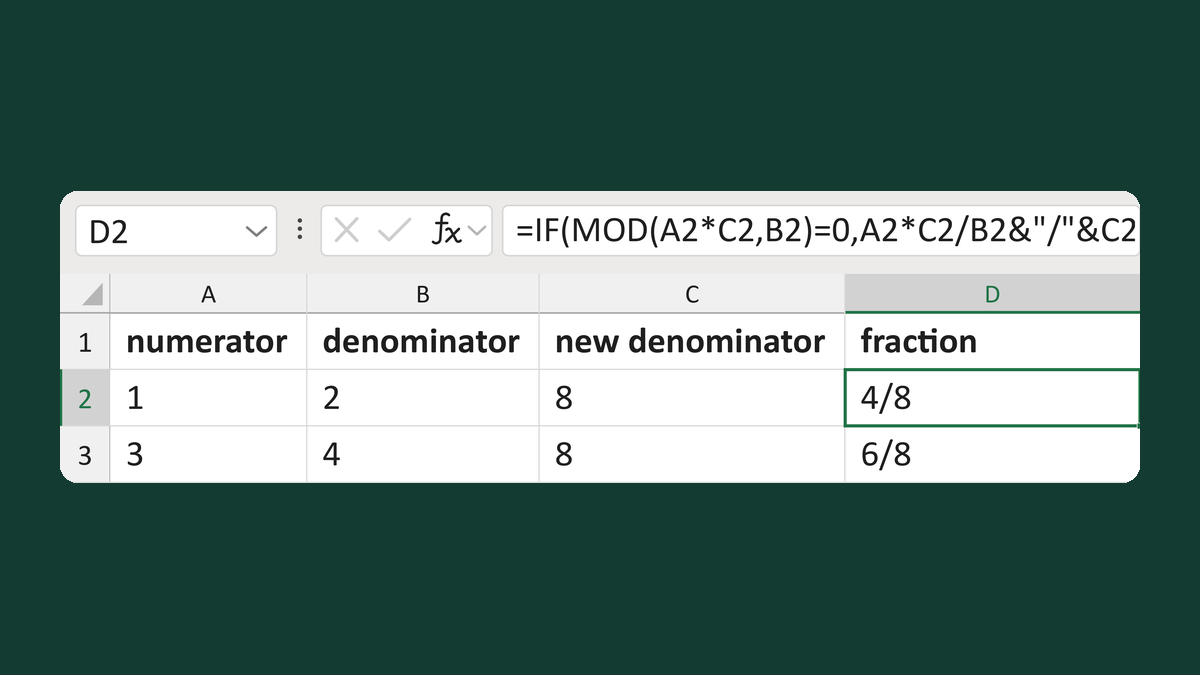
Rewrite a fraction at a new denominator
1/2 in eighths → 4/8
Get the template →
Merge a few test letters before the whole mailing
Whole mailing → records 2 to 4 only
Take this route →