Rewrite a fraction at a new denominator

Turn 1/2 into 4/8, and flag 1/3, which has no exact form in eighths.
What you'll make
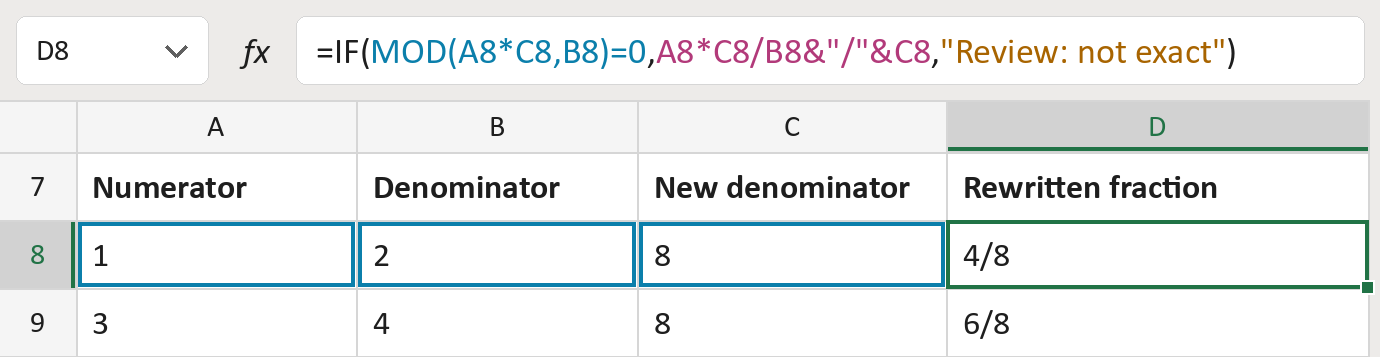
The formula

| Number | Part | What it does | Result so far |
|---|---|---|---|
| 1 | MOD(A8*C8,B8)=0 | Checks the new top number comes out whole. | Yes |
| 2 | A8*C8/B8&"/"&C8 | Works out the new top number and adds /8. | "4/8" |
| 3 | "Review: not exact" | What the cell says when it isn't exact. | Not used for row 8 |
| 4 | IF( … ) | Uses part 2 when exact, otherwise part 3. | "4/8" |
The result is text and is not reduced, so 4/8 stays 4/8. Nothing is rounded.
=IF(MOD(A8*C8,B8)=0,A8*C8/B8&"/"&C8,"Review: not exact")How to use it
Yellow bar at the top? Click Enable Editing.
- See it work. The Example tab shows 20 made-up examples with the formula already in.
- Use your own numbers. On the Template tab, paste top numbers into column A and bottom numbers into column B. Put the new bottom numbers into column C. The fractions fill in by themselves.
- Move them into your letter. Copy the results. Then use Paste Special and choose Values.
Before you send
Rows that say Review can't be written exactly at that denominator. Choose another one or keep the original fraction.
Microsoft's help: MOD function
OTHER ROUTES YOU MIGHT LIKE
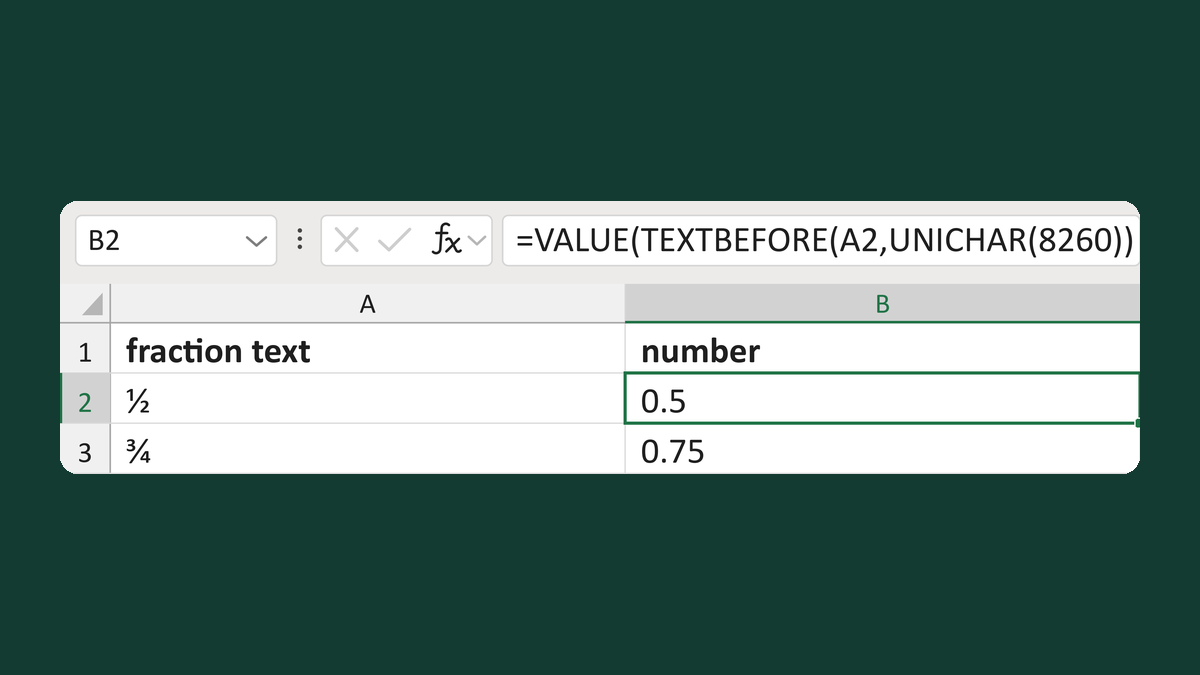
Read fractions with a fraction slash
1⁄2 with a fraction slash → 0.5
Get the template →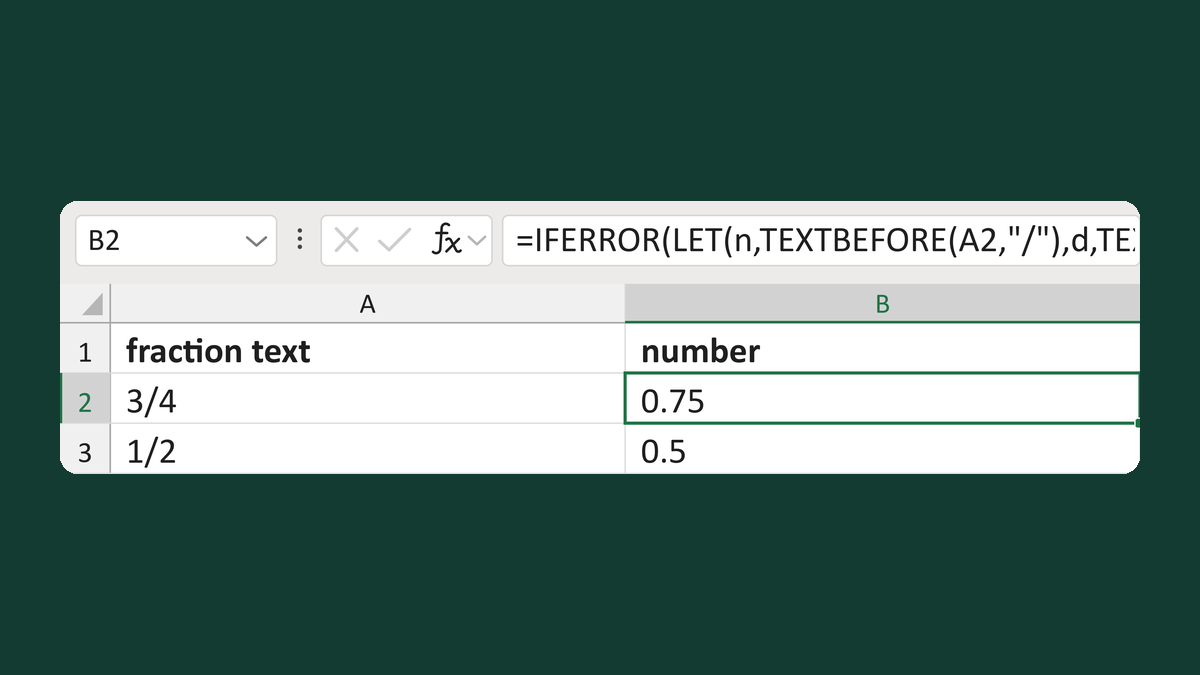
Read only plain fraction text like 3/4
3/4 → 0.75; 3/0 → Review: check the fraction
Get the template →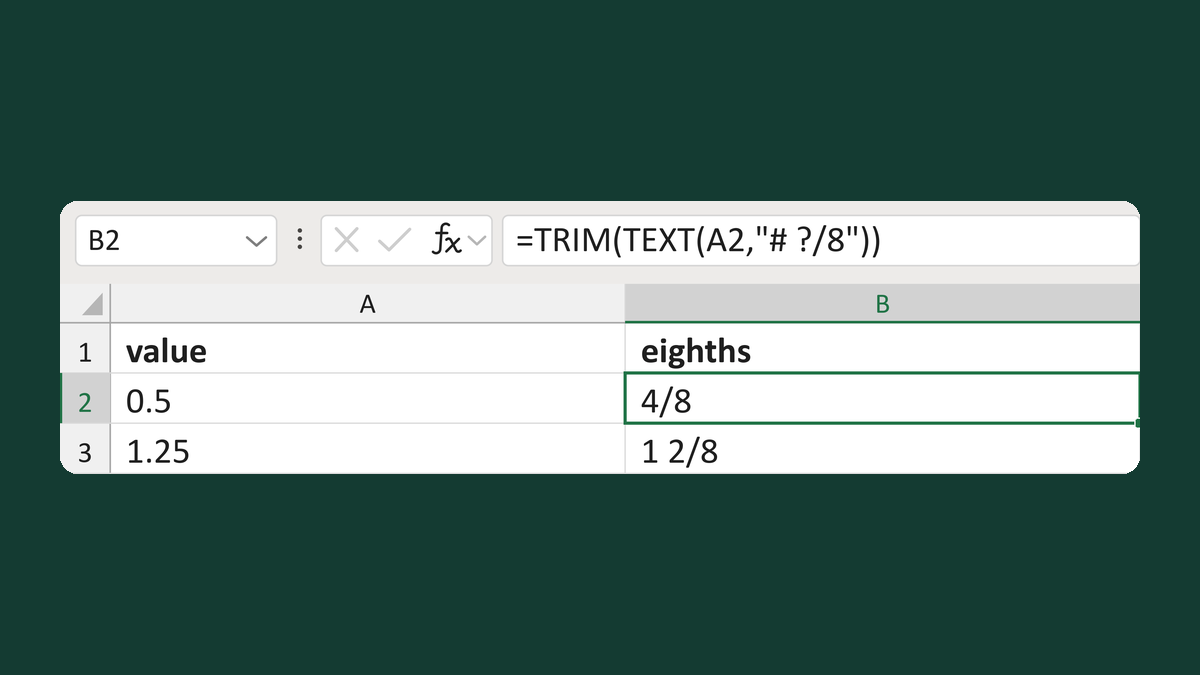
Write a value in eighths like 4/8
0.5 → 4/8
Get the template →
Merge a few test letters before the whole mailing
Whole mailing → records 2 to 4 only
Take this route →