Copy the dates from returned forms into your tracker

Send10 minutes
The problem
The form and the email both carry dates, and they may not match.
Why it helps
A form and its email both carry dates. Typing the form's dates next to the email's dates lets you compare them before anyone relies on them.
Do it
-
Open the reply and click the form to preview it. Then download it.
-
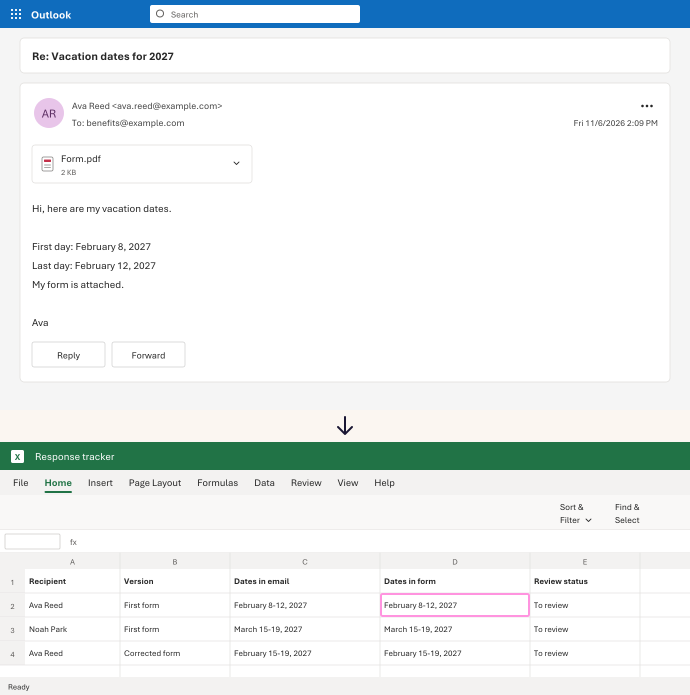
In your tracker, add a Dates in form column next to Dates in email.
-
Type the dates from the form. Then compare them with Dates in email.
-
If someone sends a corrected form, give it a new row. Keep the first row.
In our test, 3 forms gave 3 rows, each with its own dates. Ava's first form, her corrected form and Noah's form stayed apart.
Watch for
A form that came back isn't approved yet. Keep a Review status column and change it only after someone checks.