Keep envelopes in the same order as the letters

Make10 minutes
The problem
You have 32 letters but only 3 envelopes.
Why it happens
Letters and envelopes are two separate merges. A filter you set in one doesn't carry over to the other.
Fix it
-
Connect the letter and the envelope document to the same list.
-
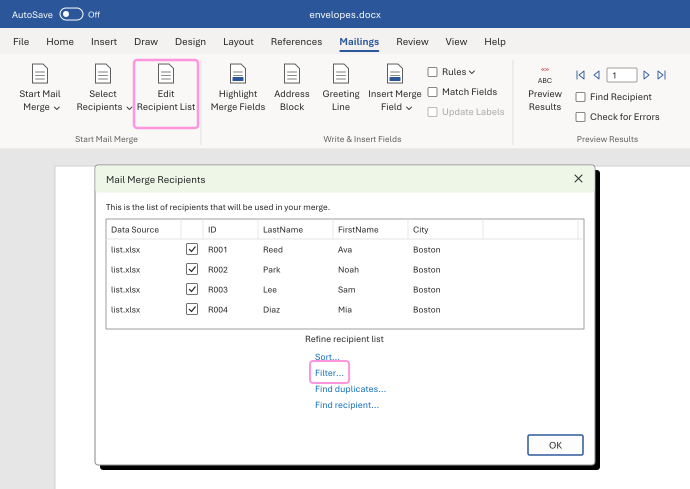
In each one, click Edit Recipient List. Check the same rows and set the same Filter... in both. If you sort one, sort the other the same way.
-
In each one, click Finish & Merge, then Edit Individual Documents..., then All.
-
Compare the two new documents. They should have the same page count, and the same first and last person.
In our test, two copies of the same list gave 32 letters and 32 envelopes in the same ID order. A filter on the envelopes alone gave only 3.
Watch for
Merge both from the same version of the list. If the list changes in between, the two can stop matching.