Keep missing-ID markers blank

Turn NULL, \N or N/A into a blank, and keep 000000001 with its zeros.
What you'll make
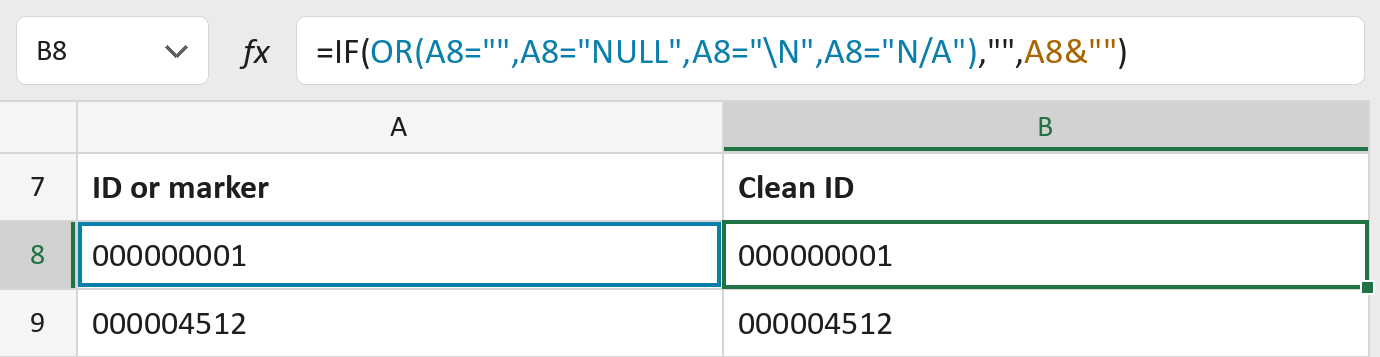
The formula

| Number | Part | What it does | Result so far |
|---|---|---|---|
| 1 | OR(A8="",…,A8="N/A") | Checks for an empty cell, NULL, \N or N/A. | No, it has 000000001 |
| 2 | A8&"" | Keeps the ID as text, zeros included. | "000000001" |
| 3 | IF( … ) | Leaves a marker blank, otherwise uses part 2. | "000000001" |
Read it left to right. Capitals don't matter: null counts too. The IDs here are made-up.
=IF(OR(A8="",A8="NULL",A8="\N",A8="N/A"),"",A8&"")How to use it
Yellow bar at the top? Click Enable Editing.
- See it work. The Example tab shows 20 made-up examples with the formula already in.
- Use your own IDs. Paste your IDs, stored as text, into the green column of the Template tab. The clean IDs fill in by themselves.
- Move them into your letter. Copy the results. Then use Paste Special and choose Values.
Before you send
Use this only if your source says NULL, \N and N/A mean missing. A real ID spelled that way would vanish.
Microsoft's help: IF function
OTHER ROUTES YOU MIGHT LIKE
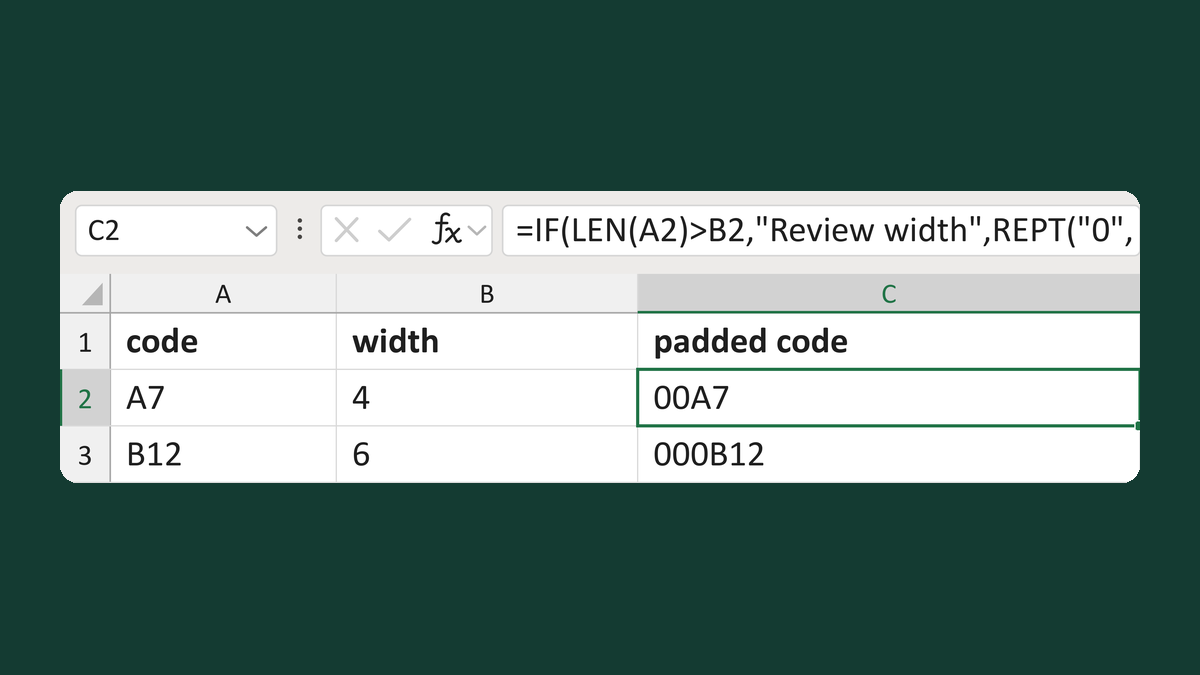
Pad a code with zeros to a set width
A7 + width 4 → 00A7
Get the template →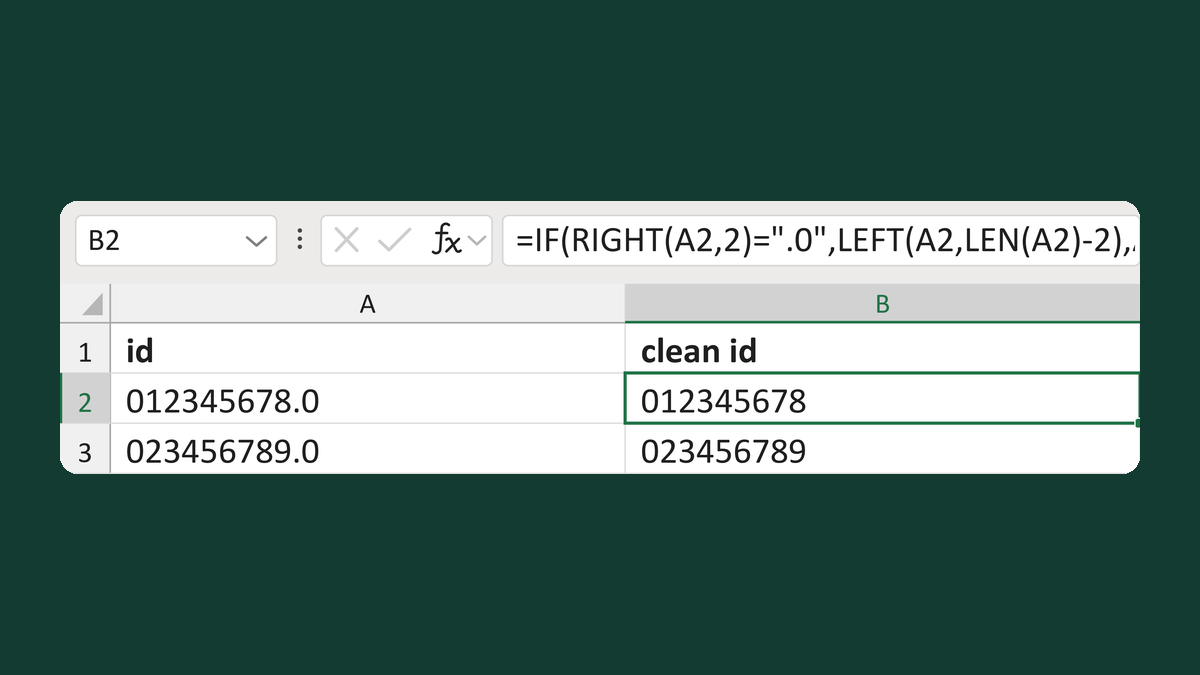
Remove a trailing .0 from an ID
012345678.0 → 012345678
Get the template →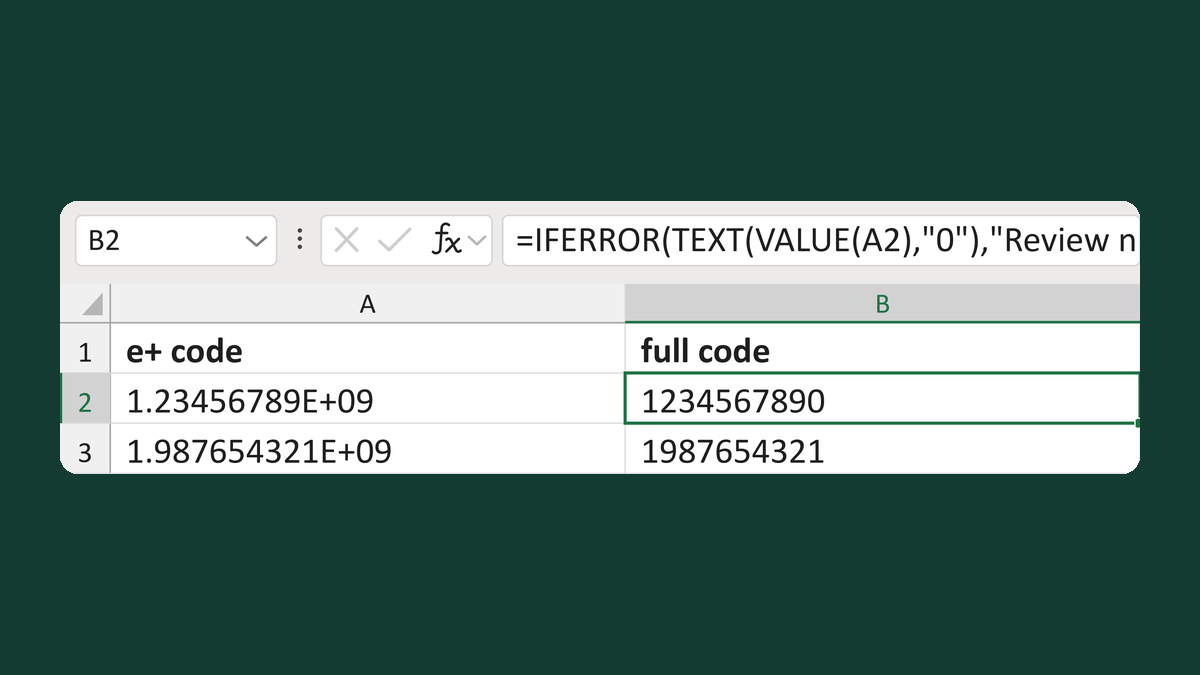
Expand an E+ code back into digits
1.23456789E+09 → 1234567890
Get the template →
Merge a few test letters before the whole mailing
Whole mailing → records 2 to 4 only
Take this route →