Label A40 merge surviving and prior IDs

Label which ID survives an A40 merge and which came before, without swapping them.
What you'll make
The formula
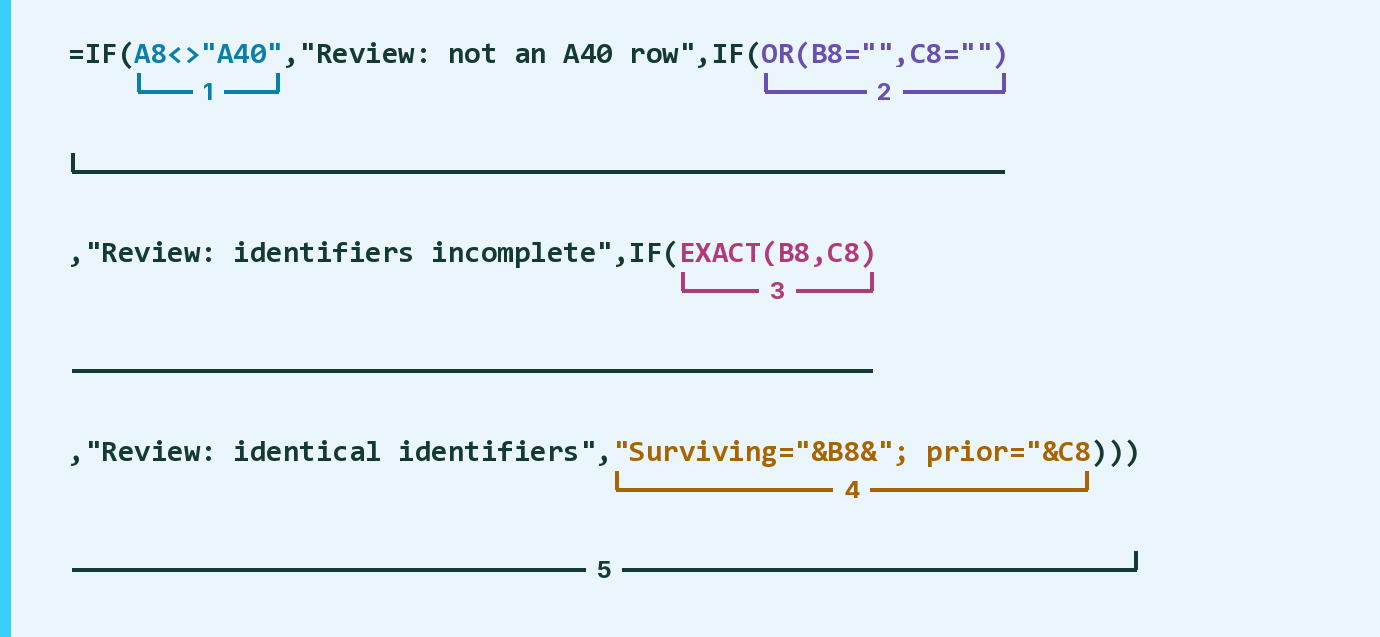
| Number | Part | What it does | Result so far |
|---|---|---|---|
| 1 | A8<>"A40" | Checks if the event is not an A40 merge. | FALSE |
| 2 | OR(B8="",C8="") | Checks if either ID is empty. | FALSE |
| 3 | EXACT(B8,C8) | Checks if both IDs match exactly, capitals too. | FALSE |
| 4 | "Surviving="&B8&"; prior="&C8 | Writes the surviving ID, then the prior one. | "Surviving=MR4012; …" |
| 5 | IF( … ) | Gives the first Review message that applies, else part 4. | "Surviving=MR4012; …" |
Read it left to right. The IDs here are made up.
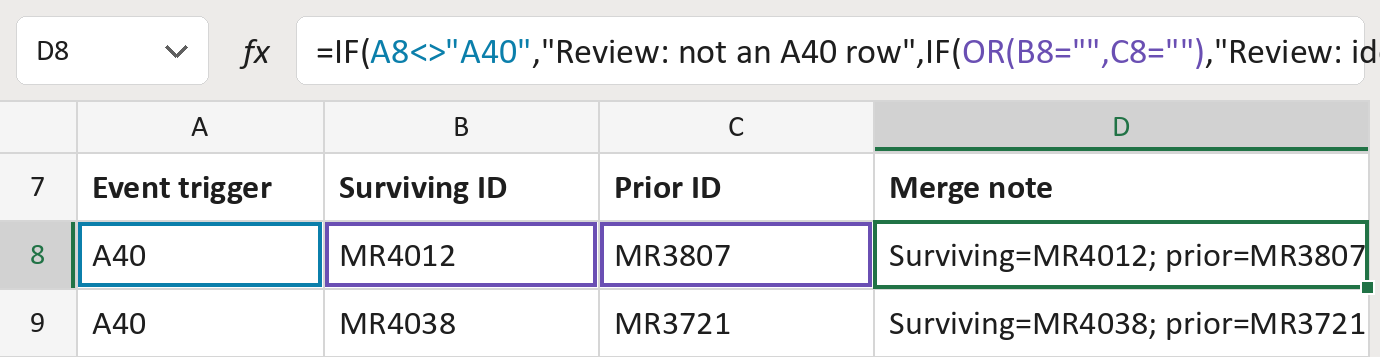
=IF(A8<>"A40","Review: not an A40 row",IF(OR(B8="",C8=""),"Review: identifiers incomplete",IF(EXACT(B8,C8),"Review: identical identifiers","Surviving="&B8&"; prior="&C8)))How to use it
Yellow bar at the top? Click Enable Editing.
- See it work. The Example tab shows 20 made-up examples with the formula already in.
- Use your own list. Paste each event's trigger, surviving PID-3 ID and prior MRG-1 ID into the green columns of the Template tab.
- Move them into your letter. Copy the results. Then use Paste Special and choose Values.
Before you send
Resolve each ID's type and authority first. This only labels the link; it doesn't merge records or pick who gets a letter.
Microsoft's help: EXACT function