Read the HL7 field separator from MSH

Take the separator each feed really uses, not an assumed pipe.
What you'll make
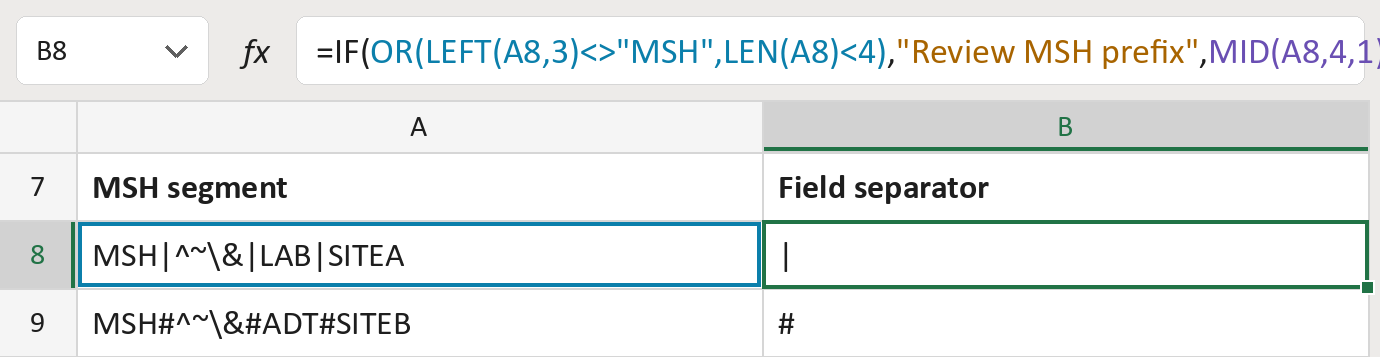
The formula

| Number | Part | What it does | Result so far |
|---|---|---|---|
| 1 | OR(LEFT(A8,3)<>"MSH",LEN(A8)<4) | Checks the cell isn't MSH or is too short. | FALSE |
| 2 | "Review MSH prefix" | What the cell says when part 1 is TRUE. | Not used for row 8 |
| 3 | MID(A8,4,1) | Takes the fourth character, right after MSH. | "|" |
| 4 | IF( … ) | Uses part 2 when part 1 is TRUE, else part 3. | "|" |
Read it left to right. It reads only the field separator, not the whole message.
=IF(OR(LEFT(A8,3)<>"MSH",LEN(A8)<4),"Review MSH prefix",MID(A8,4,1))How to use it
Yellow bar at the top? Click Enable Editing.
- See it work. The Example tab shows 20 made-up examples with the formula already in.
- Use your own segments. Paste one MSH segment per row into the green column of the Template tab. The separator fills in by itself.
- Move them into your letter. Copy the results. Then use Paste Special and choose Values.
Before you send
Keep the original segment as it is. The other separators come from the next field, so check those separately.
Microsoft's help: MID function
OTHER ROUTES YOU MIGHT LIKE
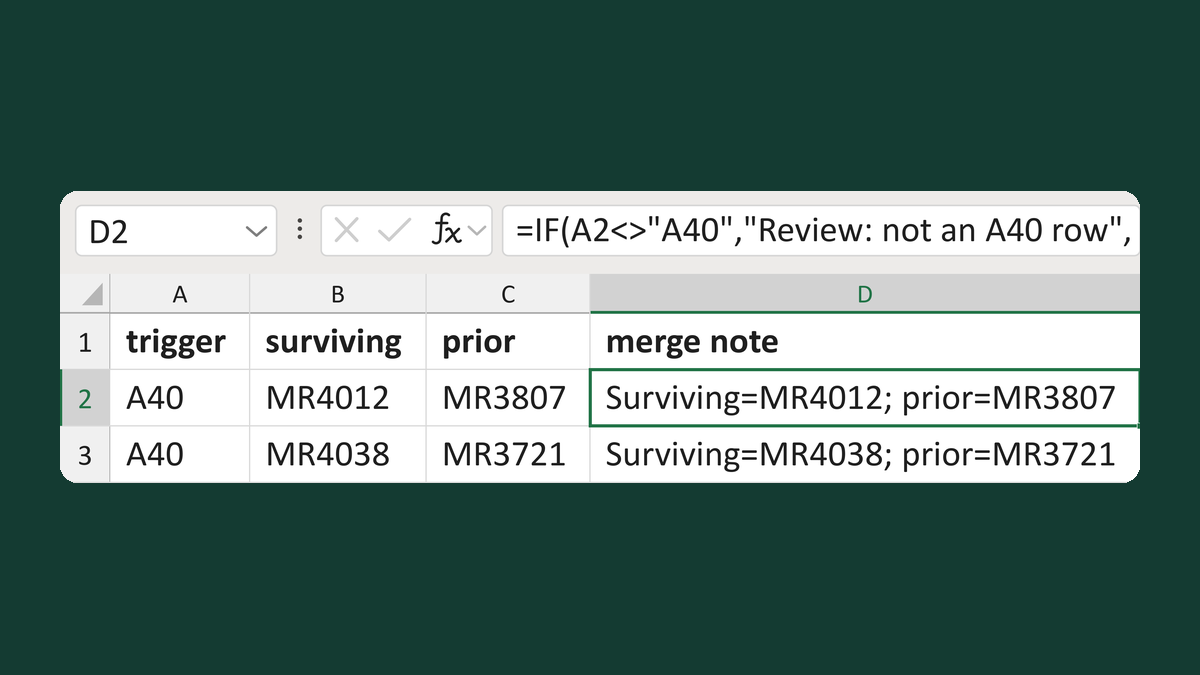
Label A40 merge surviving and prior IDs
A40 + MR4012 + MR3807 → Surviving=MR4012; prior=MR3807
Get the template →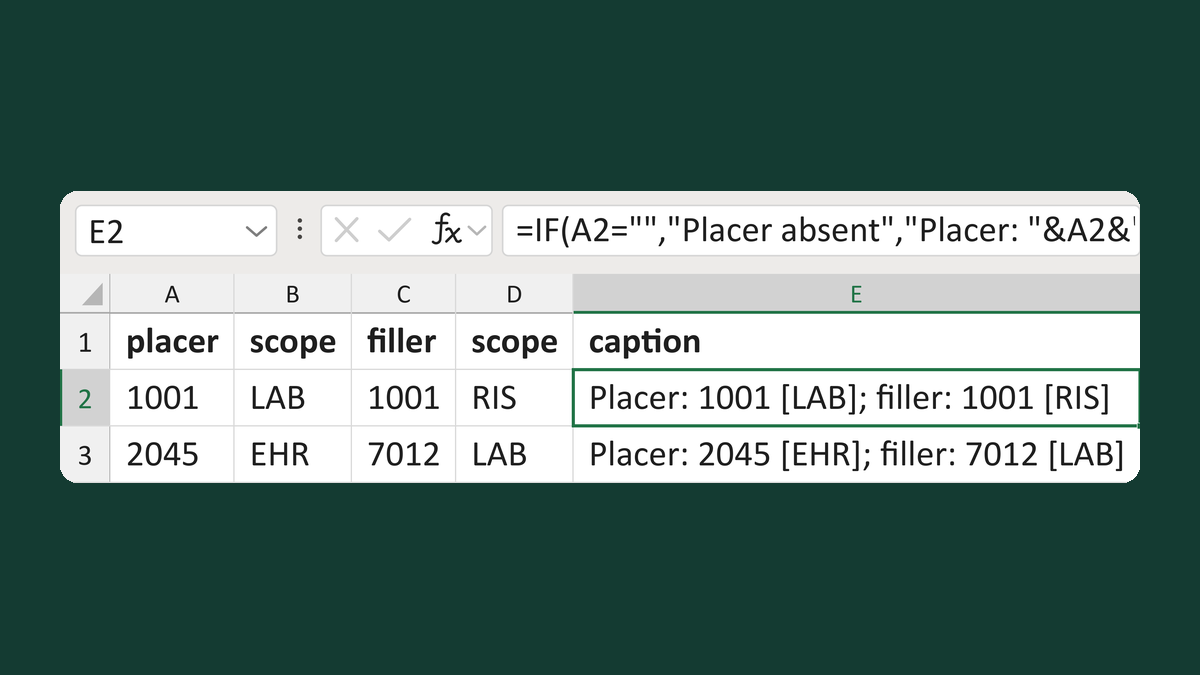
Label placer and filler order numbers
1001 LAB, 1001 RIS → Placer: 1001 [LAB]; filler: 1001 [RIS]
Get the template →
Merge a few test letters before the whole mailing
Whole mailing → records 2 to 4 only
Take this route →