Turn workdays into paid hours

Turn 1.5 workdays at 8 paid hours each into 12 hours, not 36 clock hours.
What you'll make
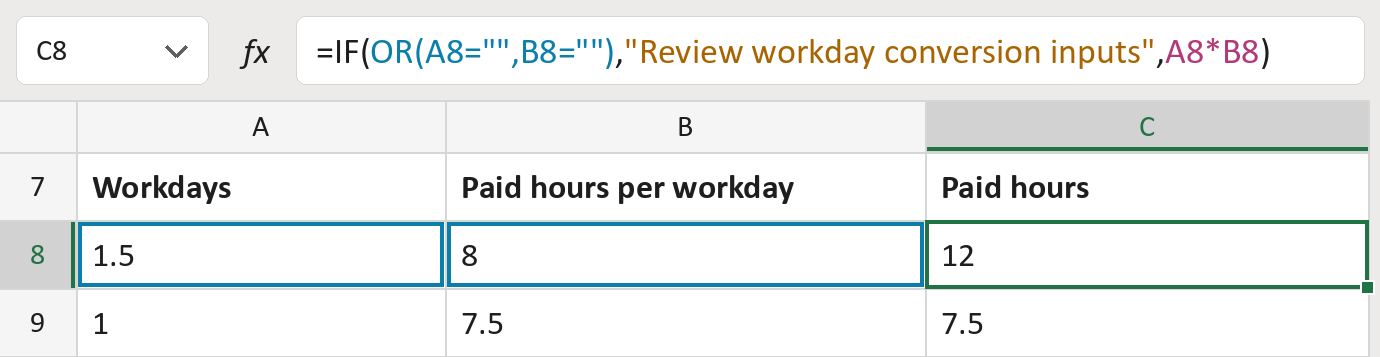
The formula

| Number | Part | What it does | Result so far |
|---|---|---|---|
| 1 | OR(A8="",B8="") | Checks if either number is missing. | No |
| 2 | "Review workday conversion inputs" | The message for a missing number. | Not used for row 8 |
| 3 | A8*B8 | Workdays times paid hours per workday. | 12 |
| 4 | IF( … ) | Shows part 2 if part 1 says yes, else part 3. | 12 |
A workday here is the paid hours your contract sets, not 24 clock hours.
=IF(OR(A8="",B8=""),"Review workday conversion inputs",A8*B8)How to use it
Yellow bar at the top? Click Enable Editing.
- See it work. The Example tab shows 20 made-up examples with the formula already in.
- Use your own numbers. Paste the workdays into column A and the paid hours per workday into column B of the Template tab. The paid hours fill in by themselves.
- Move them into your letter. Copy the results. Then use Paste Special and choose Values.
Before you send
Use the paid hours per workday from your own pay rules. Don't guess it from a job title or FTE.
Microsoft's help: IF function
OTHER ROUTES YOU MIGHT LIKE
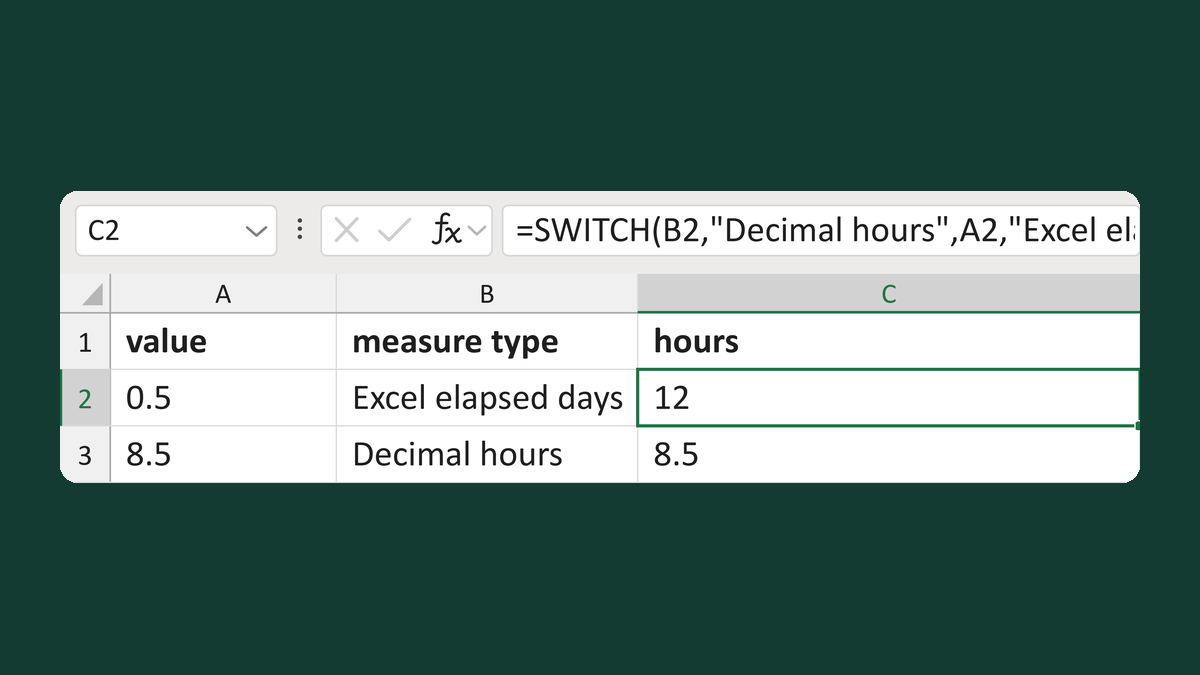
Get decimal hours by measure type
0.5 elapsed days → 12 hours
Get the template →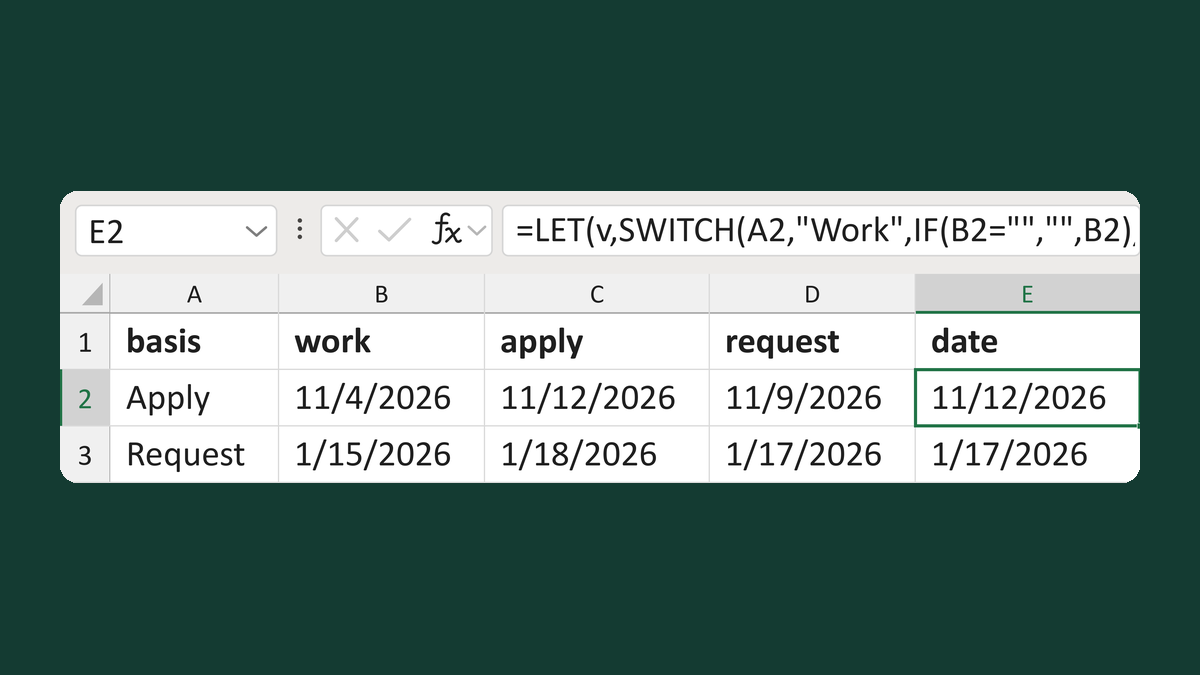
Pick the work, apply or request date
Apply: work 11/4/2026, apply 11/12/2026 → 11/12/2026
Get the template →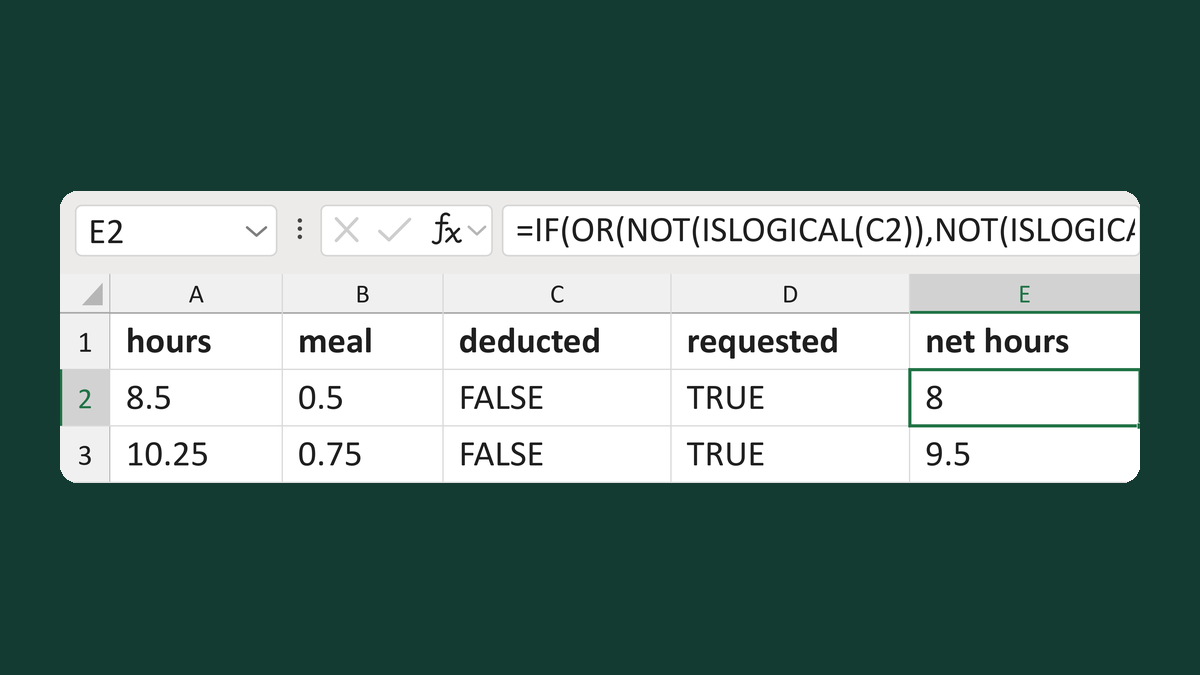
Prevent a repeated meal deduction
8.5 hours, 0.5 meal, deduction requested → 8 hours
Get the template →
Merge a few test letters before the whole mailing
Whole mailing → records 2 to 4 only
Take this route →