Turn _x0020_ into spaces in headers

Turn First_x005F_x0020_Name from a SharePoint export back into First Name.
What you'll make
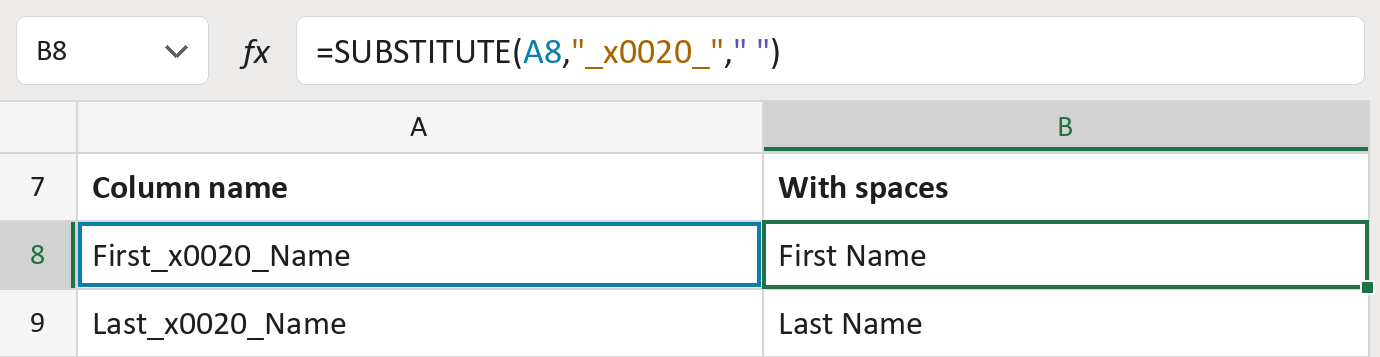
The formula

| Number | Part | What it does | Result so far |
|---|---|---|---|
| 1 | A8 | The column name from the export. | "First_x005F_x0020_Name" |
| 2 | "_x005F_x0020_" | The code the export uses for a space. | "_x005F_x0020_" |
| 3 | " " | What goes in its place: one space. | " " |
| 4 | SUBSTITUTE( … ) | Turns every _x005F_x0020_ into a space. | "First Name" |
Only _x005F_x0020_ changes. Other codes, and capitals like _X0020_, stay as they are.
=SUBSTITUTE(A8,"_x005F_x0020_"," ")How to use it
Yellow bar at the top? Click Enable Editing.
- See it work. The Example tab shows 20 made-up examples with the formula already in.
- Use your own column names. Paste the exported column names into the green column of the Template tab. The names with spaces fill in by themselves.
- Move them into your letter. Copy the results. Then use Paste Special and choose Values.
Before you send
Some column names, like Author, differ from the title people see. Check the list's own display names.
Microsoft's help: SUBSTITUTE function
OTHER ROUTES YOU MIGHT LIKE
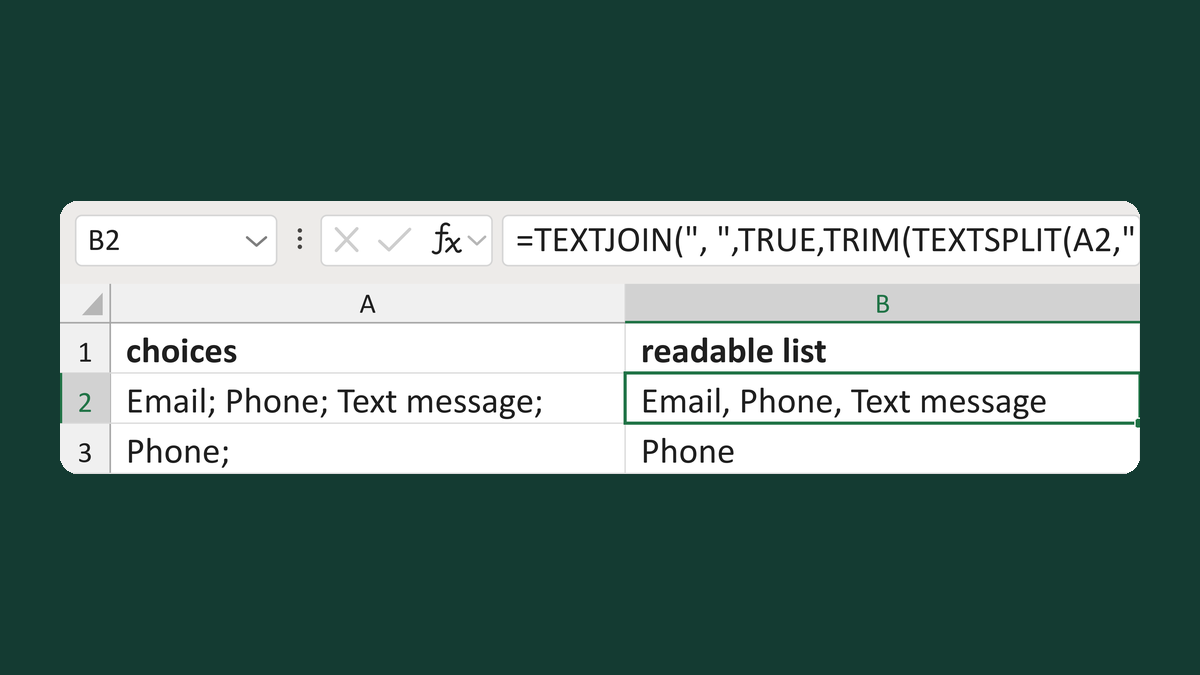
Join semicolon choices with commas
Email; Phone; Text message; → Email, Phone, Text message
Get the template →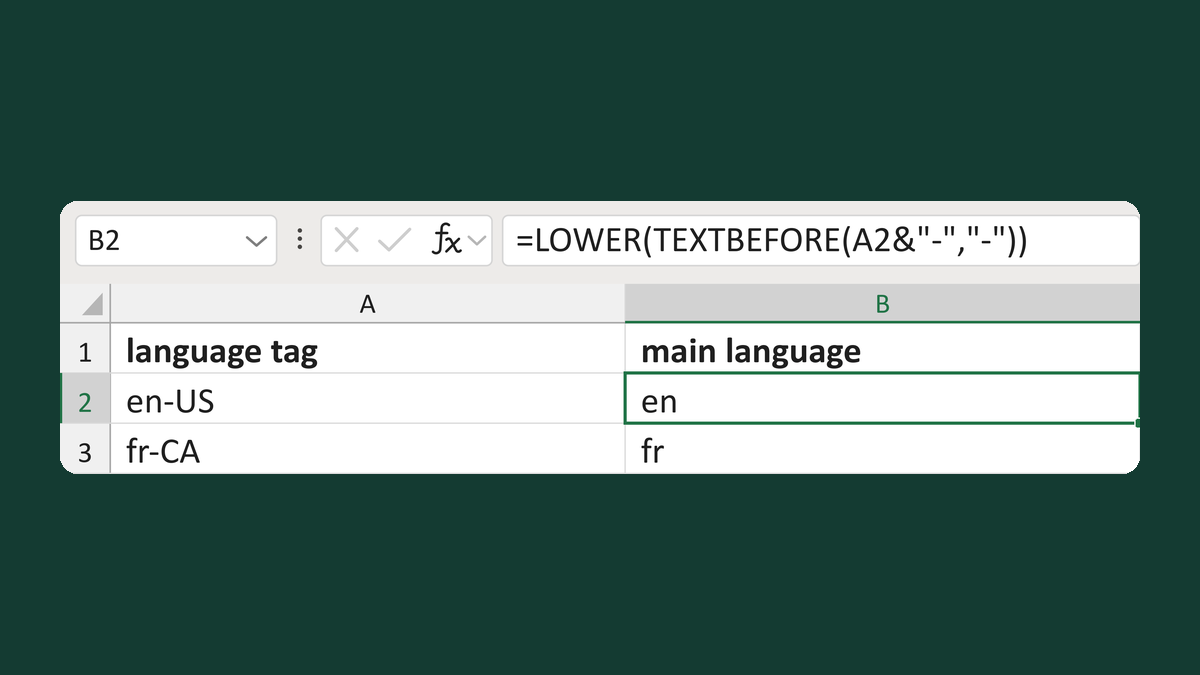
Get the language from a tag like en-US
en-US → en
Get the template →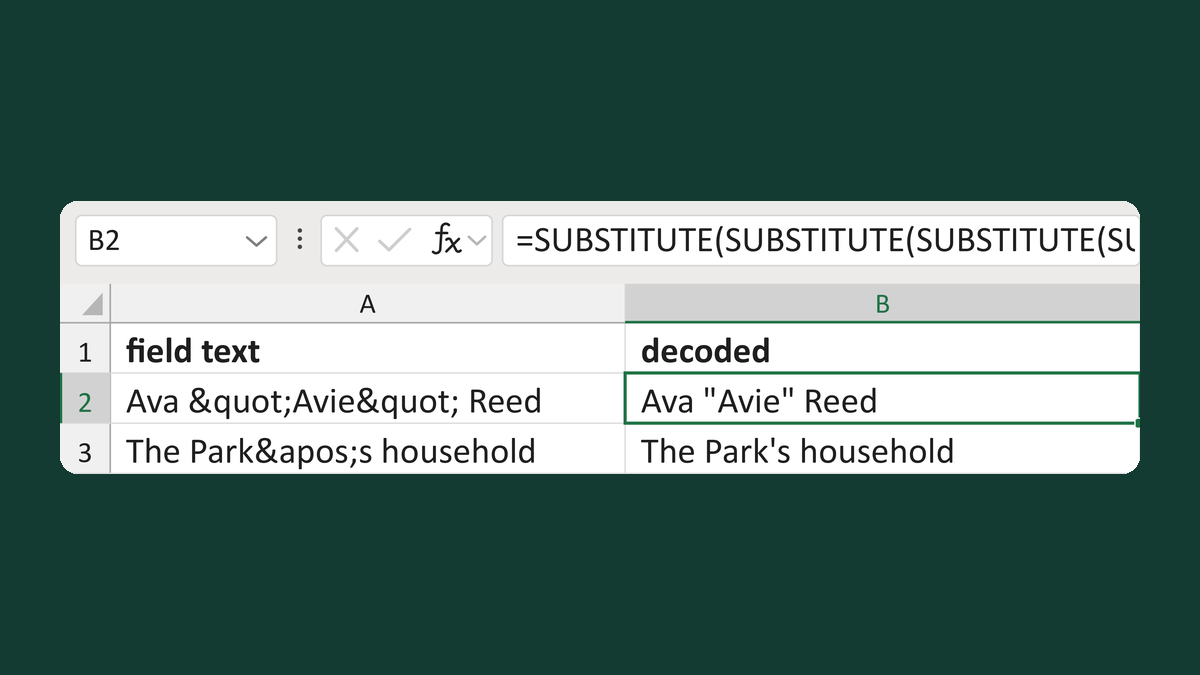
Turn codes like < back into symbols
Ava "Avie" Reed → Ava "Avie" Reed
Get the template →
Merge a few test letters before the whole mailing
Whole mailing → records 2 to 4 only
Take this route →