Write an MBI like 2AC4-DE5-FG67

Turn 2AC4DE5FG67 into 2AC4-DE5-FG67, the way a Medicare card shows it.
What you'll make
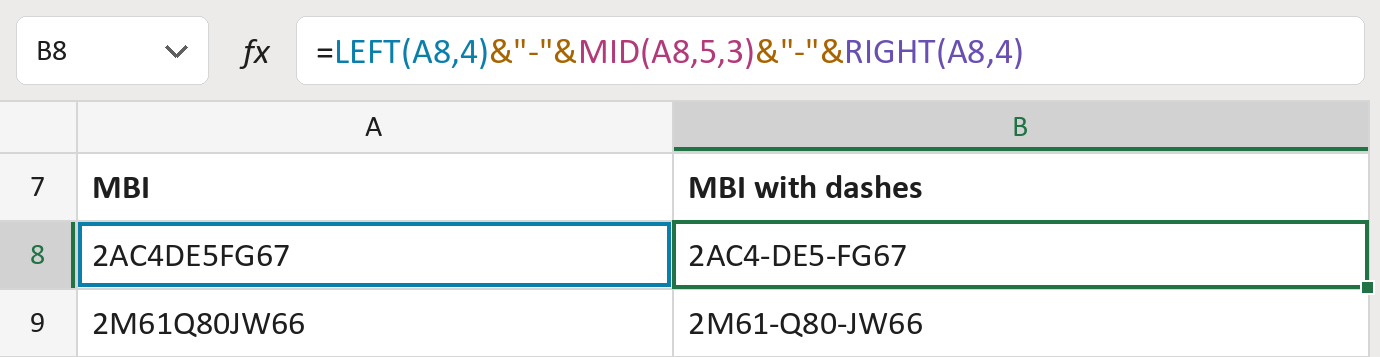
The formula

| Number | Part | What it does | Result so far |
|---|---|---|---|
| 1 | LEFT(A8,4) | Takes the first four characters. | "2AC4" |
| 2 | &"-"& | Adds a dash. | "2AC4-" |
| 3 | MID(A8,5,3) | Takes characters 5 to 7. | "2AC4-DE5" |
| 4 | &"-"& | Adds a second dash. | "2AC4-DE5-" |
| 5 | RIGHT(A8,4) | Takes the last four characters. | "2AC4-DE5-FG67" |
Read it left to right. The MBIs here are made-up.
=LEFT(A8,4)&"-"&MID(A8,5,3)&"-"&RIGHT(A8,4)How to use it
Yellow bar at the top? Click Enable Editing.
- See it work. The Example tab shows 20 made-up examples with the formula already in.
- Use your own MBIs. Paste 11-character MBIs, already checked, into the green column of the Template tab. The MBIs with dashes fill in by themselves.
- Move them into your letter. Copy the results. Then use Paste Special and choose Values.
Before you send
Use the dashes only for letters and screens. Files you send still need the MBI without dashes.
Microsoft's help: MID function
OTHER ROUTES YOU MIGHT LIKE
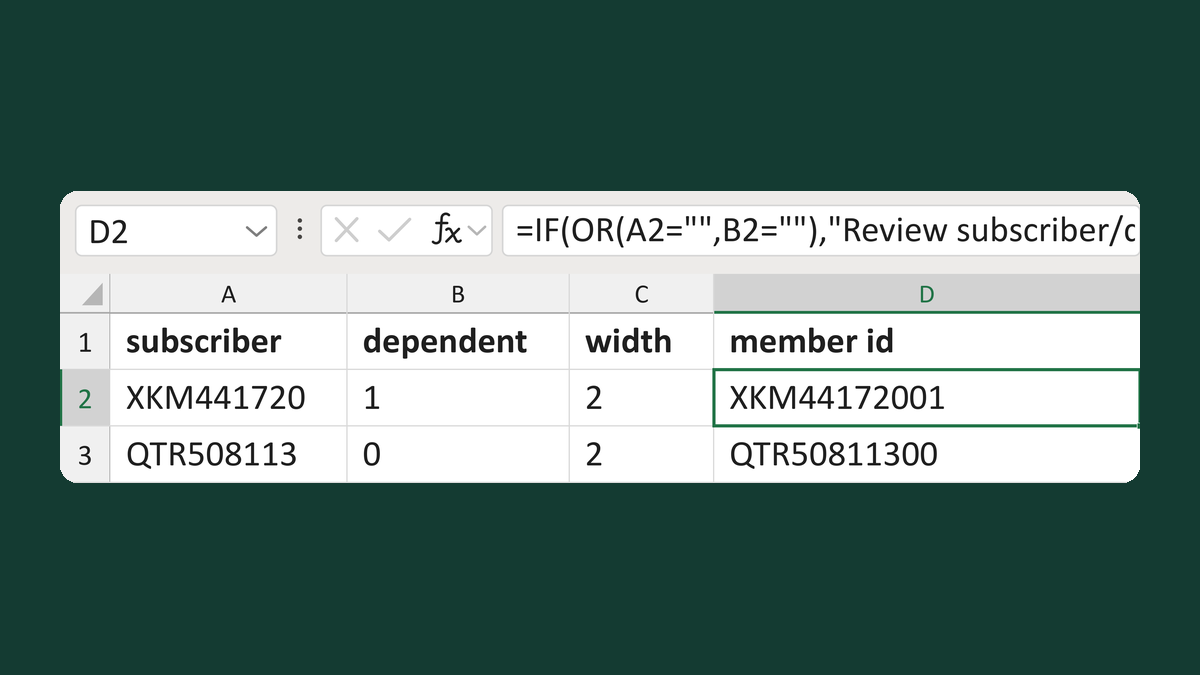
Build a subscriber-plus-dependent ID
XKM441720 + 1, width 2 → XKM44172001
Get the template →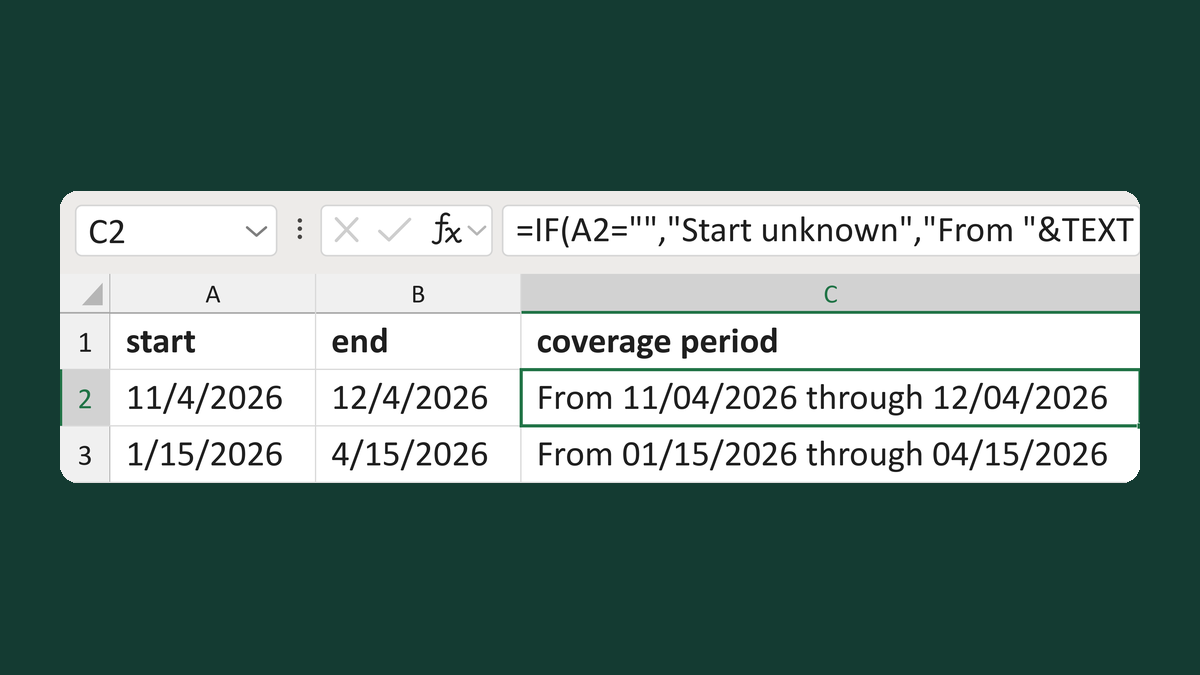
Write coverage periods with blank dates
11/4/2026 + 12/4/2026 → From 11/04/2026 through 12/04/2026
Get the template →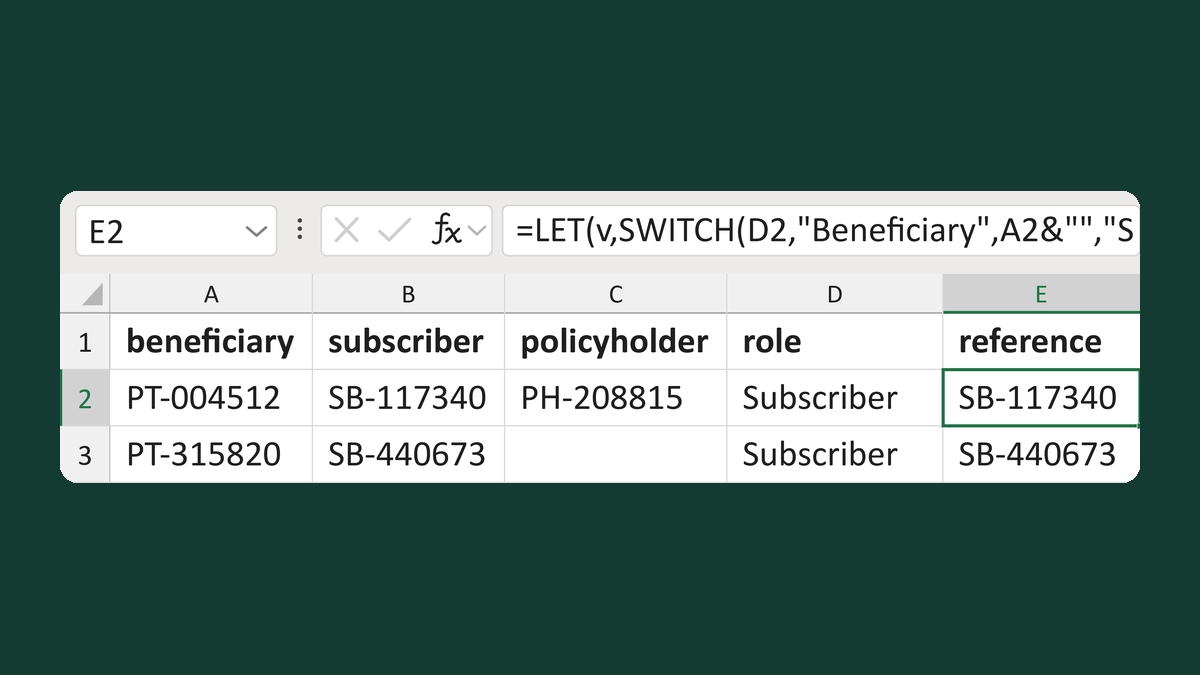
Pick a party reference by requested role
PT-004512, SB-117340, PH-208815 + Subscriber → SB-117340
Get the template →
Merge a few test letters before the whole mailing
Whole mailing → records 2 to 4 only
Take this route →