Merge emailed edits back into one draft

The problem
Reviewers email back their own copies, and you have to pull the edits together.
Why it happens
Some reviewers still email back their own copy. Copying their edits in by hand is slow, and it's easy to miss one.
Do it
-
Save every copy you got back, and keep the clean version you sent out. Don't edit any of them.
-
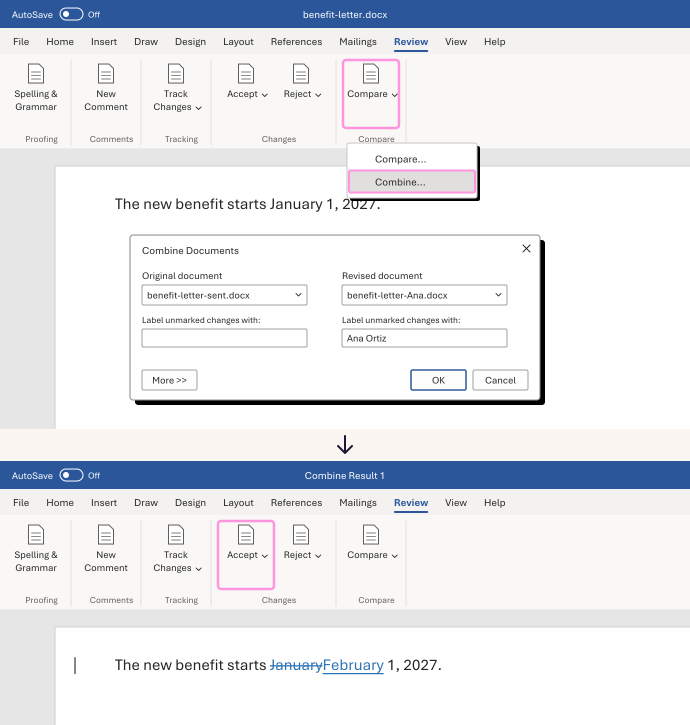
In Word, on the Review tab, click Compare, then Combine. On a Mac it says Combine Documents.
-
Under Original document, choose the version you sent. Under Revised document, choose one reviewer's copy. Click More (the small arrow on a Mac) and make sure changes show in a New document. Click OK.
-
Word opens the result in a new window. Save it. To add the next reviewer, run Combine again with that result as the original.
-
Check the result against each copy. Then choose Accept or Reject for each change, and note why for anything that matters. In a narrow window, they're under Tracking.
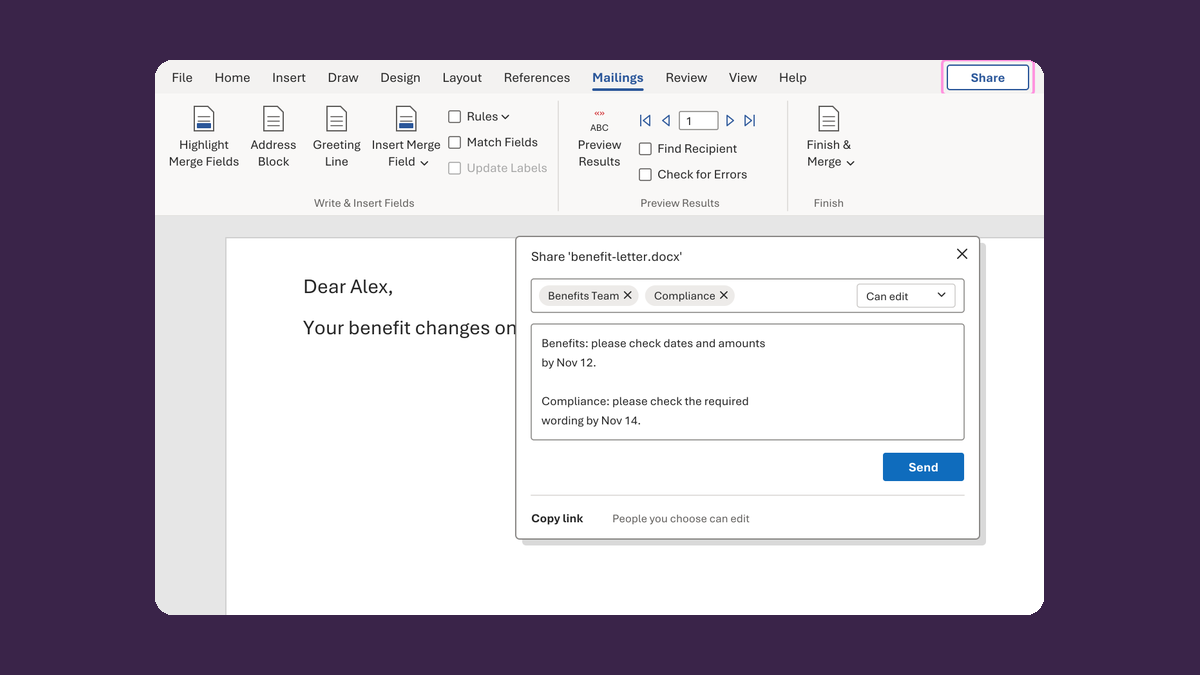
Comments typed into an email or a PDF won't merge. Add those by hand, then share the new draft as one link. Combine isn't in Word for the web.
Watch for
Combining isn't approval. If a change touches required wording, facts, dates, amounts or the audience, send it back for review. If two reviewers changed the same date differently, ask the owner.